
It means easy removal of unwanted components and bootable ISO creation in order to make Vista run faster and to your liking. #Remove component #Create bootable CD #Tweak Vista #VLite #Remove #Tweak

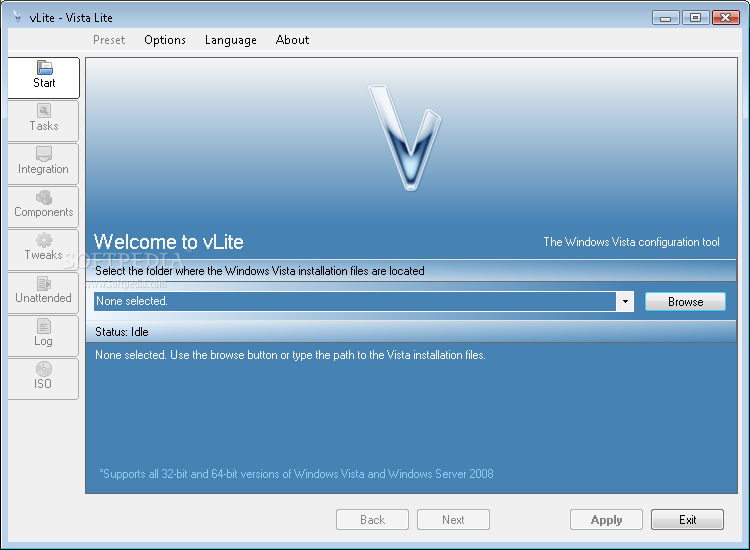
vLite is a software solution designed to customize Windows Vista installation files, allowing you to remove unwanted files and features.
Basically, vLite is a different way to create an ISO file for installing a personalized flavor of Windows Vista, boasting only the features and the applications you need.
Although it may sound like a job mostly addressed to experienced users, vLite has a very clean and straightforward interface, which means beginners can safely use the application as well.
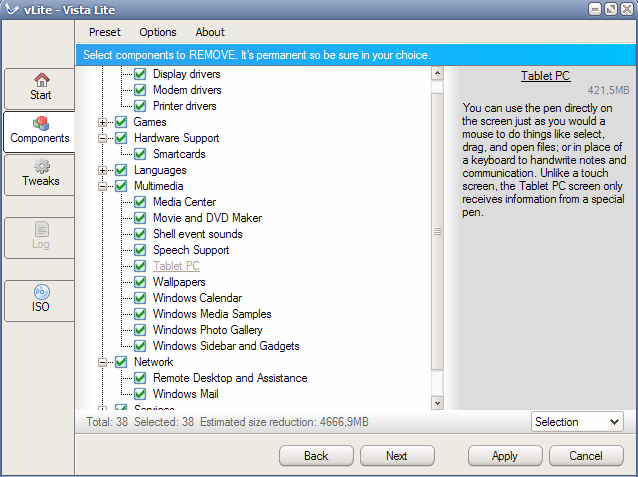
You are first prompted to provide the location of Vista's installation files and then jump straight into the customization process. The first components to be modified are the files to be deployed by Vista, which include drivers, games, hardware support, languages, multimedia content such as wallpapers, sidebar and gadgets, network utilities and other tools.
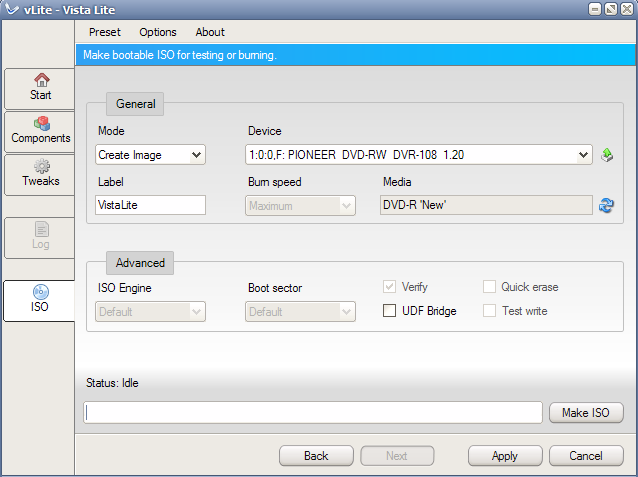
The application also includes a dedicated feature to build a bootable ISO file, so you can use the customized Vista installation files to create your very own disc. There are multiple options in this screen, including burning speed and ISO engine, so make sure to choose the appropriate settings before going further.
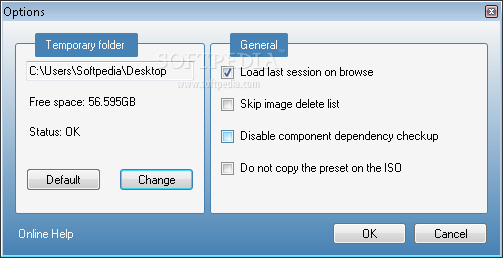
The “Options” menu is minimal and includes only a few options related to temporary folder and a few settings regarding the ISO creation process.
As a conclusion, vLite may be useful to a handful of users, especially because it provides so many customization options. It's user friendly and, probably the most important thing, it does what it says.
What's new in vLite 1.2 Final:
- new: Network Access Protection Agent
- new: Extensible Authentication Protocol (EAP)
- fix: WLAN (WSearch 4.0 install)
vLite 1.2 Final
add to watchlist add to download basket send us an update REPORT- runs on:
- Windows All
- file size:
- 1.5 MB
- filename:
- vLite-1.2.installer.exe
- main category:
- System
- developer:
- visit homepage
IrfanView

Microsoft Teams

paint.net

Windows Sandbox Launcher

calibre

Zoom Client

4k Video Downloader

Bitdefender Antivirus Free

ShareX

7-Zip

- Bitdefender Antivirus Free
- ShareX
- 7-Zip
- IrfanView
- Microsoft Teams
- paint.net
- Windows Sandbox Launcher
- calibre
- Zoom Client
- 4k Video Downloader