
Find rogue programs taking up CPU, RAM, Disk Usage or Internet bandwidth, manage running processes and applications, as well as unlock every single item on the system. #Task Manager #Process Manager #Service Manager #Manager #Process #Service
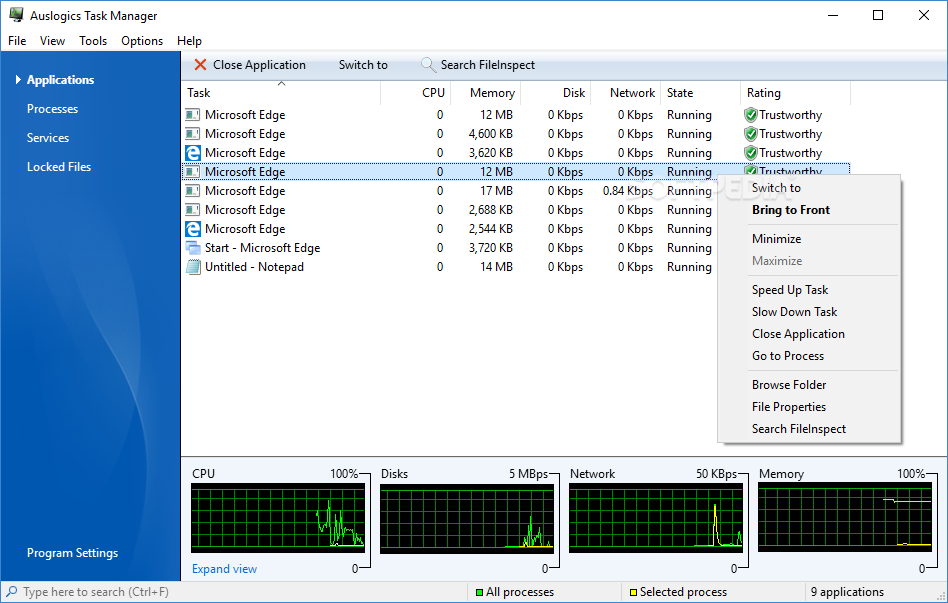
Auslogics Task Manager is a straightforward and reliable piece of software geared towards users who need to view all the active applications, services, processes and locked files in an intuitive environment.
It relies on a short installation process, however, one needs to pay attention during installation, as the program comes bundled with third-party offers that need to be declined by those who do not want to make any changes to their PC.
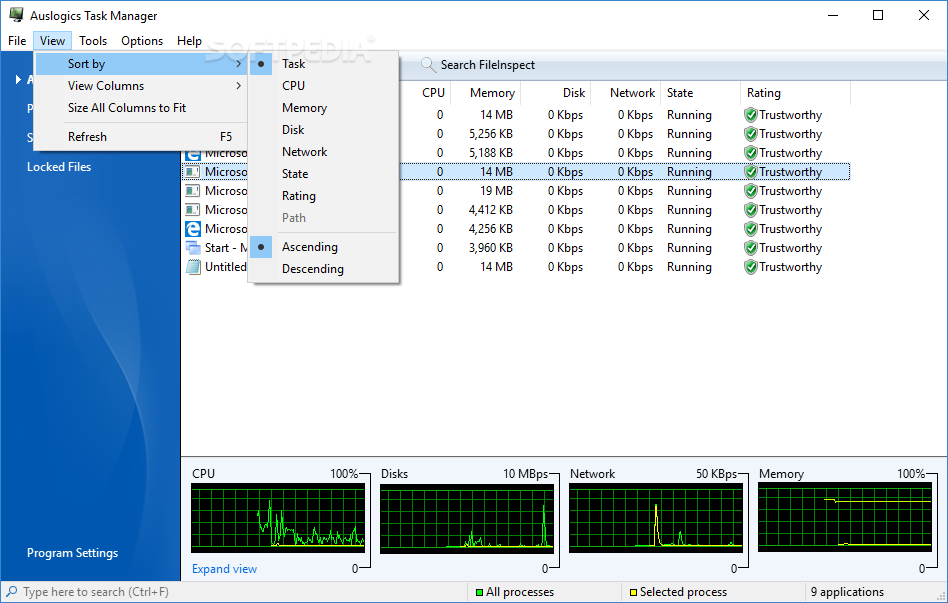
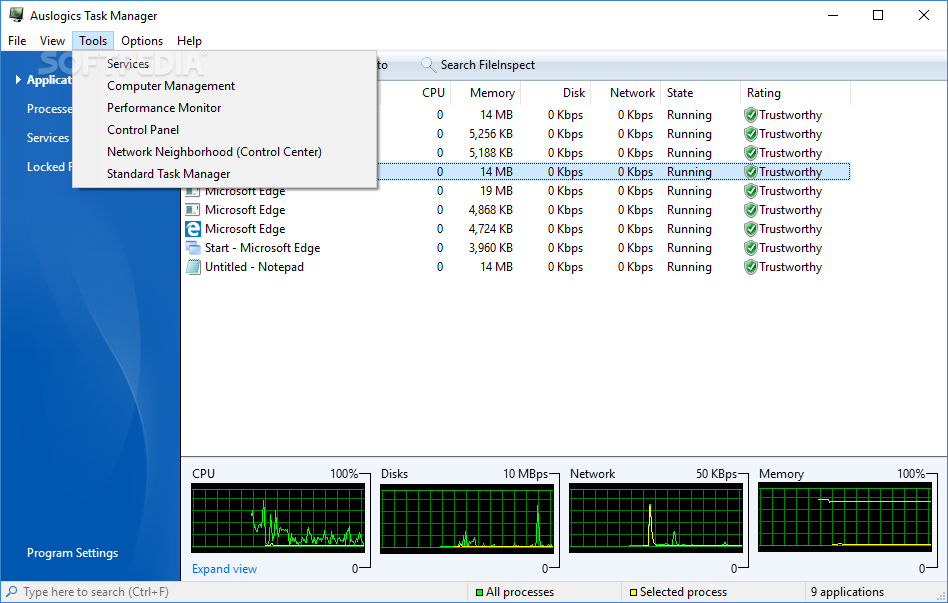
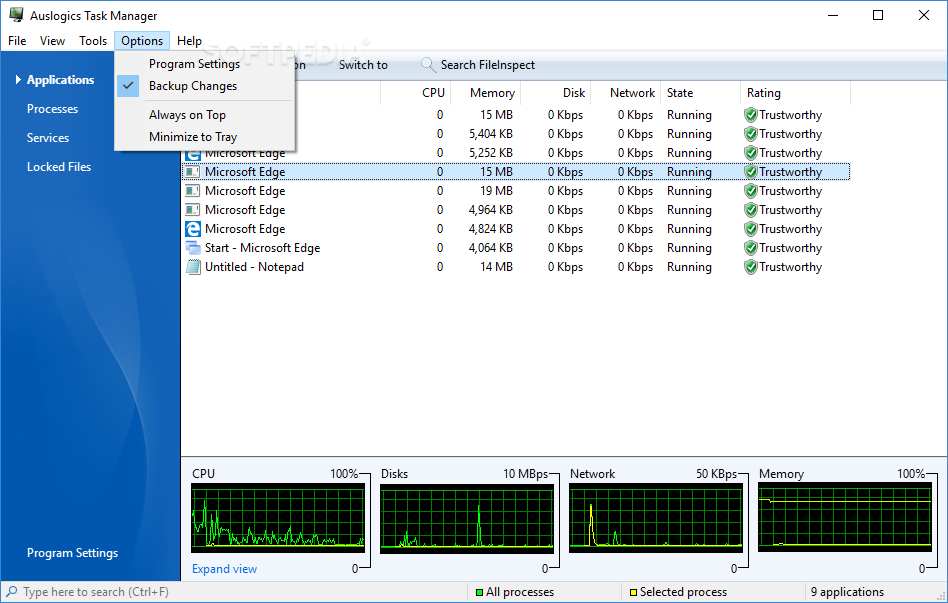
Coming with an intuitive and user-friendly interface, divided into four different sections, namely ‘Applications’, ‘Services’, ‘Processes’ and ‘Locked Files’, the application comes in handy for both novice and advanced users.
What’s more, with the help of Auslogics Task Manager you are able to even find trojans or other threats hiding in legitimate processes and check them on the Internet.
As its name states, the ‘Applications’ section provides access to all of the available apps, displaying information such as task, CPU usage, memory, network, state and rating. Moreover, you are able to view four different graphs at the bottom of the window so you can track memory and CPU usage, used network bandwidth and disks.
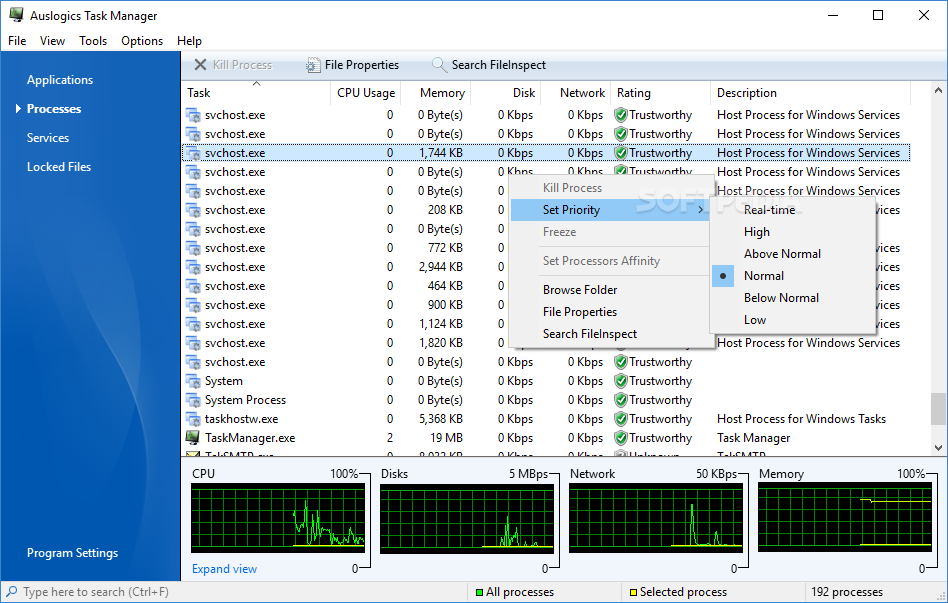
In case you access the ‘Processes’ category, you can view all the running processes as well as use the right-click menu if you want to kill a process, set its priority and analyze the file properties, but also search for information available on the Internet. This option is quite helpful when you need to identify if any malware activity is presented in your PC.
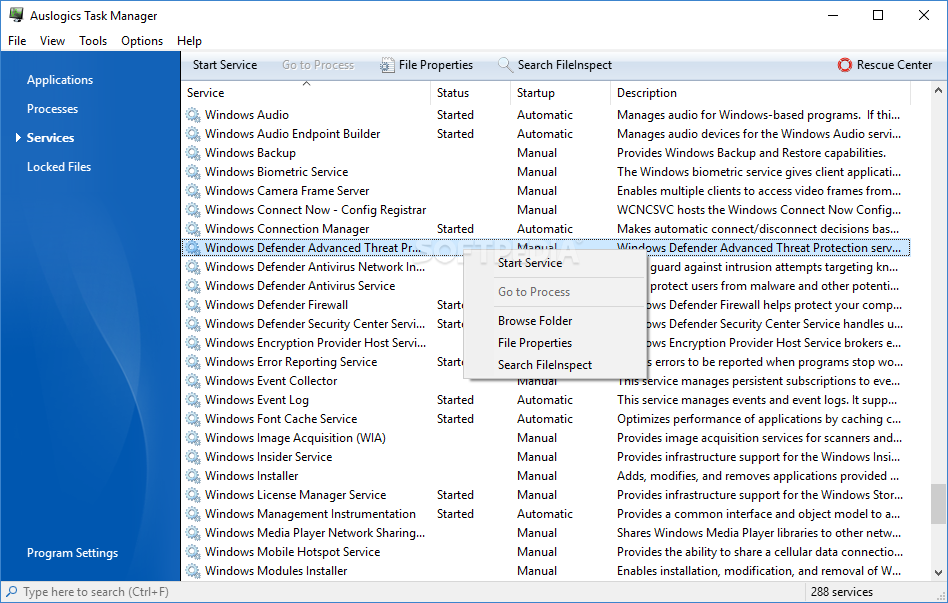
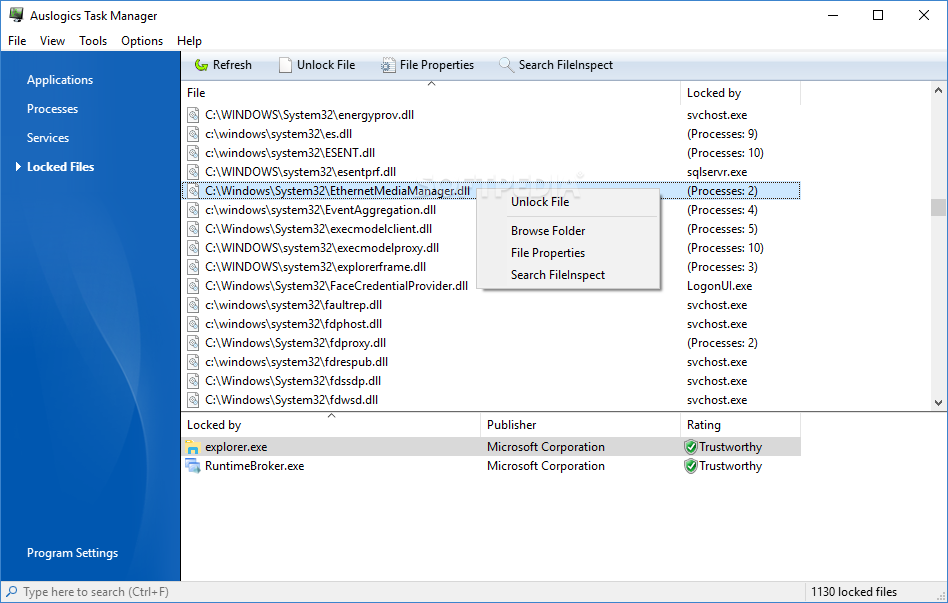
The ‘Services’ section boasts the same features as the Service Manager tool bundled into Windows. It enables you to stop or start specific services, view their status and startup type. Finally, the ‘Locked Files’ panel allows you to unlock every single item on the system.
During our tests, we noticed that Auslogics Task Manager worked seamlessly on our computers, being able to control running processes and applications effortlessly.
Considering all of the above, Auslogics Task Manager comprises many advanced utilities that help you to manage Windows services and locked files and view which applications are consuming network traffic.
Download Hubs
Auslogics Task Manager is part of these download collections: Process Managers
What's new in Auslogics Task Manager 2.2.1.0:
- Improved the "Run Program... " drop-down list
- Now the list displays previously entered paths and available paths
- Improved the application kill warning
- Also improved design and added an option to display the list of locked files
Auslogics Task Manager 2.2.1.0
add to watchlist add to download basket send us an update REPORT- runs on:
-
Windows 10 32/64 bit
Windows 2008
Windows 2003
Windows 8 32/64 bit
Windows 7 32/64 bit
Windows Vista 32/64 bit
Windows XP - file size:
- 5 MB
- filename:
- task-manager-setup.exe
- main category:
- System
- developer:
Bitdefender Antivirus Free

7-Zip

ShareX

Microsoft Teams

IrfanView

calibre

4k Video Downloader

Zoom Client

paint.net

Windows Sandbox Launcher

- Zoom Client
- paint.net
- Windows Sandbox Launcher
- Bitdefender Antivirus Free
- 7-Zip
- ShareX
- Microsoft Teams
- IrfanView
- calibre
- 4k Video Downloader