
Builds a detailed profile of your installed software and hardware and loads it in a webpage, aimed at novices and professional users alike. #PC auditor #Hardware report #PC profile #Advisor #Auditor #Inventory

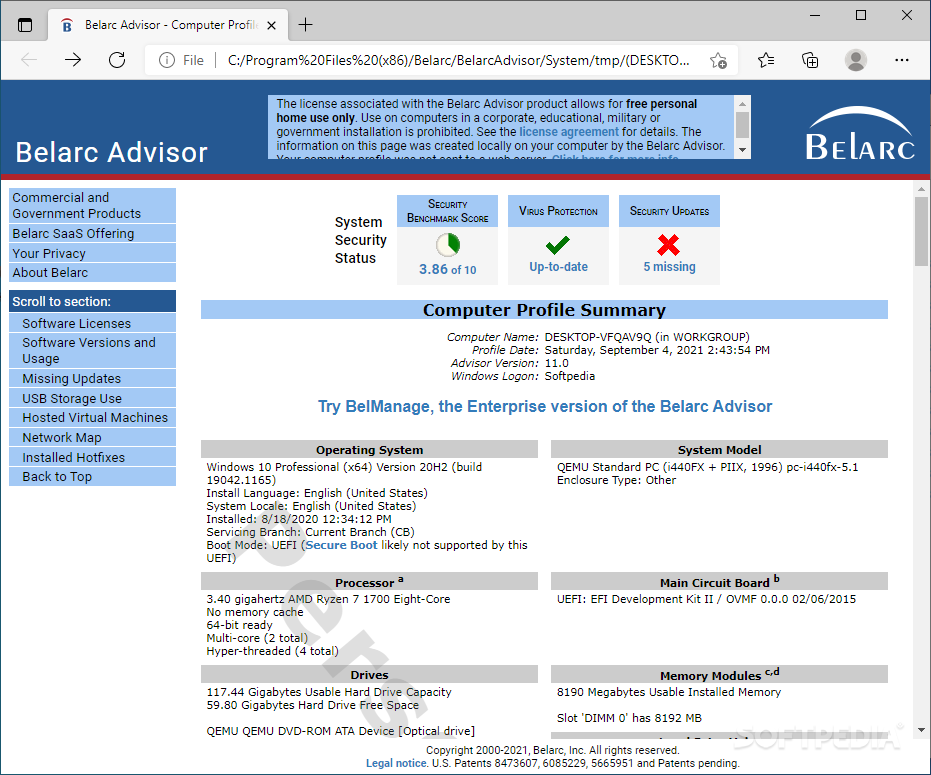
Belarc Advisor is an advanced utility that provides you with a complete configuration of your computer's hardware and software by running an automatic scan, in order to help you discover your PC's capabilities. It comes handy if you want to create a comprehensive report to upgrade the machine, purchase a high-demanding video game, or simply compare it with other systems, for instance.
The installation procedure is a fast and easy task that does not require attention, since are no options to customize. At startup, Belarc Advisor immediately enters the scanning phase and take a while to gather all data (this is done at every program launch). Once it finishes, it launches a web page in the default browser to list its findings.
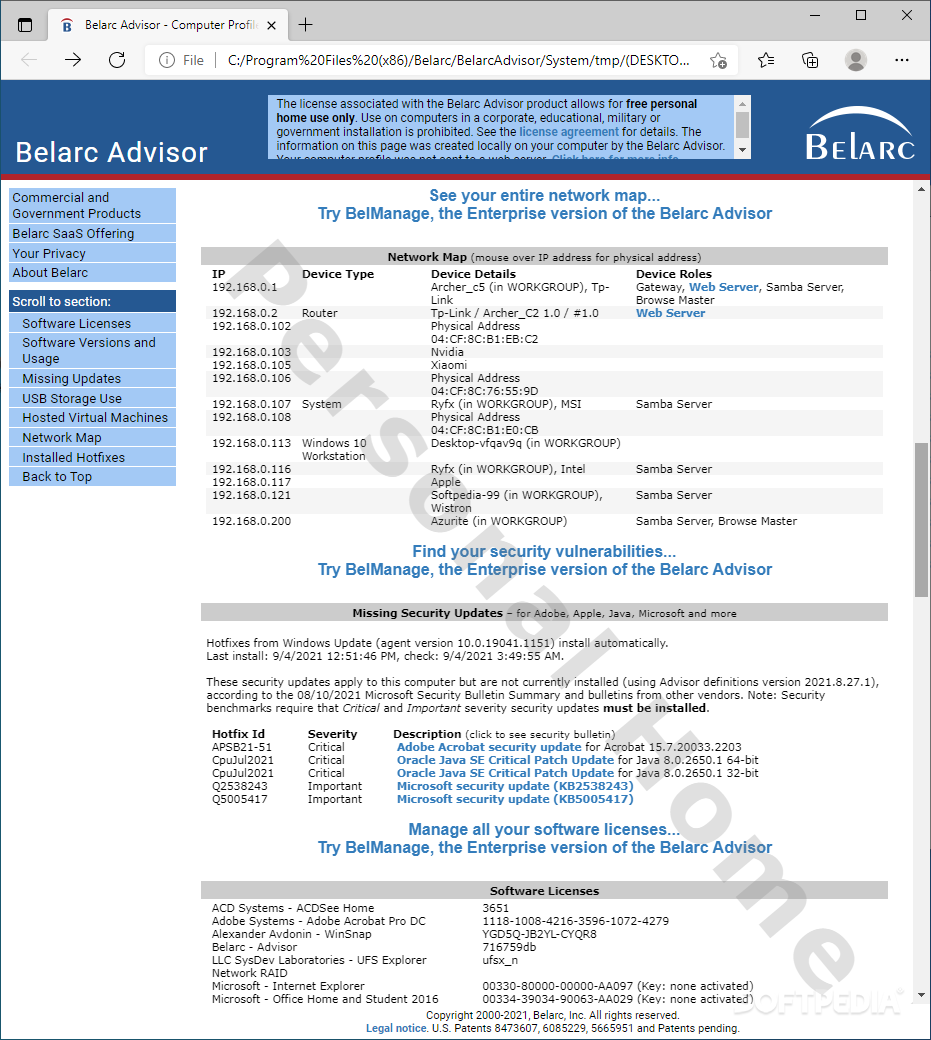
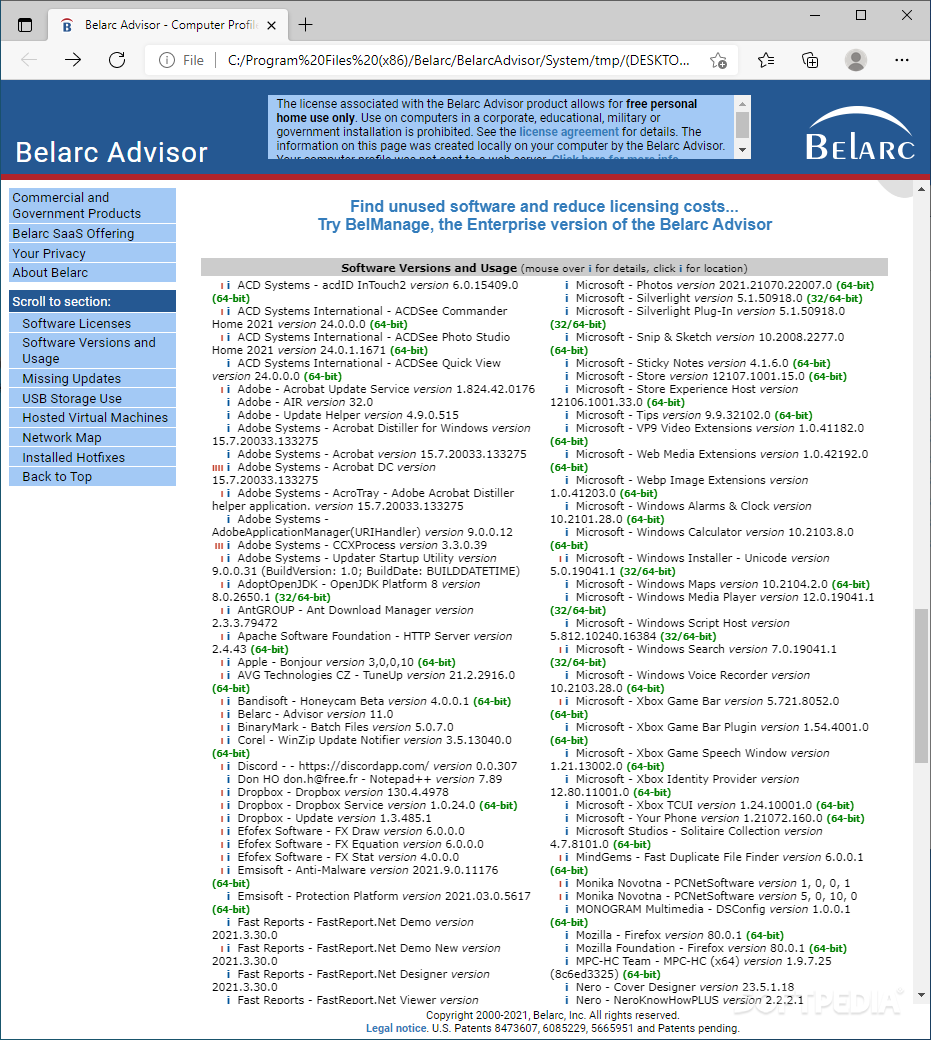
Belarc Advisor shows general details about the operating system (e.g. boot mode, Windows version) along with info on the processor (e.g. total number of cores, architecture type), drives (e.g. usable hard drive capacity), system model (e.g. enclosure type, chassis serial number), main circuit board (e.g. bus clock, BIOS), memory modules, local drives (total and free space, file system), controllers, group policies, installed updates and hotfixes, and so on.
We couldn't help notice the abundance of data this tool can provide, which is not only aimed at professional, but novice users as well. Since it's just a webpage hosted on your computer, Belarc Advisor doesn't stress hardware resources at all. You won't see much activity unless you reopen the application, as it scans the machine every time it loads. This program offers rich and handy system information, and can be used by anyone with ease.
Belarc Advisor 12.1.0
add to watchlist add to download basket send us an update REPORT- PRICE: Free
- runs on:
-
Windows 11
Windows Server 2022
Windows Server 2019
Windows Server 2016
Windows 10 32/64 bit
Windows Server 2012 R2
Windows Server 2012
Windows 2008 R2
Windows 2008 32/64 bit
Windows 2003
Windows 8 32/64 bit
Windows 7 32/64 bit
Windows Vista 32/64 bit
Windows XP 32/64 bit - file size:
- 3.1 MB
- filename:
- advisorinstaller.exe
- main category:
- System
- developer:
- visit homepage
ShareX

Zoom Client

Bitdefender Antivirus Free

4k Video Downloader

Windows Sandbox Launcher

IrfanView

Context Menu Manager

Microsoft Teams

7-Zip

calibre

- Microsoft Teams
- 7-Zip
- calibre
- ShareX
- Zoom Client
- Bitdefender Antivirus Free
- 4k Video Downloader
- Windows Sandbox Launcher
- IrfanView
- Context Menu Manager