
This application helps you scan and view the physical hardware information. #Hardware Scanner #Hardware information #Information retriever #Scanner #Hardware #Scan

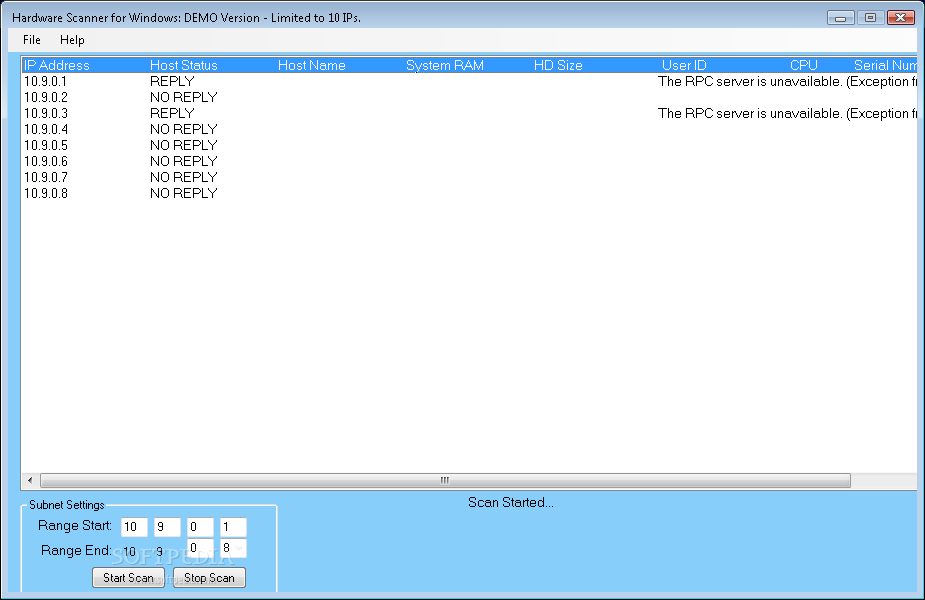
Hardware Scanner is a very easy to use application that scans your network subnet and automatically retrives hardware information for each connected machine.
Although designed to work with network connections and hardware information, which means it is more or less addressed to advanced users, Hardware Scanner relies on a straightforward interface with intuitive options.
The program requires absolutely no other configuration setting beside the IP range you wish to scan, so it's enough to enter the beginning and ending IP and you're ready to go.
The main window is the one that makes things so simple because it displays all the collected information, such as IP address, status, hostname, RAM, HD size, user ID and CPU.
A typical scan usually takes just a few minutes, depending on the number of IPs the program has to scan, but Hardware Scanner works blazing fast all the time, no matter the Windows version deployed on the system.
Although the app may sometimes fail to collect the information, you should keep in mind that Hardware Scanner can only retrieve information if you have access to the network computers, otherwise it only shows the IP address and the hostname.
Of course, the amount of hardware resources needed to complete the task is just minimal and although there's no help file included in the app, Hardware Scanner is aimed at both beginners and more experienced users.
Overall, Hardware Scanner is one of the software solutions that may come in handy to a handful of users, but only if certain requirements are met. Still, it works quick and easy on every Windows workstation out there and needs just a few minutes to get the job done.
Hardware Scanner 2.0
add to watchlist add to download basket send us an update REPORT- runs on:
-
Windows 2003
Windows Vista
Windows XP
Windows 2K - file size:
- 334 KB
- filename:
- Hardware_Scanner_Demo.exe
- main category:
- System
- developer:
- visit homepage
paint.net

Microsoft Teams

7-Zip

Bitdefender Antivirus Free

Zoom Client

4k Video Downloader

ShareX

IrfanView

calibre

Windows Sandbox Launcher

- IrfanView
- calibre
- Windows Sandbox Launcher
- paint.net
- Microsoft Teams
- 7-Zip
- Bitdefender Antivirus Free
- Zoom Client
- 4k Video Downloader
- ShareX