
Gives a fast feedback to current memory usage in Windows and enables you to perform memory defragmentation to enhance system speed. #View memory usage #RAM information #RAM defragmenter #Defragmentation #Memory usage #Monitor

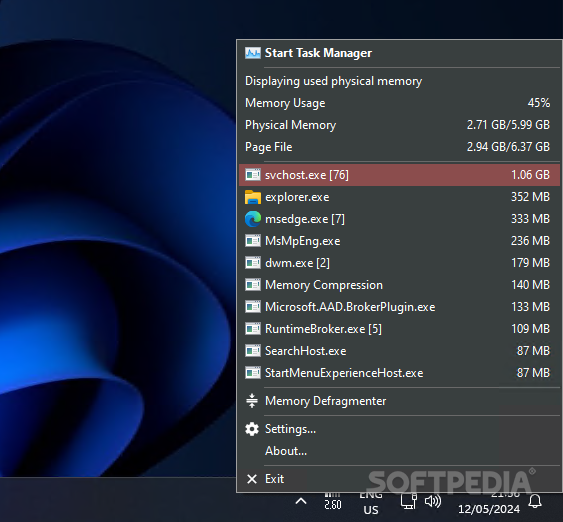
There are many ways to monitor memory usage these days, but MemInfo promises to make everything a lot easier by bringing all stats at one-click distance.
Once launched, the program places an icon in the System Tray that plays the key role in this app.
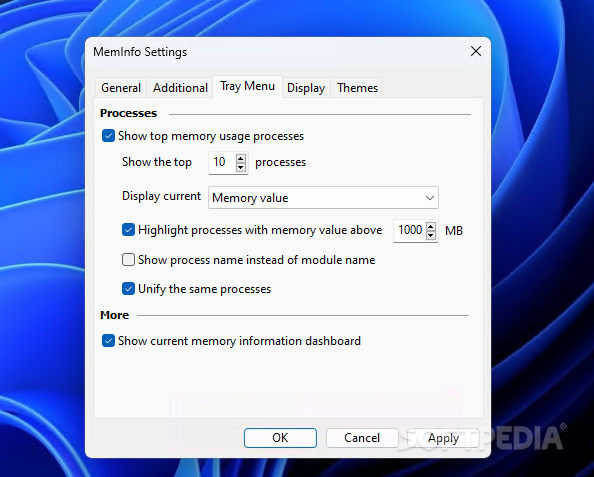
A simple right-click on the Tray icon shows memory usage, physical memory and page file, as well as the common processes on your system.
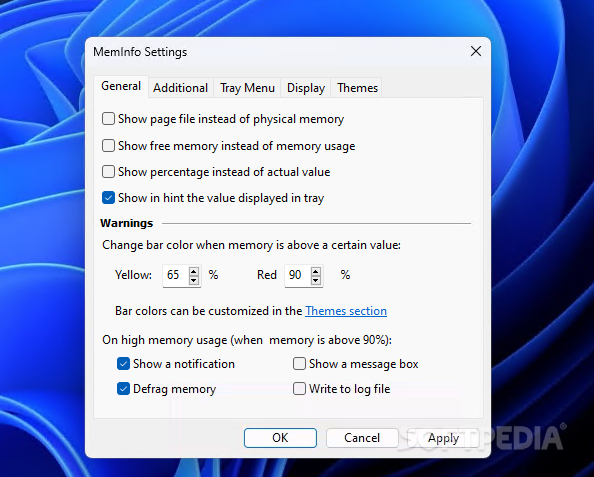
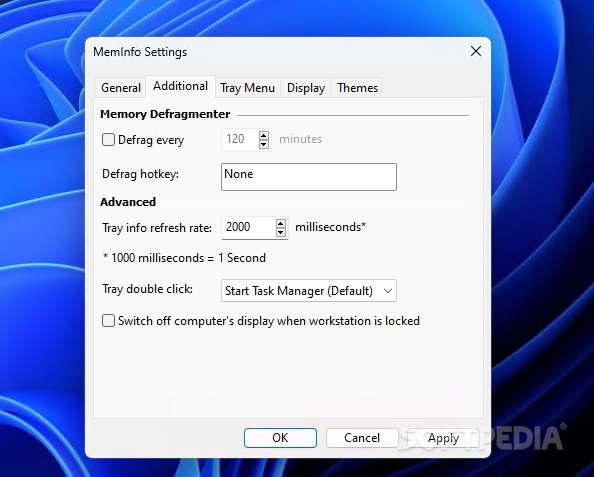
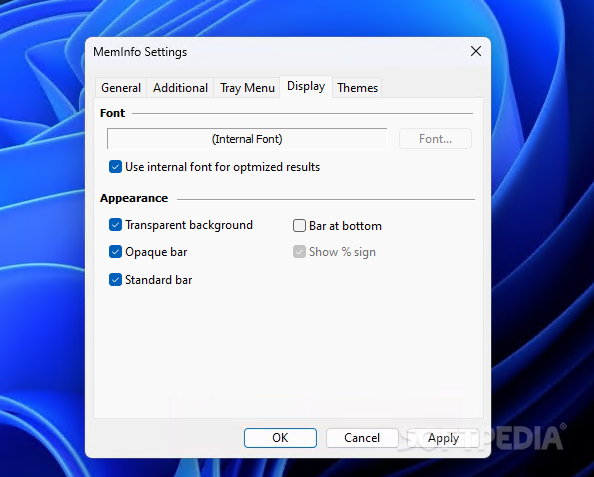
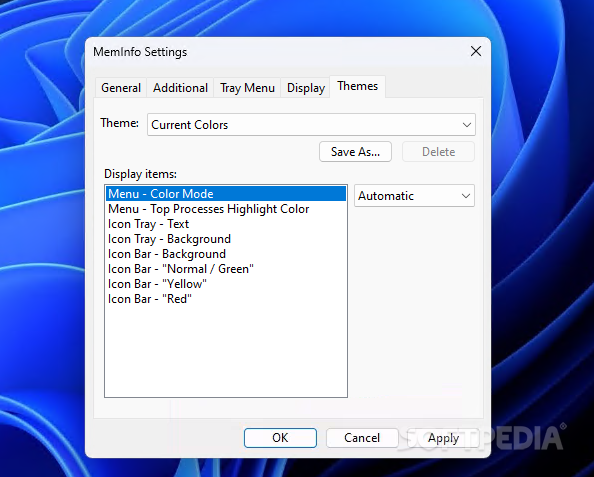
While there’s no actual interface for the app, MemInfo still comes with plenty of configuration options, so you can even change displayed font, enable transparency and change the themes.
But it’s more important to know however that you can show page file instead of physical memory, free memory instead of memory use, percentage instead of actual value and display a balloon notification on high memory usage.
Last but not least, MemInfo comes with a memory optimization tool that could really come in handy to many users. It can automatically free up RAM and thus boost the overall system performance in just a second.
MemInfo doesn’t hamper system performance and it runs just fine on all Windows flavors on the market. It keeps an icon in the Tray, so no special computer skills are required.
Overall, this is quite a handy product that brings a great amount of information right in your System Tray. It can be safely used by rookies too, it runs on very low resources and is highly-customizable, with all options grouped in a very plain and simple screen.
Download Hubs
MemInfo is part of these download collections: Tweak Taskbar
What's new in MemInfo 3.51 SR1:
- Minor bug fixes
MemInfo 3.51 SR1
add to watchlist add to download basket send us an update REPORT- PRICE: Free
- portable version
- MemInfo Portable
- runs on:
-
Windows NT
Windows 10 32/64 bit
Windows 2003
Windows 8 32/64 bit
Windows 7 32/64 bit
Windows Vista 32/64 bit
Windows XP 32/64 bit
Windows 2K - file size:
- 636 KB
- filename:
- MemInfo.zip
- main category:
- System
- developer:
- visit homepage
ShareX

Zoom Client

Windows Sandbox Launcher

7-Zip

paint.net

Bitdefender Antivirus Free

IrfanView

4k Video Downloader

calibre

Microsoft Teams

- 4k Video Downloader
- calibre
- Microsoft Teams
- ShareX
- Zoom Client
- Windows Sandbox Launcher
- 7-Zip
- paint.net
- Bitdefender Antivirus Free
- IrfanView