Softpedia
 

WINDOWS CATEGORIES:


GLOBAL PAGES >>
SOFTPEDIA REVIEWS >>
MEET THE EDITORS >>
WEEK'S BEST
  • Bitdefender Total ...
  • Ocster Backup Pro ...
  • Hard Disk Sentinel...
  • FlashFXP [DISCOUNT...
  • DVDFab DVD Copy [D...
  • Kaspersky Internet...
  • Avast! Internet Se...
  • Avira Internet Sec...
  • Webroot SecureAnyw...
  • McAfee Total Prote...
  • Home > Windows > System > System Info
     Report malware

    OverDisk 0.11 beta

    download button

    Downloads: 9,188  Tell us about an update
    User Rating:
    Rated by:
    Good (3.8/5)
    29 user(s)
    Developer:

    License / Price:

    Size / OS:

    Last Updated:

    Category:

    Freeware / $0
    502 KB / Windows All
    [view history]
    C: \ System \ System Info

     Read user reviews (4)  Send to friend   Follow (2 users)

    Softpedia Editor's Review for OverDisk

    EDITOR'S RATING:   3.5/5

    A disk usage browser that allows you to view the occupied space.

    Written by Gabriela Vatu on January 31st, 2013

    Nowadays, hard disks keep getting bigger, but that doesn’t mean that you must waste the space on them. OverDisk is a light tool that allows you to view the occupied space.

    The app has a simple interface that is quite easy to work with, thanks to the intuitive layout.

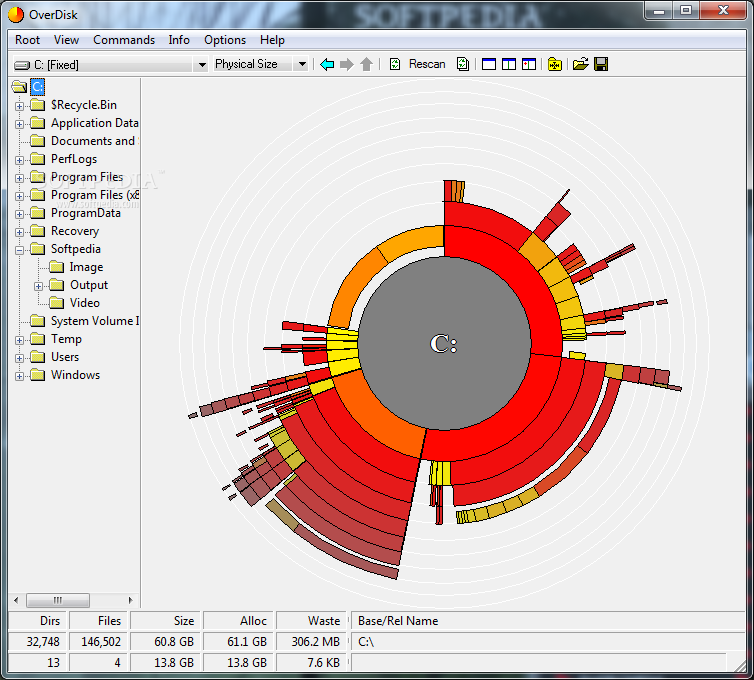
    The program can scan your hard disk and provide a multi-level pie chart that shows the storage distribution of many directory levels. The files and directories are displayed differently, which makes them easy to distinguish.

    You may browse through the different layers as you analyze the size of the folders and check which can be deleted to clear more space. The files and folders that are vital to the system or to certain apps are represented with red, while the color fades into yellow for those that aren’t as important.

    Other details may be viewed from the interface, such as the number of directories and files, their size and the amount of wasted space in these areas. The color shades may be modified from the app’s “Settings” area.

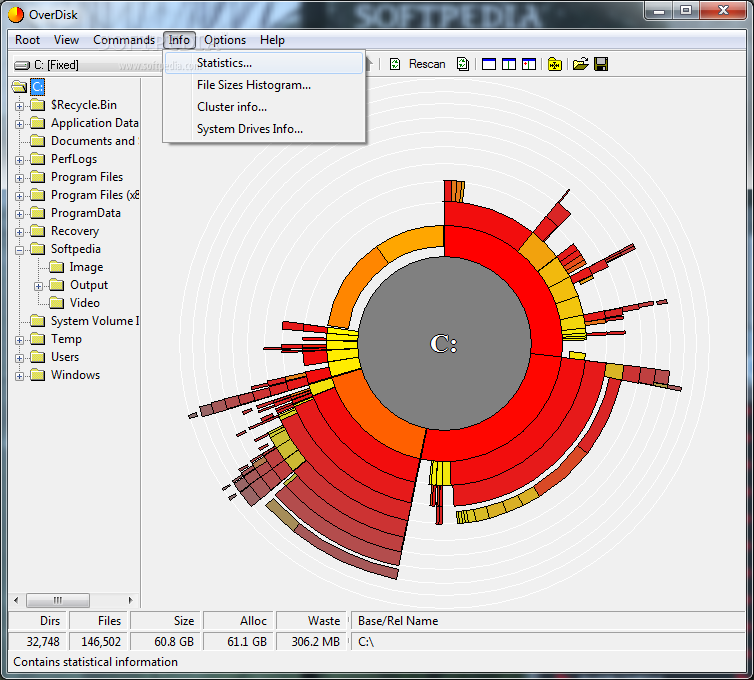
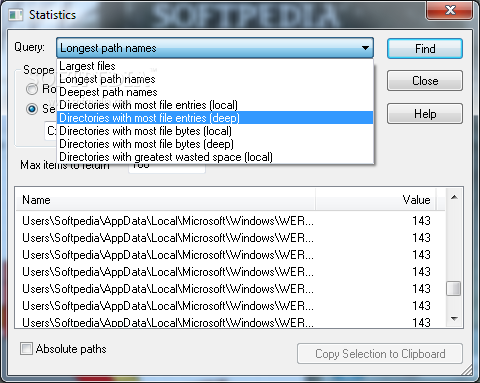
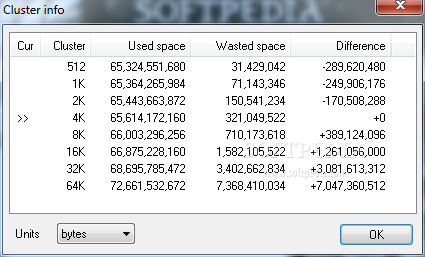
    The program can provide statistics regarding the state of the HDD, file size histograms and information regarding the data clusters on the disk. Furthermore, it can open files and folders from any area of the computer. Thus, you may immediately check the importance of the files and choose to delete or keep them.

    The bottom line is that OverDisk is a nice program that can come in handy quite often. Inexperienced users should find it easy to figure out, thanks to its simplicity.

    OverDisk description

    Here are some key features of "OverDisk":

    · Multi-level pie chart, showing storage distribution of many directory levels.
    · Files and directories are displayed differently and are easily distinguishable.
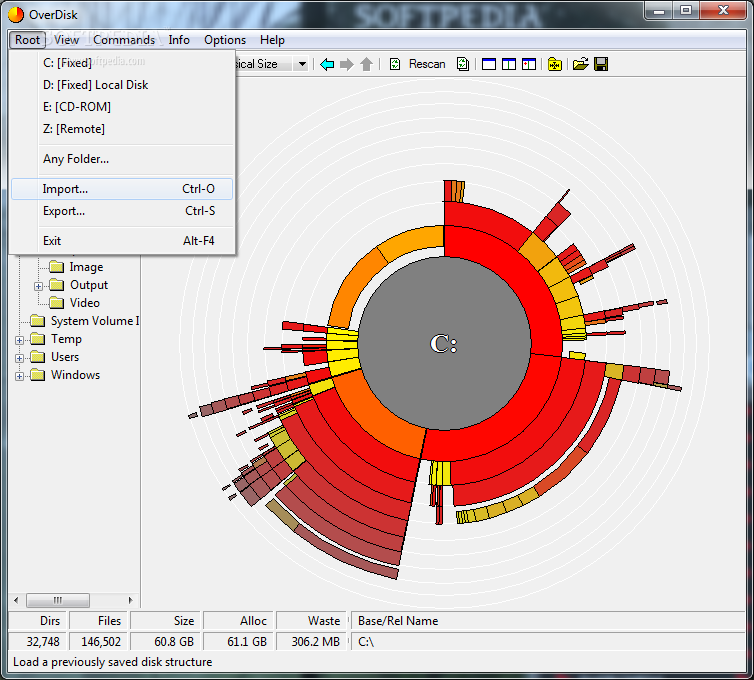
    · Ability to export a directory structure (with files), for later access when the storage medium is not available.
    · Many coloring modes.
    · Smooth multithreaded execution.
    · Full support forFAT, FAT32, CDFS, UDF, NTFS, and all file systems accessible by Windows.

    Requirements:

    · 256-color display (16K-color for transparency effects)

    Limitations:

    · OverDisk is a compact tool that allows you to view graphs and statistics about the local disk usage. It can be used to quickly find out how a partition's space is distributed among the file system hierarchy.
    ·
    · It helps you get a general idea about how much disk space is being used and identify the folders using it. This is useful when running out of space, or just wishing to clean up a disk from space-eating junk.
    ·
    · The program provides a graphical interface that displays the disk information. You can view detailed statistics about the disk usage and about folder structure of a certain disk.

    What's New in This Release: [ read full changelog ]

    · Resizable statistics dialog; removed expand-on-demand.
    · Full-row select for various lists (statistics & sys drive dlg...).
    · Persistent size/pos of resizable dlgs: stats, histogram, sys drives.
    · Scanning dlg: reduce update freq (from 0.1 to 1sec) & removed potential small delay on close.
    · Better folder browser for "Any Folder" (where supported).
    · The System Drives Info dialog now reads information asynchronously. Also the order that the drives are examined is based on their type to avoid waiting for slow drive types. The order is: ram-disks, fixed drives, optical, removable, network.
    · Extended option "Auto scan drive on startup" to accept a directory instead.
    · Doesn't autoscan the first hard drive by default on the first run.
    · XP theme compatibility

     Softpedia guarantees that OverDisk 0.11 beta is 100% CLEAN, which means it does not contain any form of malware, including spyware, viruses, trojans and backdoors. [read more >]


    TAGS:

    disk usage | distributed space | system hierarchy | OverDisk | disk | usage

    Go to top

    WindowsGamesDriversMacLinuxScriptsMobileHandheldNews

    SUBMIT PROGRAM   |   ADVERTISE   |   GET HELP   |   SEND US FEEDBACK   |   RSS FEEDS   |   UPDATE YOUR SOFTWARE   |   ROMANIAN FORUM