
StatBar is a system status bar which allows you to quickly get an overview of your systems condition (memory, CPU, uptime, and m. #System status #System monitor #System condition #Status #System #Monitor

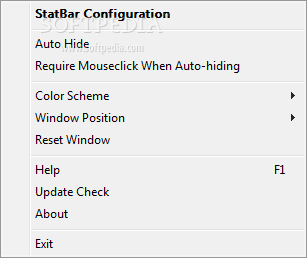
StatBar is a handy utility that provides a quick overview of your system, including details regarding the memory, CPU, uptime and network traffic.
The application has been designed as a toolbar, so it can be placed either at the top or at the bottom of the screen. Although the interface is not the best we've seen (some of the available color themes are strong and bother the eye), StatBar displays an impressive amount of system information, all configurable via the built-in settings screen.
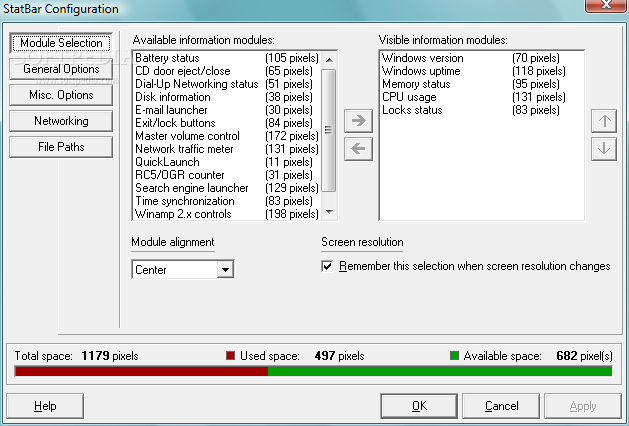
For example, the available information modules include Windows version, system uptime, memory status, CPU usage, locks status, network traffic meter, disk information, battery status for laptops, email launchers, time synchronization, quick launch, master volume control and Winamp controls.
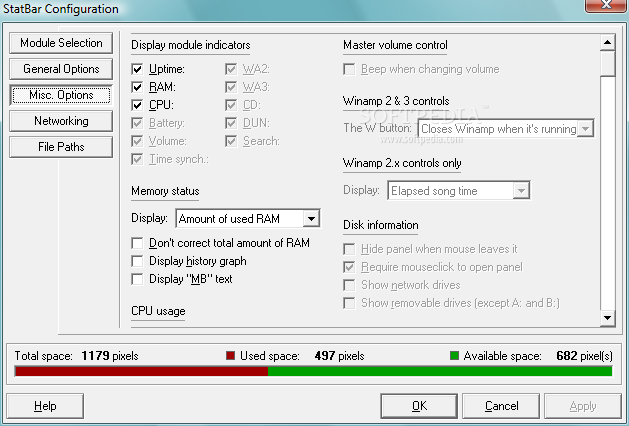
You can easily configure update interval, transparency, color scheme, network adapters to monitor and file paths for some of the included modules.
Placed at the top or at the bottom of the screen, StatBar does not interfere with the other running programs, as the application basically reduces available working space to keep the toolbar always on top. You can enable the auto-hide feature in order to save space on your screen.
It's no surprise that StatBar works smooth on all Windows flavors and doesn't affect system performance at all, running decently on very low resources.
Overall, StatBar is useful, there's no doubt about it, but it still needs improvements in some key areas. The first thing to be revised is definitely the interface.
What's new in StatBar 2.406:
- When trying to add an item to the QuickLaunch list without selecting an icon, StatBar would automatically select the icon you picked for the last item you added. Fixed.
- On Win95/98/ME, the "Exclude process" label in the configuration window wasn't grayed out, despite the fact that this function isn't available on those platforms. Fixed.
- When using quotes in the search engine module, the query wasn't sent to the search engine properly. Fixed.
- When starting Winamp, the working directory is now set to the directory in which the Winamp executable is stored. Otherwise, some Winamp plugins which require serial numbers wouldn't work.
StatBar 2.406
add to watchlist add to download basket send us an update REPORT- runs on:
- Windows All
- file size:
- 1.6 MB
- filename:
- StatBarSetup.exe
- main category:
- System
- developer:
- visit homepage
calibre

Windows Sandbox Launcher

ShareX

Microsoft Teams

7-Zip

paint.net

Zoom Client

IrfanView

4k Video Downloader

Bitdefender Antivirus Free

- IrfanView
- 4k Video Downloader
- Bitdefender Antivirus Free
- calibre
- Windows Sandbox Launcher
- ShareX
- Microsoft Teams
- 7-Zip
- paint.net
- Zoom Client