
View various hardware and software information and be in full control of your system with the help of this handy piece of software. #System specification #Memory address #CPU speed #Specification #Memory #Address

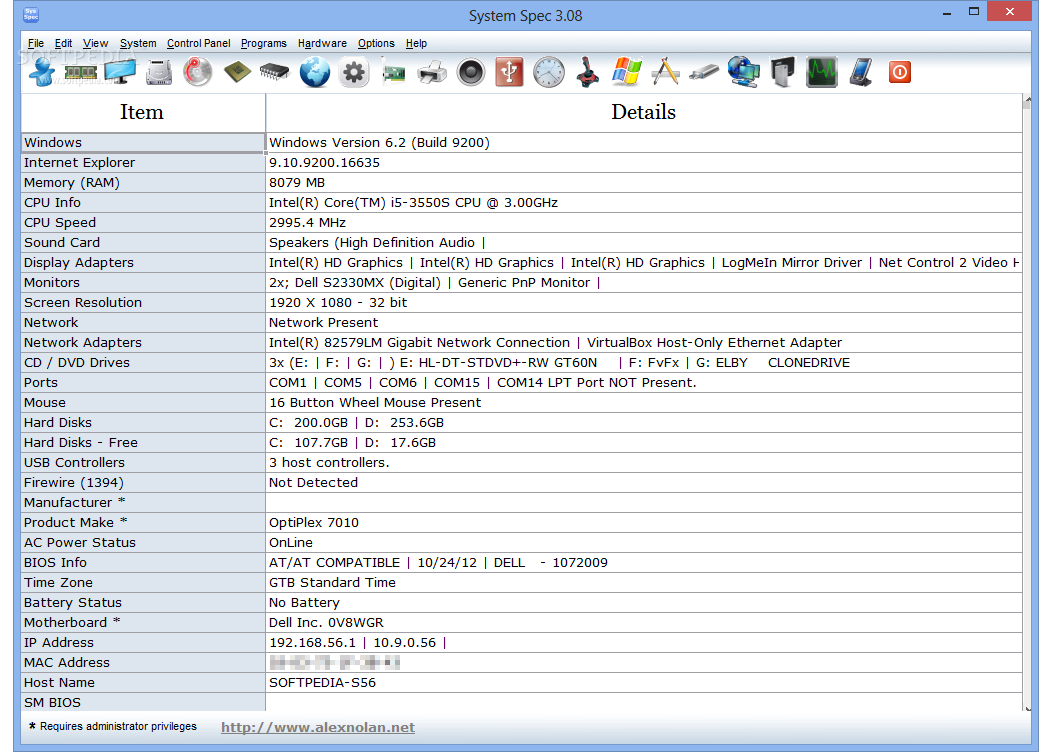
System Spec is a tool that displays various information about your system's software and hardware.
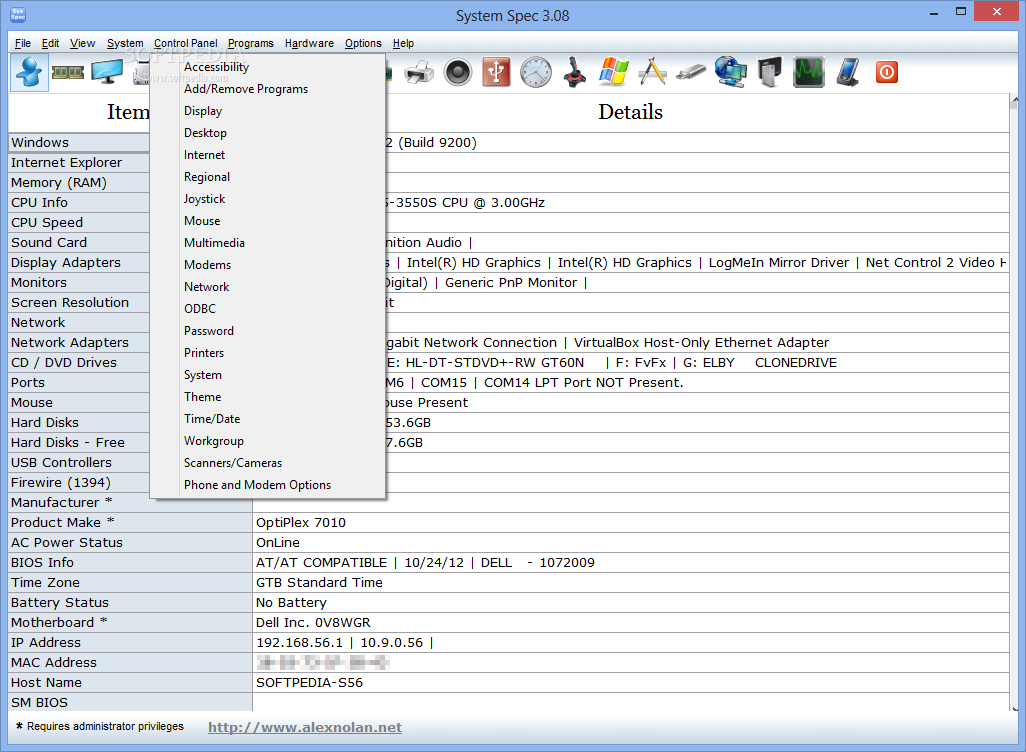
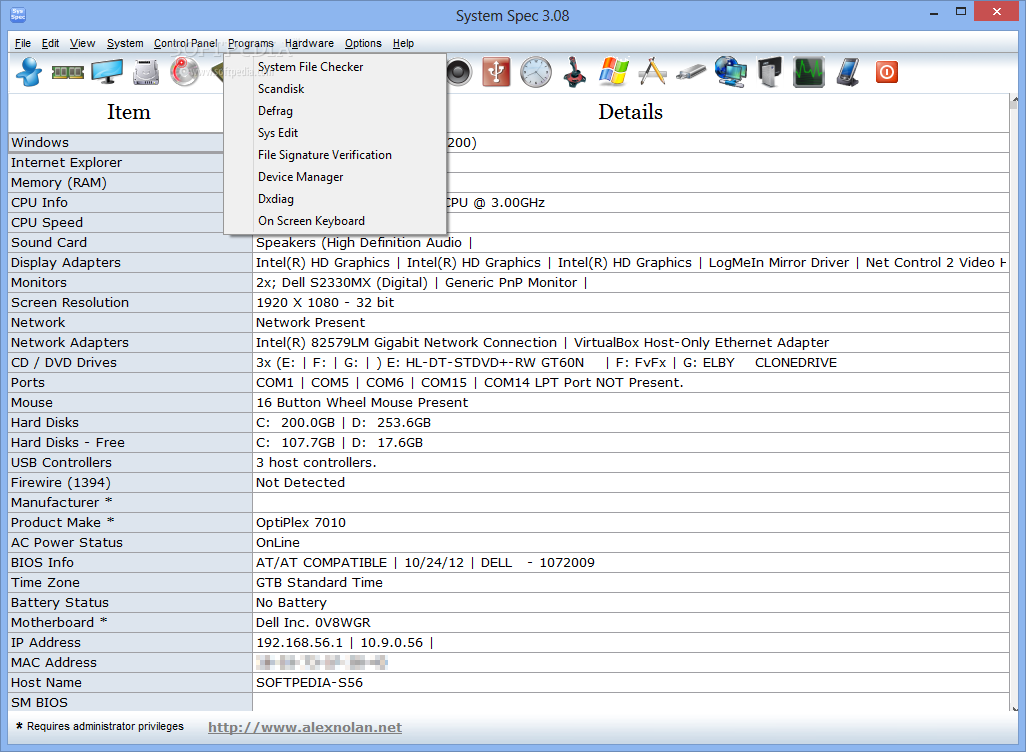
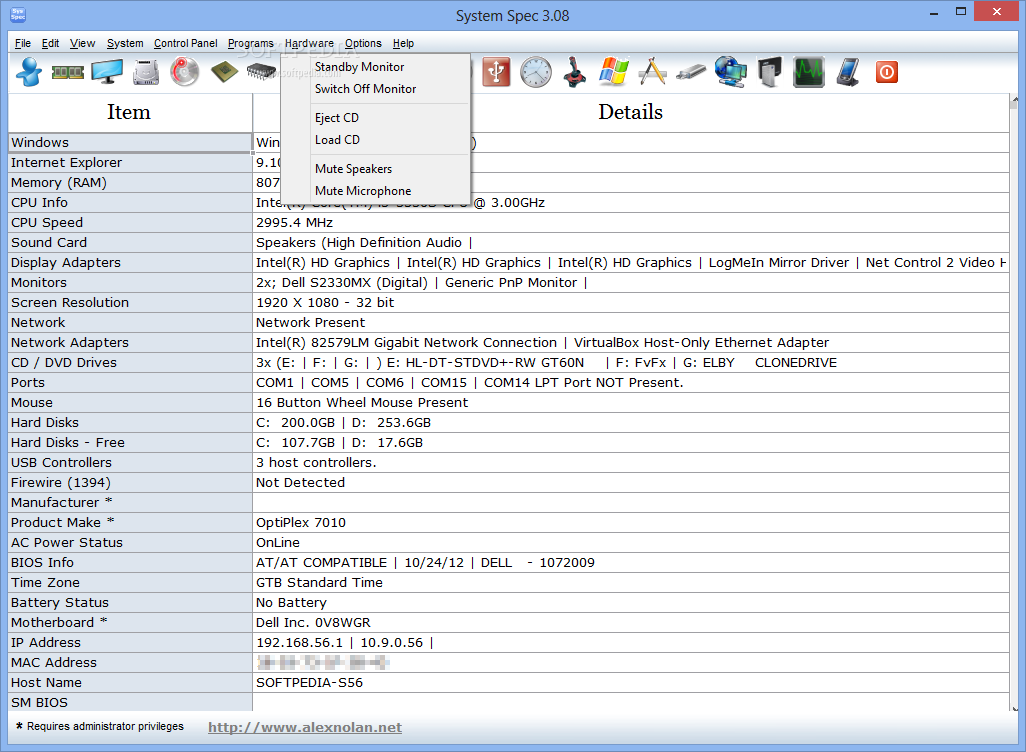
The user interface of the application is plain. In the main window you can view details about Windows, Internet Explorer, memory, CPU, IP address, MAC address, and more.
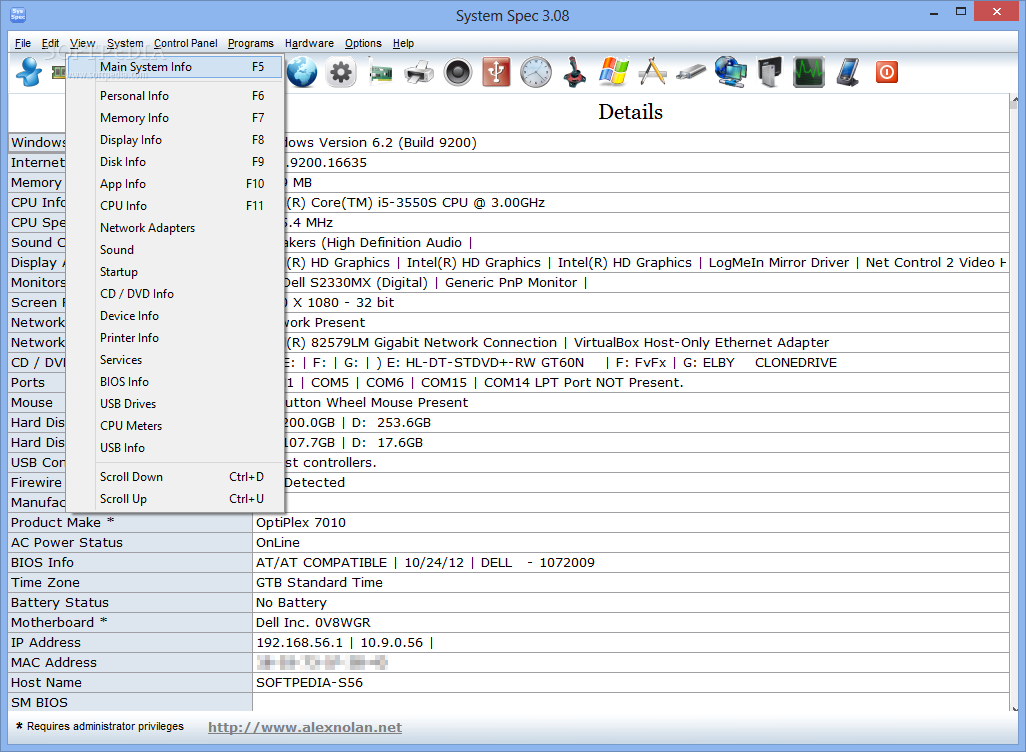
There is also a toolbar menu where you can access personal Windows and system information (e.g. register owner and organization, product ID), as well as memory information (e.g. physical and virtual, memory utilization).
You can also view data about the display (e.g. adapters, device, chipset, memory, BIOS, monitor frequency), disk (e.g. S.M.A.R.T. info), CD/DVD, CPU (e.g. current voltage, vendor, manufacturer), Internet (e.g. status, Internet Explorer favorites) and installed programs (e.g. version, help link and telephone, file path, publisher).
You can access information on the network (e.g. network adapter configuration), printers, sound (sound card, mixer devices, version, volume), USB (e.g. host controllers, storage devices), date and time (e.g. time zone, system up time, system boot up time, time format), as well as input devices (e.g. keyboard language, double click height).
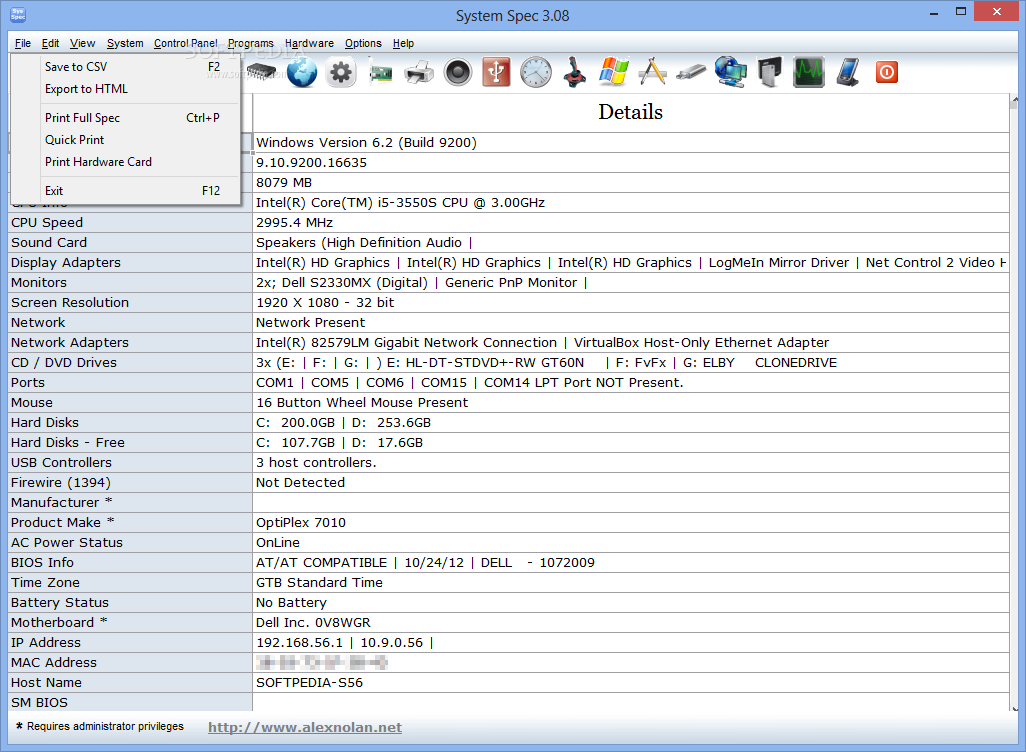
Last but not least, you can find out details about the Windows version (e.g. edition, product type, internal version, bit size, service packs), database and development, as well as USB drives. All the lists presented by the application can be saved or printed.
The program uses a low amount of system resources. However, the help file doesn't offer complete information, so beginners could experience difficulties in understanding the technical terms.
The bottom line is that System Spec is a decent tool for retrieving system information, but it definitely needs more work.
System Spec 3.11
add to watchlist add to download basket send us an update REPORT- runs on:
- Windows All
- file size:
- 2.4 MB
- filename:
- SysSpec.exe
- main category:
- System
- developer:
- visit homepage
ShareX

Microsoft Teams

Bitdefender Antivirus Free

IrfanView

calibre

7-Zip

Zoom Client

Context Menu Manager

4k Video Downloader

Windows Sandbox Launcher

- Context Menu Manager
- 4k Video Downloader
- Windows Sandbox Launcher
- ShareX
- Microsoft Teams
- Bitdefender Antivirus Free
- IrfanView
- calibre
- 7-Zip
- Zoom Client
