
Detect if your USB flash drives have autorun.inf files on them and execute them by turning to this lightweight software solution. #USB autorun #Detect USB #Direct browsing #USB #Autorun #Detect

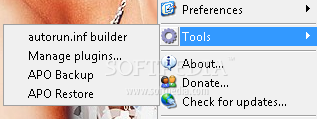
APO USB Autorun is a lightweight Windows tool that launches the autorun.inf file every time a new USB device is connected to your computer, while also providing a quick file browsing system accessible via the System Tray.
It may sound a little bit complicated, but APO USB Autorun does an excellent job for users who work with USB devices on a regular basis.
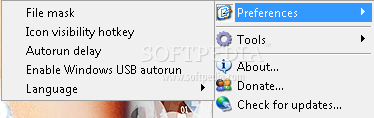
The application automatically notified the user when a new USB drive is plugged into the USB port, coming with multiple customization options to delay the startup or customize the autorun file.
It places an icon in the Windows System Tray which not only that provides access to all program options, but it also enables you to quickly browse the files of a connected USB drive just by clicking on its name.
Although it's supposed to run all the time, APO USB Autorun remains very friendly with hardware resources and it's no surprise given the fact that it's being distributed as a very small package.
Plus, it works flawlessly on all Windows versions currently on the market and it doesn't even ask for administrator privileges when launched on Windows 7.
All things considered, APO USB Autorun is a handy piece of software that does what it says without hampering system performance in any way.
A very good thing is that it's freeware, so it doesn't hurt your pocket should you decide to give it a chance. And last but not least, it provides a fairly quick mode to access the content placed on a USB drive via the System Tray icon.
APO USB Autorun 1.6.2.0
add to watchlist add to download basket send us an update REPORT- runs on:
- Windows All
- file size:
- 1.3 MB
- filename:
- APO USB Autorun.exe
- main category:
- System
- developer:
Windows Sandbox Launcher

Zoom Client

calibre

ShareX

7-Zip

IrfanView

Microsoft Teams

Context Menu Manager

Bitdefender Antivirus Free

4k Video Downloader

- Context Menu Manager
- Bitdefender Antivirus Free
- 4k Video Downloader
- Windows Sandbox Launcher
- Zoom Client
- calibre
- ShareX
- 7-Zip
- IrfanView
- Microsoft Teams
