Softpedia
 

WINDOWS CATEGORIES:


GLOBAL PAGES >>
SOFTPEDIA REVIEWS >>
MEET THE EDITORS >>
WEEK'S BEST
  • Sticky Password FR...
  • Parallels Workstat...
  • ESET NOD32 Antivir...
  • BitDefender Total ...
  • WinPatrol 24.6.201...
  • PerfectDisk Free D...
  • Adobe Photoshop CS...
  • PerfectDisk Profes...
  • Windows 8 Consumer...
  • Atlantis Word Proc...
  • Home > Windows > System > System Miscellaneous
     Report malware

    Auto Kill Any Process 2.1

    download button

    Downloads: 9,015  Tell us about an update
    User Rating:
    Rated by:
    Very Good (4.6/5)
    5 user(s)
    Developer:

    License / Price:

    Size / OS:

    Last Updated:

    Category:

    Freeware / $0
    493 KB / Windows XP / 2003 / Vista / 7
    [view history]
    C: \ System \ System Miscellaneous

     Read user reviews (0)  Send to friend   Follow (1 user)

    Softpedia Editor's Review for Auto Kill Any Process

    EDITOR'S RATING:

    A very basic and simple "Hitlist" based process batch-terminator.

    Written by Bogdan Popa on May 15th, 2012

    Auto Kill Any Process, the name says it all. This is a lightweight Windows freebie that does exactly what its name suggests: it can automatically terminate some processes based on user-defined parameters.

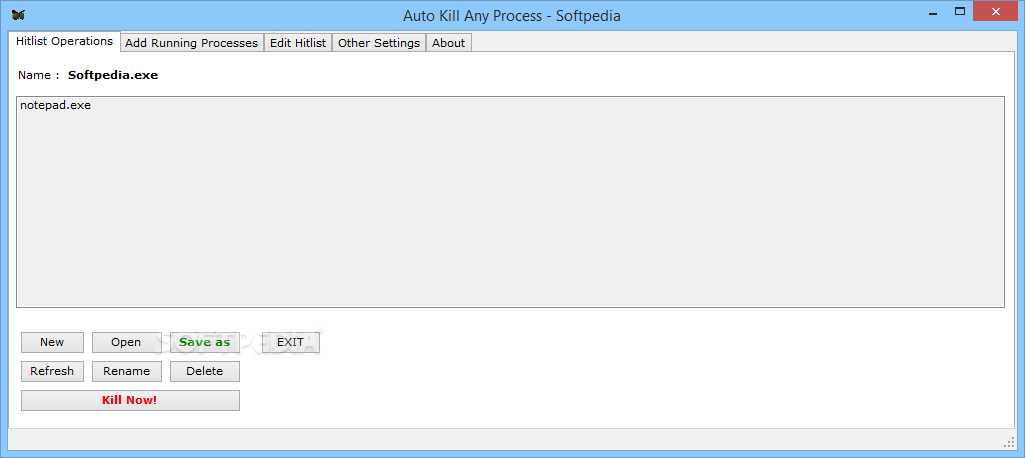
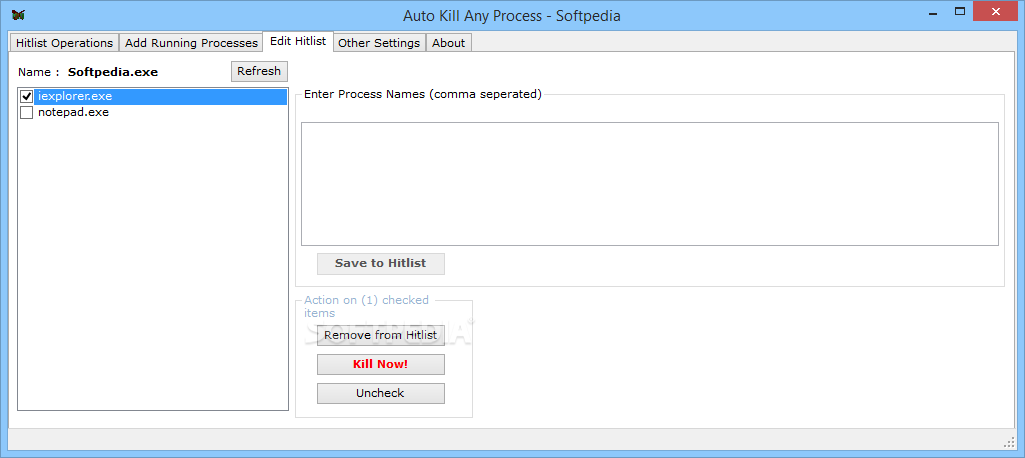
    The program relies on what’s being called a “Hitlist”, which is actually a fully-configurable list of processes that are supposed to be killed by the app.

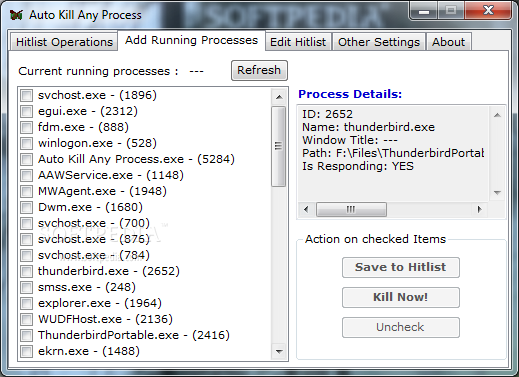
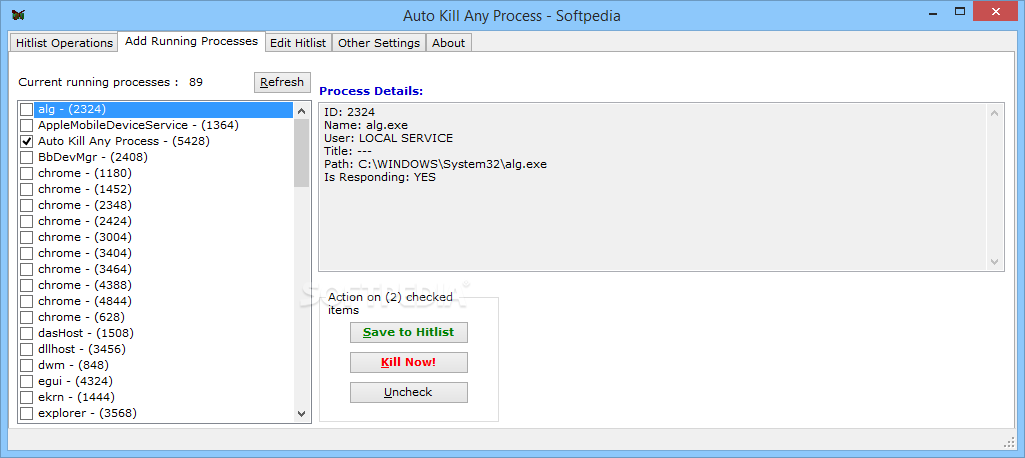
    Setting up a new hitlist is as easy as pie because Auto Kill Any Process shows all running processes and lets you pick the items to be added to a specific list. What’s more, it shows process details, such as ID, name, user, title, path and responding status, while also enabling you to terminate a selected item instantly.

    Hitlists can be saved on local disks, renamed, refreshed and used to perform either a manual batch process killing or an automatic one, according to a set of user-defined parameters.

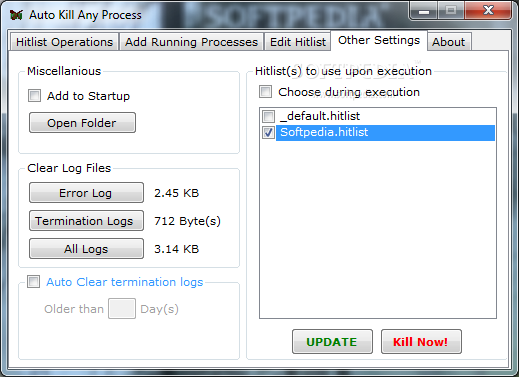
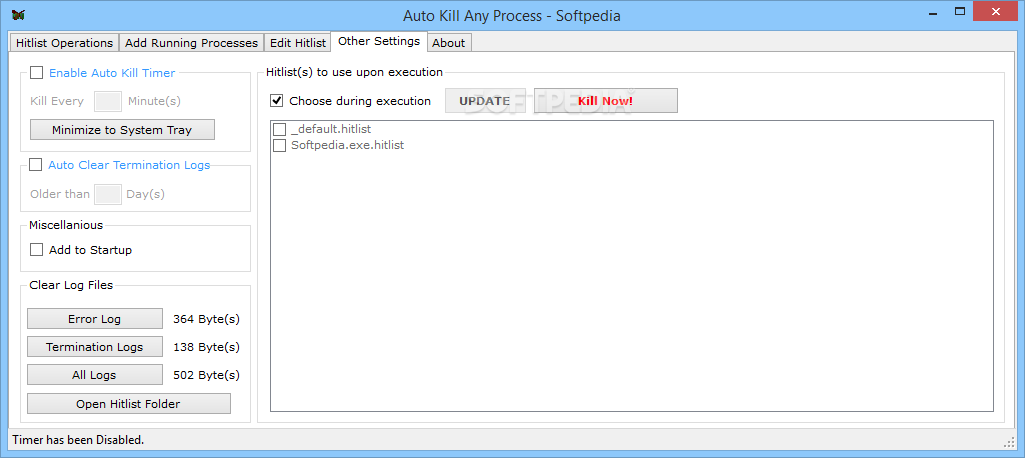
    For example, you can configure Auto Kill Any Process to automatically run at Windows boot and thus terminate startup items that may slow down the system.

    On the other hand, this little piece of software can be used to close processes that stop responding on a regular basis, or simply close memory hogging apps to boost computer stability.

    Auto Kill Any Process isn’t difficult to use once you figure out the purpose of each feature, but there’s no help manual to lend you a hand in this regard.

    All things considered, Auto Kill Any Process can be quite a handy tool for many users out there, although it’s pretty clear that a more user-friendly approach is needed.

    Auto Kill Any Process description

    Here are some key features of "Auto Kill Any Process":

    · Ability to kill multiple processes, at once, from a single hitlist
    · Add to windows start-up, to terminate stubborn start-up processes
    · Can run in SILENT MODE – without any prompts or messages (one time configuration needed)
    · Allows multiple hitlists, with a choice to save any one particular combination
    · Choose the above combination at runtime or design time
    · Kill individual running processes, useful for NOT RESPONDING processes
    · Kill individual processes, from a Hitlist as well, instead of killing ALL of them
    · Provides log entry for the each termination, so that users can know the termination status of each process
    · Error log also available, to help understand any problem and to report bugs
    · Auto clearing of termination logs, to save disk space

    Requirements:

    · Microsoft .Net Framework 2.0

    What's New in This Release: [ read full changelog ]

    Bug fixes:
    · Terminating any process, kills instances of that process running under a different user as well, this is not desired.
    · Termination log doesn't always reflect the accurate time interval between two consecutive terminations.
    · Any error that occurs while enumerating the list of running processes, halts the enumeration. [in 2nd Tab]
    · Empty process name is added when adding processes to hitlist for the first time. [in Tabs 2 & 3]
    · Had to click twice or double click on checked list box to "check mark" an item.[in Tabs 2,3, 4 & Hitlist Chooser window]
    · Auto clear termination logs must be applicable for each individual user. [in 4th Tab]
    · Log file always created for the month of January, irrespective of the current month. [in 4th Tab]
    · Minor modifications to avoid the application crashing under certain circumstances.

    What’s new:
    · Username included in process details for the running process.
    · Minor changes in user-interface.
    · Minor changes in logging information.

     Softpedia guarantees that Auto Kill Any Process 2.1 is 100% CLEAN, which means it does not contain any form of malware, including spyware, viruses, trojans and backdoors. [read more >]


    TAGS:

    End Process | Kill Process | Process Killer | Terminate | Close | Killer


    HTML code for linking to this page:


    Go to top

    WindowsGamesDriversMacLinuxScriptsMobileHandheldNews

    SUBMIT PROGRAM   |   ADVERTISE   |   GET HELP   |   SEND US FEEDBACK   |   RSS FEEDS   |   UPDATE YOUR SOFTWARE   |   ROMANIAN FORUM