
Retrieve your credentials used to activate or register various applications, as well as your operating system with the help of this lightweight utility. #Retrieve product key #View windows key #Find serial #Product key #Serial #Finder

The guys over at Microsoft warn every single customer that it's recommended to keep the Windows product key in a safe place, but we all know how seldom that happens. Well, accidents may occur every once in a while, so in case you misplaced that all-important Windows product key, there's still hope. The easiest solution to get back your precious information is called Magical Jelly Bean Keyfinder.
Deploying the application on your system so you can take advantage of its features is done easily, by hitting a few “Next” buttons. However, keep your eyes peeled, because the installer asks whether or not to install a couple of other software, which are not a requirement for Magical Jelly Bean Keyfinder to properly run.
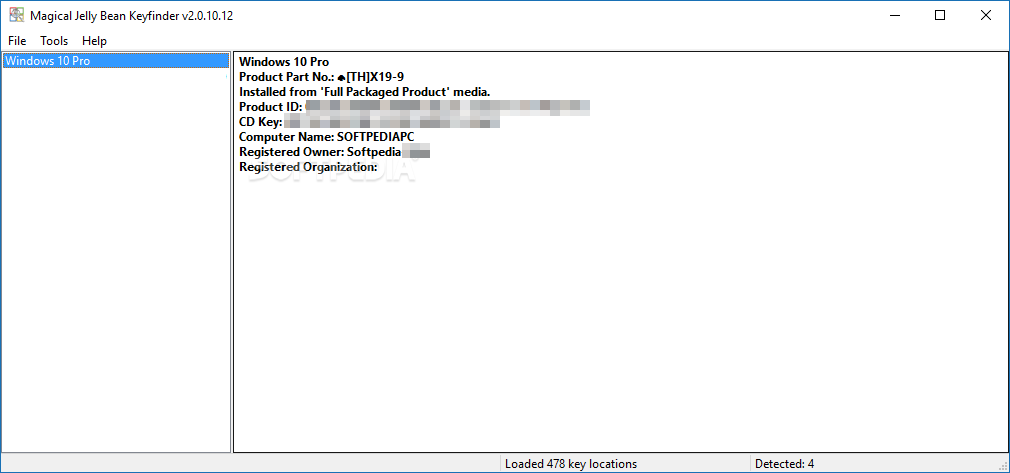
As most users would expect from such a utility, Magical Jelly Bean Keyfinder remains very, very light on computer resources all the time, so it can be safely used on older machines too. It's basically enough to open the application and let it do its magic. The Windows product key will be automatically retrieved from the registry and displayed in a clean and friendly interface.
Magical Jelly Bean Keyfinder will show you other useful details such as Windows version, CD key, owner and computer name. You can also view the registered owner and organization as well as from what type of media the operating system was installed.
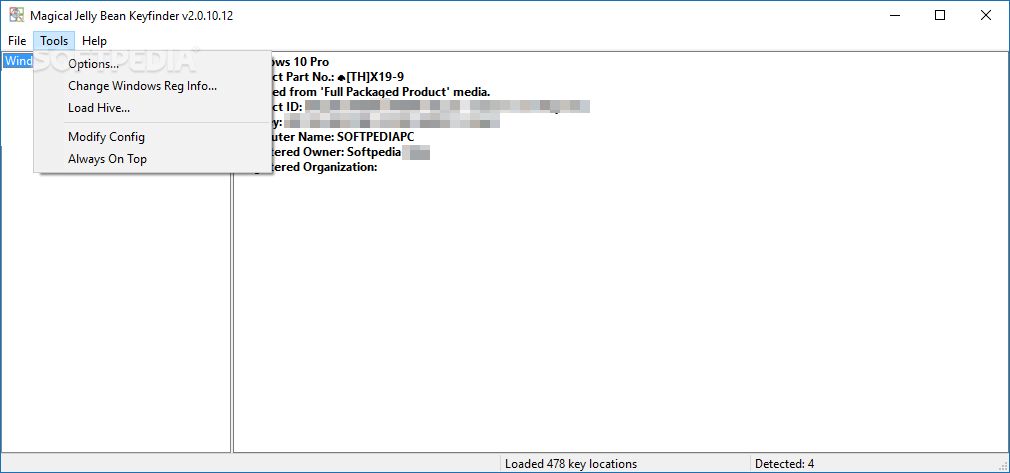
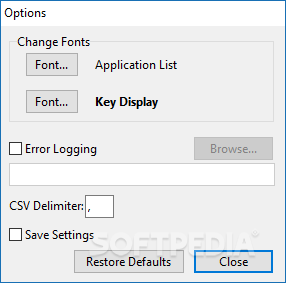
Magical Jelly Bean Keyfinder comes with some extra goodies to enable you to store your product key in a safe place this time. You can either print it directly, save it in a text or CSV document or simply copy it to clipboard.
Very easy to use and acting instantly to recover the data you need, this tool certainly gets the job done with flying colors. This is the reason why the only conclusion is that Magical Jelly Bean Keyfinder remains a top pick when you have to find your Windows product key quickly and with minimal efforts.
Magical Jelly Bean Keyfinder 2.0.10.14
add to watchlist add to download basket send us an update REPORT- PRICE: Free
- portable version
- Magical Jelly Bean Keyfinder Portable
- runs on:
-
Windows 11
Windows 10 32/64 bit
Windows 8 32/64 bit
Windows 7 32/64 bit - file size:
- 9.1 MB
- filename:
- KeyFinderInstaller.exe
- main category:
- System
- developer:
- visit homepage
Microsoft Teams

Windows Sandbox Launcher

calibre

IrfanView

ShareX

4k Video Downloader

paint.net

Zoom Client

Bitdefender Antivirus Free

7-Zip

- Zoom Client
- Bitdefender Antivirus Free
- 7-Zip
- Microsoft Teams
- Windows Sandbox Launcher
- calibre
- IrfanView
- ShareX
- 4k Video Downloader
- paint.net