
A powerful and incredibly easy-to-use alternative to Task Manager that cleverly sits in the system tray and enables you to terminate processes, windows and services. #Task Killer #Process Killer #Stop Service #Terminate #Kill #Task

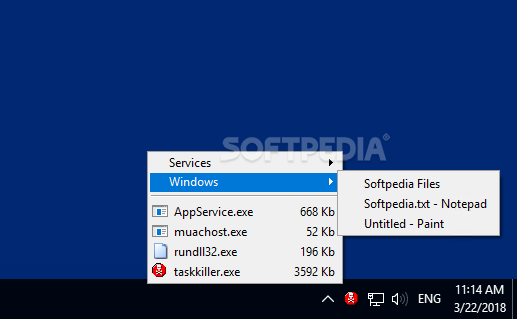
We are all familiar with the standard procedure for terminating a task or service in Windows – bring up Task Manager, search for the entry in question and confirm that you want to shut it down. However, if this process seems inefficient, you may be interested in a simpler alternative.
Task Killer is a tray-based utility that enables you to terminate processes, close windows and manage services effortlessly. It is very easy to use, but it has not been updated for some time and offers limited functionality on Windows 8/8.1 and Windows 10.
Even though Task Killer runs without issues even on the latest versions of Windows, it only displays the complete list of processes on Windows 7 and earlier versions of the OS.
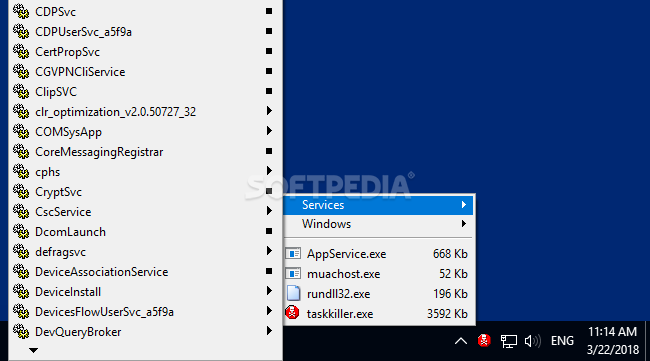
When installed on Windows 8/8.1/10, only a small number of processes are displayed in the tray menu, though all windows and services seem to be listed. As a result, this application loses much of its usefulness if you have upgraded from Windows 7, as you will not be able to see and terminate all active processes.
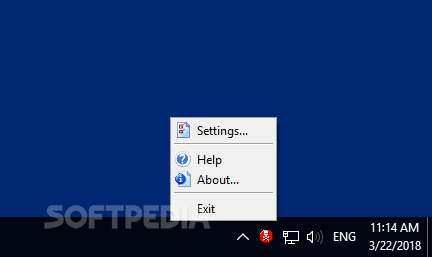
If there is one thing we can praise about this application, it is its unobtrusive and novice-friendly design. Once installed, it can be accessed from a simple tray icon, which brings up a list of processes, windows and services when clicked.
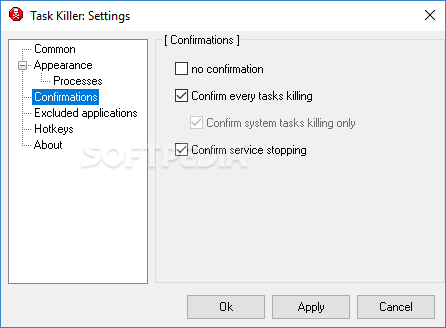
Ending a process or closing a window is much faster with this utility than when using Task Manager, and you can also conveniently start or stop any of the available services. Confirmation messages can be enabled or disabled based on your preferences.
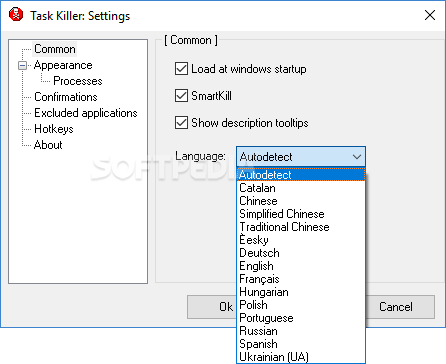
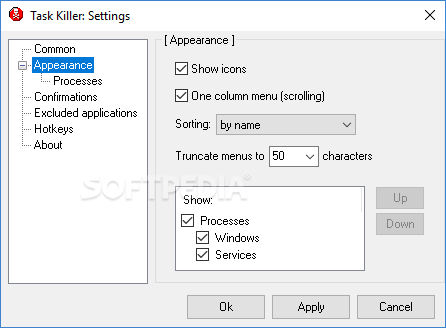
You can change the way the processes, services and windows lists are displayed in the tray menu, how many columns are used to show services and how everything is sorted. System processes can be displayed at the top of the list, and they are also color-coded for easy identification.
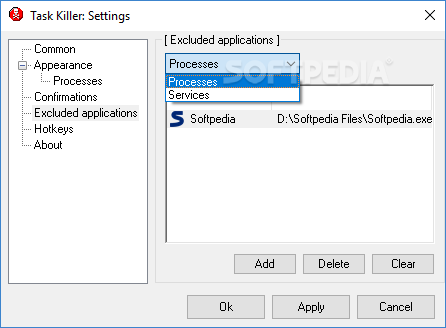
If you want to ensure you don’t terminate an important process or service by accident, you can enable confirmation dialogs, as well as exclude certain applications from the list.
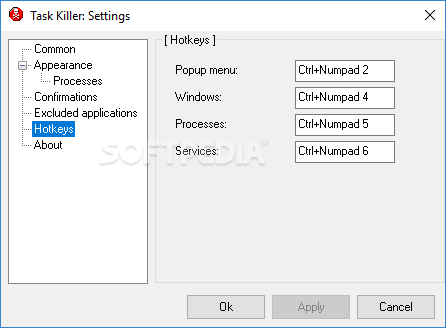
While they are disabled by default, you can set up hotkeys for displaying the windows, processes and services lists. When using these shortcuts, the lists are displayed at the current cursor position, making it much easier to find and end a process or service.
In short, Task Killer is a great alternative to Task Manager, though it offers limited functionality on Windows 8/8.1 and Windows 10. It makes it much easier to find and terminate processes, as well as manage services, while running quietly in the system tray.
Task Killer 2.30
add to watchlist add to download basket send us an update REPORT- runs on:
- Windows All
- file size:
- 326 KB
- filename:
- tksetup.exe
- main category:
- System
- developer:
4k Video Downloader

paint.net

Zoom Client

7-Zip

ShareX

Microsoft Teams

Windows Sandbox Launcher

calibre

Bitdefender Antivirus Free

IrfanView

- calibre
- Bitdefender Antivirus Free
- IrfanView
- 4k Video Downloader
- paint.net
- Zoom Client
- 7-Zip
- ShareX
- Microsoft Teams
- Windows Sandbox Launcher