
Barcode generator that offers support for several symbologies (e.g. UPC A, UPC E, ITF, Code 128, EAN 13, EAN 8 ) and lets you print or export the barcodes to WMF, BMP, EMF or ZMF file format. #Barcode Studio #Barcode Creator #Barcode Designer #Barcode #Label #Create

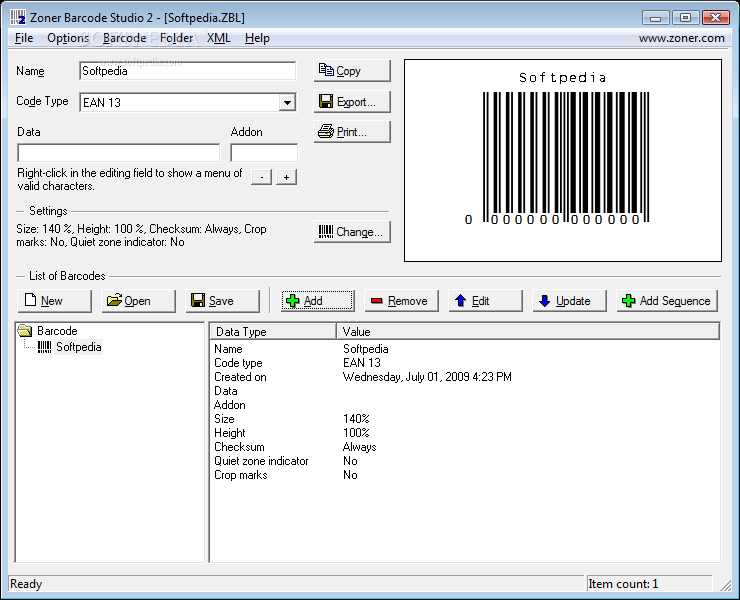
Zoner Barcode Studio is a lightweight software application specialized in creating barcodes. It is able to work with the following code types: UPC A, UPC E, ITF, Code 128, EAN 13, EAN 8, UCC/EAN 128, Code 39, Code 93, Codabar, Postnet, and the whole 2/5 family.
There’s support for a preview panel where you can check out the adjustments applied to the barcode in real-time. Plus, you can organize barcodes in a tree structure for editing them quickly.
Zoner Barcode Studio gives you the possibility to design a new barcode by specifying the name and picking the code type. You are allowed to insert several characters (i.e. the EAN 13 symbology supports the addition of 2 or 5 characters) and raise or lower the value in the Data field.
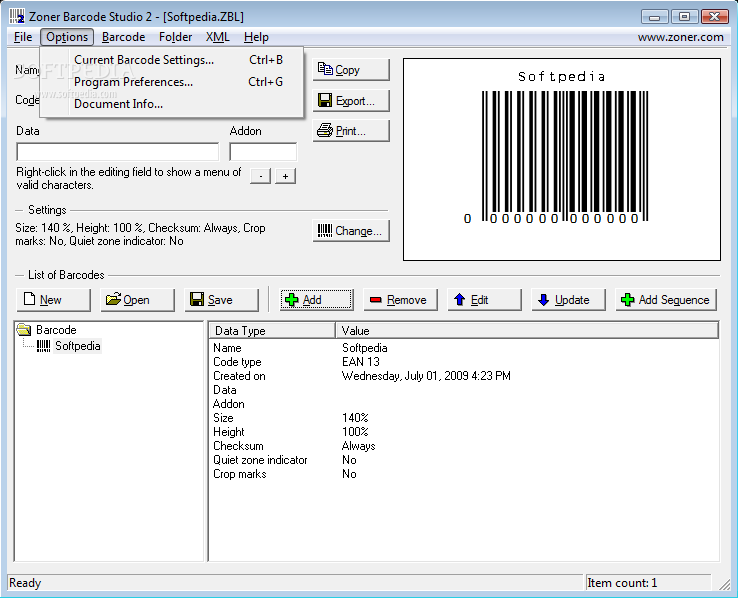
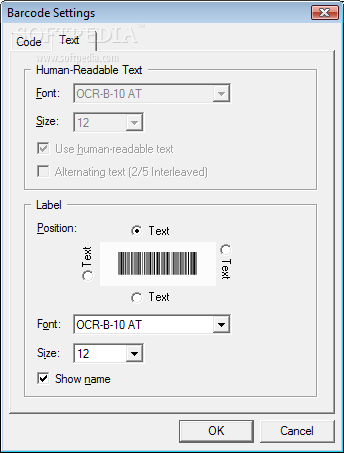
When it comes to tweaking the barcode settings, you can alter the size, crop marks, reduce bar width, show the outer boundary of the quite zone (available only for EAN codes), and customize the text in terms of font, size and position.
You may create a numerical series of barcodes of the same type by specifying the start and stop number, the number of digits to use for the variable part of the number, prefix, and suffix.
The program lets you copy the current barcode to the clipboard so you can easily paste it into other third-party utilities, import data from an ODBC source, import/export from/to XML file format, as well as print or export the barcode to WMF, BMP, EMF or ZMF file format.
Although the GUI is not the program’s strongest point as it is not particularly intuitive, you can rely on this tool for generating, exporting and printing barcodes.
Zoner Barcode Studio 2.0 Build 10
add to watchlist add to download basket send us an update REPORT- runs on:
- Windows All
- file size:
- 6.3 MB
- filename:
- zbs2ustrial.exe

- main category:
- System
- developer:
Zoom Client

IrfanView

Bitdefender Antivirus Free

7-Zip

4k Video Downloader

Windows Sandbox Launcher

calibre

paint.net

Microsoft Teams

ShareX

- paint.net
- Microsoft Teams
- ShareX
- Zoom Client
- IrfanView
- Bitdefender Antivirus Free
- 7-Zip
- 4k Video Downloader
- Windows Sandbox Launcher
- calibre