Softpedia
 

WINDOWS CATEGORIES:


GLOBAL PAGES >>
SOFTPEDIA REVIEWS >>
MEET THE EDITORS >>
WEEK'S BEST
  • Bitdefender Total ...
  • Hard Disk Sentinel...
  • FlashFXP [DISCOUNT...
  • Ocster Backup Pro ...
  • Kaspersky Internet...
  • DVDFab DVD Copy [D...
  • Avast! Internet Se...
  • Avira Internet Sec...
  • Webroot SecureAnyw...
  • McAfee Total Prote...
  • Home > Windows > System > OS Enhancements
     Report malware

    DVD Library Manager 0.8.0.11

    download button

    Downloads: 32,333  Tell us about an update
    User Rating:
    Rated by:
    Fair (2.9/5)
    47 user(s)
    Developer:

    License / Price:

    Size / OS:

    Last Updated:

    Category:

    Freeware / $0
    901 KB / Windows Vista / 7
    [view history]
    C: \ System \ OS Enhancements

     Read user reviews (3)  Send to friend   Follow (1 user)

    Softpedia Editor's Review for DVD Library Manager

    EDITOR'S RATING:   3.0/5

    Allows you to edit the DVD information (meta data) used by DVD Library in Vista Media Center (VMC)

    Written by Mihaela Citea on December 10th, 2012

    DVD Library Manager is designed to help you edit metadata information of the files found in Windows Media Center, the media player and organizer that comes with Windows.

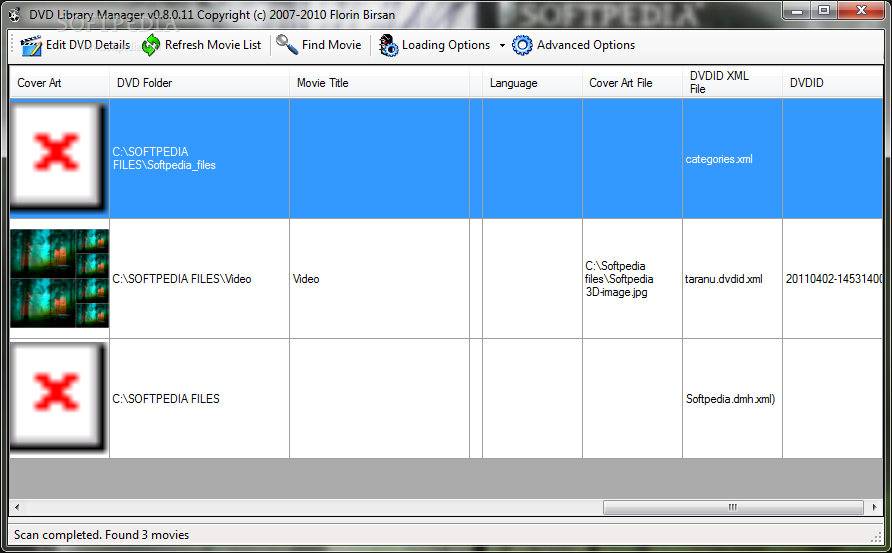
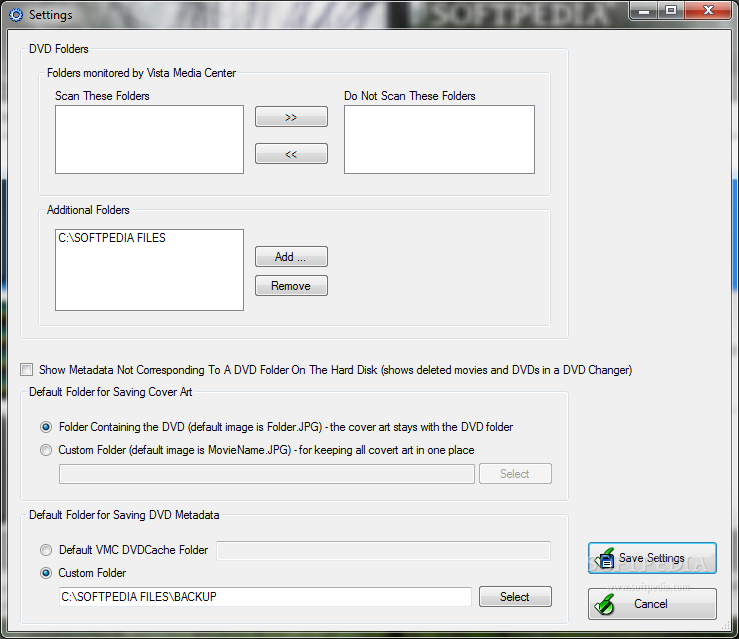
    The application communicates with Windows Media Center to automatically detect all the files in the movie library and lists them in a grid format, together with the corresponding details, including the DVD folder location and the movie title. However, you can add other folders for DVD Library Manager to monitor for new movies.

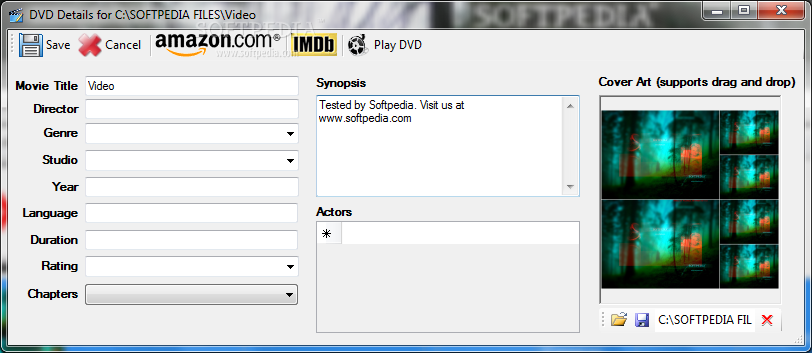
    Double clicking on any movie entry opens a new window, where you can easily edit the DVD details. From the director, the genre, the filming studio and the cast actors to the release year, language, duration or the MPAA rating, all these details can be either customized by the user or downloaded from Amazon.com or IMDb.

    If you choose to grab the details from one of the two mentioned websites, the application opens a search window. Enter the keywords, press the 'Search' button and the movie metadata is downloaded quickly.

    The new DVIDID XML file is automatically created, together with the corresponding XML file in the Cache folder.

    In addition to this, you can a cover art to the selected DVD by simply dragging and dropping the desired image file to the designated section.

    Right-clicking on any item in the table reveals additional options: you can play the selected DVD using the default application, delete all the metadata (including the DVDID XML file) or edit the raw XML file found in the DVD Cache folder.

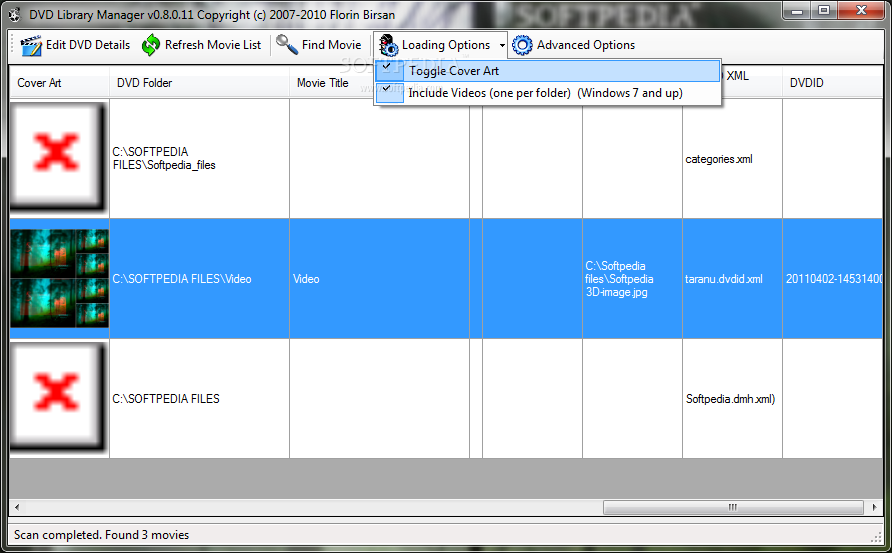
    The 'Advanced Options' section enables you to create a special folder to store all the cover arts, while the search tool helps you easily find what you are looking for in a large movie database.

    Designed with ease of use in mind, DVD Library Manager can help you update the DVD information and thus keep a well-organized movie collection.

    DVD Library Manager description

    Here are some key features of "DVD Library Manager":

    · It allows you to graphically modify the movie information (meta data) for the DVDs displayed in the DVD Library, including cover art.
    · It can download additional information from Amazon.com (can specify .de, .ca, .fr. and .jp) including cover art.
    · It can download additional information from IMDB.com including cover art.
    · It allows you to open the raw .XML file containing the meta data to be updated manually.
    · You can drag and drop cover art to the DVD Details screen or just select an image file from the hard disk.
    · It can modify the DVD information downloaded by VMC
    · It will scan all the DVD folders found in the monitored movie folders (DVD Library) of VMC and present all of them in a grid format with the information available (Covert Art, Folder, Movie Title, Director, Actors, etc). This way you can sort on any columns and see what kind of information is missing for a certain movie.
    · When creating new DVD information it will automtically create a DVIDID XML file (default name taranu.dvdid.xml) and the corresponding .XML file in the Cache folder.
    · It can delete all the DVD information by deleting the corresponding .XML files by right-clicking on a movie.
    · It can play the DVD with the default DVD player (that handles .IFO files) by right-clicking on a movie.

    Requirements:

    · Vista Media Center

    Limitations:

    · This version does not update the Chapters names.
    · If you update DVD information downloaded by VMC (based on the DVDID), all Chapter names will be lost (of course you can always open the raw .XML file, save the chapter information and later merge it with the new updated data).
    · Cover art downloaded by VMC of the format "cov150/drt000/t036/t03685uhvgs.jpg" will not be displayed by the program (however it is not getting lost and VMC will show it properly).
    · There may be a few user interface inconsistencies
    · When updating the information from Amazon, the Genre is not updated

    What's New in This Release: [ read full changelog ]

    · IMDB rating was broken, fixed now
    · Added hotkey Ctrl-S on Amazon, IMDB and Details screen to save the data. Quicker than clicking on Save.
    · Added new video file extensions for video file scanning (ts, m2ts, m4v)

     Softpedia guarantees that DVD Library Manager 0.8.0.11 is 100% CLEAN, which means it does not contain any form of malware, including spyware, viruses, trojans and backdoors. [read more >]


    TAGS:

    Library Manager | Movie Manager | Manage DVD Library | Movie | Library | DVD

    Go to top

    WindowsGamesDriversMacLinuxScriptsMobileHandheldNews

    SUBMIT PROGRAM   |   ADVERTISE   |   GET HELP   |   SEND US FEEDBACK   |   RSS FEEDS   |   UPDATE YOUR SOFTWARE   |   ROMANIAN FORUM