
Removes the limitation of your half-open (incomplete/syn packets) connection attempts per second that the system can make. #TCP/IP Limit remover #Connection attempt #TCP/IP Limit AutoPatcher #TCP/IP #Limit #AutoPatch
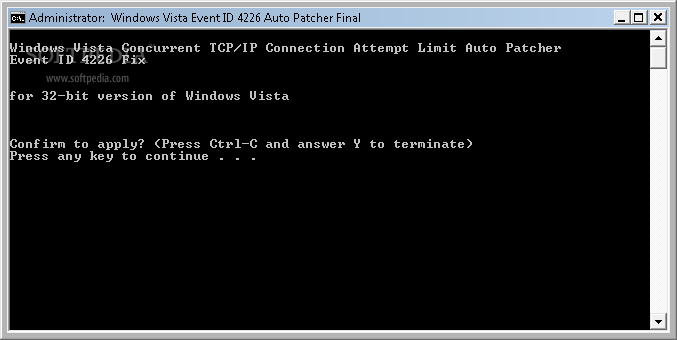
Half-Open TCP Connections Limits have been the topic of many discussions since they started to interfere with P2P applications' performance. Windows XP Service Pack 2 limited the number of this type of connections to 10 in order to provide strict security protection against various forms of malware such as worms (programs that replicate themselves within a network and bring havoc to computers, forcibly taking over control of their resources).
While being a security feature, Windows XP SP2 / SP3 and Vista as well as Vista SP1 users don't welcome it. P2P programs are affected by this limitation and run at very slow speeds, no matter the type of Internet connection. Vista TCP/IP and UAC AutoPatch remedies this by allowing you to unlock this limit and sets the number of half-open TCP connections to 70,000. As impressive as it sounds, these are only temporary connections and you can always access the registry to change it to any value.
By default, the list of actions included in this application consists of disabling the UAC (User Account Control), taking ownership of the TCPIP.SYS system file, disabling the auto tune feature and integrity checks and then setting the limit to 70,000 half-open TCP connections. Thus, Vista TCP/IP and UAC AutoPatch does not only break Microsoft's limitation but also disables some security features.
This results in increased probability of being infested with all kinds of worms and viruses; however, once this limitation has been removed in Vista SP2 as well as Windows 7, it means that Microsoft finally realized that it did not effectively stop the spread of malware within computer networks. On the other hand, it unleashes the potential of your P2P software.
You can now enjoy high speed file sharing within applications like uTorrent, BitTorrent, BitComet, Vuze, BitSpirit, eMule (eDonkey network), StrongDC++, oDC, DC++, ApexDC++ and even better streaming experience within P2PTV software such as Sopcast, TVUPlayer, Readon TV Movie Radio Player or Online TV Player. Vista TCP/IP and UAC AutoPatch brings both 32-bit and 64-bit patches that you can use according to your operating system.
This half-open TCP connection limit remover sets your P2P programs free. Thus, if experiencing slow connection speed within these applications while running any of the above-mentioned versions of Windows XP or Vista, the solution may just come from Vista TCP/IP and UAC AutoPatch.
Vista TCP/IP and UAC AutoPatch 6.0
add to watchlist add to download basket send us an update REPORT- runs on:
- Windows Vista
- file size:
- 1 MB
- filename:
- vistapatch.zip
- main category:
- Tweak
- developer:
- visit homepage
7-Zip

ShareX

Windows Sandbox Launcher

Microsoft Teams

calibre

Bitdefender Antivirus Free

IrfanView

Context Menu Manager

4k Video Downloader

Zoom Client

- Context Menu Manager
- 4k Video Downloader
- Zoom Client
- 7-Zip
- ShareX
- Windows Sandbox Launcher
- Microsoft Teams
- calibre
- Bitdefender Antivirus Free
- IrfanView
