
This application can remove obsolete registry entries or edit them, manage startup items, uninstall other programs and backup and restore items. #Registry Cleaner #Delete registry #Delete DLL #Cleaner #Remover #Registry

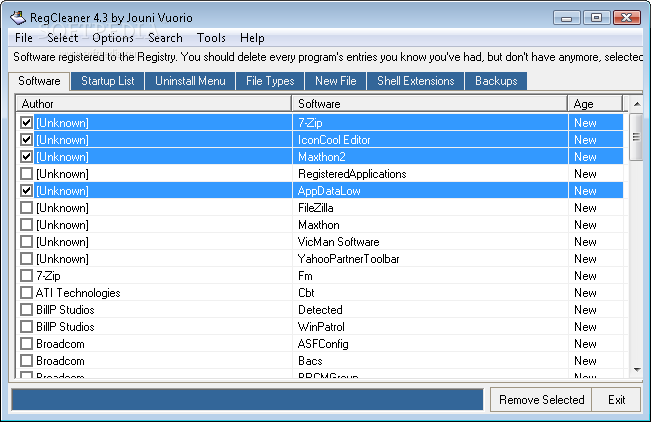
RegCleaner is an application that allows you to remove obsolete registry entries, so that your computer can run faster and smoother.
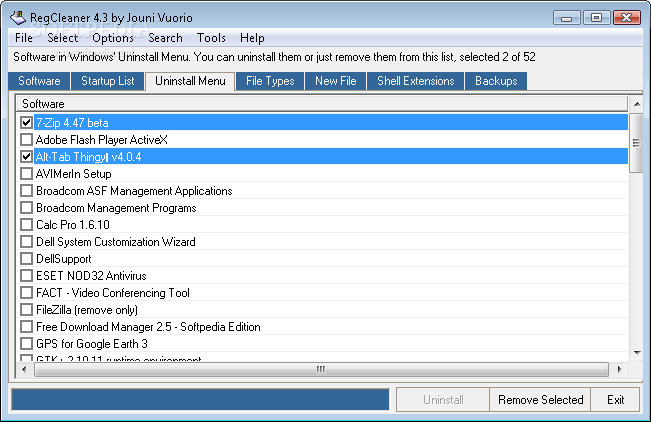
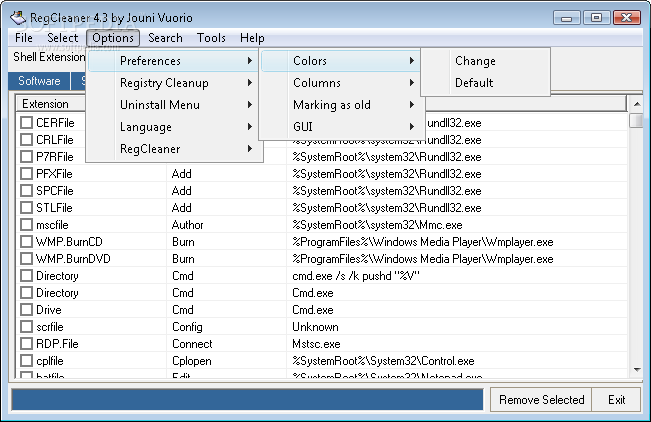
The main window of the application sports several tabs which aid you easily access all available options, namely software, startup list, uninstall menu, file types, new file, shell extensions, and backups. In each of these you can view author and software name, age, file path, source, extension name and description, command, as well as date and time for created backups.
The main purpose of RegCleaner is to allow you to delete registry entries that do not belong to Windows (for example, when you uninstall a piece of software, you can usually find leftovers).
RegCleaner automatically creates backups before deleting registry entries, and these can be later restored in case Windows starts acting strange.
In addition to that, you can remove some applications that automatically run at Windows startup, uninstall programs from your system, delete file types that are added to the registry or appear under "New" when you right-click your mouse in the desktop, as well as unnecessary shell extensions.
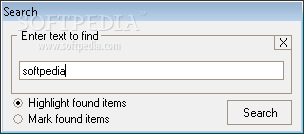
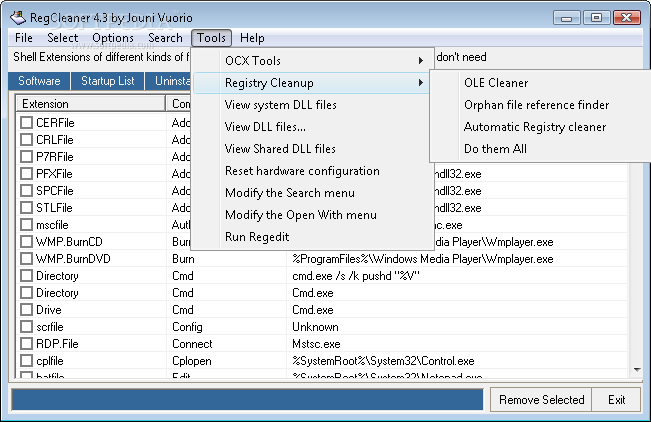
You can save lists as text documents, search for items according to user-defined keywords, view and delete system and shared DLL files, run RegEdit, and more.
Unfortunately, RegCleaner comes with a few downsides. Going through the main menu can become stressful and time-consuming and the search function only finds the first occurrence of the input text.
Users can have trouble understanding what this tool can do, in lack of proper documentation within the interface (which is completely different from the Readme file). The software froze several times when attempting to remove some registry entries and we had to restart it, and if you choose to view DLL files or OCX entries, there is no possibility of returning to the main interface without exiting the program.
To wrap it up, RegCleaner is a pretty decent piece of software, as it uses a small amount of system resources, and it gets the job done, most of the times. However, it is mostly dedicated to power users and it could really benefit from some updates, in the interface and features department.
RegCleaner 4.3
 Softpedia Editor's Pick
add to watchlist
add to download basket
send us an update
REPORT
Softpedia Editor's Pick
add to watchlist
add to download basket
send us an update
REPORT
- runs on:
-
Windows 2003
Windows Vista 32/64 bit
Windows XP 32/64 bit
Windows 2K - file size:
- 540 KB
- filename:
- regcleaner.exe
- main category:
- Tweak
- developer:
- visit homepage
calibre

Windows Sandbox Launcher

ShareX

4k Video Downloader

Zoom Client

paint.net

Microsoft Teams

Bitdefender Antivirus Free

IrfanView

7-Zip

- Bitdefender Antivirus Free
- IrfanView
- 7-Zip
- calibre
- Windows Sandbox Launcher
- ShareX
- 4k Video Downloader
- Zoom Client
- paint.net
- Microsoft Teams