
Delete unnecessary information from the registry, create a restore point and adjust other Windows-related parameters in order to optimize the computer's performance. #Clean registry #Registry cleaner #Registry tweak #Registry #Clean #Cleaner
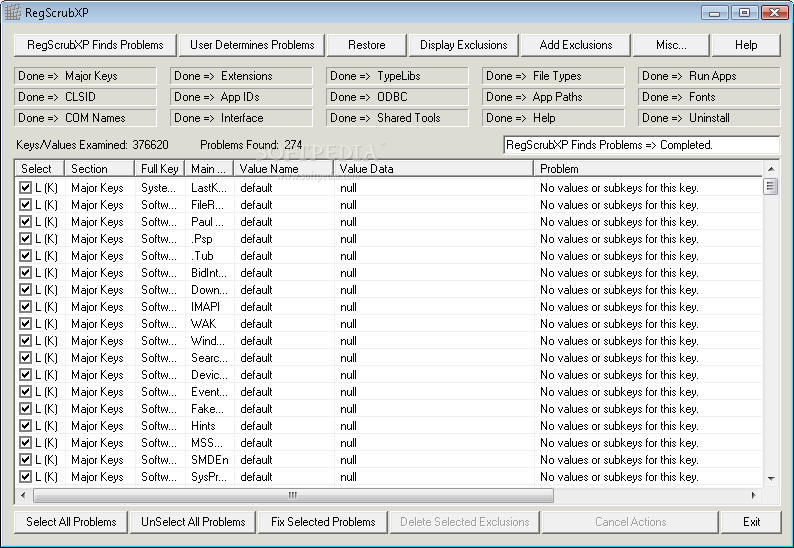
Checking Windows registry and cleaning accumulated junk could contribute to increased system performance. If you look for an application to help you with this, RegScrubXP could be what you want.
The installation process is done in a matter of seconds and in no time at all you will be able to get acquainted with its interface. This is quite straightforward and provides you with all its functions at a click of a button.
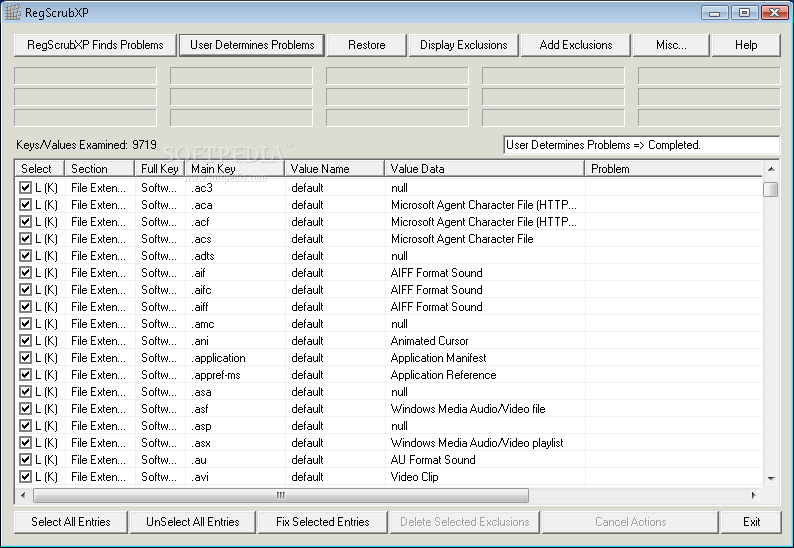
The application's main purpose is to scan the registry. Clicking on the appropriate button, RegScrubXP provides a list of identified problems and the information regarding them: section, full key, main key, value name and data. You can select all entries or just the ones you are interested in and choose to fix them.
If you accidentally choose to fix the wrong entries, the software makes available a restore function capable to revert all changes made to the registries to their original condition. This proves quite useful when you are not sure if the items found in a registry scan are really junk or not.
If you get to use the tool a lot, then it would probably be a good idea to add some exclusions and separate registry entries you do not identify as problems from the rest of them. This way, each time you run a registry scan, exceptions will no longer be processed. You can always display them and get an update on what's in there or delete them whenever you consider.
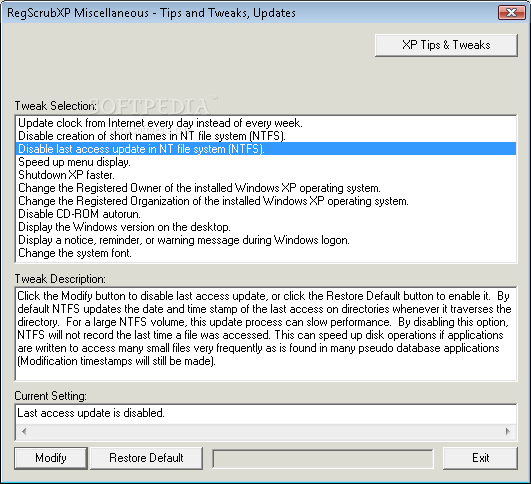
To help you furthermore, RegScrubXP offers a section of tips and tweaks where you can improve computer performance by adjusting some of the preset Windows settings. This will allow you to shut down the PC faster, speed up the menu display or disable the CD-ROM AutoRun.
The computer’s performance might be affected from time to time, yet this is quite a natural response when considering the nature of the utility. The response time is good, the interface is not particularly appealing, yet it is user-friendly.
All things considered, RegScrubXP is a pretty handy piece of software, yet you should know that it does not function properly on newer OS versions, such as Windows 8 or 8.1.
RegScrubXP 3.25
add to watchlist add to download basket send us an update REPORT- runs on:
-
Windows NT
Windows XP
Windows 2K - file size:
- 581 KB
- filename:
- RegScrubXPSetup_3.25.exe
- main category:
- Tweak
- developer:
7-Zip

Windows Sandbox Launcher

4k Video Downloader

IrfanView

calibre

Bitdefender Antivirus Free

Microsoft Teams

Zoom Client

paint.net

ShareX

- Zoom Client
- paint.net
- ShareX
- 7-Zip
- Windows Sandbox Launcher
- 4k Video Downloader
- IrfanView
- calibre
- Bitdefender Antivirus Free
- Microsoft Teams