
Easily clean your computer's registry of annoying errors with the help of this streamlined and straightforward software solution. #Registry Fixer #Registry Cleaner #Clean Registry #Registry #Cleaner #Fixer

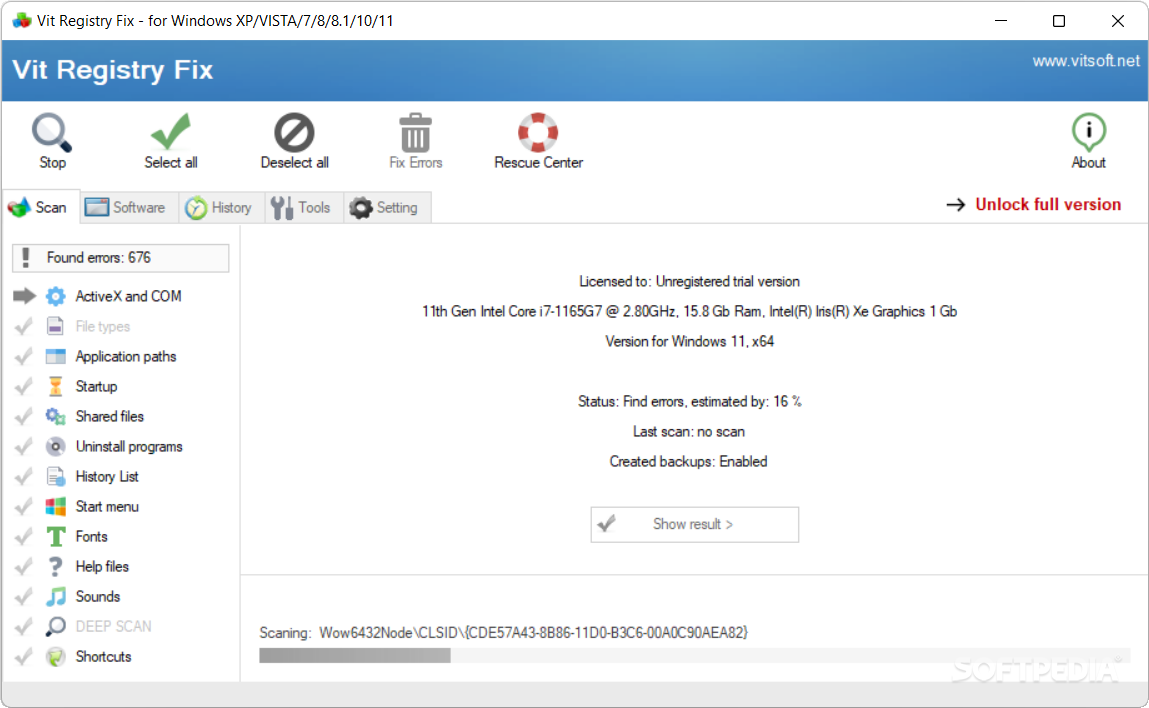
Vit Registry Fix is an application that you can use to boost your computer's performance by repairing any issues found in the Windows registry.
The interface of the program is plain and pretty intuitive. It can be used by individuals of any experience level.
Vit Registry Fix can look for errors concerning ActiveX and COM, file types and application paths.
But it can also verify the history list, start menu, fonts, help files, sounds, shortcuts, startup entries, shared files and uninstall programs.
When the scan job is done, you can check out a list of record names, parameters and paths. Simply select which problem you want to get rid off and let Vit Registry Fix Professional take care of the rest.
You can access the "Software" section to view company names, programs and registry sections, as well as remove history lists of some programs and recently opened files.
You can create an exclusion list for the scan, schedule a scan, optimize, backup and restore the registry, use a search function for registry entries, clean temporary and junk files, manage applications which automatically run at system startup and uninstall programs.
The program requires a low-to-moderate amount of system resources, supports several languages for the interface and quickly finishes a scan job. No errors have popped up during our tests and Vit Registry Fix did not freeze or crash. We highly recommend this tool to all user levels.
What's new in Vit Registry Fix 14.9.0:
- Minor improvements in finding registry errors.
- Fixed cache search in the Opera web browser (In "Vit Disk Cleaner").
- Minor general improvements.
- Added Norwegian language. Author: Halvard Karlsen.
Vit Registry Fix 14.9.0
add to watchlist add to download basket send us an update REPORT- portable version
- Portable Vit Registry Fix
- runs on:
-
Windows 11
Windows 10 32/64 bit
Windows 8 32/64 bit
Windows 7 32/64 bit
Windows Vista 32/64 bit
Windows XP 32/64 bit - file size:
- 2 MB
- filename:
- Vit Registry Fix Professional Setup.exe
- main category:
- Tweak
- developer:
- visit homepage
Context Menu Manager

Bitdefender Antivirus Free

7-Zip

calibre

ShareX

Windows Sandbox Launcher

Zoom Client

IrfanView

4k Video Downloader

Microsoft Teams

- IrfanView
- 4k Video Downloader
- Microsoft Teams
- Context Menu Manager
- Bitdefender Antivirus Free
- 7-Zip
- calibre
- ShareX
- Windows Sandbox Launcher
- Zoom Client