
Analyze then optimize every important computer setting for absolute best performance, turbo-charge your PC to make it much more stable by preventing system inefficiencies that cause crashes, lockups and slowdowns of your computer.. #System optimizer #Optimize performance #Accelerate system #Optimize #Optimizer #Accelerate

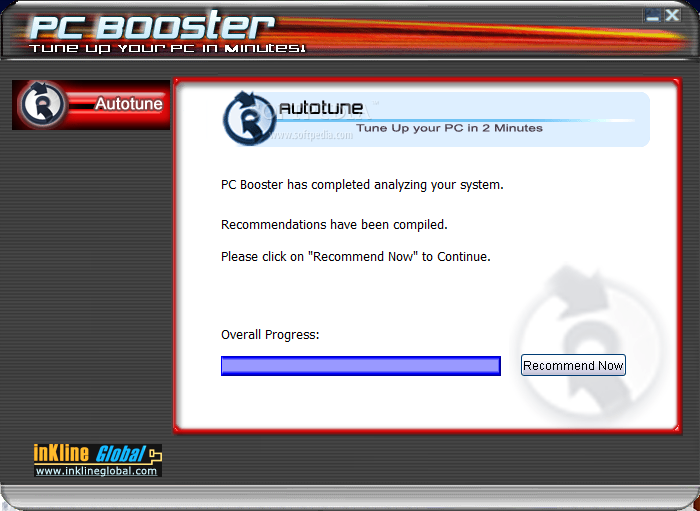
Computer performance is a very important issue, especially for those who constantly work with multiple programs that request a large amount of resources. There are a lot of applications designed to help you improve your PC's performance and one of them is PC Booster.
This program has a simple interface, enabling any type of user to optimize the PC, without experiencing any problems. Its goal is to make your computer fast and stable, avoid system crashes and slowdowns.
In order to do that, you simply have to activate the 'Auto-tune' feature of PC Booster. After doing so, you are advised to turn off all your programs and the application starts analyzing your system. You can monitor overall progress.
The program analyzes multiple modules: the System, the Start menu, the CD-ROM, the hard disk and tests them for optimal settings.
When closing or minimizing the main window of the application, it keeps running in the background, while displaying a memory optimization bar, where you can view your computers' total and available memory.
Using this bar, you can easily monitor the memory status and view if this is the cause for computer slowdowns. When you notice that the available memory level is too low, you can choose to optimize it using PC Booster. The program reclaims physical memory and notifies you when the process is over. However, this procedure is pretty much useless on operating systems above Windows XP.
This application is easy to use, yet it does not offer as many features as other similar software, as it only offers a single way to boost your computer. For example, you don't have the possibility to clean and fix the registry or remove junk files in order to increase your PCs performance.
PC Booster is a lightweight application designed to help you have a faster PC system by monitoring its available memory and perform RAM optimization.
PC Booster 7.0
add to watchlist add to download basket send us an update REPORT- runs on:
-
Windows 7
Windows Vista
Windows XP
Windows 2K - file size:
- 2.4 MB
- filename:
- pcb50_softpedia.exe
- main category:
- Tweak
- developer:
- visit homepage
IrfanView

Windows Sandbox Launcher

calibre

paint.net

Microsoft Teams

ShareX

7-Zip

4k Video Downloader

Bitdefender Antivirus Free

Zoom Client

- 4k Video Downloader
- Bitdefender Antivirus Free
- Zoom Client
- IrfanView
- Windows Sandbox Launcher
- calibre
- paint.net
- Microsoft Teams
- ShareX
- 7-Zip