
Take complete control of XP's system restore. #System restore point #Create restore point #Disk cleaner #Cleaner #Restore point #Restore


System Restore Control is one of the apps designed to provide full control over the popular System Restore utility that's available to Windows XP users.
While the operating system doesn't provide too many options to configure System Restore, this particular application promises to enhance the whole process by offering various configurable parameters.
And the way it does it is quite remarkable so, despite the fact that it could be easily considered an app more appropriate to experienced users, it makes everything a breeze for rookies too.
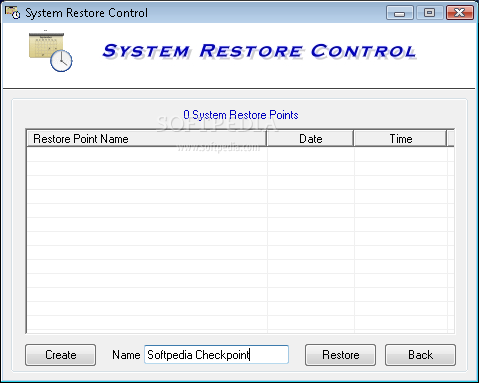
The main window for example presents all features in an easy to read manner, so you don't even need to access a different configuration screen to configure the app.
You can for example select the percentage of disk space to use and even set up the interval to create new restore points. Because older restore points are automatically deleted to save space, you can also adjust the number of days to keep the backup on the local disks.
As you can see, System Restore Control isn't quite a complicated piece of software, but a help file is also available, just to make sure you're on the safe side all the time.
While it also lets you pause and resume System Restore, the program remains very friendly with hardware resources, running exclusively on Windows XP.
Overall, System Restore Control does what it says and while the amount of features it boasts isn't quite impressive, it still brings handy utilities to customize this important Windows utility.
System Restore Control 2.0
add to watchlist add to download basket send us an update REPORT- runs on:
- Windows XP
- file size:
- 2.1 MB
- filename:
- rescon10.zip
- main category:
- Tweak
- developer:
- visit homepage
calibre

Zoom Client

7-Zip

IrfanView

Microsoft Teams

Bitdefender Antivirus Free

Windows Sandbox Launcher

4k Video Downloader

Context Menu Manager

ShareX

- 4k Video Downloader
- Context Menu Manager
- ShareX
- calibre
- Zoom Client
- 7-Zip
- IrfanView
- Microsoft Teams
- Bitdefender Antivirus Free
- Windows Sandbox Launcher