
Use this application to easily uninstall all Adobe Creative Suite 3 prerelease software and remove any registry entries to make room for new versions. #CS3 Clean-up #CS3 remover #Remove CS3 #CS3 #Clean-up #Remover
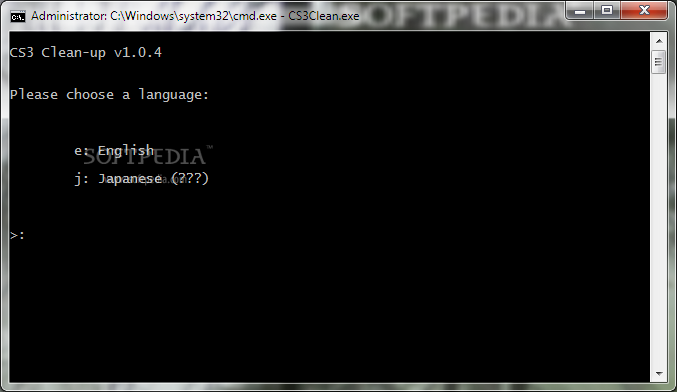
Adobe CS3 Clean-up is one of those tools especially created to help you remove all the leftover records from installed Adobe Creative Suite applications.
The tool is designed to remove all information from prerelease installations such as demos, trials and stable versions that are outdated.
This way, you can avoid any errors that can occur due to conflicts with previously installed applications. In short, it removes the old and makes room for the new.
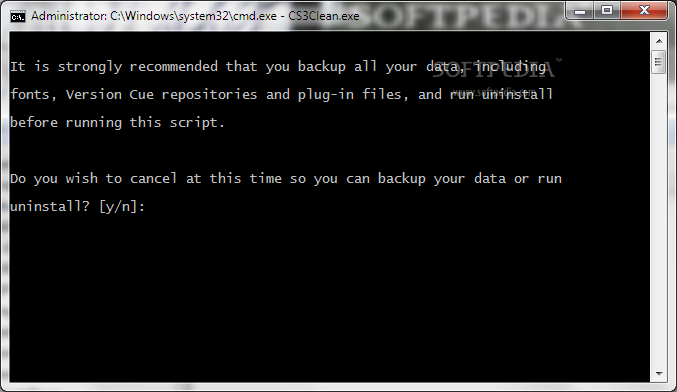
Using Adobe CS3 Clean-up doesn’t mean that it deletes all of your personal folders and preferences but it is recommended that you create a backup of all your important data such as plugins, brushes, actions and fonts. The end purpose of the utility is not to eliminate all traces of Adobe application use, but to ensure that the new upgrades install without any problems or setbacks.
Adobe CS3 Clean-up comes as a simple command-line tool which you need to run in administrator mode. Before you can use the application, you need to install Windows Installer CleanUp Utility.
When you run Adobe CS3 Clean-up, it prompts you to choose the language in which you wish to operate it. After that, you can select the cleaning level and the utility should do the rest. In case your Adobe application is installed in a custom location, the utility asks you for it.
The difference between the two methods is that the first removes everything except Acrobat 8 while the other performs a complete wipe, registry included. It is though recommended that you use the first one and try the new Adobe installation. If that doesn't work, then you can use the second method.
In closing, Adobe CS3 Clean-up is indeed a tool that has a much needed purpose and is able to help you in a simple and effective manner.
Adobe CS3 Clean-up 1.0.4
add to watchlist add to download basket send us an update REPORT- runs on:
-
Windows 7
Windows Vista
Windows XP - file size:
- 979 KB
- filename:
- wincs3clean.zip
- main category:
- Tweak
- developer:
- visit homepage
Context Menu Manager

calibre

Bitdefender Antivirus Free

7-Zip

ShareX

Microsoft Teams

Zoom Client

4k Video Downloader

Windows Sandbox Launcher

IrfanView

- 4k Video Downloader
- Windows Sandbox Launcher
- IrfanView
- Context Menu Manager
- calibre
- Bitdefender Antivirus Free
- 7-Zip
- ShareX
- Microsoft Teams
- Zoom Client