
Erase all traces of Flash Player from your computer so you can reinstall it to solve any existing incompatibility or other types of problems. #Flash Player Uninstaller #Adobe Flash #Uninstall Flash #Flash #Uninstaller #Remove

In case Flash Player crashes every time you attempt to load a website, it blocks the browser or it simply becomes unresponsive, it's time you uninstalled it and dropped in a fresh copy. To help you properly dispose of it, there is a simple tool you can use: Adobe Flash Player Uninstaller.
This lightweight utility does exactly what its name suggests: it helps you erase all traces of Flash Player from your computer, so that you can install a new copy that should fix the issues.
There's no installation procedure, which is just great, since the sole purpose of the application is to help you in your attempt to get rid of a buggy Flash Player.
The tool doesn't leave any traces in the Windows registry. Plus, you may copy it on any USB flash drive or other devices and take it with your whenever you need to remove all traces of Flash Player from your system.
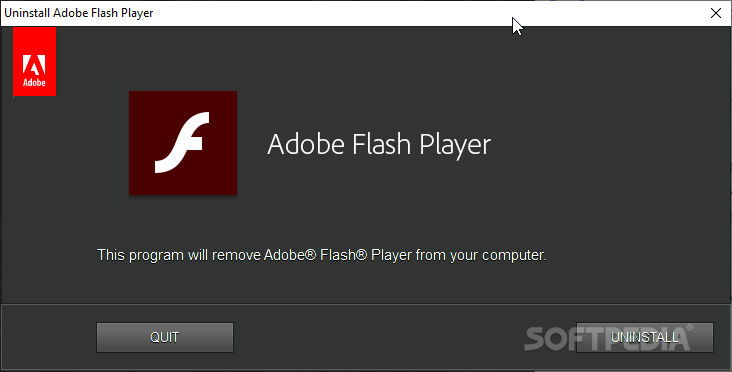
The interface is the same we've seen when installing Adobe's Flash Player. Simple, easy and quite pleasant, and the whole removal thing has been reduced to simply hitting the Uninstall process.
We've tried it on multiple machines, so we can confirm that Adobe Flash Player Uninstaller works on all Windows versions and it is able to remove the package for all browsers. However, this means that you will then have to reinstall Flash Player for Internet Explorer as well as for other browsers you have installed onto your system.
Adobe Flash Player Uninstaller does very well what it's supposed to and helps you get rid of a faulty Flash Player so you can reinstall it to solve any existing incompatibility or other types of problems.
Download Hubs
Adobe Flash Player Uninstaller is part of these download collections: Program Uninstaller
Adobe Flash Player Uninstaller 34.0.0.105
 Softpedia Editor's Pick
add to watchlist
add to download basket
send us an update
REPORT
Softpedia Editor's Pick
add to watchlist
add to download basket
send us an update
REPORT
- PRICE: Free
- runs on:
- Windows All
- file size:
- 1.4 MB
- filename:
- uninstall_flash_player.exe
- main category:
- Tweak
- developer:
- visit homepage
7-Zip

Context Menu Manager

Microsoft Teams

Windows Sandbox Launcher

IrfanView

calibre

ShareX

Zoom Client

Bitdefender Antivirus Free

4k Video Downloader

- Zoom Client
- Bitdefender Antivirus Free
- 4k Video Downloader
- 7-Zip
- Context Menu Manager
- Microsoft Teams
- Windows Sandbox Launcher
- IrfanView
- calibre
- ShareX