
Improve your gaming experience by changing your monitor's refresh rate using this tool that has standard and advanced settings alike. #Display refresh #Monitor refresh #Adapter refresh #Refresh #Refresher #Video

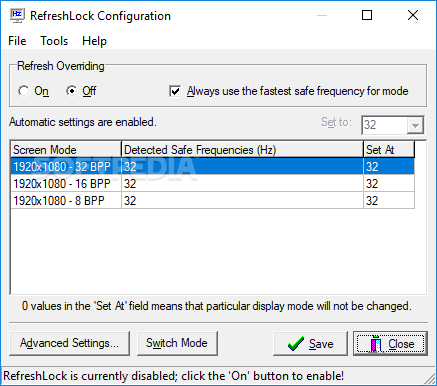
Sometimes, the gaming experience can be seriously affected by the low display frequency of your monitor. A solution to this problem would be to upgrade the hardware to meet all the requirements of a specific game, but this involves a lot of financial investments that may not be within your reach.
An alternative is to use RefreshLock, a tiny application capable of increasing the monitor display frequencies. This can be done by simply pressing a few dedicated buttons.
Typically, monitors are capable of delivering high frequencies but, occasionally, they might not function properly exactly when you want to start playing. Starring at your monitor on a low frequency can cause serious damage to your eyes.
There's nothing special about the interface since it's standard, without any complicated settings or options, while still keeping things perfectly safe. You can easily choose the screen mode that suits your needs with a simple mouse click.
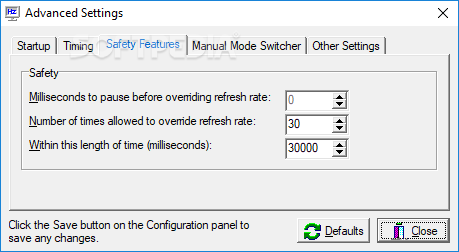
The frequency can be switched from the lowest to the highest level, without breaking the computer or decreasing its performance. There is also a reset timer that automatically goes off if the current frequency change is not confirmed.
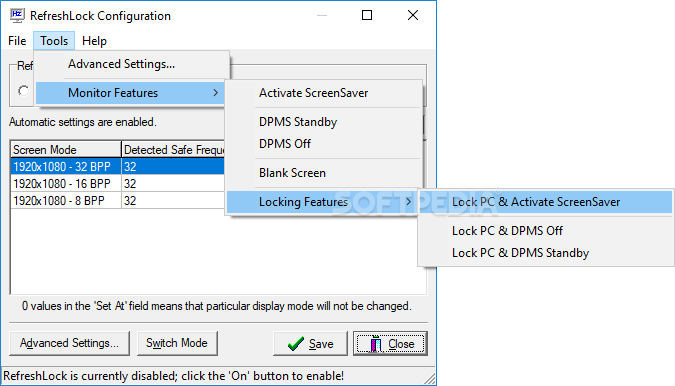
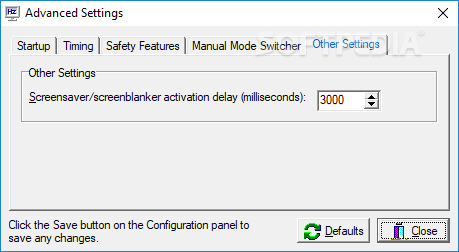
Another action that can be achieved using RefreshLock is locking the PC and activating the screensaver, without accessing any additional windows, menus or panels. In matter of memory resources, the tool is barely noticeable. It's just a small but useful little application that simply runs in the background (it can be observed and quickly accessed from the systray).
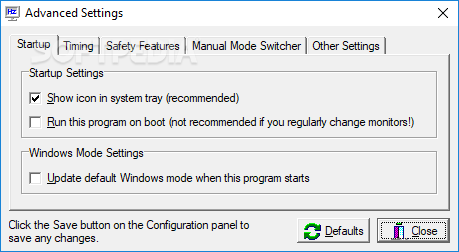
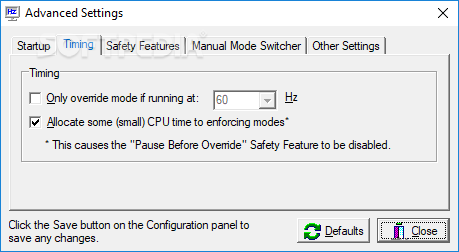
The conclusion is that RefreshLock is a useful piece of software that anyone should install on their computer, especially if they often play computer games. It comes with basic and advanced customization preferences alike, remaining light on system resources consumption throughout its runtime.
What's new in RefreshLock 2.21:
- Adding some PC locking features on the tray menu configurable delay before monitor features activate changed the icon, and most importantly, RefreshLock uses MUCH less memory now (~1MB versus ~4MB)
RefreshLock 2.21
add to watchlist add to download basket send us an update REPORT- runs on:
- Windows All
- file size:
- 189 KB
- filename:
- refreshlock.zip

- main category:
- Tweak
- developer:
4k Video Downloader

paint.net

ShareX

IrfanView

Zoom Client

Bitdefender Antivirus Free

Microsoft Teams

Windows Sandbox Launcher

7-Zip

calibre

- Windows Sandbox Launcher
- 7-Zip
- calibre
- 4k Video Downloader
- paint.net
- ShareX
- IrfanView
- Zoom Client
- Bitdefender Antivirus Free
- Microsoft Teams