
This Widget helps you monitor your Gmail inbox more easily. #Mail notifier #Monitor inbox #Incoming message #Notify #Email #Monitor

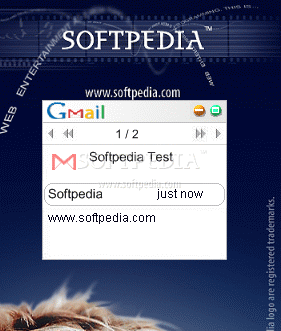
GMail Monitor is a lightweight gadget that displays notifications when you receive email on your Gmail account. It is easy to install and customize, no matter how inexperienced you are.
The app's interface consists of a very small frame. The first thing you have to do is open the context menu, go to the 'Widget Preferences' section, and input your Gmail account information, namely username and password, and whether you want to the tool to automatically log in or not.
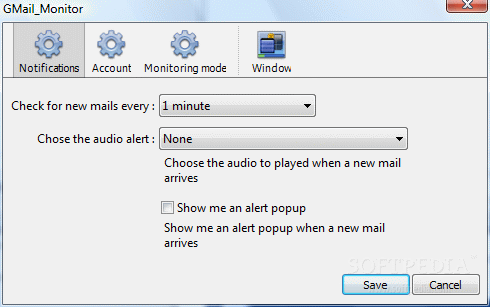
You can schedule GMail Monitor to verify your inbox for new emails at a user-defined time interval, ranging from 1 minute to 2 hours. Plus, you can pick an audio alert (e.g. beep, piano) and enable popup dialogs.
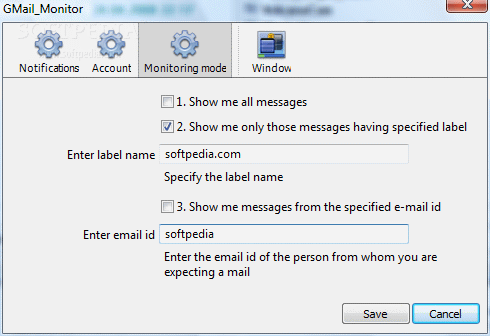
It is also possible to configure settings related to the monitoring mode, such as enabling the tool to show all messages or only those with a particular label or email ID. With the help of some additional options (provided by Windows), you can set the frame to stay on top or below all the other windows, to ignore mouse events and to prevent dragging; its opacity level is adjustable between 20% and 100%.
The gadget is not a concern for the computer's resources, as it uses a very low amount of CPU and system memory. It has a good response time and delivers accurate results. No error dialogs have been displayed throughout our testing and GMail Monitor did not cause the operating system to freeze, crash or display error dialogs. Too bad it has not been updated for a long while.
GMail Monitor 0.9.1
add to watchlist add to download basket send us an update REPORT- runs on:
- Windows All
- file size:
- 239 KB
- main category:
- Windows Widgets
- developer:
- visit homepage
ShareX

4k Video Downloader

Zoom Client

Bitdefender Antivirus Free

paint.net

IrfanView

calibre

7-Zip

Windows Sandbox Launcher

Microsoft Teams

- 7-Zip
- Windows Sandbox Launcher
- Microsoft Teams
- ShareX
- 4k Video Downloader
- Zoom Client
- Bitdefender Antivirus Free
- paint.net
- IrfanView
- calibre