
Employ this lightweight and powerful antivirus solution system in your daily routine in order to stay protected from a multitude of threats. #Antivirus scanner #Antivirus protection #Virus infection #Antivirus #Virus #Scan
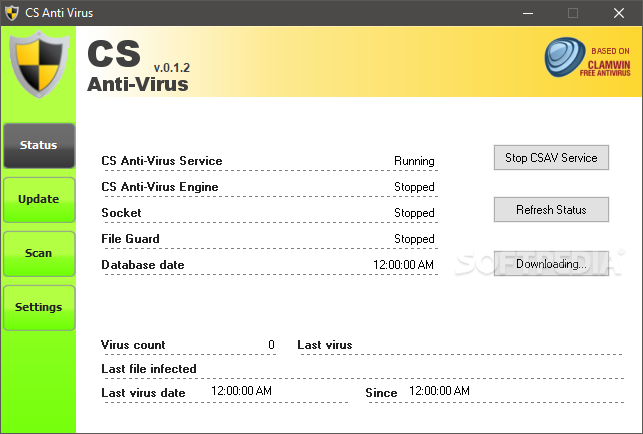
CS Anti-Virus is a software application designed to act as a real time shield for viruses thus providing its users better protection online.
The program has a simple interface with the main controls placed in the left side of the app. The protection solution is based on the ClamAV open source antivirus engine. The app also displays the status for the running services, including the antivirus service and engine, socket, file guard and the date for the internal database.
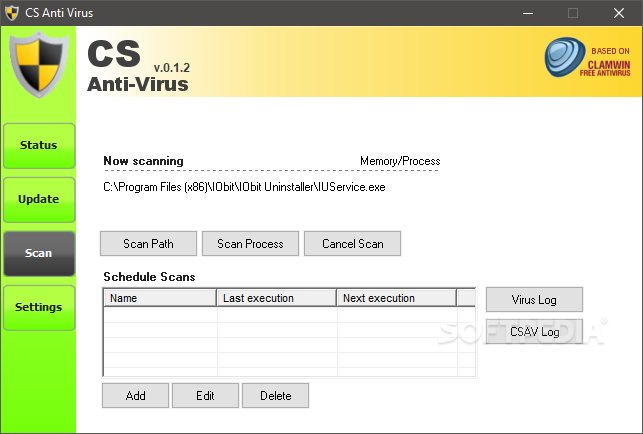
The program can also stop some of the protection processes and display in real-time the status for each filter by refreshing the information. The tool displays a virus count and detailed information on the last virus and infected file found on the system. You can easily manual update the database or set up a recurrence rule to run at a specific hour. A scan path can be specified, which includes the desired directory or you can create a scan schedule.
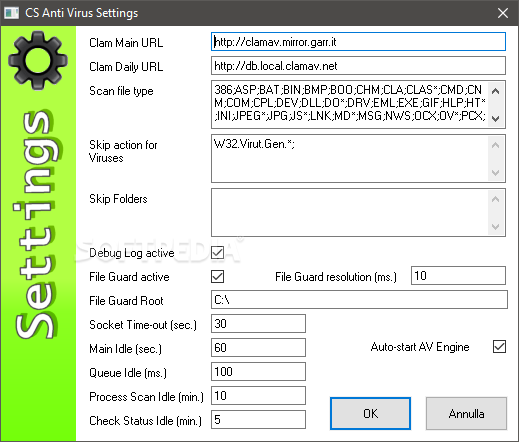
The app also keeps a virus and a running log, both can be accessed from the scanner area. By using the file type list in the program's settings you can determine what type of files will be included in the process. You can also choose to exclude different viruses or skip folders for the operation. CS Anti-Virus can keep a debug log and file guard in an active state.
The utility can display the File Guard location which can also be user-defined. The internal AV Engine can be set to auto-start by simply clicking the corresponding option in the settings pane.The app can also set a custom socket time-out and manage the idle duration for various functions.
CS Anti-Virus is a simple utility designed to help protect the user's files by enabling real-time shields for various viruses.
CS Anti-Virus 0.1.2 Beta
add to watchlist add to download basket send us an update REPORT- runs on:
- Windows All
- file size:
- 4.5 MB
- filename:
- CSAntiVirus.0.1.2.beta.exe

- main category:
- Antivirus
- developer:
- visit homepage
7-Zip

4k Video Downloader

ShareX

Context Menu Manager

calibre

Microsoft Teams

Zoom Client

Bitdefender Antivirus Free

Windows Sandbox Launcher

IrfanView

- Bitdefender Antivirus Free
- Windows Sandbox Launcher
- IrfanView
- 7-Zip
- 4k Video Downloader
- ShareX
- Context Menu Manager
- calibre
- Microsoft Teams
- Zoom Client