
Clear-cut application which monitors and shows your file system activity, displays mail slots and network volumes, and lets you tweak timestamps. #Monitor file #Activity monitor #System monitor #Tracker #System #Change
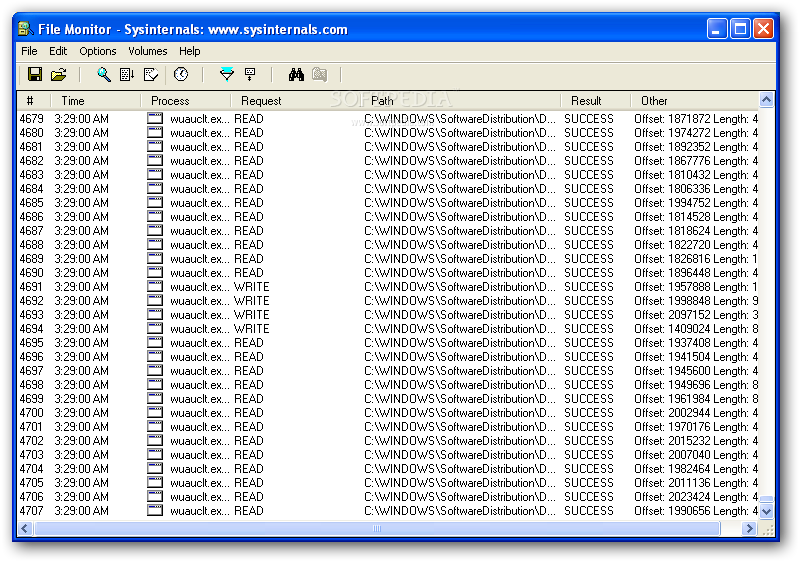
Keeping track of running applications and processes, as well as monitoring their particular activity, often requires a bit more than the functions available in Windows' Task Manager. File Monitor was developed with this particular purpose in mind, a lightweight program that can explore the way in which the OS works.
The interface is very simple, quite plain actually, yet this is to be expected since it is a utility bent exclusively on practicality. The main window offers a generous space for viewing all the loaded processes and exploring their activity, as well as the resources in use.
A great thing about File Monitor is that you can view if a certain application was successful or not in employing one component or another, and if a certain request was completed successfully or not. More so, there is a special column that displays supplemental information in some cases.
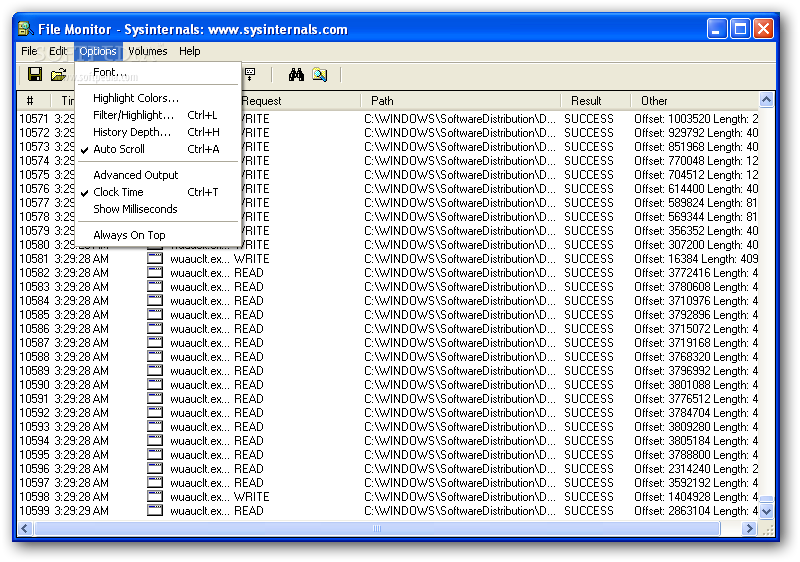
You can set File Monitor to automatically scroll the details presented in the main window, configure the time stamps to be in accordance with the system time and even show milliseconds. The latter options can be useful to better discern among many events of a single process, occurring in a very short period, for example.
This utility is able to list all the available volumes and, from a dedicated menu, you can select only the ones you want to monitor. In addition to that, it is also possible to show mail slots and network volumes.
Perhaps the most important attribute of this software is that it is so easy to use that even novices can become accustomed to it and understand file system activity and working parameters in a rather short time.
The abundance of details and the filtering ability that allows users to select only the information they need to view, coupled with the fact that it is addressed to all user categories, makes File Monitor one of the best choices in its category.
File Monitor (formerly Filemon) 7.04
 Softpedia Editor's Pick
add to watchlist
add to download basket
send us an update
REPORT
Softpedia Editor's Pick
add to watchlist
add to download basket
send us an update
REPORT
- runs on:
- Windows All
- file size:
- 278 KB
- filename:
- Filemon.zip
- main category:
- Programming
- developer:
- visit homepage
Bitdefender Antivirus Free

IrfanView

Microsoft Teams

Windows Sandbox Launcher

Zoom Client

calibre

7-Zip

paint.net

4k Video Downloader

ShareX

- paint.net
- 4k Video Downloader
- ShareX
- Bitdefender Antivirus Free
- IrfanView
- Microsoft Teams
- Windows Sandbox Launcher
- Zoom Client
- calibre
- 7-Zip