
Simple application that creates a virtual drive for your Gmail account, and lets you manage items in a more efficient fashion through context menu integration and support for drag-and-drop. #Shell extension #Create filesystem #Virtual drive #GMail #Extension #Shell

IMPORTANT NOTICE: Gmail Drive is no longer supported by Google. However, there are plenty of better alternatives to this service, such as Google Drive.
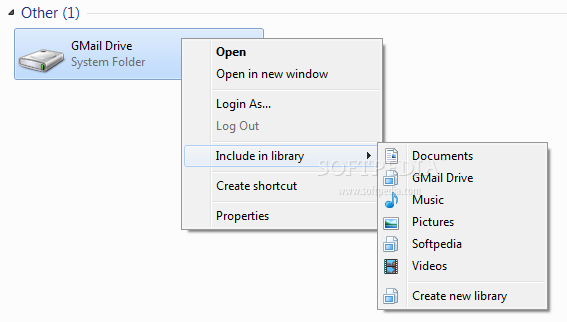
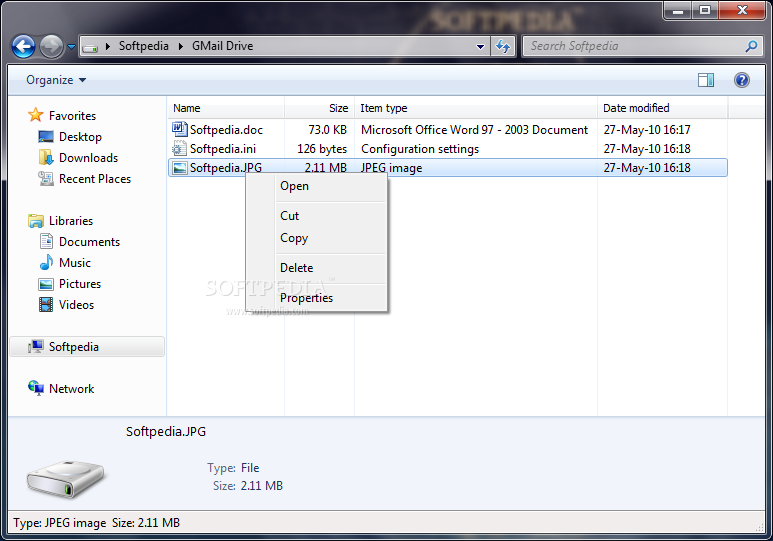
Gmail Drive Shell Extension is a tool that provides users with a simple means of managing your Google Mail account, by creating a new virtual drive on your system and allowing you to access it like a normal storage facility via Windows Explorer.
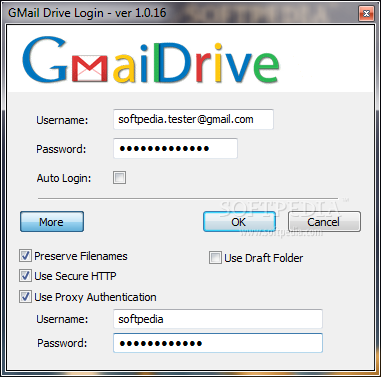
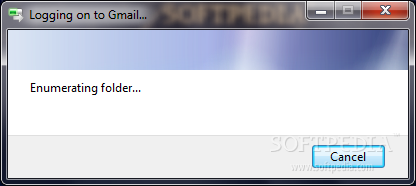
The setup process does not take very long and does not offer to download any third-party products, while the interface comes down to a simple screen where you can input the Gmail account information. This means that all types of users, be they experienced or not with software apps in general, can learn how to handle it with ease.
The main window holds only a few options, such as a dedicated setting to preserve filenames and another one to use secure HTTP. In addition to that, the application comes with proxy server support and this means that all you have to do is provide the username and password to make the connection work.
Thanks to the fact that it places an entry into the Windows Context Menu, you can send a file using a single right click. Of course, the faster the Internet connection, the better the program functions, especially when copying files to or from the Gmail drive.
In order to transfer documents to and from the Gmail Drive folder, you can use a simple "drag and drop" operation. Another useful feature of this tool is its ability to automatically verify if there are any new arrivals in your mail account.
Since Gmail files can fill up your Inbox, it is advisable to create a custom filter that makes files automatically go to the archived mail folder. Also, note that some functional mishaps may occur due to changes made to the Gmail Service that is continuously evolving.
Even if sometimes it can be a hassle to get Gmail Drive Shell Extension to work properly and leaving aside connection problems that are known to appear, the utility does a pretty decent job overall. It provides a great way of moving files from your mail account to your hard-drive, create new folders and manage the files easily.
What's new in GMail Drive Shell Extension 1.0.20:
- A restructure of the official Google Mail login page causes problems for GMail Drive. The latest version fixes it.
GMail Drive Shell Extension 1.0.20
 Softpedia Editor's Pick
add to watchlist
add to download basket
send us an update
REPORT
Softpedia Editor's Pick
add to watchlist
add to download basket
send us an update
REPORT
- runs on:
- Windows All
- file size:
- 400 KB
- main category:
- Internet
- developer:
- visit homepage
Windows Sandbox Launcher

ShareX

Context Menu Manager

7-Zip

Microsoft Teams

4k Video Downloader

calibre

Zoom Client

IrfanView

Bitdefender Antivirus Free

- Zoom Client
- IrfanView
- Bitdefender Antivirus Free
- Windows Sandbox Launcher
- ShareX
- Context Menu Manager
- 7-Zip
- Microsoft Teams
- 4k Video Downloader
- calibre