
Remote control software solution that allows you to access other computers and use them as if you were on the chair in front of them. #Remote control #Remote screen #File transfer #VNC #Remote #Control

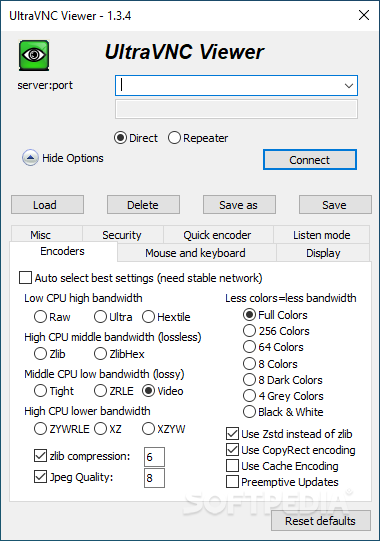
Used mostly by IT professionals and advanced computer users, UltraVNC provides an open-source, reliable remote desktop solution that makes it possible to access any PC from a distance. Whether we are talking about eLearning initiatives and classroom control or simply accessing the home PC from work to get some files, this application can be the one you might be looking for.
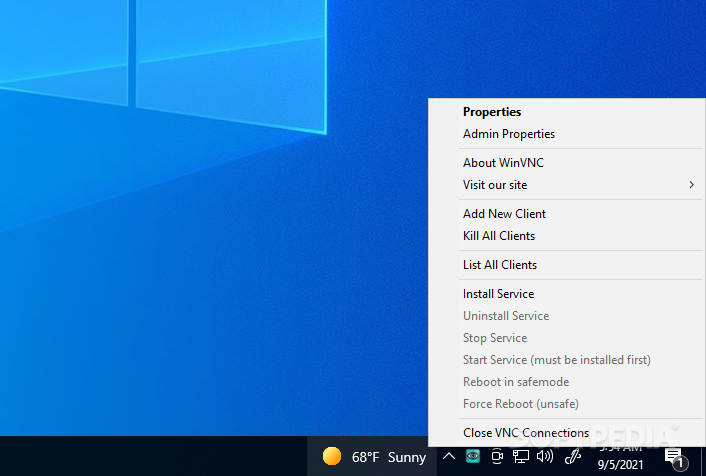
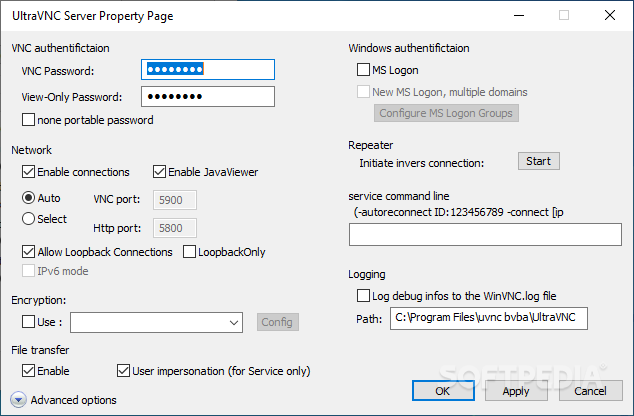
Relying on a client/server connection, this application features a single installer for all its tools. However, keep in mind that UltraVNC Server must be installed on the client computer, while UltraVNC Viewer should be deployed on the host machine.
Unlike other remote access solutions, UltraVNC is not designed for remote support but for remote access only, mostly because the application requires you to go through more complex configuration (port forwarding on the server, which needs a static IP address) to have it work. Although its feature set might compensate for some of the effort you put it in, it could take hours before you can get it to work on a machine that already has certain issues (since remote support is required).
UltraVNC is a good option if you are trying to set up your personal PC for remote access. Once configured, it provides first-hand access to your computer, allowing remote access to software programs and files repeatedly, without you having to configure the remote session every time. Moreover, a remote connection can be established through a web browser, should you have a client computer with software deployment restrictions.
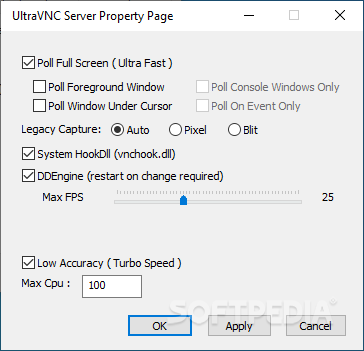
It allows file transfers and it comes with custom encoding options, cursor tracking, view-only mode, and other advanced features. As for its security-related features, it can encrypt messages exchanged between the client and the server. The package also include the UltraVNC Repeater, which acts as a proxy between the viewer and the server, allowing systems from outside a network to access computers within the local area network.
UltraVNC is designed for advanced users only, requiring port forwarding on the server's network to allow incoming client connections. Since configuring it is not really a breeze, it is advisable that you use it for remote access, but not as a tool for remote support. Despite the cumbersome configuration, UltraVNC remains a powerful remote access solution that comes with a generous feature set when it comes to remote administration.
Download Hubs
UltraVNC is part of these download collections: Remote Controller, VNC Clients
What's new in UltraVNC 1.5.0.0 Dev:
- UltraViewer added (wrapper around the vncviewer)
- Directx Reconnect fix
- Extra links added
- Text/version info fixes
UltraVNC 1.4.3.6 / 1.5.0.0 Dev
 Softpedia Editor's Pick
add to watchlist
add to download basket
send us an update
REPORT
Softpedia Editor's Pick
add to watchlist
add to download basket
send us an update
REPORT
- PRICE: Free
- runs on:
-
Windows 11
Windows Server 2019
Windows Server 2016
Windows 10 32/64 bit
Windows Server 2012 R2
Windows Server 2012
Windows 2008 R2
Windows 8 32/64 bit
Windows 7 32/64 bit - file size:
- 4.7 MB
- filename:
- UltraVNC_1436_X86_Setup.exe
- main category:
- Internet
- developer:
- visit homepage
ShareX

Windows Sandbox Launcher

4k Video Downloader

calibre

Bitdefender Antivirus Free

Microsoft Teams

Zoom Client

Context Menu Manager

7-Zip

IrfanView

- Context Menu Manager
- 7-Zip
- IrfanView
- ShareX
- Windows Sandbox Launcher
- 4k Video Downloader
- calibre
- Bitdefender Antivirus Free
- Microsoft Teams
- Zoom Client
