Softpedia
 

WINDOWS CATEGORIES:


GLOBAL PAGES >>
SOFTPEDIA REVIEWS >>
MEET THE EDITORS >>

WEEK'S BEST

  • DAEMON Tools Pro (...
  • FlashFXP [ DISCOUN...
  • PowerISO 5.0
  • WebcamMax [DISCOUN...
  • Zemana AntiLogger ...
  • System Mechanic Pr...
  • Glary Utilities Pr...
  • All My Movies 6.9 ...
  • Ad-Aware Internet ...
  • Atlantis Word Proc...
  • 7-DAY TOP DOWNLOAD

    #
    Program
    3DP Chip 12.01
    71,756 downloads
    Adobe Flash Player
    11.2.300.130 Beta /
    11.1.102.55

    54,980 downloads
    Avira AntiVir
    Personal - Free
    Antivirus 12.0.0.898

    54,608 downloads
    Nokia PC Suite
    7.1.180.46

    53,422 downloads
    Nero 9 Free
    9.4.12.3d

    51,733 downloads
    Internet Download
    Manager 6.09 Beta /
    6.08 Build 9

    46,445 downloads
    Microsoft Office
    2010 14.0.6023.1000
    Service Pack 1 /
    2007 12.0.6612.1000
    Service Pack 3

    46,289 downloads
    Samsung PC Studio
    7.2.24.9

    42,769 downloads
    Avast! Free
    Antivirus 7.0.1396
    Beta / 6.0.1367

    41,369 downloads
    RemoveWGA 1.2
    35,598 downloads
    Home > Windows > File managers > Directory Opus > User reviews

    Directory Opus 10.0.3.0.4392 user reviews


    Directory Opus user reviews (22)

    Add your review 
    Version: Directory Opus 10.0.2.0.4269
    Reviewer: Adrian Green


    Date: 05 Nov 2011, 16:45 UTC
    Overall rating:
    GUI:    Features:    Ease of use:    Value:

    I also used to use Directory Opus (version 4) way back when I had my Amiga 3000T. Back then the internets were only just coming online; Windows was still V3, Mac OS was still System 6 (I remember because my Amiga had hardware emulation cards for them both!) - I was working with massive amounts of multimedia and Directory Opus was the most advanced file management tool (GUI based) I used. Back then it was fast, reliable and was designed with real world usage in mind.

    A combination of factors killed Amiga, but Directory Opus lived on, wisely migrating to the Windows platform, and continuously evolving since.

    I have returned to Directory Opus at version 10 - and I am totally happy with the re-acquaintance. So much functionality in such a fast tight light file manager!
    You really can't complain about the price - it is replacement for so many other tools you need. You can't complain that it is has too many features - learn them, use them, and make the features work for you.

    Technical support is fast, courteous and effective. If you are a professional who values their time ( ie: you understand that time wasted is money lost ) then you will do well to invest in Directory Opus and all that can offer.

    At 20 years vintage it may be the magnum opus of file management tools thus far.


    Version: Directory Opus 10.0.2.0.4269
    Reviewer: Steve


    Date: 17 Sep 2011, 02:40 UTC
    Overall rating:
    GUI:    Features:    Ease of use:    Value:

    I have been using D Opus since it came out on the Commodore Amiga. It is, by far, the best all around windows explorer replacement that I have seen. Dr. Greg Perry has done a fabulous job.

    Thanks


    Version: Directory Opus 10.0.2.0.4269
    Reviewer: Leo Davidson


    Date: 13 Sep 2011, 07:29 UTC
    Overall rating:
    GUI:    Features:    Ease of use:    Value:

    I hope it's okay to respond, even though I'm involved with writing Opus these days (I went from user to plugin author to co-developer as my involvement increased, since I find the program so important to using my computer).

    Regarding Gorlash's review,


    The uninstaller is (and always has been) in the standard location:

    http://leo.dopus.com/posts/Opus_Uninstaller.png


    Background tasks are entirely optional.

    By default, dopus.exe stays running so that you can instantly open a file manager whenever you want one, and so that global hotkeys and docked toolbars work (if you use them). If you would rather it didn't, see this FAQ:
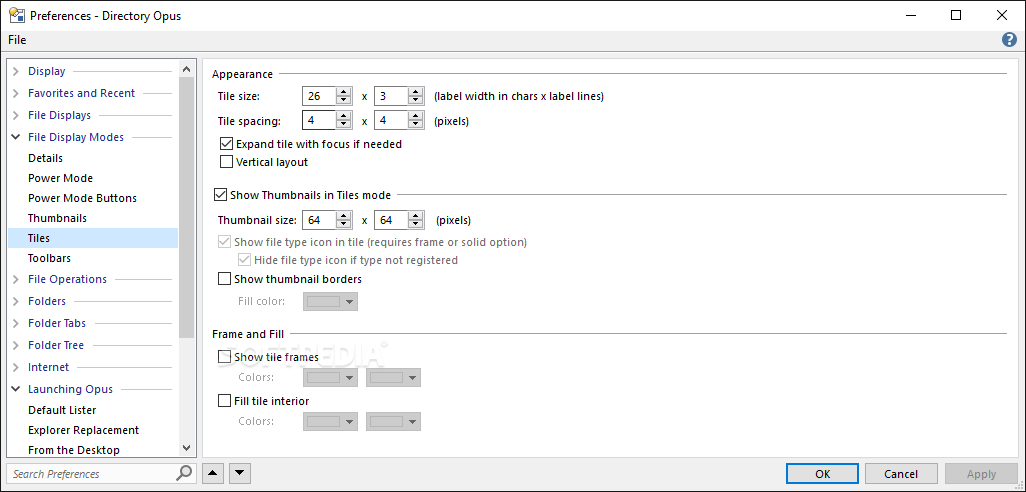
    http://resource.dopus.com/viewtopic.php?t=4791

    If the option to launch Opus by double-clicking an empty space on the desktop is enabled then dopusrt.exe will run in the background. This enables desktop double-click to launch Opus even if the main dopus.exe process is not running. This separate dopusrt.exe uses almost no resources but if you don't want it simply turn off the desktop double-click option in Preferences.
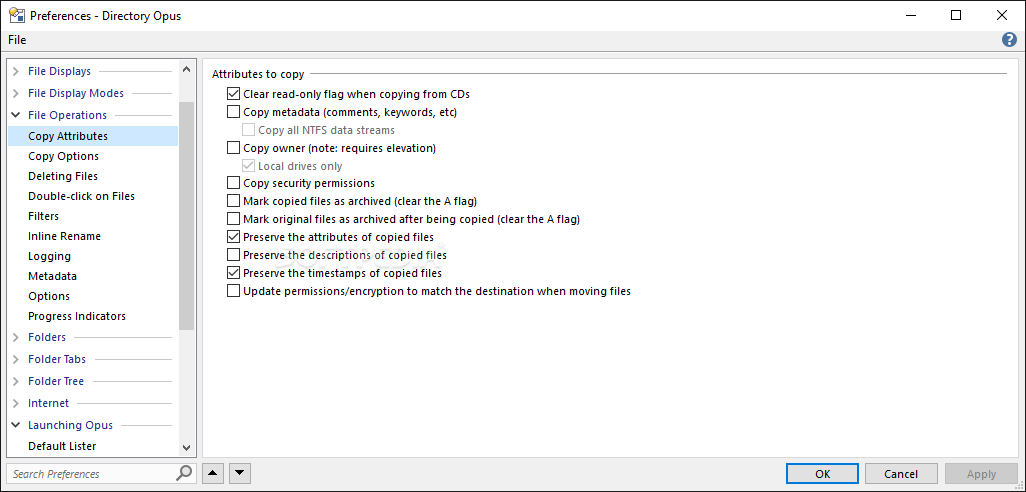
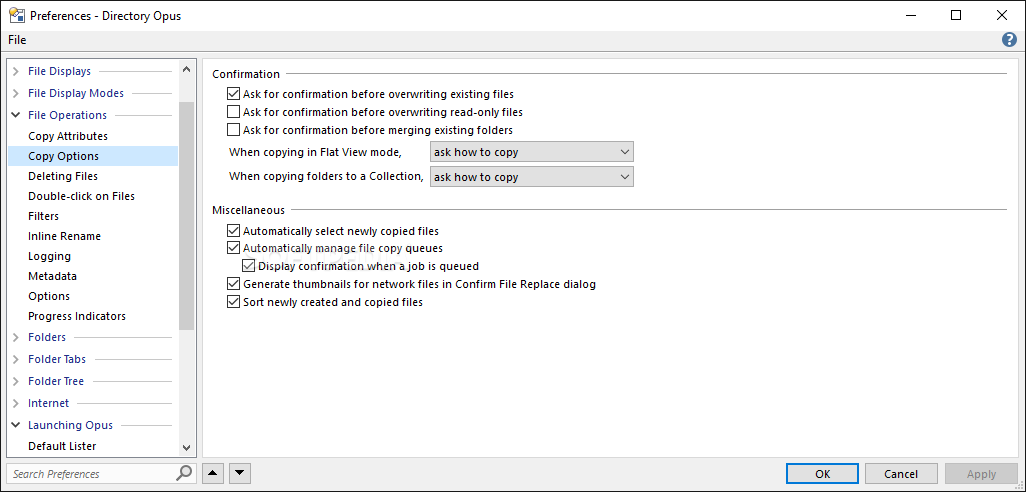
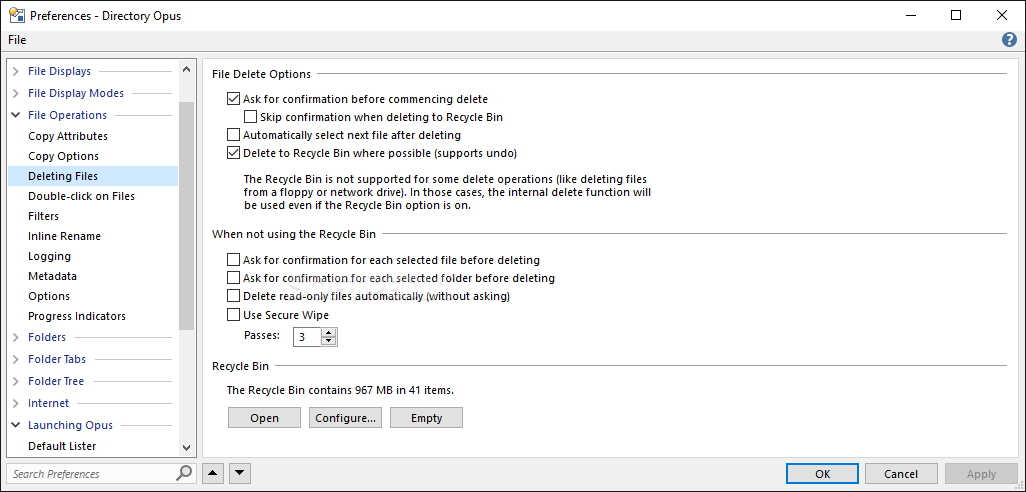
    Those are the only two Opus processes you are likely to see running in the background, and it's easy to configure both not to run. The other helper processes which you may see (used to isolate 3rd party code to increase stability, or used to run 32-bit code on behalf of 64-bit Opus) are explained here:

    http://resource.dopus.com/viewtopic.php?t=11212

    The Opus FAQs will help with many other questions:

    http://resource.dopus.com/viewtopic.php?t=4095


    Version: Directory Opus 10.0.2.0.4269
    Reviewer: Albert Werth


    Date: 13 Sep 2011, 05:46 UTC
    Overall rating:
    GUI:    Features:    Ease of use:    Value:

    I'm not paying money for many Applications because you'll find excellent Open Source and Freeware alternatives for allmost every high-priced Software but there is really nothing that can compare with Directory Opus! It's the heart and soul of my Computer.
    Every ambitious user should try it (60 days Test-Licence) to discover this highly configurable and feature-rich Software. You can uninstall a bunch of other Tools because you can do most everything you ever want with it.
    The user run "Directory Opus Resource Center" is the quickest, most serious, reliable and informative Help Forum I ever saw in the web. Use it to quickly feel at home in the World of Directory Opus and to explore it's endless possibilities.


    Version: Directory Opus 10.0.2.0.4269
    Reviewer: Bootes


    Date: 13 Sep 2011, 01:15 UTC
    Overall rating:
    GUI:    Features:    Ease of use:    Value:

    I agree with most of the reviewers: D Opus is very good. But... it is difficult to customize, has far more features than I can understand (I do not know what they mean by "Lister", e.g.) or will ever use, and it is expensive. Still, I have used it for years and I like it very much. Version 9 was all I could wish. Now, however, I bought a new computer, and to pay _another_ 90 dollars for another D Opus... I don't know yet if I will do it.


    Version: Directory Opus 10.0.2.0.4269
    Reviewer: Bob Snow


    Date: 12 Sep 2011, 04:18 UTC
    Overall rating:
    GUI:    Features:    Ease of use:    Value:

    After reading all the above reviews I thought it was a shame people that could come up with a rating after a brief trial. You'll notice all that have used the product for a great length of time gave it the highest rating available with the exception of one which was a notch less than perfect.

    My experience with Opus over the years can not be captured within the rating limitations of this site. Truly you're looking at a product that is definitely a +20%.

    If you're looking for a program to give you every bit of utility ability over and above what is offered in the marketplace this has to be the product that you buy. Many people have mentioned the cost of the product. I have been using opus for the past 10 years or more and don't remember paying additional money for updates. I'm sure there have been those costs but I don't even consider it when I'm using a product that I will not turn on my computer if it's not already installed. My staff knows that once they install Windows the very first product that we install is Opus. Opus is extremely important when it comes time to analyzing and comparing files or general cleanup.

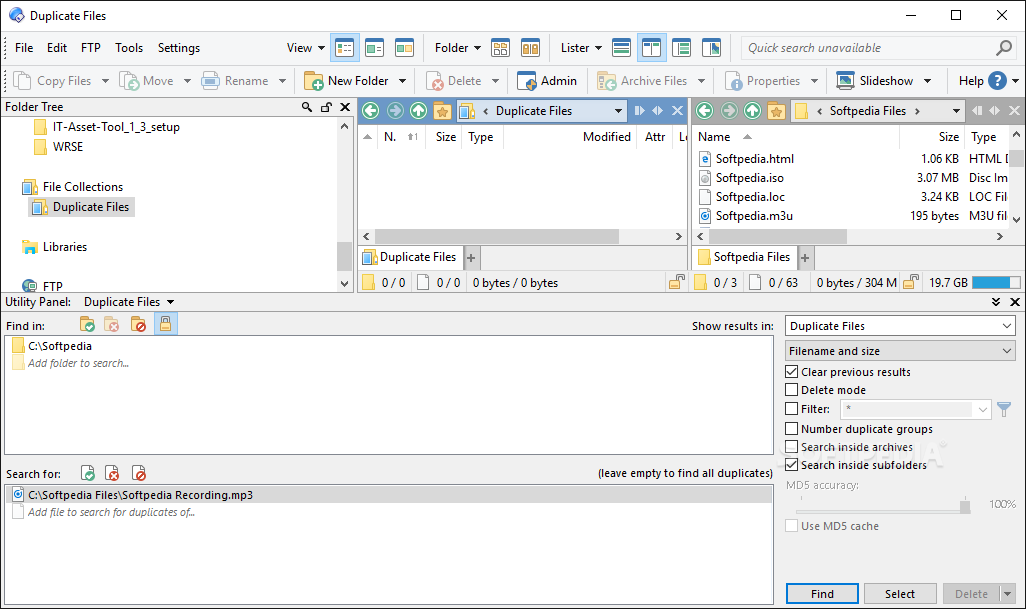
    We use Opus when looking for duplications that some dedicated programs can not help us with. There are so many different ways that Opus can help you every day. Now if you're the type of user that plants your files in those documentation directories or movie directories that Windows suggests is the only way to do it don't bother with Opus.

    All the rating above that you see of two and three star are so unfair to the many potential users in the market. The best way that I could be friendly and helpful to anyone that turns their computer on is to convince them to give Opus a trial. I'm just sitting here trying to think though a good feature that might help you make that decision but there are so many I don't know where to start.

    Over the years I definitely have felt guilty how much this program has actually cost me and what I really got out of it there is no comparison. I get ripped off far greater with the cost of the Windows operating system.

    One other item. Leo! Yes Leo will answer your tech support question faster and more reliable and without sarcasm for a stupid question, as I sometimes come up with, then any tech support system I have used. Check it out go to their website. Read the messages left by Amerifax.

    Yes I will not turn on my computer without Opus already installed. I have to much to get done in the day. I am not a gamer but for me Opus is my enjoyment when I spend time on my computer. I'd be willing to bet that if you spend a couple months with Opus you'll be using it 10 years from now.
    Bob


    Version: Directory Opus 10.0.1.0.4185
    Reviewer: Garry G


    Date: 12 Aug 2011, 04:01 UTC
    Overall rating:
    GUI:    Features:    Ease of use:    Value:

    Even though Win7's file manager is the best that Microsoft has produced, I still rely heavily on Directory Opus. I've used versions 8, 9 and now 10. The power, features, and configurability do require more effort from the user to get to know it, but they're worth it.


    Version: Directory Opus 10.0.1.0.4185
    Reviewer: Haddad


    Date: 26 Jun 2011, 08:03 UTC
    Overall rating:
    GUI:    Features:    Ease of use:    Value:

    very good soft
    a lot of features for biginners and pros
    but at a high price :(


    Version: Directory Opus 10.0.0.0.4137
    Reviewer: Daemonmonkey


    Date: 04 Jun 2011, 18:42 UTC
    Overall rating:
    GUI:    Features:    Ease of use:    Value:

    It\'s overpriced with a factor of 5. No software is that good that overpricing it so much is worth it.

    Agreed, it has some nice features, but none of those motivates a price of US$90 or €60. If I were you I\'d search another software to put your money on, there are several that do the same at a fifth of the price.


    Version: Directory Opus 9.5.6.0.3937
    Reviewer: Dr. Nesr


    Date: 13 Feb 2011, 10:08 UTC
    Overall rating:
    GUI:    Features:    Ease of use:    Value:

    I used this software for more than 7 years, It is great, well programmed,
    it really makes life easier
    The best thing I noticed is that VIRUSES cannot cheat it, and They always appear in Red color (if hidden), also it can Unprotect files that can not be deleted.
    Tons of facilities and advantages
    The main disadvantage is price, Expensive (85$)
    it is reasonable to be for (50$) maximum, however, I would buy it even it is 150$
    :-)


    Version: Directory Opus 9.5.6.0.3937
    Reviewer: javier


    Date: 16 Oct 2010, 23:28 UTC
    Overall rating:
    GUI:    Features:    Ease of use:    Value:

    Very useful but way overpriced, This type of program should be free. just skip it


    Version: Directory Opus 9.5.4.0.3806
    Reviewer: haibin liu


    Date: 03 Aug 2010, 07:46 UTC
    Overall rating:
    GUI:    Features:    Ease of use:    Value:

    very good


    Version: Directory Opus 9.5.4.0.3806
    Reviewer: lp007


    Date: 19 Jun 2010, 21:43 UTC
    Overall rating:
    GUI:    Features:    Ease of use:    Value:

    Without doubt.. the best file manager I've ever used. It has so many features and functions that I'm still discovering new things that it can do after 3yrs of using it every day. This is a good thing and a bad thing.. the program does so much that it's overwhelming and difficult to learn beyond the basics without having to read a manual that NASA would be proud of.

    I think of myself as a power-user and I practically live in my file manager as I'm always working on directory structures... but even I can't imagine who could possible use/need all the functions that DOpus provides. Having said that, I'm always impressed when I discover something new that DOpus can do and always find myself stating, "Wow! What a good idea!".

    My only problem with DOpus... it's just too damn expensive! Geesh! I understand that people need to get paid and that the software is obviously in a class of its own when it comes to file managers. But really, I only use maybe 10-20% of its features and while that makes my work a whole lot easier... the fact is that there are free file managers that can do 90% of what I use DOpus to do... so I'm not gonna pay $70-80 for an extra 10% of functionality!

    This program costs basically half as much+ what Windows 7 costs and that's just too much to pay for a file manager (even one as powerful as DOpus).

    Now, maybe there are those that need all the FTP and other internet interfaces/access that DOpus provides along with the other arcane (IMO) functionality that maybe 1% of computer users actually need -- and if you need to have the most powerful file manager on the planet -- then you probably don't care how much it costs and more power to you!

    I love the program, but I just can't justify the cost.


    Version: Directory Opus 9.5.1.0
    Reviewer: Chris


    Date: 27 Dec 2009, 10:41 UTC
    Overall rating:
    GUI:    Features:    Ease of use:    Value:

    I was a Directory Opus user from the Amiga days and it really made sense on that platform because the Workbench file manager was clunky, and critically, didn't support viewing files that didn't already have a '.info' icon file associated with it.

    On Windows from XP onwards, there isn't the same lack of basic functionality, so this product is incredibly niche. This is speaking as a career techie.

    It seems to me that I'd likely never have the presence of mind to open Dopus when ultimately I'm always going to have umpteen Explorer windows open already. The alternative of course is to replace Explorer completely, but it's just not stable enough for that. I managed to deadlock the GUI within a couple of minutes of clicking around. I'd already been put off slightly by the immediate fact that I'd have to spend an age tweaking settings and things to my liking before getting any work done. Then on uninstall (which does exist, by the way, it's listed under G for GPSoft) a really stupid picture of a bird popped up. Why??

    It might have been hillarious in the hobbyist Amiga scerne, but this is supposed to be a commercial product. I could never see my way to coughing up the money for it.


    Version: Directory Opus 9.5.1.0
    Reviewer: Gorlash


    Date: 13 Dec 2009, 12:43 UTC
    Overall rating:
    GUI:    Features:    Ease of use:    Value:

    No uninstaller - it was not even listed in "programs and features" window!! *Very* unusual for a modern program, especially a non-freeware program.

    When I closed the program, it left software running in the background, without asking me. I don't really care for that, and it made it difficult to delete the program manually; took two passes with "Unlocker Assistant" to kill its resident stuff.

    No real advantage of this commercial program over free alternatives such as NexusFile, ExplorerPlusPlus, etc, and they all have uninstallers if you want to get rid of them.

    Don't bother with this one.


    Version: Directory Opus 9.5
    Reviewer: auro


    Date: 12 Nov 2009, 20:25 UTC
    Overall rating:
    GUI:    Features:    Ease of use:    Value:

    I really think that Directory Opus should be included with the operating system (meaning the Windows OS). I was agonizing for a week with my new machine -- transferring files was painful and time consuming birthing. Blindfolded would be also a good description of how it felt to me.

    I bought the v. 9.5 and I am happy I spent the money. These guys deserve every penny of it -- and I am not rich and do not have any shares or cousins working at GPS.

    I recommend Directory Opus with clean conscience, it is the best file manager I know of.


    Version: Directory Opus 9.1.1.8.3352
    Reviewer: KenAlcock


    Date: 19 May 2009, 13:15 UTC
    Overall rating:
    GUI:    Features:    Ease of use:    Value:

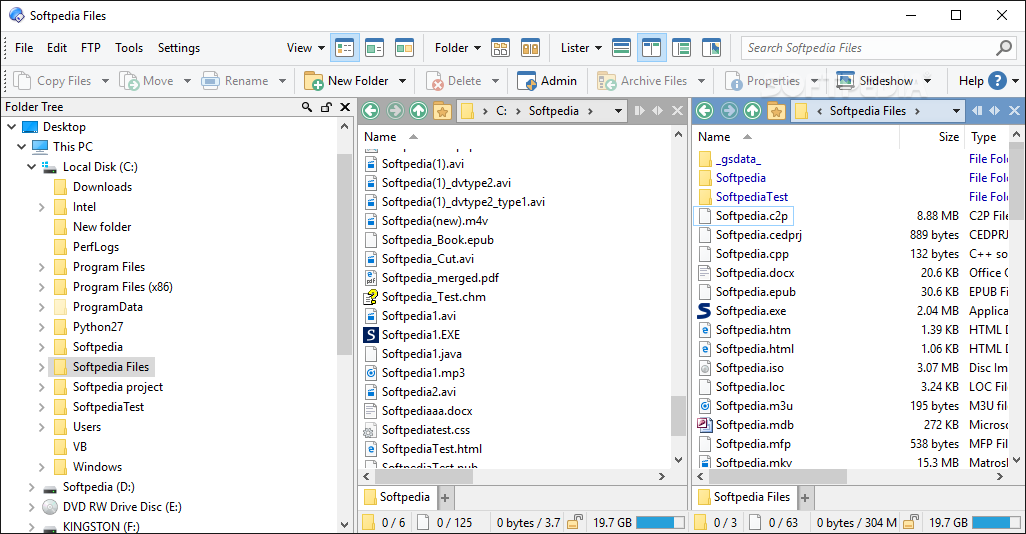
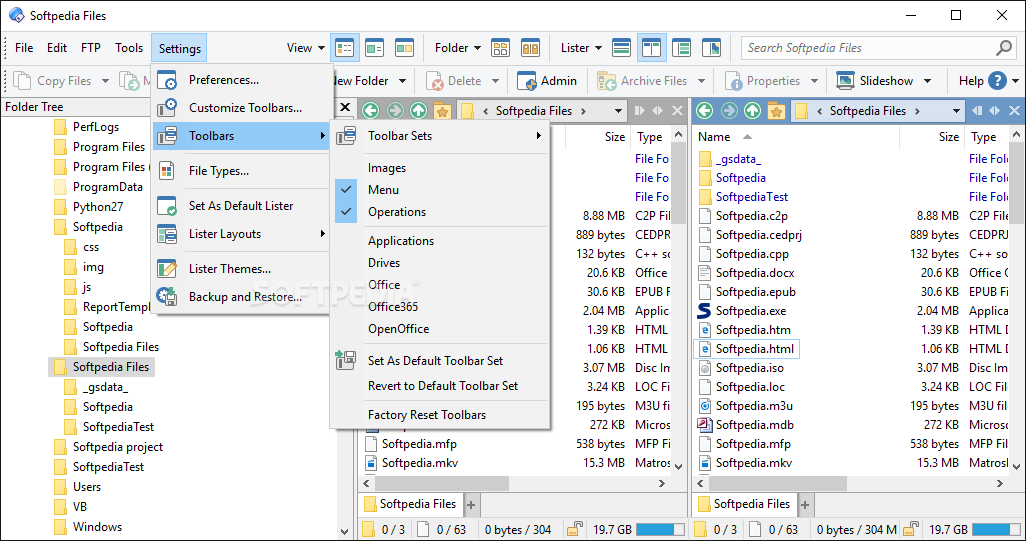
    Pros: Powerful, fast, customizable, portable (run from USB), aesthetically pleasing. Supports plug-ins, themes, and custom configurations. User support forum. Constant free support updates between major versions. Integrated viewers and hotkey manager.

    Cons: Because it is so feature rich, new users sometimes get overwhelmed. Download it, get a free trial license, check out the user support forum (link in help menu).

    Summary: This is the first program I install on my windows computers after installing the operating system. And I never have to use Windows Explorer again. This program has a lot under the hood. The money you spend on a license is trivial compared to the time it will save you in the long run.

    The best place to learn about this program is at the user support forum (link in the help menu), where some of the users have written extensive tutorials. Opus is powerful; it usually not a question of it can or cannot do something, but how to do it with Opus.

    Import/Export the following to backup or share:
    - Preferences configuration.
    - Toolbars or individual command buttons
    - Visual themes

    Internal Utilities:
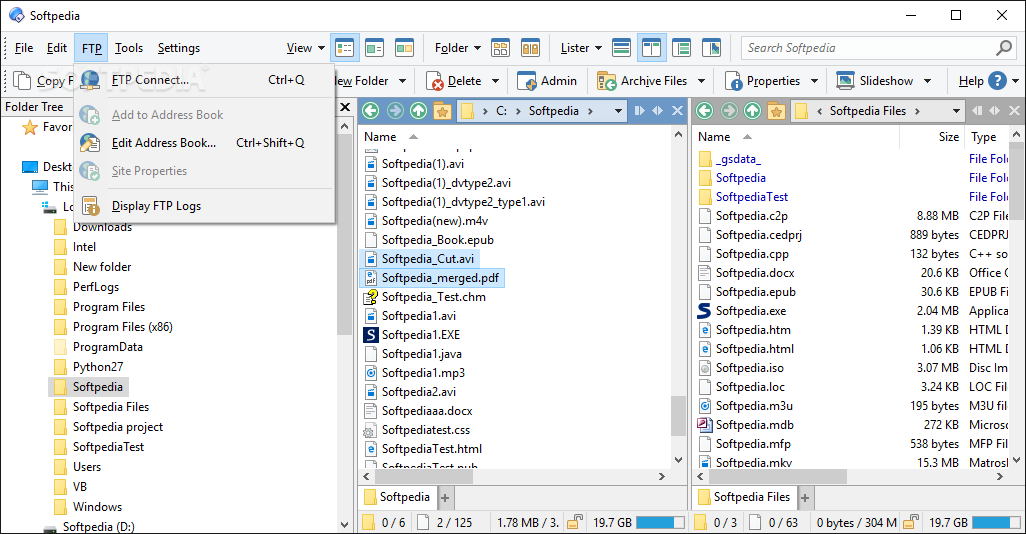
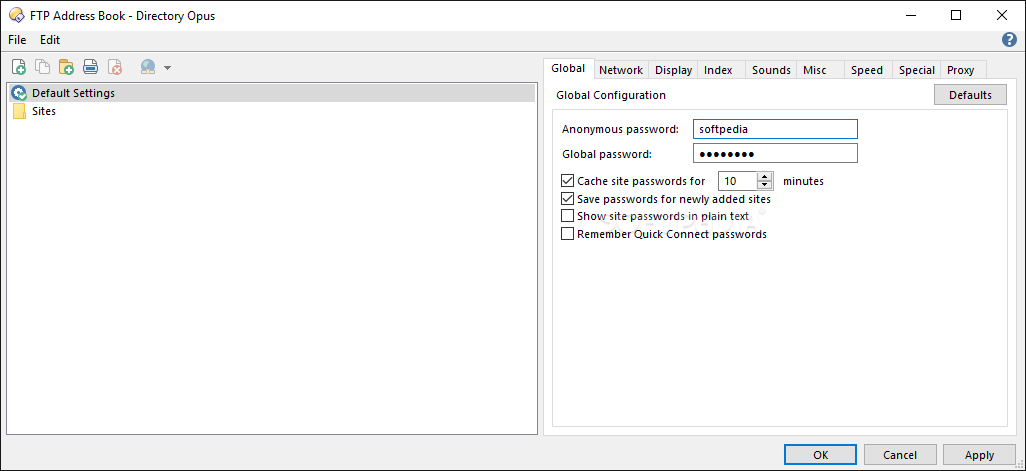
    - FTP client
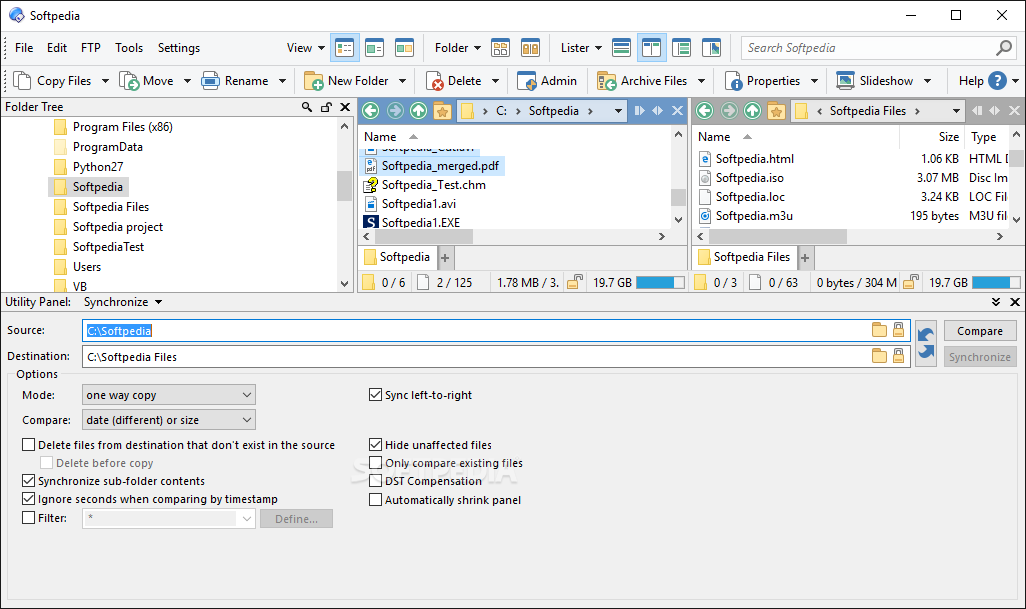
    - Synchronization Tool
    - Duplicate File Finder
    - Internal search system
    - mp3 tag editor
    - Viewer (supports plug-ins)
    - HotKey manager (within Opus or system-wide)
    - Simple email client for sending files.
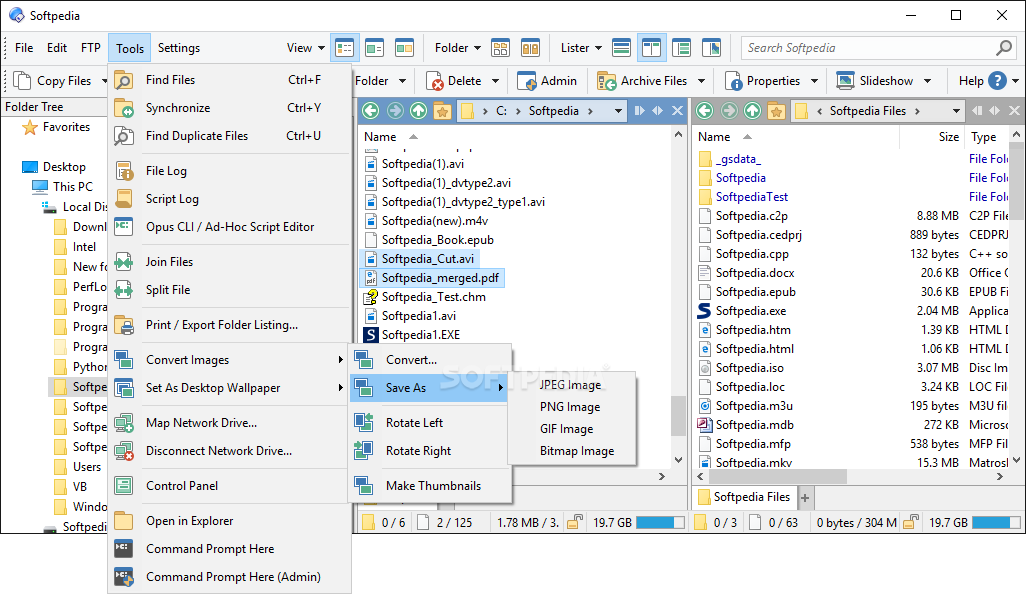
    - Image Converter
    - File Type Manager
    - Renaming system (scriptable): date, mp3/EXIF tags, RegExp, etc.
    - Secure File Erase

    Key Features:
    - Browse FTP, .zip, .rar as folders.
    - File Collections (use files from many locations as if in same folder)
    - File Filter system
    - Advanced file searching.
    - Dual File display
    - Flat view.
    - Customizable Folder formats by: drive type, content type, folder.
    - Favorite Folders
    - Folder/Path alias system
    - Store window layouts and styles
    - Folder Tabs and Tab Groups

    Integrates with:
    - Windows Messenger
    - Google Desktop search
    - ImageShack
    - Flickr


    Version: Directory Opus 9.1.1.4
    Reviewer: TheMokoda


    Date: 25 Oct 2008, 02:44 UTC
    Overall rating:
    GUI:    Features:    Ease of use:    Value:

    "Powerful" is an understatement. So is "powerfully expensive". While Windows Explorer is not that great as a file manager and even less as far as some other functions it either shares with DOPUS or just doesn't have, please don't be lulled into thinking DOPUS is really worth it's price. It's not. It's just not.
    That's not to say it's not good. I honestly don't remember how many file managers I have tried, and none of them comes even close to loading as fast as Explorer...except DOPUS. No others have nearly the breadth of features either. Navigation is really simple and powerful in ways that are both readily noticeable and often subtle. There is just no better program of this type available, and if it weren't so expensive, then it would really be worth using it to take the place of three or four other utilities.
    Yep, that's right. ALL the functionality DOPUS offers can be had for free, but it would take three or four other programs to do what DOPUS integrates nicely into a powerful program.
    Now, if GPSoftware would just get their heads (and the price) out of the clouds, I could give it my hardiest recommendation. As it is though, my suggestion is, use it for the trial period, then either dump it or...well, I won't go there. Honestly, inasmuch as price is part of the appeal of a program, this thing being priced more than double what it's worth just diminishes all the greatness it really does have. Thing is, you won't realize how overpriced it is until you actually fork over your cash..as one reviewer found out the hard way.
    In my opinion, anyone who would pay this price (or tell you it's worth such a price) either works for GPSoftware (or has a loved one who does), owns GPSoftware stock (or has a loved one who does) or is just not very wise with his or her money.


    Version: Directory Opus 9.1.0.6
    Reviewer: ravenspirit2k5


    Read all my reviews

    Date: 05 Jul 2008, 17:19 UTC
    Overall rating:
    GUI:    Features:    Ease of use:    Value:

    I finally broke down and bought a copy of Directory Opus 9.0.0.9 after trying it for a week and loving it. Unfortunately, I found out the hard way it's not as perfect as it seems to be. I was backing up my huge cd-rips collection, which is arranged in a series of folders and sub-folders, and was very pleased to note that Directory Opus was copying them to my spare drive much quicker than Windows usually does. But then I found out that was just because it wasn't copying the sub-folders! The reason it was so much faster is that it was failing to copy about half the files. Isn't the ability to copy and move files what a file manager is supposed to be able to do? I got no error message, no way of knowing it didn't copy those files until I navigated to the folders themselves and noticed that all of the sub-folders were missing. At $75, it's an expensive file manager that can't even perform all the basic functions of a file manager.


    Version: Directory Opus 9.0
    Reviewer: wyz


    Read all my reviews

    Date: 26 May 2007, 09:46 UTC
    Overall rating:
    GUI:    Features:    Ease of use:    Value:

    Some time ago I did a review on version 8.1.0.6 and found it to be the very best of a number of file managers/Windows Explorer replacements that I had tried. The new version 9.0 has come out this week and I can honestly say that it is MUCH BETTER then its predecessor. They have added lots of new features, worked some wrinkles out, and most importantly in my opinion, made the program easier to setup and use. The down side of Directory Opus 9.0 is that it is expensive. ($ 65 US dollar new user price and $ 43 US dollars for the upgrade price) While the cost of this software is very high the quality of the program is even higher. This is top shelf material!
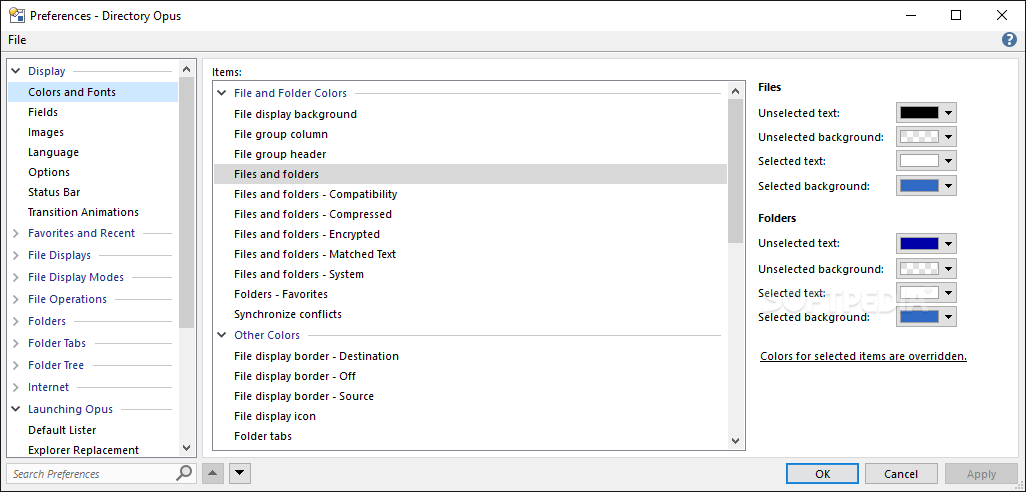
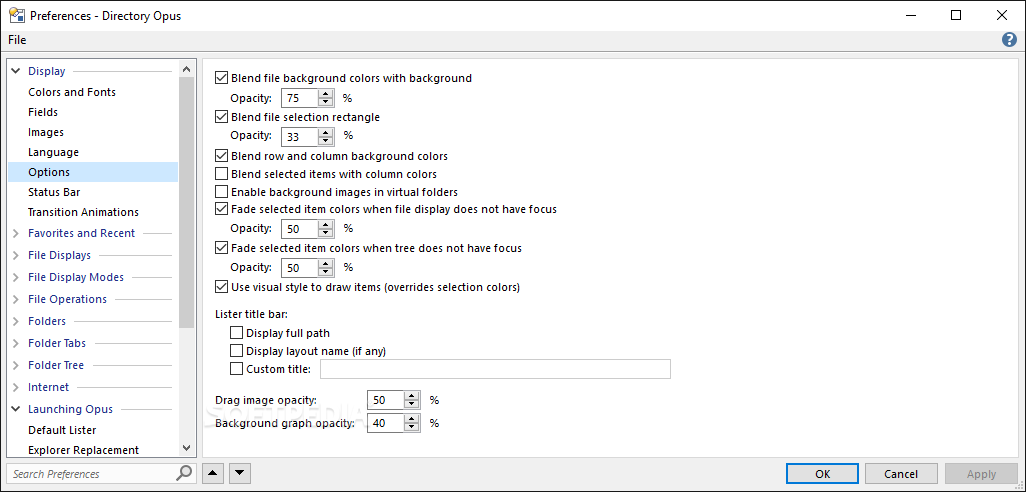
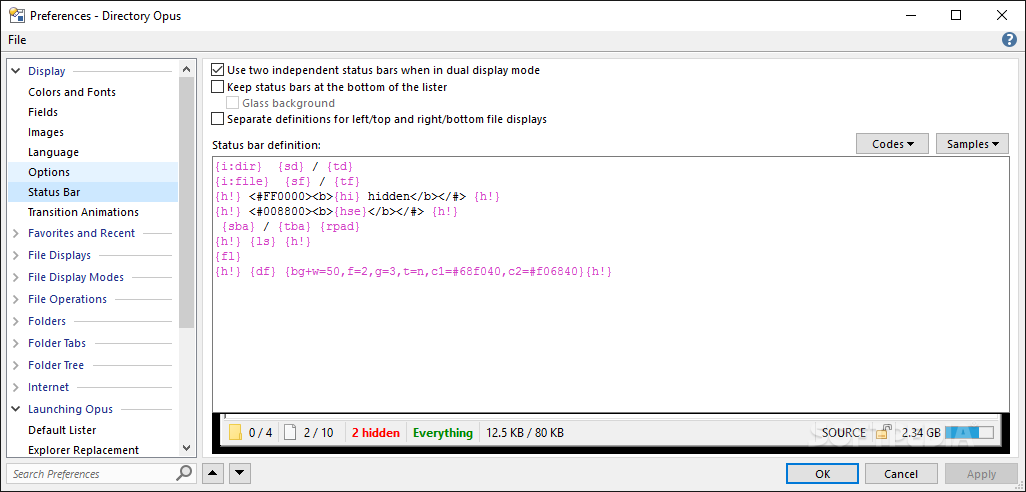
    While all the basic file manipulation functions can be easily learned it is however quite another story to master the complete feature set of this program. To say that Directory Opus is LOADED is a gross understatement as it is packed to the rafters with features and setup options. You can customize this program to the nth degree. Simply put the options are mind boggling! For these reasons the learning curve for this software is steep, but ample help files and tutorials are available to guide the user through this "jungle." If you are looking tor a new file manager/ Windows Explorer replacement and don't scare easily by an enormous feature set and a massive number of preference options then Directory Opus is the choice.


    Version: Directory Opus 8.1.0.7
    Reviewer: RandySavage


    Read all my reviews

    Date: 26 May 2007, 09:46 UTC
    Overall rating:
    GUI:    Features:    Ease of use:    Value:

    If you are looking for a Windows File Explorer replacement with more "oompf" than Windows Explorer, then Directory Opus is the "oompfer" for you. Directory Opus easily the "oompfiest" of the various Windows File Explorer replacements (like Frigate, EF Commander, Powerdesk, etc.).

    Directory Opus (or simply "DO" among the cool crowd) not only gives you more power than Windows Explorer, it arguably gives you more power than ANY Windows Explorer-type applicatioin available. And it does it while still being easy to navigate, easy to use, logically laid out, customizable, and easy on the eyes.

    Its not the cheapest option available, but life is too short to be spent on mundane file management chores. In the long run, it'll give you your life back, and how much is that worth to you?


    Version: Directory Opus 8.1.0.6
    Reviewer: wyz


    Read all my reviews

    Date: 26 May 2007, 09:46 UTC
    Overall rating:
    GUI:    Features:    Ease of use:    Value:

    Directory Opus 8 is a very fast and full featured Windows Explorer replacement / file manager that can be customized to the nth degree. Along with its file managing abilities this software can also handle file synchronization, FTP, image viewing, and duplicate file finding chores. The program comes with a well illustrated 211 page PDF help file to help you learn about Directory Opus's massive feature set and the myriad of ways you can customize it. This program looks and feels like something special, and, in my opinion, is the creme de la creme of Windows Explorer replacements


    SHARE YOUR OPINION ABOUT Directory Opus

    Your Name:
    Your Email Address:
    (will not be used for commercial purposes)
    Solve this to prove you're not a bot: =
    GUI (Graphical User Interface): Poor   Fair   Good   Very Good   Excellent  
    Features: Poor   Fair   Good   Very Good   Excellent  
    Ease of use: Poor   Fair   Good   Very Good   Excellent  
    Price/Value: Poor   Fair   Good   Very Good   Excellent  
    Overall rating: Poor   Fair   Good   Very Good   Excellent  
    Your review/opinion:


    WindowsGamesDriversMacLinuxScriptsMobileHandheldNews

    SUBMIT PROGRAM   |   ADVERTISE   |   GET HELP   |   SEND US FEEDBACK   |   RSS FEEDS   |   UPDATE YOUR SOFTWARE   |   ROMANIAN FORUM