WINDOWS CATEGORIES:
GLOBAL PAGES >>
SOFTPEDIA REVIEWS >>
MEET THE EDITORS >>
|
|
|
|
|
WEEK'S BEST
Bitdefender Total ...Ocster Backup Pro ...Hard Disk Sentinel...FlashFXP [DISCOUNT...DVDFab DVD Copy [D...Kaspersky Internet...Avast! Internet Se...Avira Internet Sec...Webroot SecureAnyw...McAfee Total Prote... |
|
7-DAY TOP DOWNLOAD
# |
Program |
 | Nero 9 Free 9.4.12.3 29,563 downloads |  | Samsung PC Studio 7.2.24.9 26,191 downloads |  | UMPlayer 0.98 23,241 downloads |  | Adobe Flash Player 11.7.700.202 / 11.8.800.50 Beta 22,304 downloads |  | Internet Download Manager 6.15 Build 12 21,445 downloads |  | Nokia PC Suite 7.1.180.94 19,332 downloads |  | Adobe Photoshop CS6 13.0.1.1 16,966 downloads |  | LibreOffice 4.0.3 16,101 downloads |  | HP USB Disk Storage Format Tool 2.2.3 15,622 downloads |  | Google Chrome 26.0.1410.64 Stable / 27.0.1453.81 Beta / 28.0.1500.11 Dev 15,406 downloads |
|
|
|
|
Folder Lock 7.2.1 user reviews |
|
|
| Add your review |
| Version: Folder Lock 6.3.2 | Reviewer: Jay Green
Date: 22 Jan 2010, 14:47 UTC Overall rating:      | GUI:     Features:     Ease of use:     Value:     

Something's going on with NewSoftwares.net! I bought version 6.0 and later updated to version 6.2.5. without incident. However, when I updated to version 6.3.1 everything changed. The program refused to lock any folder located in the "Program Files", or any major folder, for that matter. So, I reinstalled the earlier version of 6.2.5. I thought there must have been some bugs in the new update that they had overlooked, so I waited until 6.3.2 was released and tried again. Same problems, except now Norton Internet Security 2010 produces the "WARNINGS" listed below for the newsoftwares.net website.
I have emailed the company with the following email, but they have not answered, plus I noticed the latest posts to their forum was back in mid-December!
EMAIL TO NewSoftWares:
While trying to update Folder Lock via the program's update feature, Norton Internet Security the following when logged onto this URL: "http://www.newsoftwares.net/folderlock/whatsnew.html?id="
Warning:
"SITE UNSAFE"
Threat Report
Total threats found: 2
Small-whitebg-red Viruses (what's this?)
Threats found: 2
Here is a complete list:
Threat Name: Hacktool.Rootkit
File name: c:\windows\system32\is-p9ltt.tmp
Location: http://www.newsoftwares.net/download/folderlock5-full-en/folder-lock-5-full.exe
Threat Name: Hacktool.Rootkit
File name: c:\windows\system32\is-cqgtv.tmp
Location: http://www.newsoftwares.net/download/folderlock5-en/folder-lock-5.exe
I attempted to download the undate file from: http://www.newsoftwares.net/folderlock/ and Norton refuses to save it to my harddrive with the following information given:
Norton Internet Security reports the file has the following:
"folder-lock.sw.exe (Reser.Reputation.1)"
"This Insight Network Detection has been removed"
"Details: Very Few Users, Risk Medium"
"Origin: http://www.newsoftwares.net/download/folderlock6-en/folder-lock-sw.exe"
Whats going on here? Why is Norton reporting your files and website as containing virus?
Thanks.
Jay |
| Version: Folder Lock 5.9.0 | Reviewer: Crossfire6
Read all my reviews
Date: 29 May 2008, 21:45 UTC Overall rating:      | GUI:     Features:     Ease of use:     Value:     

Just to add another thought - the most comparable alternative to Folder Lock 5.9 seems to be an app called Folder Vault 2.0 ($14.95) I was wondering how many have tried them both for comparison? Each seem to have their own good points and flaws.
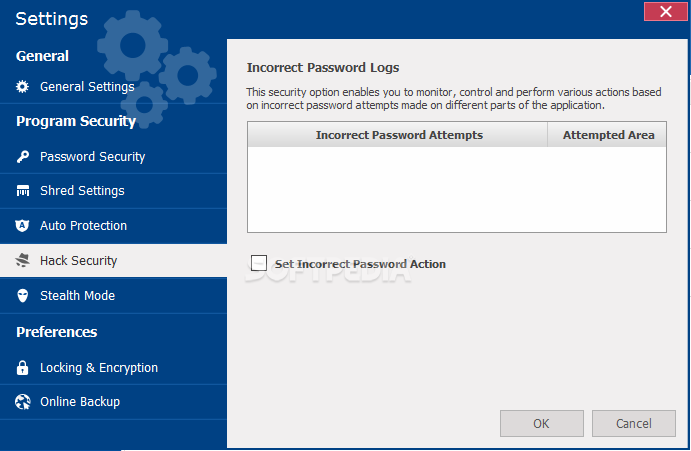
According to my tests both work well with XP and Vista. The shredder feature doesn't seem to work on either one. The hacker feature (auto shutdown on more than three failed login attempts) works on Folder Lock, but not Folder Vault.
Folder Lock allows you to transfer the program to other partitions on your hard drive, USB's, and external drives, but Folder Vault doesn't (unless the newest release does).
Folder Lock works fine on a USB drive when the USB is plugged into a different computer that does not have Folder Lock installed on it. I tested that several times.
Folder Vault actually appears to encrypt files in the vault upon lockdown, but I think Folder Lock does no such thing. It does not matter how many files you have in the Folder Lock locker, 5 MB or 5 GB, the duration of the locking and shutdown process is always the same, about 1.5 seconds. We all know encryption doesn't work that fast.
With Folder Lock 5.9 and Folder Vault 2.0 I am not experiencing any of the issues described by others, such as BSOD's, or files disappearing, or system failure in any way. But then, I've not been using them that long.
The only other test that I have not been able to determine yet is if locked files are accessible when the OS is operated in safe mode.
Just look at it this way - for the price of these apps we cannot expect government quality, or even corporate quality protection. These things are designed to keep the non-professionals out of our files altogether, and make it at least a little bit tough for the pros to get at them. I think both software publishers go a bit overboard when explaining the great capabilities of the programs. |
| Version: Folder Lock 5.8.0 | Reviewer: floppypedia
Read all my reviews
Date: 14 Jan 2008, 15:29 UTC Overall rating:      | GUI:     Features:     Ease of use:     Value:     

Use this software at your own risk! I'm afraid I'd just repeating the bad reviews, so I won't go into any detail. Read them, you'll get the picture: nice looking piece of software, great for a few months, and then out of the blue your encrypted files will no longer decrypt. I lost over two-gigs worth of sensitive private data, as well as photographs (which can never be replaced).
As mentioned in other reviews, what really peeved me off more than anything about this unethical company, is that the so-called 'customer support' consists nothing more than a few automated messages. And when their 'advice' didn't bring forth the much needed solution, you'd end up at square-one again - and round and round it went!
Well hopefully this review will put into action the much needed bad karma that this company certainly deserves, and people will take heed of the ubiquitous negative reviews; avoid this software like the plague... |
| Version: Folder Lock 5.5.7 | Reviewer: Cassidy
Read all my reviews
Date: 11 Jul 2006, 23:11 UTC Overall rating:      | GUI:     Features:     Ease of use:     Value:     

Folder Lock 5.5.7 or (probably later) can be easily circumvented by anyone, even a registered user like me.
Install Folder Lock on your PC or laptop, but don't select the option to "Start on Bootup" (or words to that effect). Attach an USB drive and use the Folder Lock program options to install Folder Lock onto the USB drive. Go to the USB drive (as mentioned in documentation) and start the Folder Lock program, putting some files into the USB "locker". Now you can either lock the files, encrypt them, whatever you like. Now Normally remove the USB drive and reboot the computer. When the desktop reappears put the USB drive back into your PC or laptop and use any file manager (I use Total Commander) to go directly to the Folder Lock program folder, on the USB drive. Within it, you will find a folder called "Locked" or "Folder Lock", something like that. Simply double click the folder and VOILA!!. All your data/programs will be easily accessible to read/run/copy/edit. Now is that security??
You ask, but "Why does this work"?
Because the folder lock program files are not running and hence are not active to "lock" or protect your data. As for encryption, that is bogus too, since it takes only a couple seconds to encrypt files of over 1GB in size and that is simply not possible with today's processing power in a regular PC. Plus, my test above allows you to choose to encrypt your data and you can STILL easily get access to it.
Bottom line: If you don't believe it, simply follow instructions above.
Buyer Beware! |
SHARE YOUR OPINION ABOUT Folder Lock
|
|
|