Search Perform an advanced search query SOFTPEDIA
 
SOFTPEDIA
Updated one minute ago
HomeSubmit a program for being reviewedAdvertise on our websiteGet help on surfing our websitesSend us your feedbackGet information about our XML/RSS backend and how to use itBrowse the news archiveVisit our discussion forumVizitati forumul in limba romana


Program Finder NormalFreeware onlyShareware only

Abrosoft FantaMorph Pro 4.0.5 Report spyware 

Click to download Abrosoft FantaMorph ProAbrosoft FantaMorph Pro - Softpedia Pick Award (If you developed this product, click here to download your award)
View more Abrosoft FantaMorph Pro screenshots (7)
 Downloads: 10,631
Rating: Very Good (4.2/5) | Rated by: 49 user(s)
Add to download basket     Send us update information
 Developer: Abrosoft | More programs by this producer
 License: Trial , 49.95 $ to buy 
 Size / OS: 5.57 MB, Windows All
 Last Updated: May 21st, 2008, 11:13 GMT
 Category: C: \ Multimedia \ Graphic \ Graphic Editors
 Read user reviews (0) Add a review Refer to friend Subscribe
    Download Abrosoft FantaMorph Pro

Abrosoft FantaMorph Pro description
Create fantastic image morphing and warping movie in real time with ease and fun

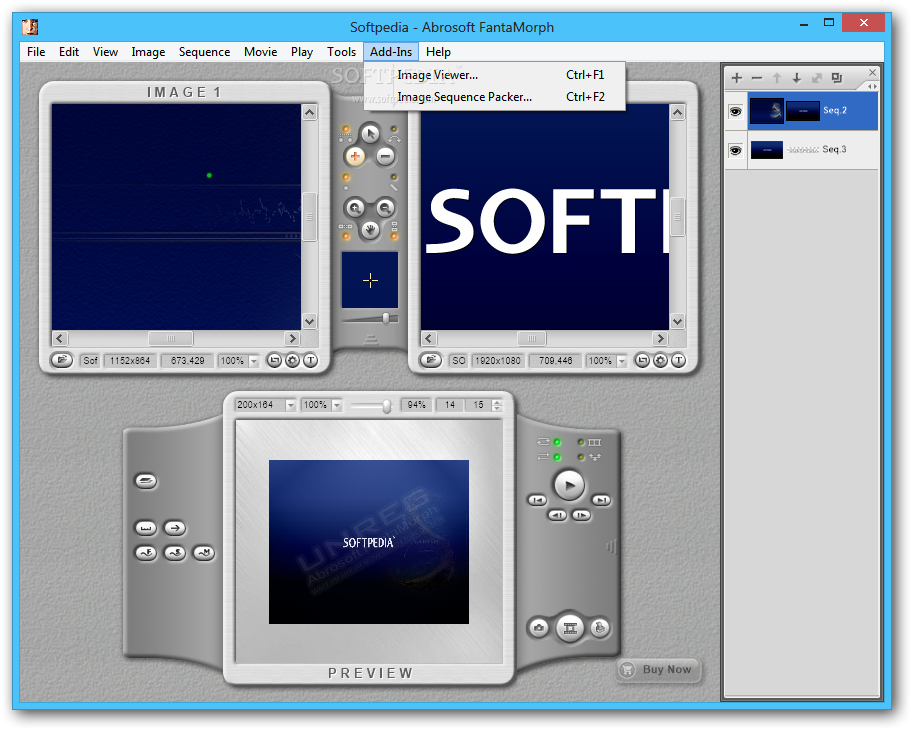
Abrosoft FantaMorph is powerful and easy-to-use morphing software for the creation of fantastic image morphing pictures and sophisticated animation effects.

With our revolutionary rendering engine and a super-friendly user interface, creating morphing pictures and action sequences from still images has never been easier and faster!

FantaMorph is a superior one-stop morphing software that will empower users with the tools to add unique and exciting visual effects to screen savers, web graphics, advertisements, music videos, movies, educational software, presentations, email, greeting cards and various other electronic documents.

Use your amazing morph movies and morphing pictures in countless
ways. You won't be disappointed with the professional quality of your FantaMorph projects.

FantaMorph is professional photo-animation software, and yes it's also a valuable and sophisticated toy for personal entertainment. It's just plain fun! Try the coolest image morphing software today and see the magic with your own eyes!

Here are some key features of "Abrosoft FantaMorph Pro":

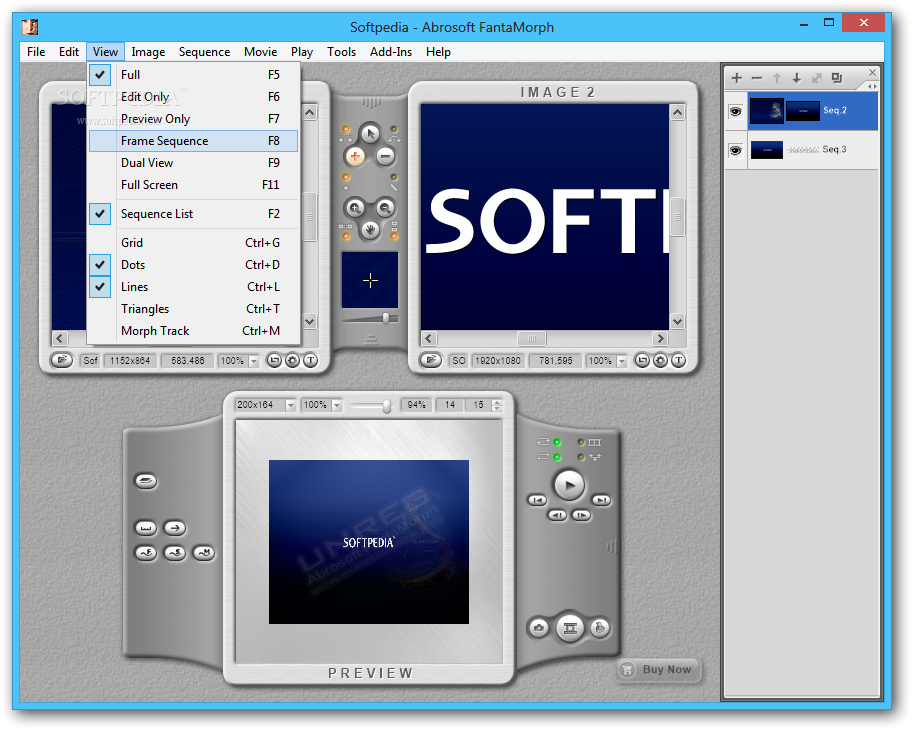
· The fastest rendering engine, fully supports OpenGL hardware acceleration
· Realtime preview, realtime playing
· Supports almost all important image formats: BMP, JPEG, TIFF, PNG, TGA, PCX, GIF, WMF, EMF
· Imports/Exports 32bit image with alpha formats: BMP, TIFF, PNG, TGA
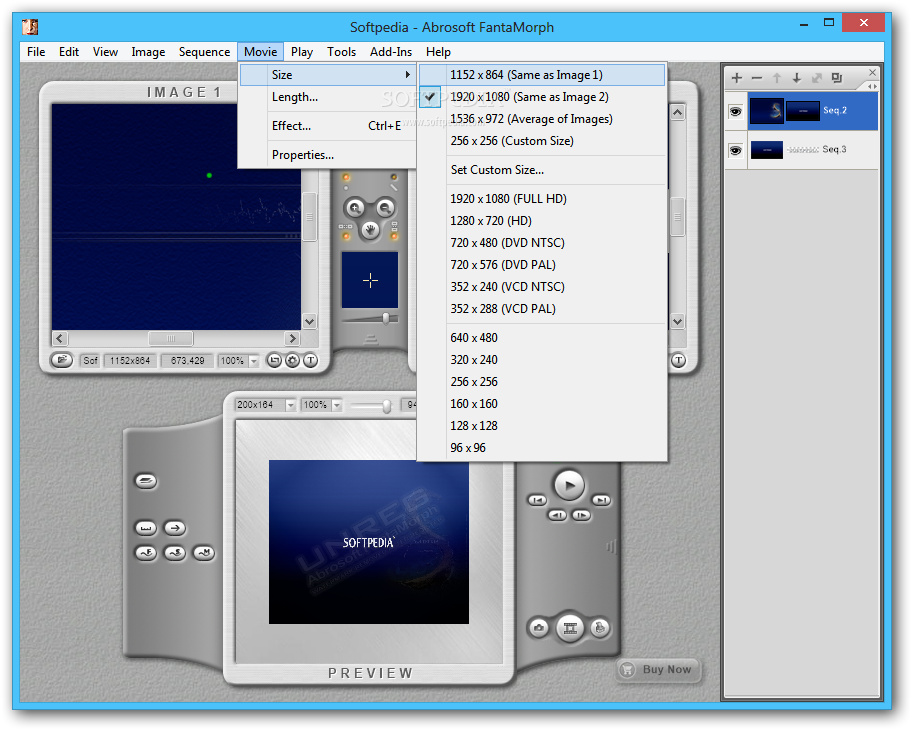
· Supports the export of image sequence, AVI movie, animated GIF, flash movie and web page
· Built-in image sequence pack tool, which makes the building of long movies with more than two source images easily
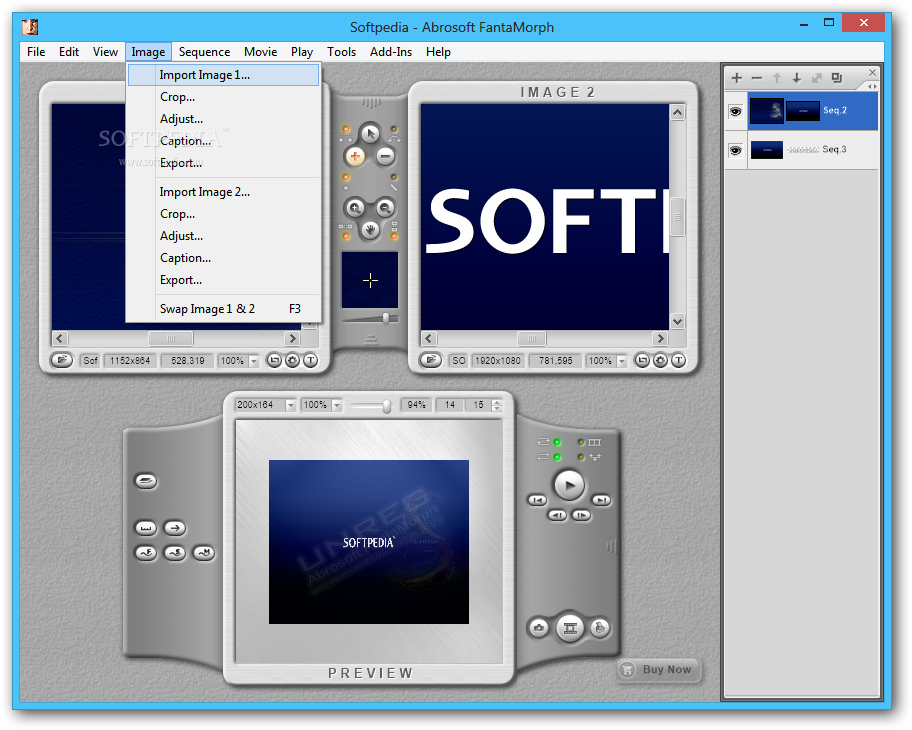
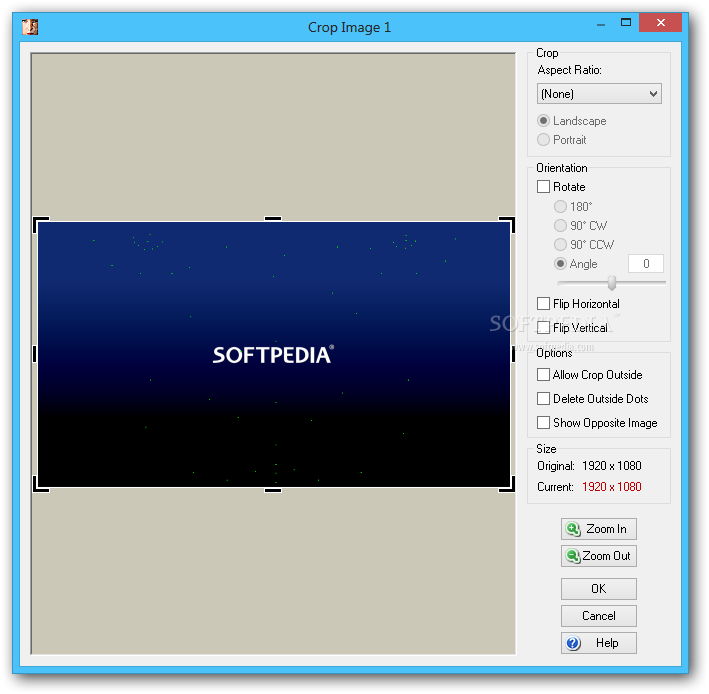
· Built-in cropping tool, which can crop, rotate or flip image
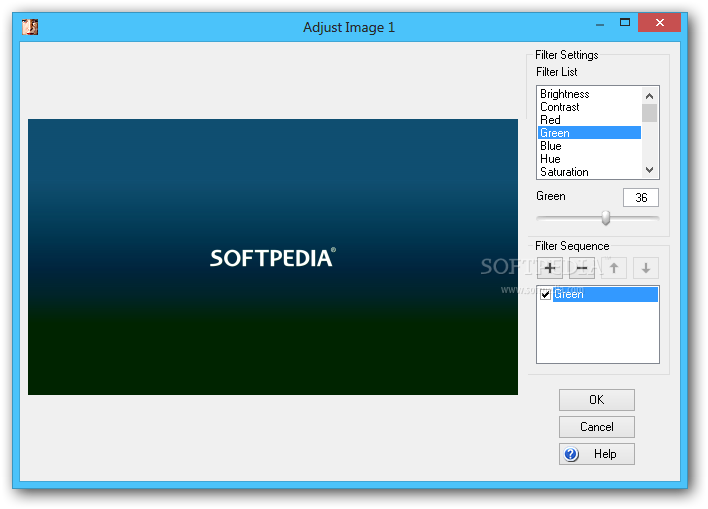
· Built-in adjusting tool, which can adjust image brightness, contrast, color balance and supports several effects (blur,sharpen, emboss, gray...)
· Creates amazing effects with background, mask, foreground.


Requirements:

· 800x600
· 24-Bit Color
· 64 Mb RAM


Limitations:

· 30 days trial.


What's New in This Release:

· New Morphing Control Tool: Camera - Now you can pan/zoom/rotate each morphing frame through a customized curve. This tool makes it possible to set a moving camera viewpoint to see the morphing process. You'll find that you can easily create very different and amazing morphs than ever before. You can also create a simple pan/zoom/rotate animation with Camera for one photo. Only available in FantaMorph Deluxe.
· New Morphing Control Tool: Track Curve - Now you can use a real curve as morph track instead of previous straight lines. You'll find that you can easily create very different and amazing morphs than ever before. Only available in FantaMorph Deluxe.
· New Add-in: Face Library - With this new add-in, you can easily collect and store source images along with key dots in a classified library. You can then drag some objects from the library to create a new morph or face composite when needed. Only available in FantaMorph Deluxe.
· Intelligent Memory Management - Using this intelligent memory management technique makes it possible to load unlimited or huge source images in one project. Only available in FantaMorph Deluxe.
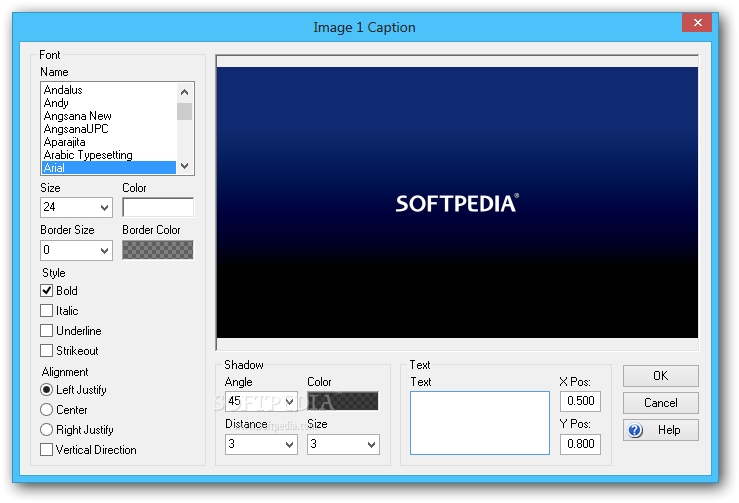
· Add Caption - Now you can add caption on source images or the whole morph movie without using any additional software.
· Add Filter - Now you can add more filters (Gaussian blur, zoom blur, radial blur, emboss, mosaic, oil paint, splash, cylinder, whirl/pinch, etc.) to source images or the final morph.
· Sequence Effect - Now you can create the add-on effects (background, mask, foreground, etc.) not only for the whole movie, but also for each sequence. You can also set the intensity or transparency for each effect.
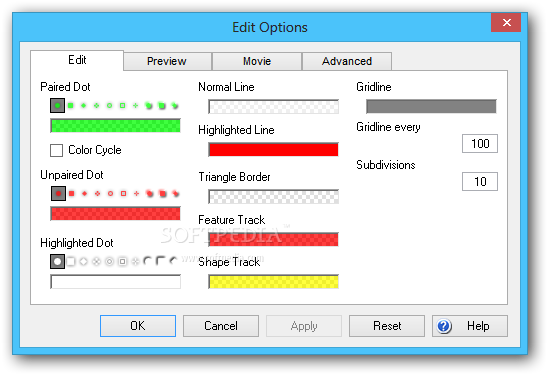
· New Line Mode - Now you can connect the separated key dots with line. This will not affect the final morphing effects, but it makes the key dots grouped and organized well.
· Import/Export FMD File - Now you can export key dots on an source image separately to a .fmd file and then import it into another source image when needed. You can also use your own program to generate the .fmd data file for source images without having to manually place key dots in FantaMorph.
· Export Morphing Frame to FME/FMD - Now you can export a morphing frame to FME or FMD file. This makes it possible to use the intermediate morphing result as source images in other projects.
· Export 32-bit AVI - Now you can export a 32-bit morph with alpha channel to a 32-bit AVI file directly. You can then import the 32-bit AVI into video editing software as a overlay video.
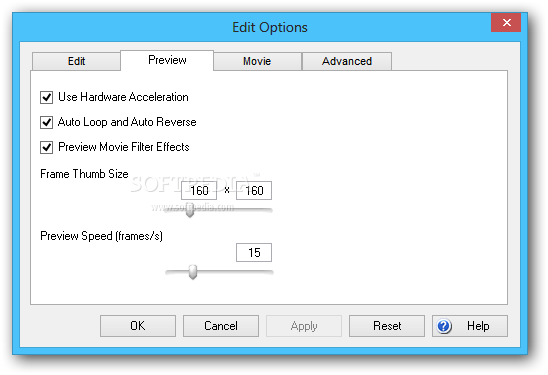
· 32-bit Preview - Now you can preview a 32-bit morph more clearly in FantaMorph because the preview background is now a checkerboard background instead of the pure black background.
· New Full Screen Mode - Now you can preview and play your morph in full screen when design.
· New Morph Type: Direct - Use this new morph type along with a Transition effect in Sequence Effect, you can easily create a photo slide show.
· New Morph Type Options - Now you can set three morph type options for each sequence.
· New Export Window - The improved Export window is more easy-to-use. You can also easily change the export options in the same window.
· Use Spacebar and ALT key - Now you can use the Spacebar to switch from any edit tool to the Hand tool, just like in PhotoShop; also, you can press the ALT key when zooming to switch between zooming in and out.
· Use Mouse Wheel Scrolling - Now you can use mouse wheel scrolling not only in the main interface, but also all the pop-up windows.
· Face Locator Uses New Face Model - Face Locator now uses the new 112 point model to replace the old 93 point model. Also, the located face features will be grouped by lines, not just some separated dots.
· Set DPI for Exported Images - If you want to export a morph as still images for print, you can now set the DPI for the exported images.
· Visual Open Project - In the new Visual Open Project window, each project is presented with a thumbnail image of its source images. This makes it so easy to select the one you want.
· Morphing Server - FantaMorph can now work as a morphing server.... [ read full changelog ]


Softpedia guarantees that Abrosoft FantaMorph Pro 4.0.5 is 100% CLEAN, which means it does not contain any form of malware, including but not limited to: spyware, viruses, trojans and backdoors.

This software product was tested thoroughly and was found absolutely clean, therefore it can be installed with no concern by any computer user.

However, it should be noted that this product will be retested periodically and the award may be withdrawn, so you should check back on this page from time to time. (click here for more information)


Related downloads IT News Popular downloads New additions   Latest reviews  
Flex GIF Animator 8.66
An application that supports advanced optimization, which delivers the smallest possible file size.
CINEMA 4D R10.5
A program that is known as the easiest to use professional 3D application
SmartMorph 1.55
SmartMorph is developed as a fast, advanced morphing application
SeqDownload 1.20
Download sequence of images from the Web, and create animation from them
JavaScript Animator Express 1.10
Lets you easily create animation from image files (GIFs and JPGs)
ZAP 1.0
With ZAP, you can quickly and easily put animations together
TweenMaker Student Version 1.2
TweenMaker is a patent pending vector based cartoon animation system
ImageForge Gold 4.01
ImageForge Gold - Create Your Own Illustrations, Pictures, Photo Albums and Image Libraries, Animations, and Web Art Images
FluxTime Studio 1.0
This software will be a valuable asset if your kid is a big fan of animations - he can create his own clips now!
Magic Animator 1.2.8
Create and design GIF animations, banners, ads and animated videos.

go to top Use the following code to link to this page:


Welcome!
Hello, Guest

Login if you have a Softpedia.com account.

Otherwise, register for one.

Main categories:
  • Antivirus
  • Compression tools
  • CD/DVD Tools
  • Office tools
  • Programming
  • Authoring tools
  • File managers
  • Desktop Enhancements
  • Internet
  • Network Tools
  • IPOD TOOLS
  • Mobile Phone Tools
  • Multimedia
  • Tweak
  • System
  • Security
  • Others
  • Science / CAD
  • UNIX
  • Windows Widgets
  • PORTABLE SOFTWARE

  • Week's best:
  • Adobe Media Player 1...
  • Registry Mechanic 8....
  • BitSpirit 3.3.2.263
  • AnyDVD 6.4.5.6
  • Firefox 3.0.1 / 2.0....
  • AutoCAD 2009
  • Norton AntiVirus 200...
  • Norton Internet Secu...
  • The Bat! Professiona...
  • WinRAR 3.80 Beta 3 /...
  • GMail Drive shell ex...
  • DAEMON Tools Lite 4....
  • UBCD4WIN 3.2.0
  • Adobe Reader 9.0.0 /...
  • Total Commander Ulti...
  • System Mechanic 8.0....
  • Adobe Acrobat Profes...
  • iPhone PC Suite 1.0....
  • Portable Firefox 3.0...
  • MPlayer for Windows ...
  • Vista Codec Package ...
  • Windows Live Messeng...
  • WinBubble 1.73
  • Kaspersky Anti-Virus...
  • Malware Removal Tool...
  • Royale Noir Theme fo...
  • IBM Lotus Symphony 1...
  • Adobe Dreamweaver 10...
  • Adobe Fireworks 10.0...
  • BitDefender Total Se...
  • © 2001 - 2008 Softpedia. All rights reserved.
    Softpedia™ and Softpedia™ logo are registered trademarks of SoftNews NET SRL.
    Copyright Information | Privacy Policy | Terms of Use | Contact Softpedia | Update your software | Archive