Softpedia
 

NEWS CATEGORIES:


NEWS ARCHIVE >>
SOFTPEDIA REVIEWS >>
MEET THE EDITORS >>
TRENDING TODAY
Home > News > Reviews > Linux software reviews

June 17th, 2009, 11:54 GMT · By

CrossOver Linux 8.0 Review

SHARE:

Adjust text size:


CrossOver Linux by CodeWeavers Inc. See editor's ratings     Request a review
Version reviewed: CrossOver Linux 8.0

CrossOver allows you to install your favorite Windows productivity applications and plugins in Linux, without needing a Microsoft Operating System license. CrossOver includes an easy-to-use, single-click interface, which makes installing a Windows application simple and fast. Once installed, your apps will integrate directly with your Gnome or KDE environment. Just click and run your applications, exactly as you would in Windows, but with the full freedom of Linux.


Download CrossOver Linux
Features:

· Easy to install
· Easy to use
· Bottles
· Many supported applications

CrossOver 8.0
Enlarge picture
One of the main reasons people have to stick with Windows is because certain applications that they use on a daily basis don't have (quality) alternatives on Linux. Some can't live without Microsoft Office, others think Internet Explorer is the best browser and, of course, graphics professionals or photographers won't change Photoshop with anything the open-source world has to offer.

To address all of these, a project was born, Wine, offering a free and relatively easy way to install and use a large number of Windows-only applications under Linux. Of course, performance isn't as good as on a Windows platform and various incompatibilities can cause certain components to not function properly, but it's still an amazing feat.

You probably noticed the above "relatively" addition I had to make; especially for newbies, using Wine can prove to be a little hard. For that, CodeWeavers comes with a commercial solution built on top of Wine called CrossOver, which I'm going to review today. First of all, you should know that a full, free 30-day Trial is available so you can assess the application's qualities before spending any money.

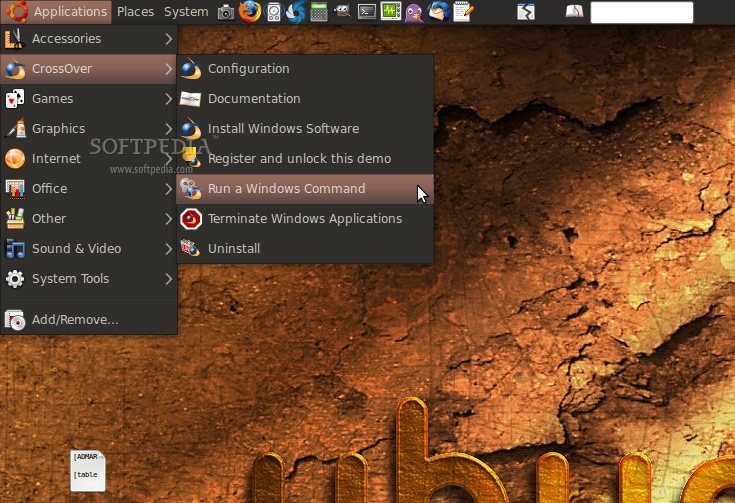
I've tested CrossOver Linux 8.0 on a Ubuntu 9.04 machine; installing the app is quick and easy thanks to prepackaged downloads for DEB- and RPM-based distributions. There is also the alternative of downloading a Loki installer (.sh) in case you're using any other Linux operating system. On Jaunty, after the installation was complete, a new "CrossOver" entry appeared in the main "Applications" menu. From there, you can configure the program, access online documentation, install Windows software, run Windows commands, terminate currently running Windows applications or fully uninstall CrossOver.

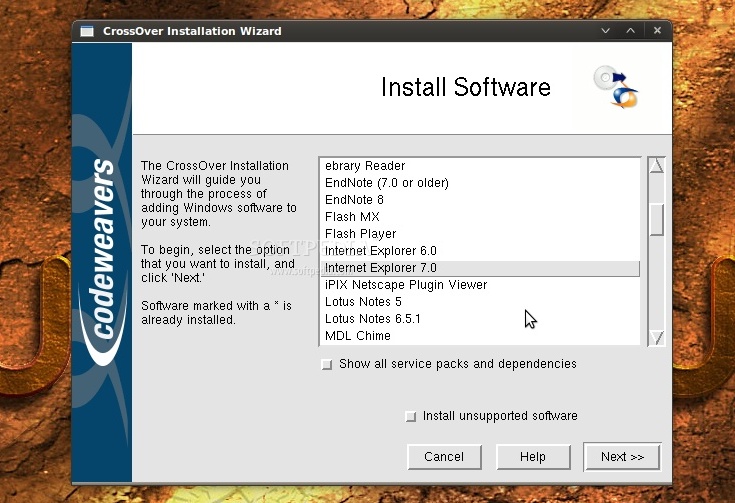
The first thing I went for was, of course, the "Install Windows Software" button. A few moments later, a window containing a list of 52 applications popped up. But before talking about functionality and features, I have to point out the downright ugly interface; for $39 I think they could've done a better job with making it not look as from the last decade. Anyway, that's the least important factor, so let's move on. Of the 52 applications available, I will point out only some of the more important ones: Adobe Photoshop (up to CS2), Internet Explorer 6/7, Microsoft Office (up to the latest 2007 version), Excel/Word/PowerPoint Viewer, Quicken 2009 personal finance software, QuickTime 7.5, ShockWave Player and Windows Media Player 9.
Review imageReview image

Simply select what you wish, click next and CrossOver will ask you to insert the CD or, if the case, select other installer files. What I would've loved to see is an integrated ISO mounter, in case you have your software collection backed-up on the HDD. However, if the application is free and can be downloaded from the Internet, CrossOver conveniently downloads it for you. Some examples are the Office Viewers, Internet Explorer, QuickTime or Flash Player.

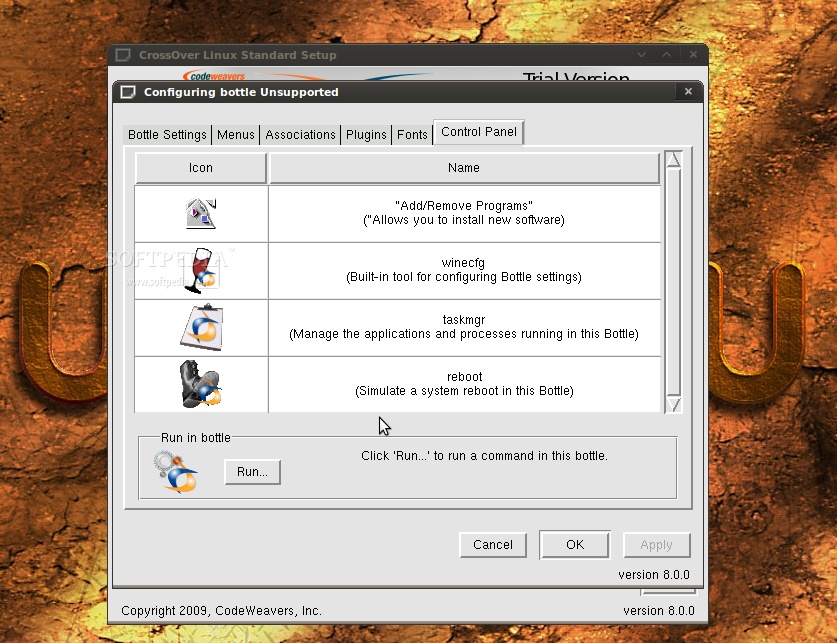
On the next screen, you will be asked to select the "bottle" in which you want the program to be installed. Bottles are containers that host the "fake" Windows environment and are configured for different versions of the operating system, from Windows 98 up to Windows Vista. Every time you install a new program, CrossOver will recommend you one of these bottles for the best support.

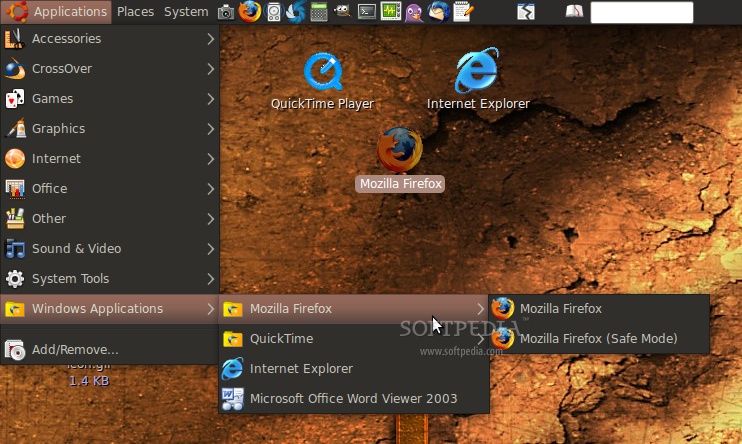
After installing a program, you will notice that yet another entry stretches the "Applications" menu. "Windows Applications," as it is called, gives you quick access to all the currently installed apps. If you don't need all the various shortcuts for each program, this menu can be modified in whatever way you wish by clicking "Configure" and going to the "Menus" tab at the bottle/application selection screen. In addition to that, shortcuts are also automatically placed on the desktop.

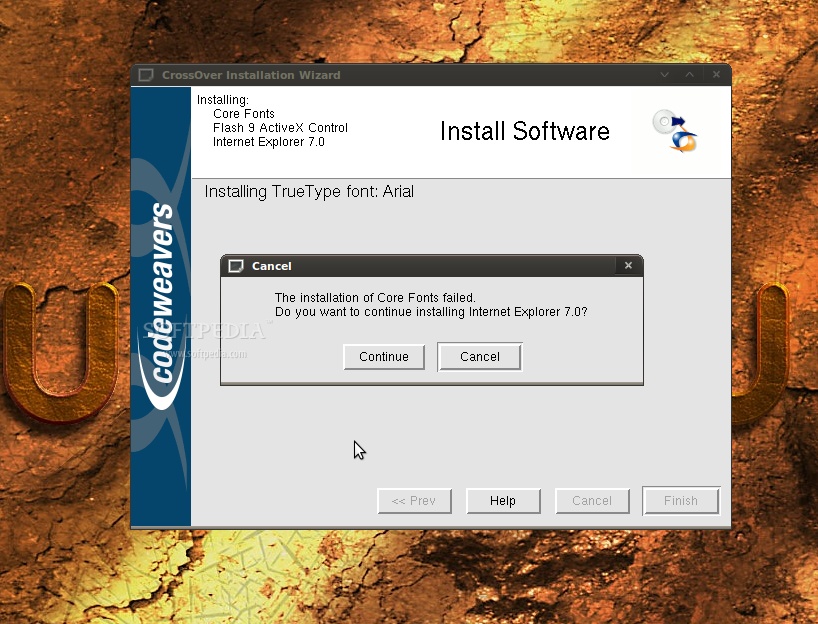
The first program I tried to install from the "Supported" ones was Internet Explorer 7, which gave an error saying that it couldn't install "Core Fonts" and asked if I wanted to continue with the installation. I clicked yes and a few moments later I was "happily" running IE7 in Linux; even the Flash plugin was working. Unfortunately, a freeze occurred when I clicked the "About" menu in the help Section, but worked after restarting IE. Also, the interface seems to be glitchy, with buttons not showing the way they should.

Of course, you are not limited to only the 52 "supported" applications, as you can try and install just about any Windows-only software. Whether it works or not you will have to find out yourselves. Uninstalling is done through the application's own components or by simply deleting the bottle the application is in.

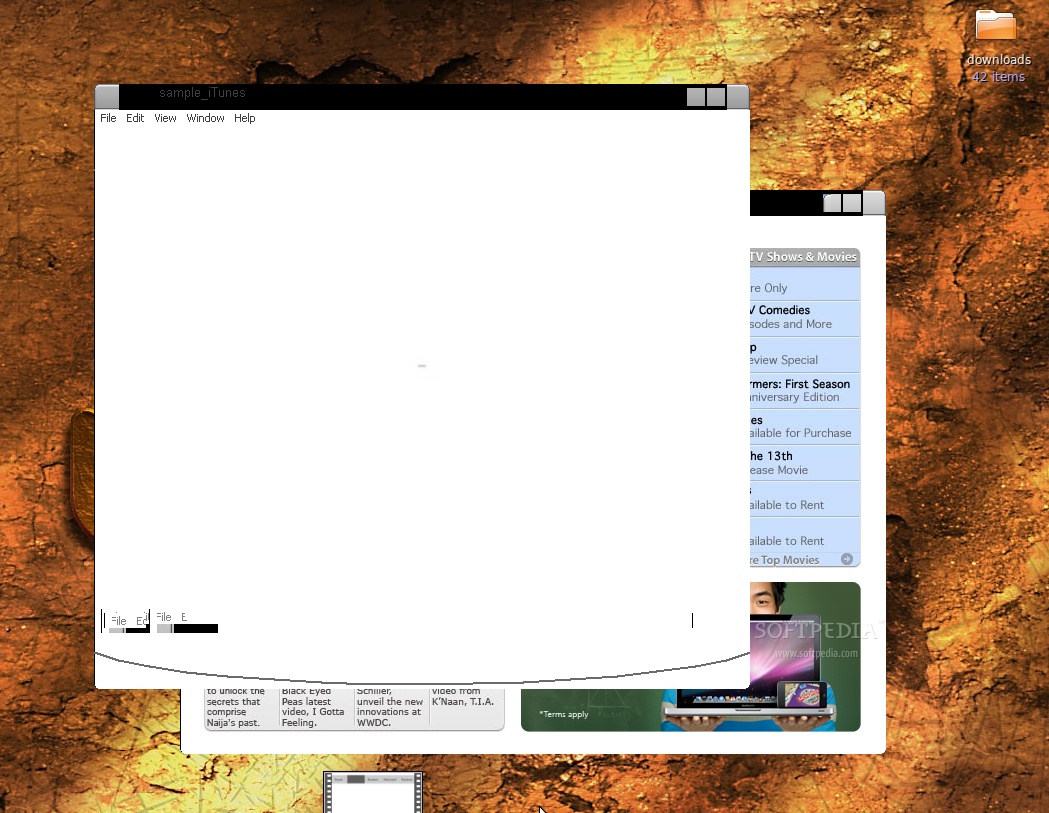
Another program that I wanted to try from the list and, of course, see if it did what it should do best, namely playing .mov files, was QuickTime. It installed nicely, it started nicely but when I loaded a sample .mov from Apple's webpage it wouldn't work at all, as you can see in the screenshot below.

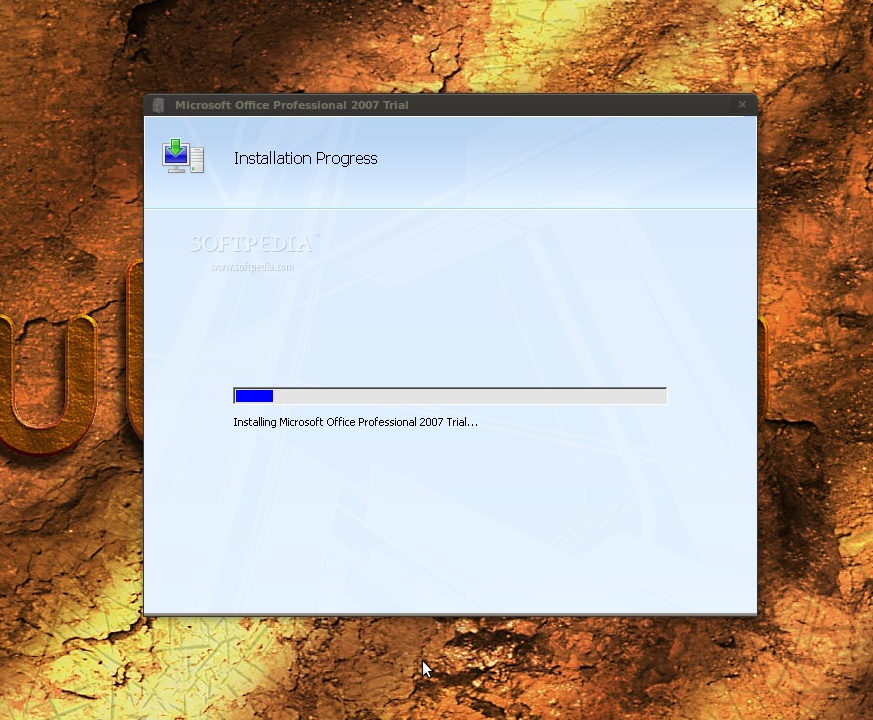
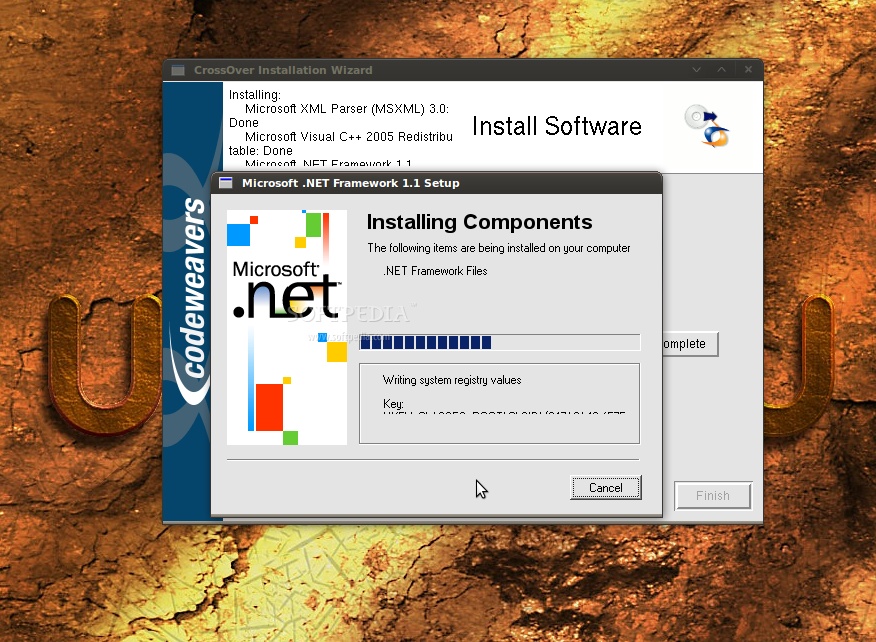
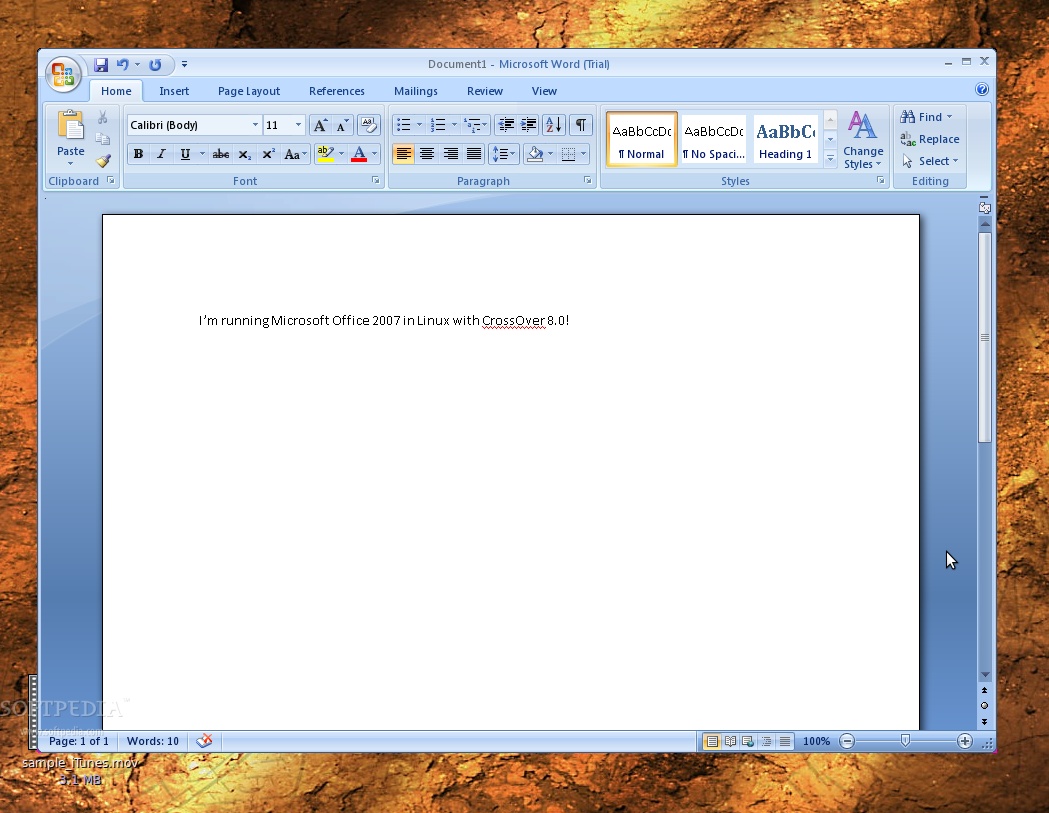
Microsoft Office was the next item that caught my attention and I wanted to see how it could handle Microsoft's own download manager instead of using a CD. I selected the .exe and, to my surprise, the download started immediately. On the way, CrossOver also installed several other components that were needed, such as .NET Framework or Visual Basic. There were also a few errors during the process, but they didn't seem to affect the installation. Five minutes later and I could run all the Office apps, from Word to Access. Of course, you should expect some more visual glitches, for example when making a rectangle selection in PowerPoint, but nothing too serious. All in all, it runs perfectly well and feels very snappy.
Review imageReview image

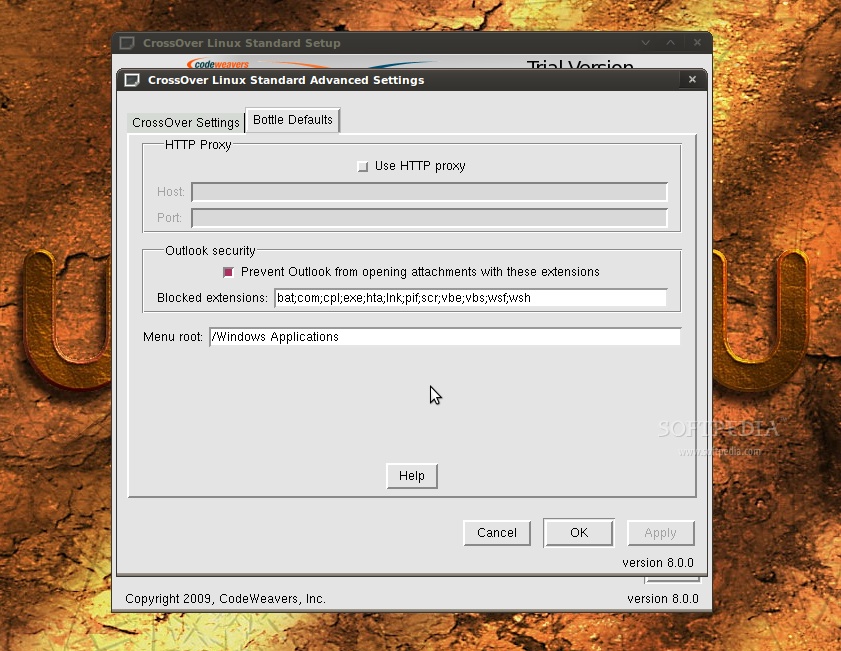
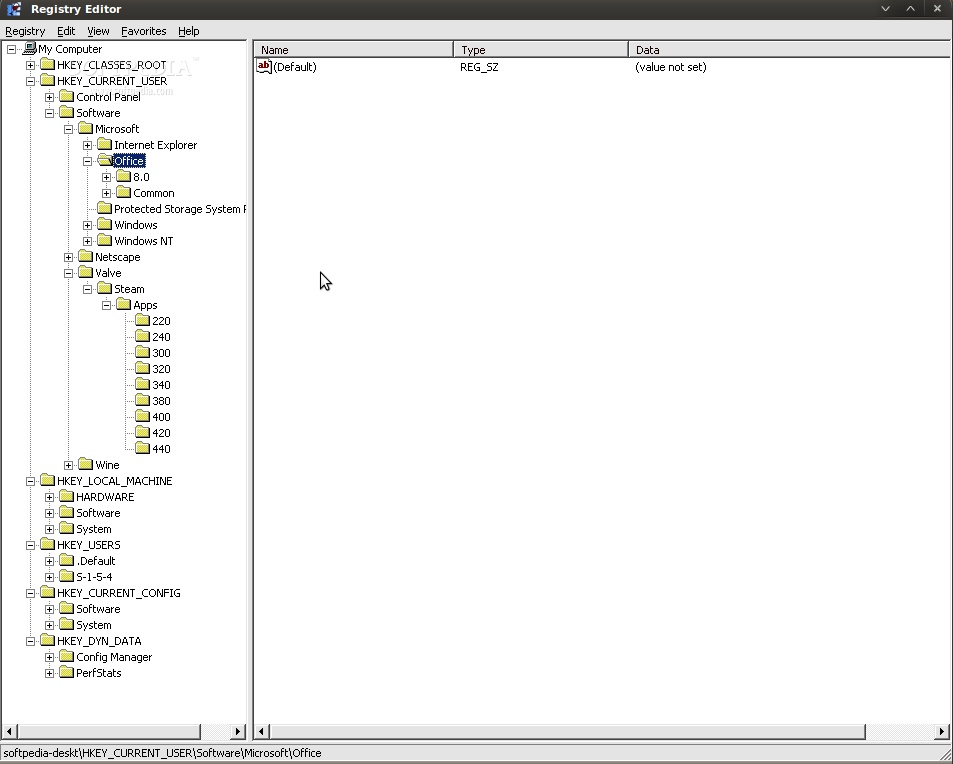
When you have Wine installed on your Linux machine, double clicking an .exe file will, obviously, open it with Wine. I expected the same functionality in CrossOver but I got a "Fatal Error" saying that it couldn't find the "default" bottle. As it turns out, you have to manually set one of the created bottles to be default and, after that, all double-clicked .exe files will be installed in that bottle.

The Good

CrossOver is recommended for those who don't want to tinker with Wine, as it provides a quicker, more convenient way of installing popular Windows software. Also, the fact that you can set separate, isolated environments for each application is a great thing, allowing for a better management of your Windows applications.

The Bad

For someone who has at least some basic Linux knowledge, paying for something that they can do themselves with only a bit more work in Wine is pointless. Plus, some of the "supported" applications don't work as they should and the interface needs a lot more attention.

The Truth

As a 30-day trial is easily accessible and fully functional, it's best to try both CrossOver and Wine and see if the extra features are worth your money. Me, I'm perfectly fine with Wine.

CrossOver 8.0
Enlarge picture
CrossOver 8.0
Enlarge picture
CrossOver 8.0
Enlarge picture
CrossOver 8.0
Enlarge picture
CrossOver 8.0
Enlarge picture

CrossOver 8.0
Enlarge picture
CrossOver 8.0
Enlarge picture
CrossOver 8.0
Enlarge picture
CrossOver 8.0
Enlarge picture
CrossOver 8.0
Enlarge picture


EDITOR'S RATINGS:

User Interface: (2/5)
Features: (3/5)
Ease of use: (4/5)
Pricing/Value: (2/5)
Overall: (3/5)
  Final verdict: Good


44,006 hits · 6 comments
Link to this article · Print article · Send to friend

MUST-READ RELATED ARTICLES:


Mandriva One 2009.1 Review

Ubuntu 9.04 Review

Ubuntu Tweak 0.4.6 Review

Shutter 0.70.2 Review

AXIGEN Mail Server Review

READER COMMENTS:


Comment #1 by: Sloepie on 20 Jun 2009, 21:01 UTC reply to this comment

Why should you use emulators like Wine or Crossover when much more elegant solutions like "VIRTUALBOX" or VMware are available. Which make it possible to run the real Windows XP, Vista or Windows in a Virtual Machine in a Window on your Linux system without any compatibility problem as Windows "thinks" it is running on real hardware. Also your programs run at the same speed as in a native Windows environment. There is only one thing that won't work in VirtualBox: Direct3D, which can be a problem for playing games. OpenGL and 3D acceleration are supported instead. Though VMware seems to have some Direct3D support and also for VirtualBox now some experimental Dirtect3D support seems to be available. However for a business environment Direct3D is not of importance.
Especially the seamless mode of Virtualbox is very nice, because it shows the Windows Taskbar at the bottom of your Linux Desktop Screen, from where you can start any Windows program or menu. I even run programs like Autocad and Rhino without a hitch on my Linux system this way. VirtualBox will install itself with a click of the button, but you will need your own copy of Windows as it must be installed as if it is installed on a real computer. Also you should have at least 1 GB memory to run XP or more for Vista or Windows7 as both Linux and Windows each need their own memory. Ofcourse the more memory the better. To my opinion programs like VirtualBox make it very easy to migrate to Linux, as they make it possible to use all your windows lecay software on a Linux machine. Beside that; VirtualBox is 100% free.

Comment #1.1 by: Robert~ on 20 Apr 2010, 22:22 GMT

The reason is simple: resources. A virtual machine platform requires substantial resources from the host - extraordinary RAM usage, heavy CPU utilization, and significant harddrive space. Remember, a VM solution is running a FULL Windows system!

Wine and Crossover run nearly natively on the host, utilizing CPU and RAM as necessary, and only when necessary. It also starts and runs the software much faster than the VM solution.

Naturally, therefore, software using Wine and Crossover will operate on systems that would not support a VM solution.

If you need convincing, try running Linux and VirtualBox with Windows XP on a laptop with 512MB physical RAM. Go ahead, I double-dog dare you. ;c)


Comment #2 by: m.chesk on 22 Jun 2009, 16:31 UTC reply to this comment

I agree w/ the reviewer.

wine requires very little effort. Anyone who requires "windows apps" should read Softpedias tutorials on "Uniting windows and Linux" first before paying for an app that "sort of" works.

Wine with wine doors accomplishes the same for free as well.

If I were gonna spend $$ I'd try I-Magic OS for $ 29.,but I have been very happy w/ wine for free in Ubuntustudio (Hardy) and 64Studio!!


Comment #3 by: tomdownard on 25 Jun 2009, 22:33 UTC reply to this comment

Why haven't I stumbled upon this website in my year of fight to learn Ubuntu?As I was reading a reply that disagreed with the Softpedia reviewer, I was muttering, now watch the reviewer defend themselves and attack the disagreer.
I was stunned. The Softpedia reviewer wrote that she agreed with with the person who disagreed with her, and actually said that it was a good opinion, and held water.
When someone isn't a know-it-all and can back down from a stand and add your opinion, it gives me great respect for that reviewer.


Comment #4 by: tnetfront on 15 Jul 2009, 10:26 UTC reply to this comment

It is a good news for gamers.


Comment #5 by: sadhan on 07 Jun 2010, 09:17 UTC reply to this comment

it is very usefull to make popular ubuntu/linux

Copyright © 2001-2013 Softpedia. Contact/Tip us at

WindowsGamesDriversMacLinuxScriptsMobileHandheldNews

SUBMIT PROGRAM   |   ADVERTISE   |   GET HELP   |   SEND US FEEDBACK   |   RSS FEEDS   |   UPDATE YOUR SOFTWARE   |   ROMANIAN FORUM