14 DAY TRIAL //
 A few days back, we talked about QtParted, which is a Partition Magic clone built for Linux. Today I'll review GParted, which I believe is the best in this area. The concept behind these two is the same, but I think GParted looks nicer than QtParted and sometimes even gets the job done easier.
Like QtParted, GParted also uses libparted as a foundation and several other tools for extended file system support. For this reason, you can do almost the same thing with both programs. The difference is in the ease of use, which is where GParted wins.
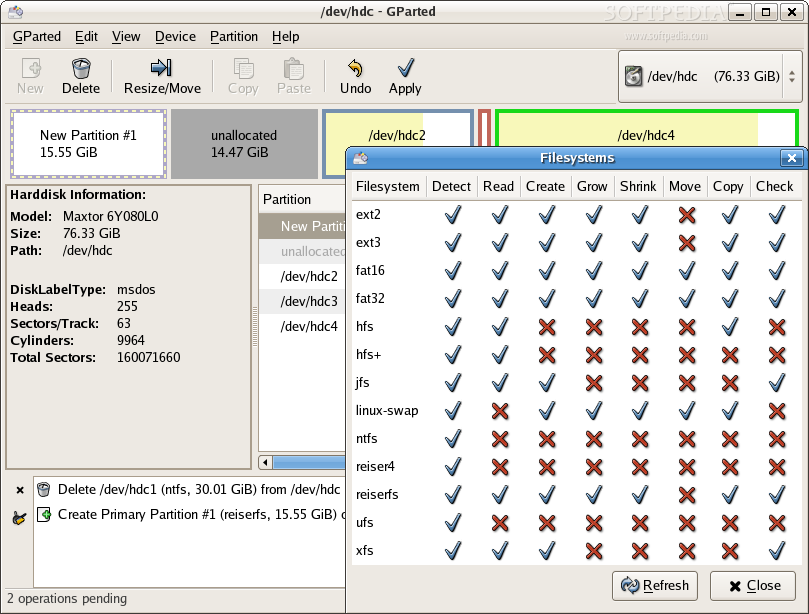
GParted has a cool feature that shows what actions and filesystems are supported. To see it, you have to go in the GParted menu (Alt+G) and then click on the Filesystems button. The window shows what filesystem tools are available and if you need to install more for some extra functionality you don't have to restart the program. A refresh would do the trick. I couldn't do anything with NTFS partitions, except delete them, so I installed ntfsprogs 1.13 and after refreshing all the new options where available. I got a little carried away and I also installed hfsutils and hfsplus, even though I'm 100% sure I will not use them any time soon. This generated view is excellent for seeing what you can do with GParted. I have only one wish for this; a link for each filesystem type that opens a webpage to the related project. This would be good because most people don't know what project is associated with each filesystem type.
The only bad news this program brings is when you want to set the disklabel. It says that all the data on that storage device will be lost. I think this shouldn't really happen but I haven't tested it, so I believe the developer, Bart Hakvoort, because I'm sure he had a reason for putting the warning there.
The Interface
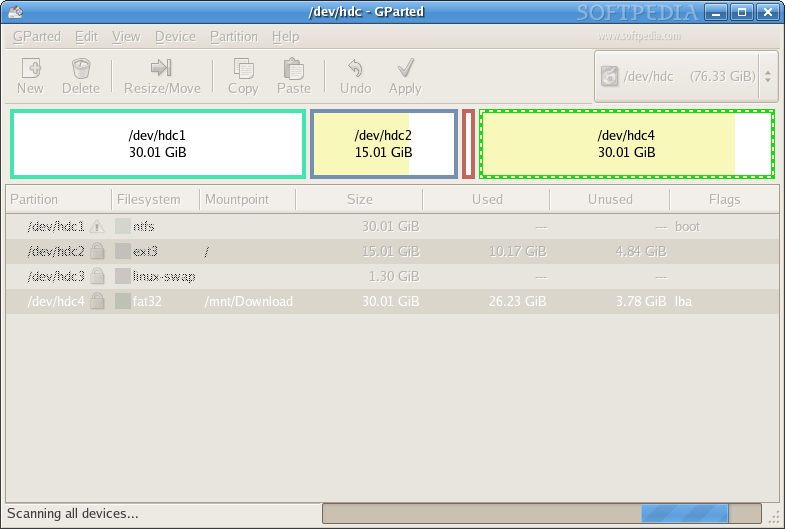
The interface looks good. It is clean and, at the same time, functional. It doesn't use flashing colors and all the info that is not needed is hidden from sight at first.
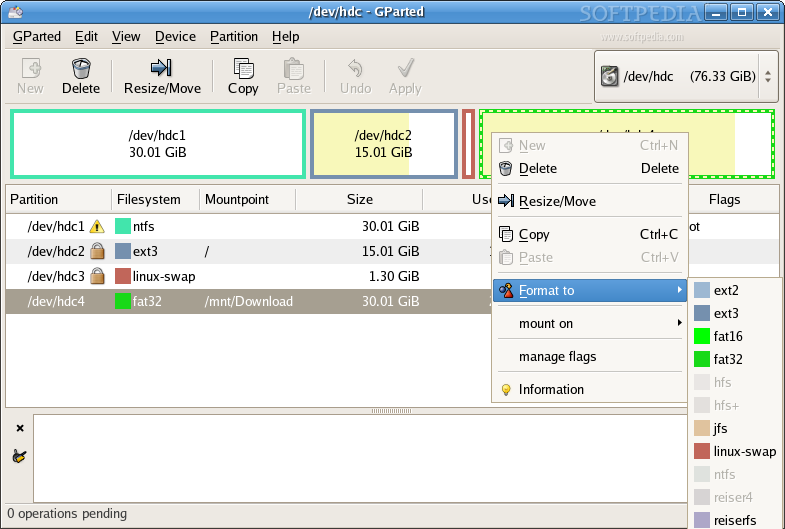
In the case of the availability of several hard drives, you have to select the drive you want to work with from the dropdown menu located in the upper right corner. A proportional diagram of the available partitions is then shown in the program's window. Underneath it is a list with all the partitions and also some other details available.
You can unmount a partition from within GParted, making it easy for inexperienced users to partition the hard drive. If a partition is locked, the program displays a suggestive lock icon in the list.
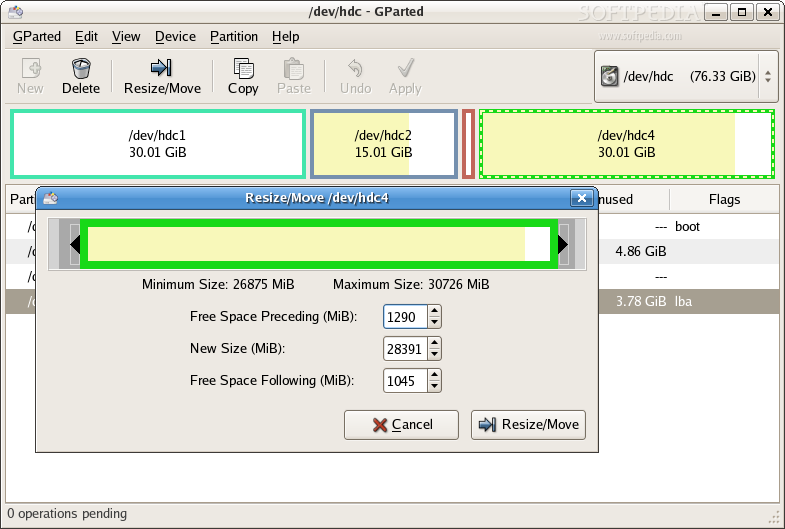
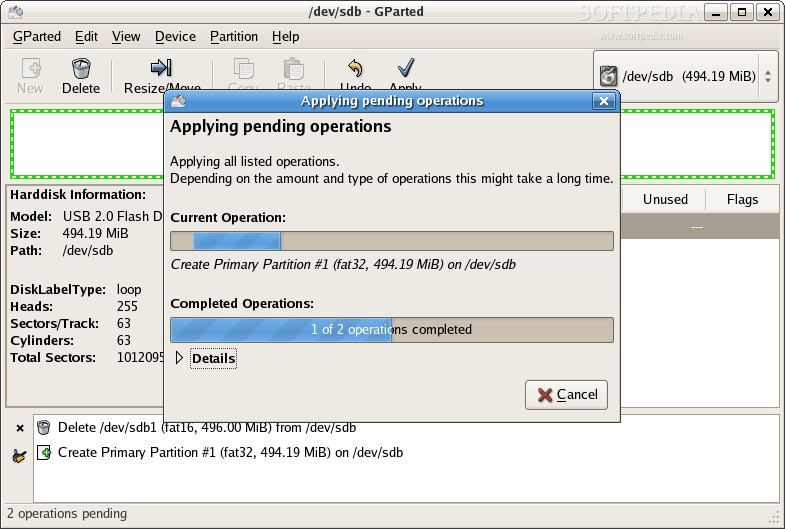
Right after you perform the first action that is supposed to change the partition table a new pane pops up at the bottom of the program and shows a list of operations and the order of their occurrence. If at some point you don't like what's happening, an undo feature is available or you can also clear all the operation list. This software is pretty smart, so if you have some spare space and decide to create a partition and then you realize it's to small and decide to resize it and maybe then (re)format it, GParted knows that it should just make one operation to get the desired result, and not three. After you have decided how the partition table should look like, clicking the apply button will start executing all the operations and from that point there's no going back.
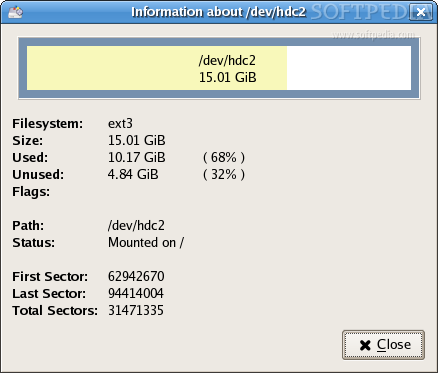
If you want to be informed in detail about stuff you don't really need to know, you can go in the View menu and click the Harddisk Information button. Detailed information about individual partitions can also be viewed. All you have to do is right-click a partition and then choose the option that strikes you as the information button.
The Good
Everything is just fine about GParted. The interface is just the way I like it. The program works as a charm.
The Bad
Saying something bad about it is difficult. The only thing I can think of right now is the lack of links to related projects that would help non-experienced users know what they need for more functionality.
The Truth
GParted is a great tool. It's actually the best tool of its kind. Good news: GParted is now available also in an official small LiveCD. If you wish you can download it from Softpedia and burn it on a small bizcard CD.
Check out the screenshots below: