14 DAY TRIAL //
 Have you ever wanted or needed to add or remove files from a CD image without breaking the boot record or the whole image? If you look hard enough on Google, you're likely to find a way, by running a number of long, scary commands in a terminal and even then, you won't be certain that your CD image is safe. Fortunately, an open source application for Linux has been developed, which enables you to create and modify ISO9660 files, without the risk of breaking anything - ISO Master.
ISO Master enables you to extract or add files to an ISO, create ISOs from scratch and even make the new ISOs bootable, all in a simple, easy to use graphical interface. The application can open both ISO and NRG files but unfortunately, it can only save as ISO. ISO Master is based on bkisofs, a library for reading, modifying and writing ISO images. The library shares the same package as ISO Master so you won't have to install anything separately, except for the usual requirements that may appear while compiling the source package.
Installing ISO Master is a rather easy process, thanks to the variety of pre-installed packages available. There are two .deb packages for Ubuntu Dapper and newer, as well as for Debian testing/unstable, for i386 and amd64 architectures. You can also find RPM packages for Fedora Core 5 and 6 and a TGZ package designed for Slackware. For Gentoo users, an ebuild file has been made available, while Archlinux and FreeBSD users can find a package on the websites dedicated to their operating system. Moreover, surprisingly or not, there are also packages available for smaller distributions, such as SLAX, NimbleX or Puppy Linux. Alternatively, you can download and compile the source packages, which requires your system to have installed a C compiler, make and some packages required for compiling GTK2 application, such as gtk2 developer libraries and pkg config. On an Ubuntu system, you can install these by running apt-get install libgtk2.0-dev pkg-config. The C compiler and its tools can be obtained on an Ubuntu system from the built-essential package, found in the Universe repository.
Once installed, you can start ISO Master either from the newly created shortcut on the Desktop (not available on all distributions/desktop environments), from the shortcut created under 'Utilities' in the KDE Menu or from a terminal, by typing 'isomaster'.
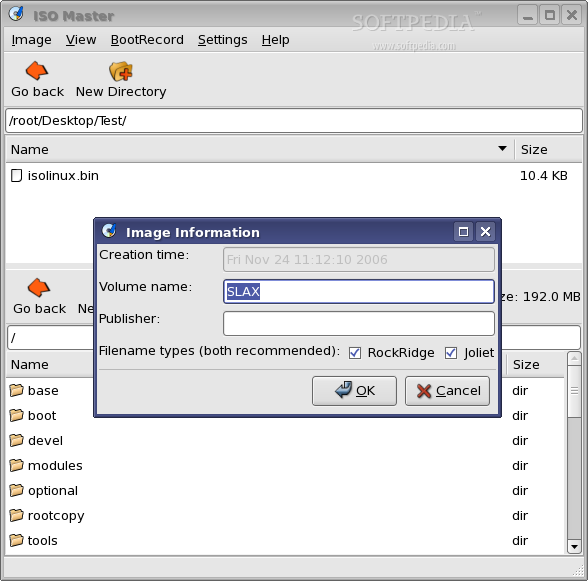
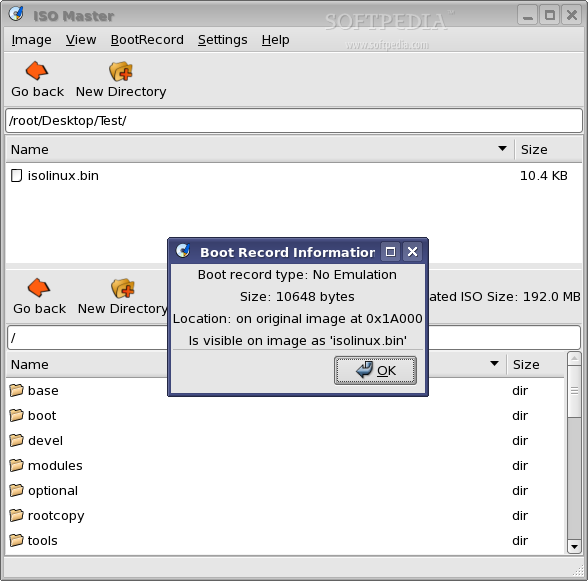
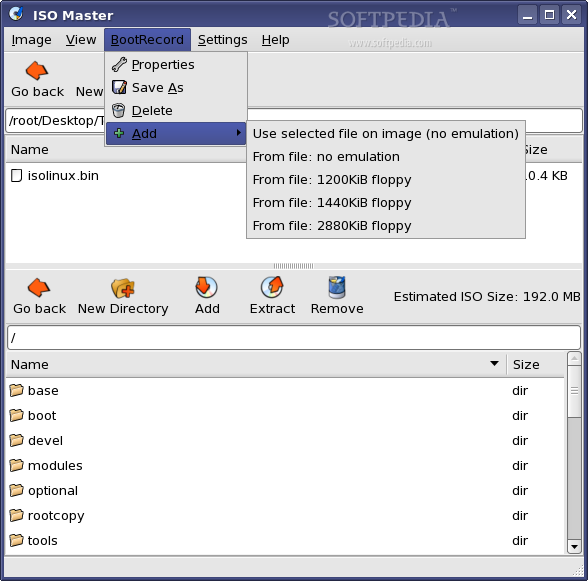
Its interface is very simple and easy to use. Each button has its function explained through tooltips and also, there's a small help document available under the Help menu, Overview (or by pressing F1 on the keyboard). Other menus are Image, which provides functions for creating a new image, opening an existing image or saving the currently modifying image as a custom name. From the Image menu, you can also view the image proprieties, which provide the creation time, volume name, published and allows you to choose whether the filenames should have RockRidge and Joliet selected, and the Quit function. The View menu allows you to Refresh the current directory, view the hidden files and sort directories first. The BootRecord menu allows you to view the current bootrecords proprieties, save the bootrecord to drive, delete it or add a new one from the selected file, from a custom location on the drive or from a floppy disk. The Settings menu allows you to choose whether to scan for duplicate files or follow symlinks.
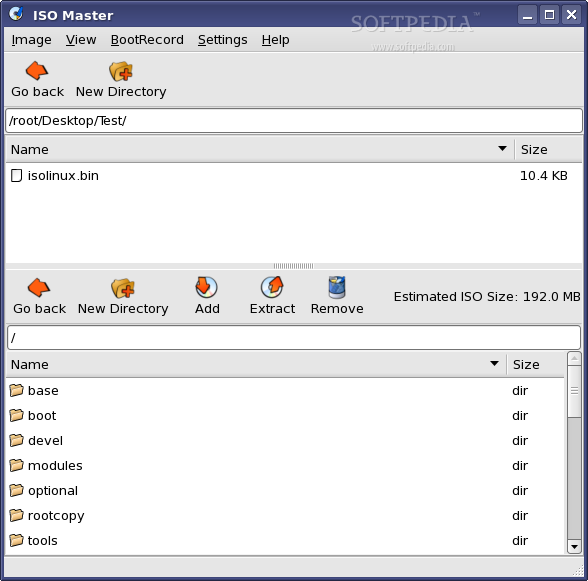
The interface is basically divided into two main parts, the drive browser at the top and the ISO browser at the bottom. Each browser has its own toolbar with various buttons. The upper browser (drive), provides two buttons: go back and create new directory, while the lower browser (ISO), provides five buttons: go back, create new directory, add the selected file in the drive browser to the ISO, extract the selected file in the ISO browser to the drive browser location and delete the selected file in the lower browser. Also on the lower browser, it's displayed an estimated size of the ISO file.
Using ISO Master is quite simple. To open an ISO file, simply click on Image menu and Open. To create a new ISO file, click on Image and New. To add some files to the ISO, select them from the drive browser and click the 'Add to ISO' button on the lower browser's toolbar. To extract files from the ISO, select them in the ISO browser and click 'Extract from ISO' button on the same toolbar. You can also create new directories or delete files on both the ISO and your local filesystem. Once you have created or made modifications to a CD image, you can save it as a custom name, but only followed by the .iso extension. You can't also overwrite the original ISO.
The Good
ISO Master is an open source graphical (GUI) application for Linux which enables users to create and modify ISO9660 files; ISO images and NRG (Nero) images. It allows you to create an ISO from scratch, add or remove files and directories from or to a CD image and also create bootable CDs using various record types: no-emulation (isolinux, Microsoft Windows), 1.2, 1.44 and 2.88 floppy disk emulation. It also supports RockRidge and Joliet file names.
The Bad
Nothing much, except for the documentation which skips the BootRecord section. A beginner user wouldn't know what those floppy disks are or where to get a bootrecord from.
The Truth
ISO Master allows you to modify the content of an ISO file without damaging the bootrecord and ruining the image's bootable capabilities. If you ever need to add or remove content from a CD Image, then ISO Master is the application you should use!
Check out some screenshots below: