14 DAY TRIAL //
 A hundred years ago, voice was transmitted for the first time through radio waves. Now the space is so clogged that it's very hard to obtain a license for broadcasting. If you want to have your own radio station a lot of money and time are required. Since the apparition of the Internet the world changed a great deal. The radio is not what it used to be. A lot of stations are also broadcasting on the Internet and more and more are starting there. Some develop in huge magnets for crowds.
A solution for your own on-line radio is Internet DJ Console. Other programs are also available but this one is perhaps the most full featured and perhaps the easiest to use. It has built in almost everything you need. It features twin media players, a crossfader, audio level meters, a nicely thought microphone feature and support for jingles. It has built-in preferences for the server and many preferences for this software. Those are great features, but before you get too excited you should know that sometimes it's hard to compile this software. Using compilation parameters might get it up and running. This software badly needs binaries for the most common distributions.
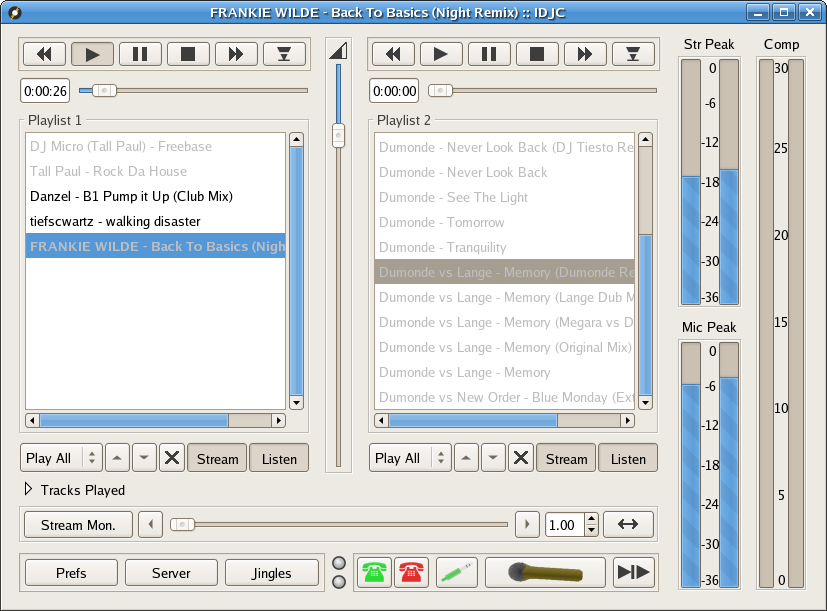
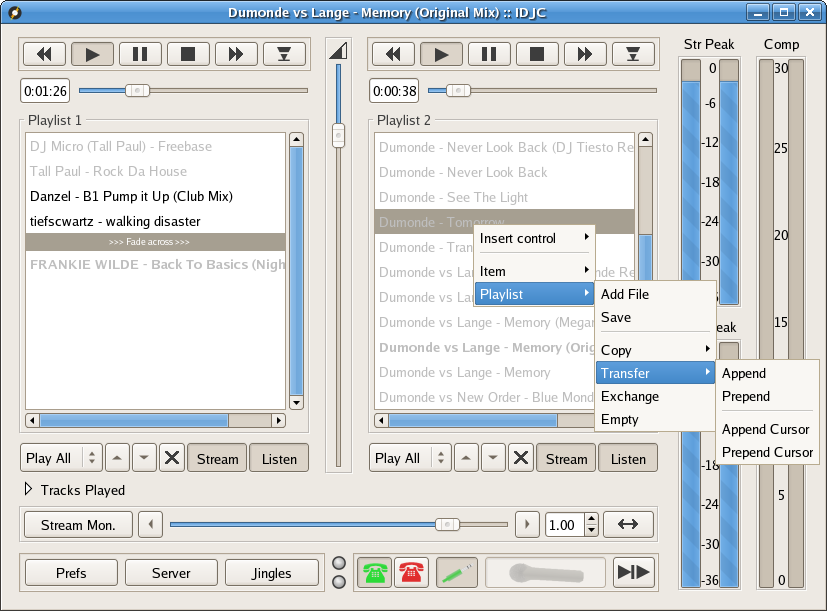
The main interface is nice and intuitive and therefore it's easy to use. The twin media player supports all the common controls you are used to and also has support for some original controls for the playlist. You can add an entry at some point in the playlist and when it reaches it, the player will either stop playback, streaming, recording or start crossfading or just transfer you to the other playlist. Files in the playlist can be easily rearranged and it's safe to say that you can pretty much automate a midnight show. Unfortunately this software lacks any form of automatic beat matching. When you do unattended fading the songs that fade should be chosen carefully. Fortunately you can set the speed of the fader and. In this case, a faster fading might be helpful.
Under the playlists we find three interesting buttons: Stream, Listen and a button with an X on it. As you can imagine the first one makes the player's output available for streaming and the second one allows you to mute and unmute that player. Until I accidentally clicked the playlist with the X button pressed I didn't know what it does. When it's pressed, it removes from the playlist the songs that are clicked. If you are unlucky it crashes IJDC.
In case you noticed the Stream Monitor button and you haven't figure out what it does you should know that it's very useful because when it's pressed you hear exactly the same thing as the listeners.
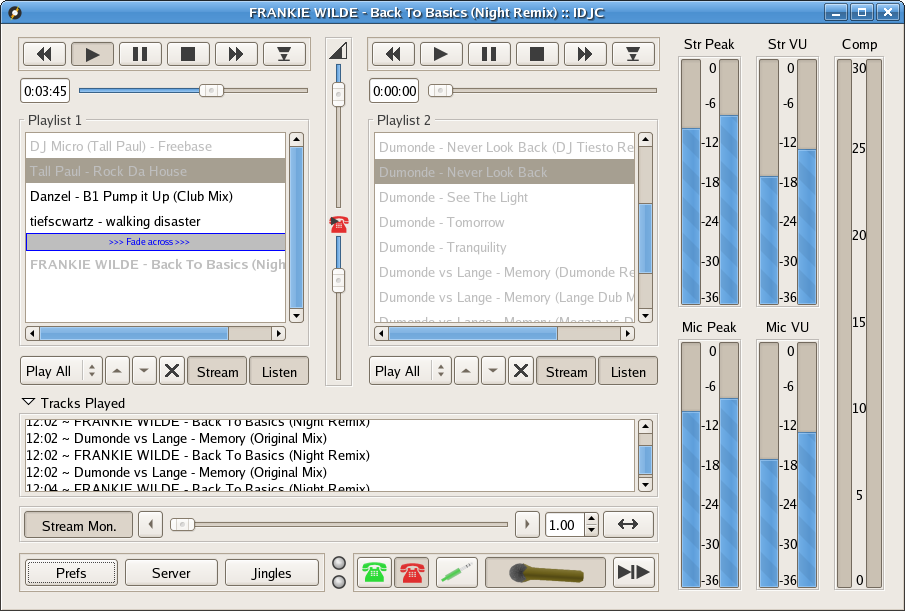
On the right side of the players you have audio levels for the microphone and the streams. Optionally you can also display VU meters for those but you should know that VU meters aren't really useful. An indicator for the amount of the compression that is applied to the microphone is also available in the right part of the screen.
You will see two telephone icons. They are in close relation with the VoIP feature and some mixer functions. They are great for the purpose of this software. Pressing the Green Telephone allows you to stream audio from a VoIP service like Skype and talk live with people during your show. The red telephone button allows people to hear the show via the VoIP service. You even have a volume control related to the red telephone button. Connecting Skype with IDJC is done using the idjcskype script. Near the telephone button is one with a jack icon. This allows streaming audio for an auxiliary line.
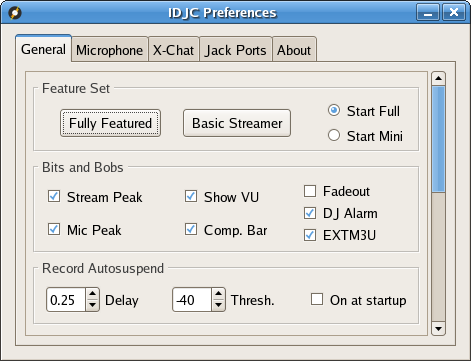
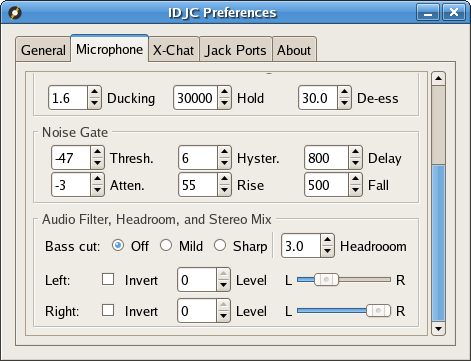
From the preferences window you have available a lot of settings. You can even switch IDJC to a very basic streamer. I find this idea as being great if you want to make a radio for the local network and leave it unattended to stream a playlist. Settings regarding the microphone are very interesting and you can achieve acceptable results even with a cheap microphone. It is also available a track announcer for X-Chat.
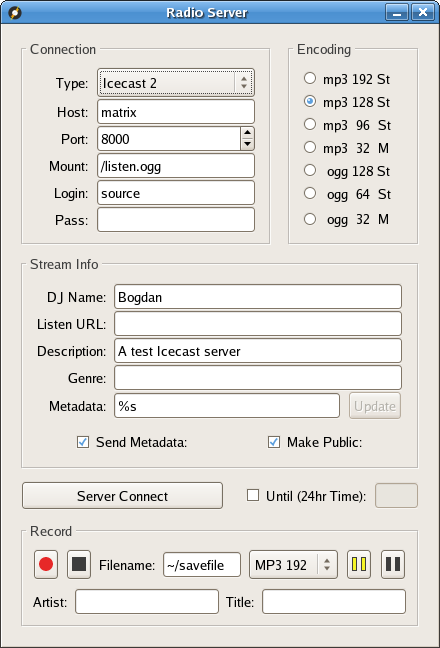
Regarding the server settings you should know that supported servers are Shoutcast and Icecast. There are a bunch of settings here but they shouldn't pose any difficulties for anyone. In this window you also have an offline recorder. For both offline and online modes several encoding bitrates are available for the mp3 and ogg codecs. Several information can be sent with the stream including the file's metadata.
The Good
This software has many good points. Here I'd like to mention the ease of use of the full featured interface, the support for VoIP and the advanced preferences.
The Bad
This software is easy to use if you manage to get it up and running. Unfortunately it doesn't have binaries for many distros and it doesn't compile without problems on some distros. Some features are still needed but focusing on an easy way to install is essential. Some tooltips would be great.
The Truth
Perhaps this is the only application that has a solution so complete for making an easy online radio, until now. It's a very young application since development started a year ago but it promises much more. I like it a lot and I'll keep an eye on it because it deserves our attention. Hopefully one day it will have other cool features like automatic beat matching, graphical equalizer and some integration with a web ser ver.
The screenshots below show Internet DJ Console in action: