Search Perform an advanced search query SOFTPEDIA
 
SOFTPEDIA
Updated one minute ago
HomeSubmit a program for being reviewedAdvertise on our websiteGet help on surfing our websitesSend us your feedbackGet information about our XML/RSS backend and how to use itBrowse the news archiveVisit our discussion forumVizitati forumul in limba romana


Program Finder

gFTP Review
Category: SOFTPEDIA REVIEWS :: Linux

Do you transfer files?
By: Bogdan Radulescu, Editor, Linux Software Reviews

gFTP by Brian Masney Add Your Rating   See Editor's Ratings
Version reviewed: 2.0.18

gFTP is a free multithreaded file transfer client for *NIX based machines running X11R6 or later. It has text and GTK+ 1.2/2.x interfaces and supports the FTP, FTPS (control connection only), HTTP, HTTPS, and SSH protocols and has FTP and HTTP proxy server support. It supports UNIX, EPLF, Novell, MacOS, VMS, MVS, and NT (DOS) style directory listings, and has a bookmarks menu that allows you to quickly connect to remote sites. The code is fully internationalized and there are currently 40 translations available.

Some features:

· Supports the FTP, FTPS (control connection only), HTTP, HTTPS and SSH protocols
· FTP and HTTP proxy server support
· Supports FXP file transfers (transfering files between 2 remote servers via FTP)
· Supports UNIX, EPLF, Novell, MacOS, VMS, MVS and NT (DOS) style directory listings
· Bookmarks menu to allow you to quickly connect to remote sites
· Fully Internationalized.

DOWNLOAD PROGRAM    REQUEST A REVIEW

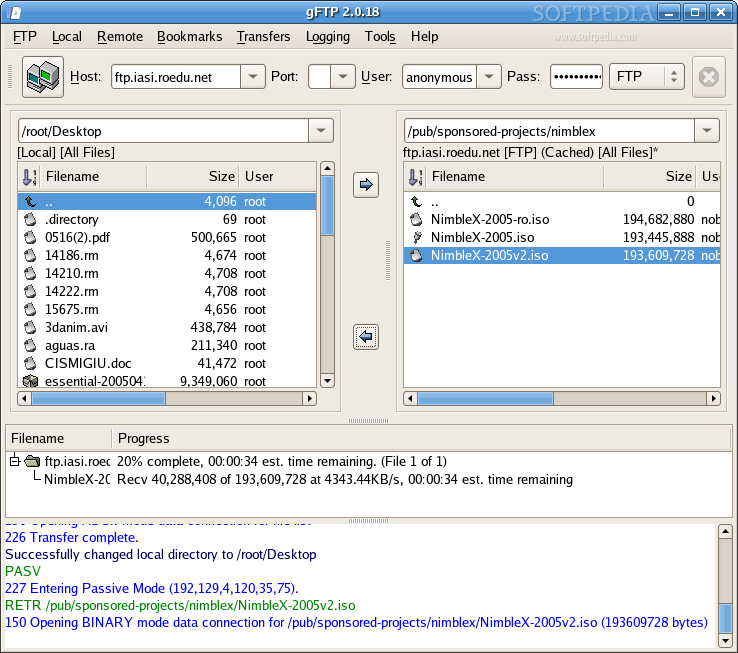
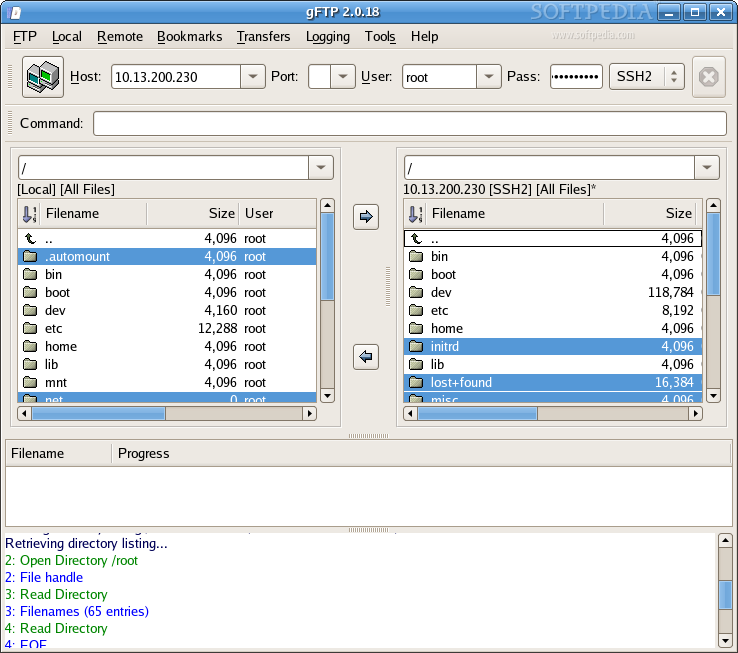
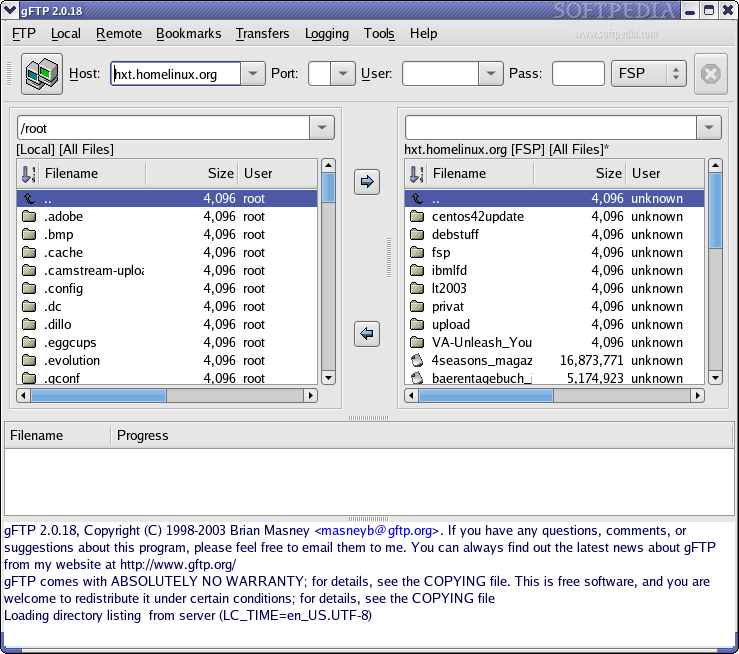
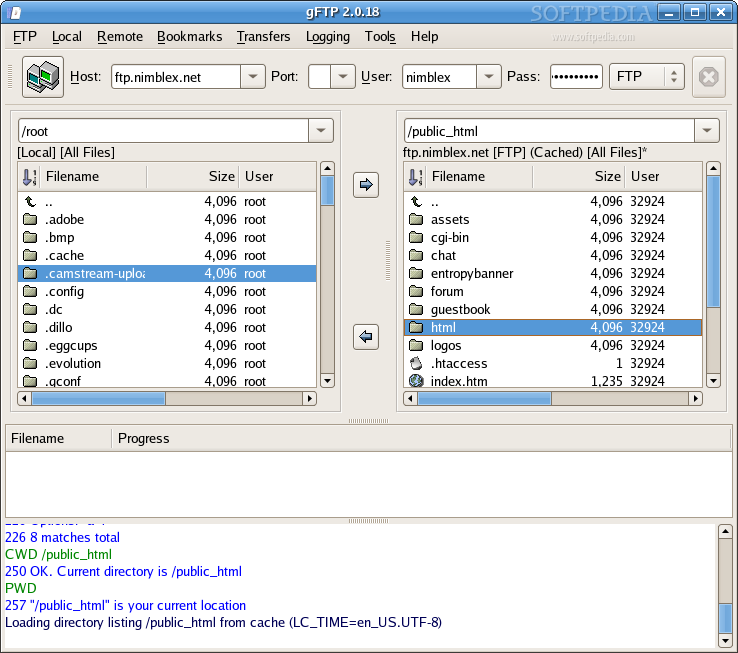
We talked about two FTP clients for KDE so I think it's time to bring in the spotlight one that's popular in GNOME world. (If you have the required libraries you can use it in any graphical environment). The standard FTP client in GNOME is gFTP, which uses the gtk2 library. It has an old school interface that, at the same time, looks smooth. It has all the features you expect from a FTP client and even a little extra. It supports FTP, FTPS, HTTP, HTTPS, SSH2 and FSP. There is nothing special about the support for the first protocols, but the last two and especially the last one caught my attention.

The Special Features

I used to do secur transfers through SSH, in the command line. To be honest, I haven't really thought about doing this in a graphical client, but now I'm reconsidering things. It can be relaxing and easier to transfer files this way. But the FSP protocol really aroused my curiosity because I didn't know what in the world is *that*. A quick search on the Internet explained that FSP stands for File Service Protocol and that this one is a very lightweight UDP based protocol that is good mainly for running anonymous archives. It is supposed to be bandwidth friendly and at the same time sufficiently fault tolerant. I located a FSP server and used gFTP to connect to it. It was interesting because I had a feeling that it connected very quickly and that the browsing of files was fast. I tried to download a file to see how fast can this be and maybe compare with the classical FTP and HTTP, and... surprise! gFTP skipped the transfer of the file several times. I tried two more FSP servers and this happened again. I guess this feature might be broken and it's a shame because, as far as I know, it is unique.

The Others

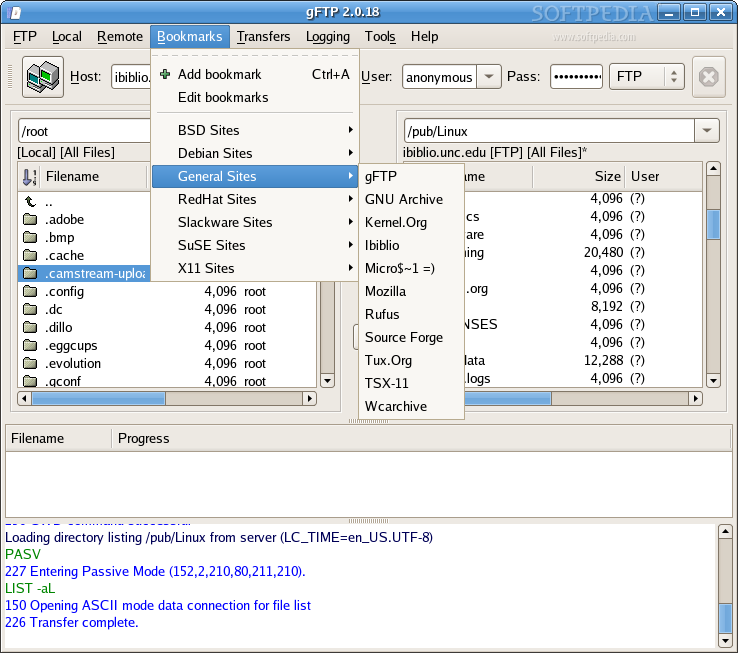
Other interesting features include support for FXP and Bookmarks. As a reminder, FXP is a method of transfer from a FTP server to another. A great advantage is that the speed is limited by the bandwidth between the two remote machines. These two features are very common with GUI FTP clients and are supposed to greatly increase the usability of the program. I'm
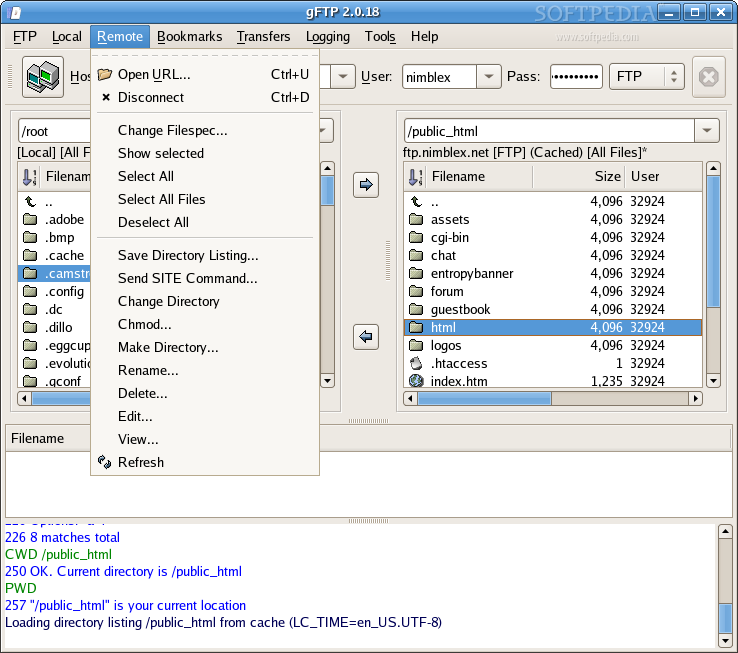
ashamed to admit this, but initiating a FXP transfer took me more time than downloading the data on the HDD and then upload it on the other server. This is because I hardly find out how to connect to two FTP servers in the same time. I'm not saying this program has a bad interface because is not the case but sometimes maybe some very simple tasks require too much effort. For example, I am used to press the first letter of the name of a directory or file in the navigation pane and then the select function to jump at that point. This doesn't happen in gFTP and I find it a little frustrating. Another frustrating thing it that the stop button that should disconnect me, is never active. While you can still use Ctrl+D to disconnect, some users might just assume their session expired and can still remain connected. I hope this bug will be fixed in the near future.

I guess that if you use this program a little you will get used to it and I'm sure it will satisfy all your the needs. Adding bookmarks is very easy, useful and it also has some interesting feats out of the box. A feature that can be very useful when you use FTP transfers a lot and still need the bandwidth for other tasks is bandwidth limiting.

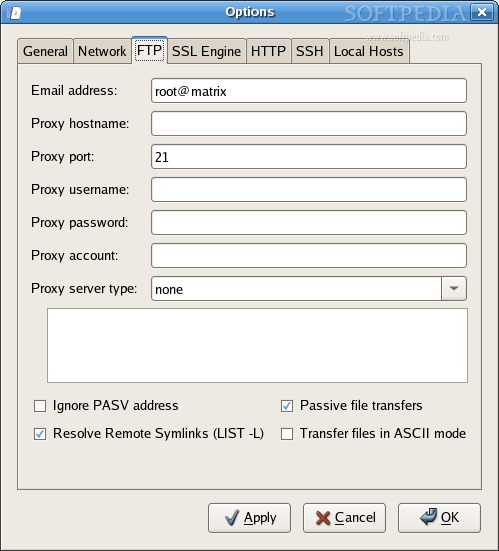
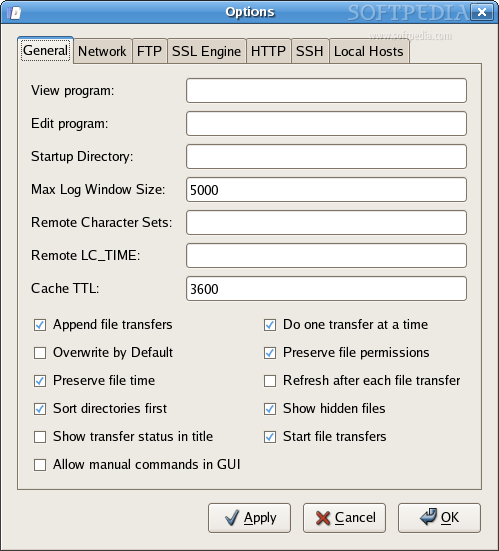
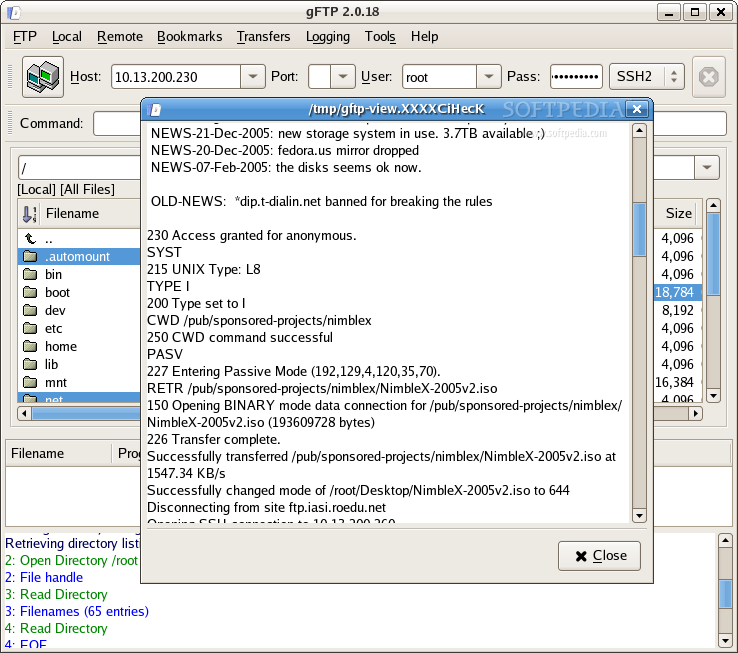
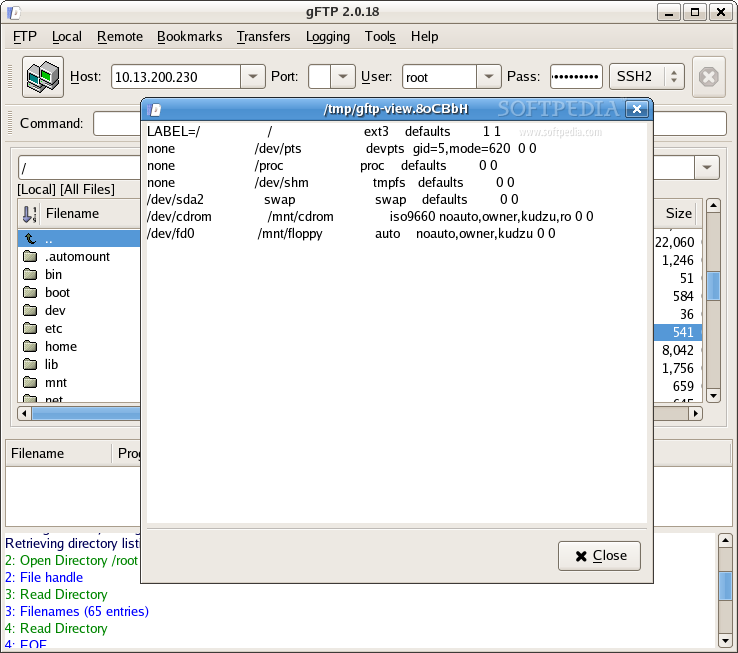
gFTP has an internal program for viewing files. From the options window you can choose to use another one and even one for editing files. This is a nice feature to have and is appreciated especially by web designers and network administrators that connect through SSH. Last but not least I would like to point out the "Compare Windows" feature from the Tools menu. It can really come in handy sometimes, so don't forget about it.

The Good

Support for multiple protocols is a considerable plus. I like that editing and viewing files is possible. Limiting bandwidth can be crucial sometimes and the support for bookmarks is very nice.

The Bad

Sometimes the interface is not very usable. Some bugs are present, which occasionally crash the program.

The Truth

While it is not as good as KFTPGrabber, it’s better than Kasablaca. If you just want to transfer files every once in a while you can safely use gFTP, but if you want the best of the best you'll have to move on.
Review imageReview imageReview imageReview imageReview image


Editor's ratings:
User Interface:   Features:   Ease of Use:   Price/Value:   OVERALL:


18th April 2006, 09:44 GMT | Copyright (c) 2006 Softpedia | Contact:

Read by 2,267 user(s) | Add comment | Link to this news
Subscribe to news | Print article | Send to friend
TODAY'S HEADLINES: BetaClock Review  Extreme Tux Racer Review  LameXP Review  TweakNow RegCleaner Review  MemoriesOnTV Review  Magic Transfer Review  tag2find Review  Teach2000 Review  Rapid Reminder Pro Review  Ping Tester - Professional Review  Photo Batch Watermark Review  AIV Reminder Review  
Today's News | Yesterday's News | View News Archive
Search:

gFTP 2.0.18 - OPINIONS AND REVIEWS


We are sorry, there are no opinions/reviews available for this program.


SHARE YOUR OPINION ABOUT gFTP 2.0.18

Since you are not logged on, your comments will have to be approved before being displayed.
Click here to login, or register.
Your Name:
Your Email:
Type in the result:
GUI (Graphical User Interface): Poor   Fair   Good   Very Good   Excellent  
Features: Poor   Fair   Good   Very Good   Excellent  
Ease of use: Poor   Fair   Good   Very Good   Excellent  
Price/Value: Poor   Fair   Good   Very Good   Excellent  
Overall rating: Poor   Fair   Good   Very Good   Excellent  
Your review/opinion:


DO YOU WANT TO CONTACT US?  

If you have some comments or you want to send us some information you can send us an email directly to .
You can use the form below for the same purpose.
Your full name: (at least 3 characters)
Your email address: (at least 5 characters)
Message subject: (at least 5 characters)
Message text:
(at least 10 characters)
Type in the result:


Welcome!
Hello, Guest

Login if you have a Softpedia.com account.

Otherwise, register for one.

Main categories:
  • Antivirus
  • Compression tools
  • CD/DVD Tools
  • Office tools
  • Programming
  • Authoring tools
  • File managers
  • Desktop Enhancements
  • Internet
  • Network Tools
  • IPOD TOOLS
  • Mobile Phone Tools
  • Multimedia
  • Tweak
  • System
  • Security
  • Others
  • Science / CAD
  • UNIX
  • Windows Widgets
  • PORTABLE SOFTWARE

  • Week's best:
  • Adobe Flash Player 1...
  • Intel Chipset Softwa...
  • Uxtheme Multi-patche...
  • SRS Audio Sandbox 1....
  • SP3 UxTheme Patcher ...
  • PECompact 2.82
  • Sony Vegas Movie Stu...
  • 3DMark Vantage 1.0
  • Total Commander 7.03
  • VistaMizer 2.5.1.0
  • AVG Free Edition 8.0...
  • Windows XP Service P...
  • Ashampoo Burning Stu...
  • XviD Media Codec 1.1...
  • Blu-ray Disc Ripper ...
  • Blu-ray Region Code ...
  • Adobe Photoshop Ligh...
  • PowerDVD 8.0.1531
  • EF Commander 6.54
  • Microsoft Windows In...
  • Nero 8 Lite 8.3.2.1
  • WebSite-Watcher 4.41...
  • EVEREST Ultimate Edi...
  • Nokia PC Suite 6.86....
  • VMware Workstation 6...
  • AnyDVD HD 6.4.2.2
  • Messenger Plus! Live...
  • The Bat! Voyager 4.0...
  • Windows Vista Servic...
  • Nero 8 8.3.2.1
  • © 2001 - 2008 Softpedia. All rights reserved.
    Softpedia™ and Softpedia™ logo are registered trademarks of SoftNews NET SRL.
    Copyright Information | Privacy Policy | Terms of Use | Contact Softpedia | Update your software | Archive