Search Perform an advanced search query SOFTPEDIA
 
SOFTPEDIA
Updated one minute ago
HomeSubmit a program for being reviewedAdvertise on our websiteGet help on surfing our websitesSend us your feedbackGet information about our XML/RSS backend and how to use itBrowse the news archiveVisit our discussion forumVizitati forumul in limba romana


Review Finder NormalFreeware onlyShareware only

Auto Power-on & Shut-down Review
Category: SOFTPEDIA REVIEWS :: Windows

Good power management application!
By: Cosmin Nitu, Editor, Software Reviews

Auto Power-on Shut-down by Lifsoft INC Add Your Rating   See Editor's Ratings
Version reviewed: 2.00

Auto Power-on Shut-down can make your computer resume from power-off state, control your computer's shutdown and startup automatically.

Resume from power-off state - Allows you to control your computer auto start up and work in appointed time. It can wake your computer at specified date/time, even if the system has been closed.

With Auto Power-on Shut-down you are able to control the shutdown and startup states of your computer.

Wake up from sleep mode - Allows you to wake up your computer from sleep mode (s3 standby) at specified time.=

Some features:

Make your computer resume from power-off state
Wake up your computer from sleep mode (standby)
Run programs,open files, open URL or close programs at any time
Play mp3, wma ,wav or flash at any time
Logs on system and lock computer automatically
Shutdown/reboot and enter standby/hibernate mode at any time
Synchronize your PC's time to atomic clock servers
And much more

DOWNLOAD PROGRAM    REQUEST A REVIEW

We’ve talked about programs that are able to schedule operations, start applications whenever you would like, open files, play music and so on.

You can even have your computer log off, or shutdown, but what if you need it to be turned on at a specific time? You can have an alarm clock do this for you, and then turn on your computer manually, or you can work on your BIOS settings, and configure the operation from there. But things can get simpler, and there are applications out there that are able to wake up your computer from the sleep state, or even turn it on after a complete shutdown.

Turn it on!

Such a program is Auto Power-on and Shutdown, which makes the power management operations a lot easier and more comfortable for you.

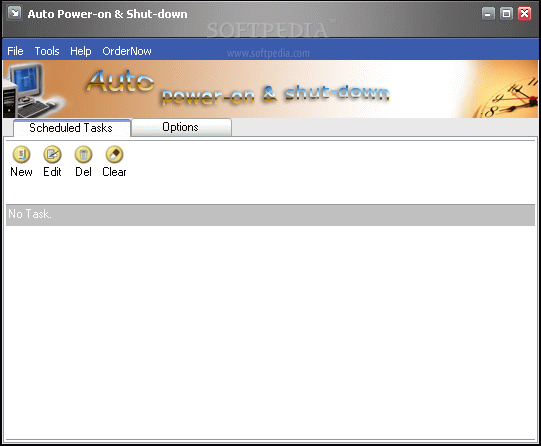
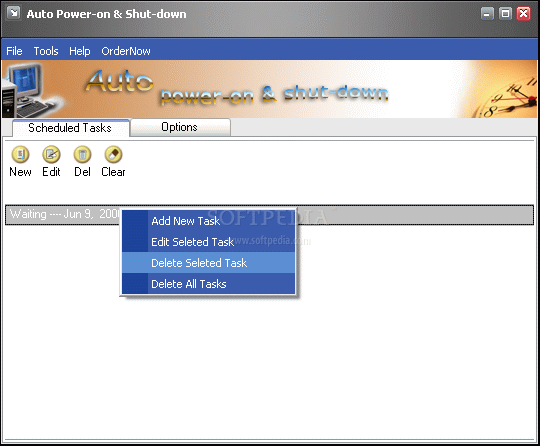
The main window has a sleek design, and is divided into two sections, that you can switch between by clicking on their associated tab: scheduled tasks, and Options.

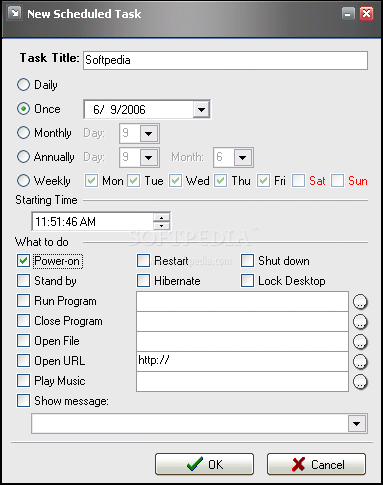
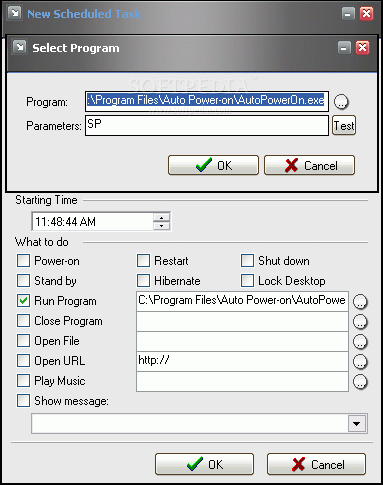
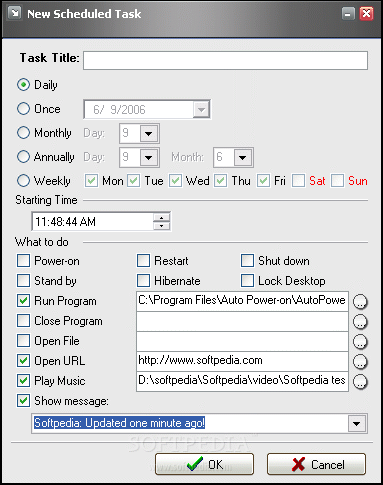
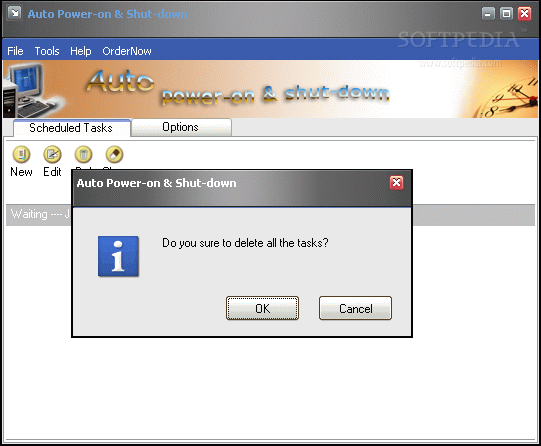
When scheduling a task, you have a small toolbar that allows you fast access to the most important features: create, edit or delete a task, or clear all. When adding a new task to the program’s list you have several options, and for its frequency you can choose between daily, weekly, monthly or annually, or a one time operation; for each of these settings you have to specify the start time. As for the action that’s performed, you have to select from: power-on, restart, shutdown, standby, hibernate, lock desktop, run or close program, open file or URL, play music.

For the operations that do not require any power management control (when running a program, opening or closing a file) you can have a message shown, so that you know that the selected action has been performed by the program, and that no malicious programs are messing with your system.

Editing a task is easy, and when doing this you will get the same setup window which allows you to commute between the actions to be performed.

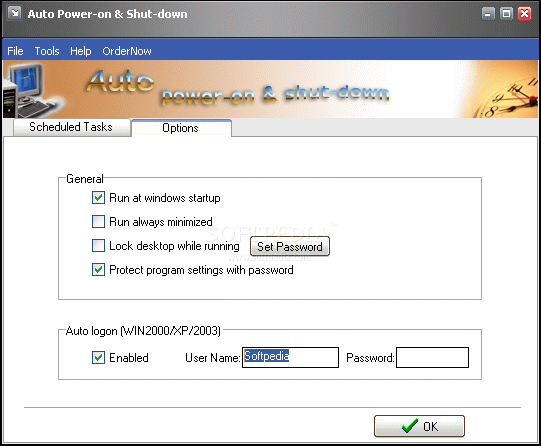
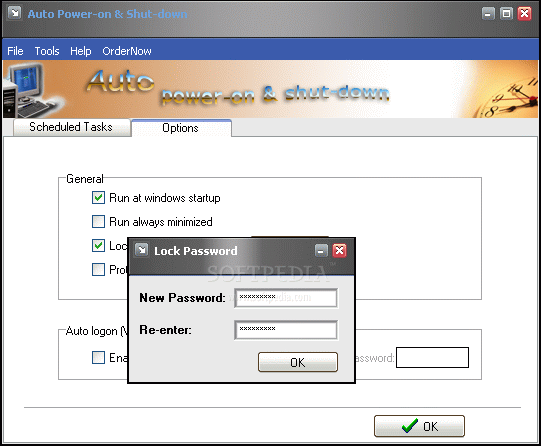
The options panel gives you the chance to set a password both for the general settings and for resuming the program from the minimized state. This will insure you that no other persons that use your computer will be able to change any settings, or add tasks without your approval.

The program menu is simple, and gives you the chance to select one of the important power management functions (shutdown, restart, log off, and so on) when visiting the "File" section, and also provides some tools for you to work with: the "auto shutdown" feature allows you to schedule a one time, temporary task that will quickly turn off your system. You can either enter an exact time, or use the countdown feature (you have to specify the number of minutes that the program should wait until the procedure is started).

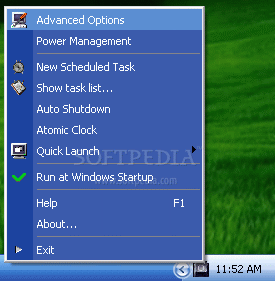
Most of the time the program is hidden in the system tray and you can control it from there. The context menu gives you the possibility to access pretty much
all the available functions and operations: add a scheduled task, show task list, use the auto shutdown feature, synchronize your PC’s time to an atomic clock (you can choose from a long server list), or you can use the quick launch feature (this gives you the chance to quickly shutdown, restart, log off, stand by, hibernate your computer, or just turn off the monitor).

You also have a shortcut to the System’s Power management settings, so that you can change the default scheme, if you think it doesn’t suit you anymore.

The help menu is quite consistent, and giving the work that you can do with this program, the provided information is more than enough; you have screenshot support, as well as clear explanations for each program section and feature, so that you won’t get confused and no accidental shutdowns occur.

The Good

Auto Power-on and Shut down is easy to work with, and even a beginner will get around it from the first use. It’s profiled towards making you more comfortable when working with the computer’s power management resources. You can turn on, turn off, restart, log off, and shut down your system fast and easy. You can also schedule an application to run at a specific time, making this program a complete scheduling solution.

The Bad

You can only work with the trial version for three days, and if you want to use the program afterwards, you have to pay $29.95 to get it.

The Truth

The program offers a good alternative to scheduling your tasks with the computer. Not only does it turn off your system, but it can also power it on; you have to keep in mind that the program cannot fix hardware incompatibilities and failure to start-up due to the fact that the mainboard doesn’t have RTC support can only be overcome via upgrade. I’ve encountered no stability issues, and Windows is not burdened by the program when setting it up, or when it’s minimized to the system tray. Go ahead and try it, just for the fun of it!

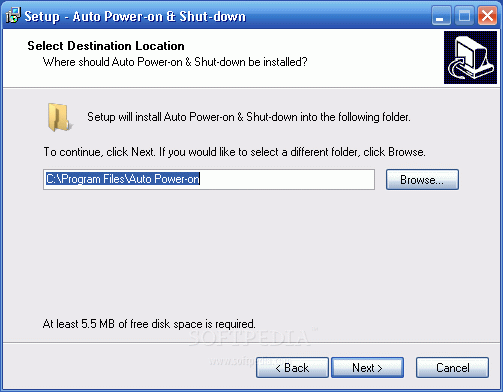
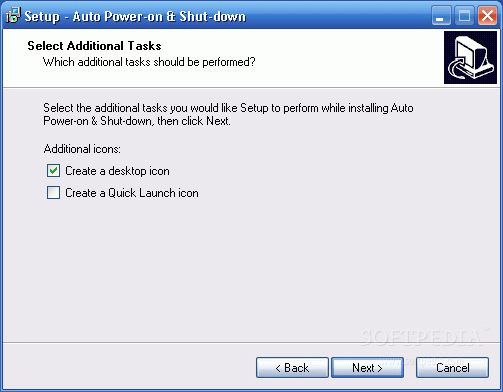
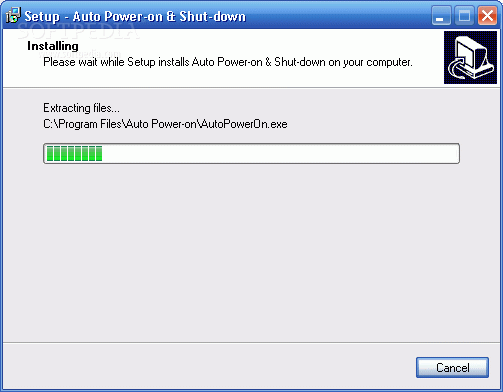
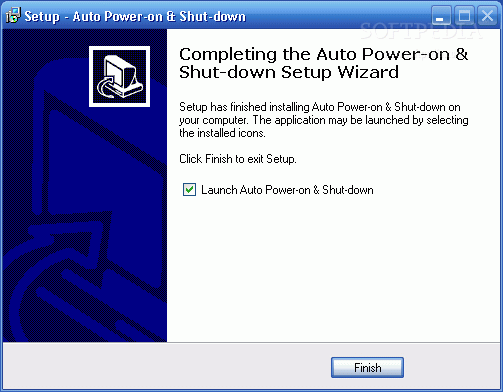
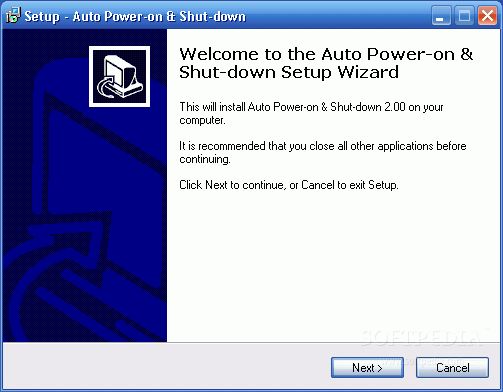
Check out the screenshots below to get a glance at the program in action:

Installing:
Review image
Review image
Review image
Review image
Review image

Working with the program:

Review image
Review image
Review image
Review image
Review image
Review image
Review image
Review image
Review image


Editor's ratings:
User Interface:   Features:   Ease of Use:   Price/Value:   OVERALL:


9th June 2006, 10:03 GMT | Copyright (c) 2006 Softpedia | Contact:

Read by 8,592 user(s) | Add comment | Link to this news
Subscribe to news | Print article | Send to friend
TODAY'S HEADLINES: Camfrog Video Chat Review  Almanah Diary Review  Portable Quicksys RegDefrag Review  Sunbelt Personal Firewall Review  XML Copy Editor Review  GNOME Mplayer Review  GeoAze Review  Checkout Review  Simply Calenders Review  KJClipper Review  JCODER Review  Optimism Review  
Today's News | Yesterday's News | View News Archive
Search:

Auto Power-on Shut-down 2.20 - OPINIONS AND REVIEWS Pages: 1

Auto Power-on Shut-down 2.10
Reviewer: markus22

Date: 2008-05-27, 17:01 GMT
Version: Auto Power-on Shut-down 2.10
Overall rating: (Good)

GUI:    Features:    Ease of use:    Value:    
Its good. But it does not support wake up from shutdown S5, and it does not support RTC Alarm( not the mainboard );
Auto Power-on Shut-down 2.05
Reviewer: navakanth

Date: 2008-03-15, 03:42 GMT
Version: Auto Power-on Shut-down 2.05
Overall rating: (Very Good)

GUI:    Features:    Ease of use:    Value:    
Its good I have checked the software.But i didnt understand what\'s the use of password and what is the Protection against program Settings.

go to top Pages: 1


SHARE YOUR OPINION ABOUT Auto Power-on Shut-down 2.20

Since you are not logged on, your comments will have to be approved before being displayed.
Click here to login, or register.
Your Name:
Your Email: (will not be published anywhere)
Type in the result:
GUI (Graphical User Interface): Poor   Fair   Good   Very Good   Excellent  
Features: Poor   Fair   Good   Very Good   Excellent  
Ease of use: Poor   Fair   Good   Very Good   Excellent  
Price/Value: Poor   Fair   Good   Very Good   Excellent  
Overall rating: Poor   Fair   Good   Very Good   Excellent  
Your review/opinion:


DO YOU WANT TO CONTACT US?  

If you have some comments or you want to send us some information you can send us an email directly to .
You can use the form below for the same purpose.
Your full name: (at least 3 characters)
Your email address: (at least 5 characters)
Message subject: (at least 5 characters)
Message text:
(at least 10 characters)
Type in the result:


Welcome!
Hello, Guest

Login if you have a Softpedia.com account.

Otherwise, register for one.

Main categories:
  • Antivirus
  • Compression tools
  • CD/DVD Tools
  • Office tools
  • Programming
  • Authoring tools
  • File managers
  • Desktop Enhancements
  • Internet
  • Network Tools
  • IPOD TOOLS
  • Mobile Phone Tools
  • Multimedia
  • Tweak
  • System
  • Security
  • Others
  • Science / CAD
  • UNIX
  • Windows Widgets
  • PORTABLE SOFTWARE

  • Week's best:
  • Adobe Media Player 1...
  • Registry Mechanic 8....
  • BitSpirit 3.3.2.263
  • AnyDVD 6.4.5.6
  • Firefox 3.0.1 / 2.0....
  • AutoCAD 2009
  • Norton AntiVirus 200...
  • Norton Internet Secu...
  • The Bat! Professiona...
  • WinRAR 3.80 Beta 3 /...
  • GMail Drive shell ex...
  • DAEMON Tools Lite 4....
  • UBCD4WIN 3.2.0
  • Adobe Reader 9.0.0 /...
  • Total Commander Ulti...
  • System Mechanic 8.0....
  • Adobe Acrobat Profes...
  • iPhone PC Suite 1.0....
  • Portable Firefox 3.0...
  • MPlayer for Windows ...
  • Vista Codec Package ...
  • Windows Live Messeng...
  • WinBubble 1.73
  • Kaspersky Anti-Virus...
  • Malware Removal Tool...
  • Royale Noir Theme fo...
  • IBM Lotus Symphony 1...
  • Adobe Dreamweaver 10...
  • Adobe Fireworks 10.0...
  • BitDefender Total Se...
  • © 2001 - 2008 Softpedia. All rights reserved.
    Softpedia™ and Softpedia™ logo are registered trademarks of SoftNews NET SRL.
    Copyright Information | Privacy Policy | Terms of Use | Contact Softpedia | Update your software | Archive