14 DAY TRIAL //
 Among the so many CD ripping tools, one can easily find both exceptional and lousy software, either freeware or highly overpriced programs with awesome GUIs or with totally crappy graphics or just easy, really nice, moderate and decent software. Depending on what the user is expecting from a certain program, some might be more oriented towards the looks than towards the works, while others will insist mostly on features and functionality and completely forget about the appearance concerns. So I daresay this is why one will find such a multitude of CD ripping software in the world: just because the specific needs of so many potential customers must be met in the most appropriate way.
As far as I've seen of it so far, Easy CD Ripper is a piece of code which proudly stands at the confluence of all these orientations I was telling you about before. Without being overburdened by innumerable options more or less useful and, at the same time, having a sober and functional look, the Easy CD Ripper truly represents the well-balanced software creation.
The Looks
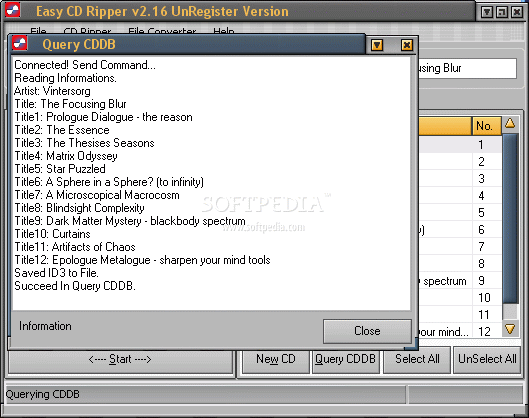
The default skin of Easy CD Ripper is a grey-themed one and it looks very sober and orderly as the active tabs are colored in a dark orange color, thus creating a very pleasant contrast. Even though the Easy CD Ripper sports no round and XP-style buttons, but rather the Win98 looks, its generic appearance leaves a very professional impression; "sober" is the best word to describe the way it looks.
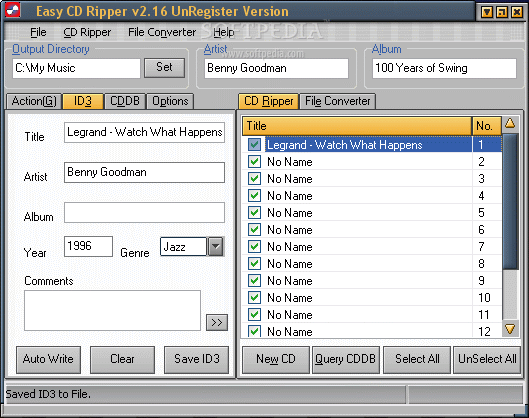
The GUI is very intuitive and, apart from the technical settings (bitrate and others), it can be easily used by almost anyone. There are 3 different areas in the Easy CD Ripper's main window, each for a specific purpose: one for the various settings such as encoding, tagging, CDDB and generic options, another one for the track list and the third, on top of the window and containing the output directory and info on the artist and title of the album.
I've already told you that the buttons aren't too "funky": well, maybe they aren't, but they definitely are very visible and readable and this makes a better impression and ease of use than anything else. Most of the options are accessible by means of dropdown menus, maybe because of reasons such as order and space. One awesome thing about the Easy CD Ripper is the fact that, when the main window is maximized to fullscreen mode, the size of all the contained elements is increased as well, thus the proportions remain the same and the software looks the same in both operational sizes.
Overall, the Easy CD Ripper looks very eye-comforting while at the same having a pro-oriented design very easy to understand and get used to.
The Works
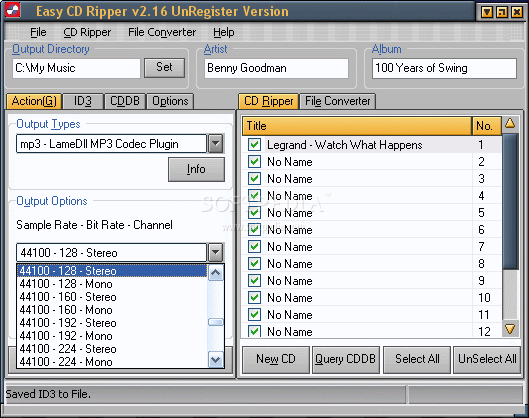
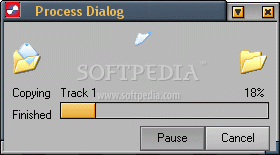
APE, MP3, NUL, OGG, VQF, WAV and 2 WMA encodings: sounds pretty well for almost everybody's needs, doesn't it? The Easy CD Ripper can rip your favorite CDs to any of the major audio formats, be them lossless or high-compression ones.
While having all the necessary options, the Easy CD Ripper still offers a Clone CD option, so you can just duplicate an audio disc without the need to set and tweak too many items. The ID3 tags are really easy to use, whether you decide to edit them in the dedicated menu or directly in the tracklist pane.
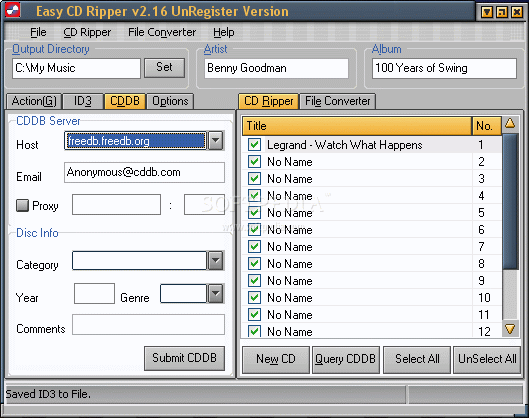
The CDDB works just fine, as you are connected to the internet, and the tagging is one of the easiest available. Regarding the automated web-related tagging, the Easy CD Ripper has a really nice feature, which allows you to choose specific regional databases. Apart from the European countries, there is only the US as a choice, but this is no problem; what is a bit unpleasant is the very small list of genres you can choose from for your new media. Unfortunately, this is also done by means of dropdown menus and thus, it does not allow you to edit your own styles.
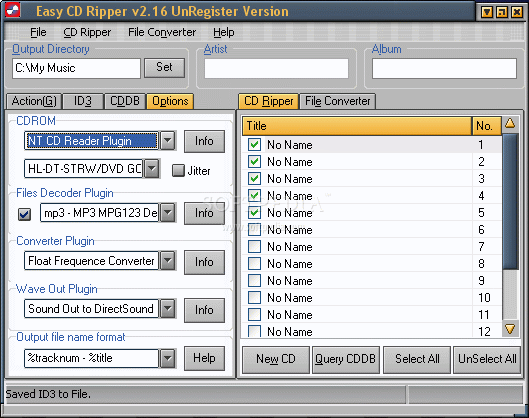
The last tab is the one that gives you access to the generic settings, which regulate the Easy CD Ripper's operation. Settings like CDROM choice, decoder/converter or wave out plugins are easily tweaked in this section.
The Easy CD Ripper stated it can convert files to various formats: indeed it has such a panel, but I could not make anything work and got lots of error-messages instead. Maybe it was my computer' fault or simply something, somewhere, is wrong ... yet I obtained no conversion.
When it comes to ripping CDs and you feel the need to spend some bucks, you can easily think of softwares like Easy CD Ripper, while bearing in mind that you'll get support from the producer, thus being able to solve all possible troubles.
The Good
There's nothing really revolutionary or out of common and no aspect that you're not already used to in Easy CD Ripper, if you have already worked with such a software. Just a very decent CD ripping program that will output the resulting tracks in any major digital audio format that you may choose.
The Bad
I could not make the Audio Conversion tool work in any way. Still, I won't say this is bad, because I couldn't find what really caused this to happen. Overall, nothing bad in Easy CD Ripper, just that its developers could speed up a bit the whole process.
The Truth
Easy CD Ripper is one of the CD ripping programs situated above the average, working fine and producing very good results in various formats.
Please see the screenshots below: