14 DAY TRIAL //
 Google Chrome is out, brand new and shiny, and with its launch a new set of standards for all web browsers is implemented for both end users and developers. At this moment the Internet is flooded with details and info on Google's newest and hottest application designed to link the user to the pool of information on the web.
Unlike successful browsers such as Mozilla Firefox, Opera and even Internet Explorer, Google's approach in building Chrome differs in that the app is built from scratch without giving in to formalities (that is why, at first use, most users will waste time looking for the menu bar). The program seems as if all the features were added as soon as the tester needed them. None of its features are unnecessary or redundant in terms of access.
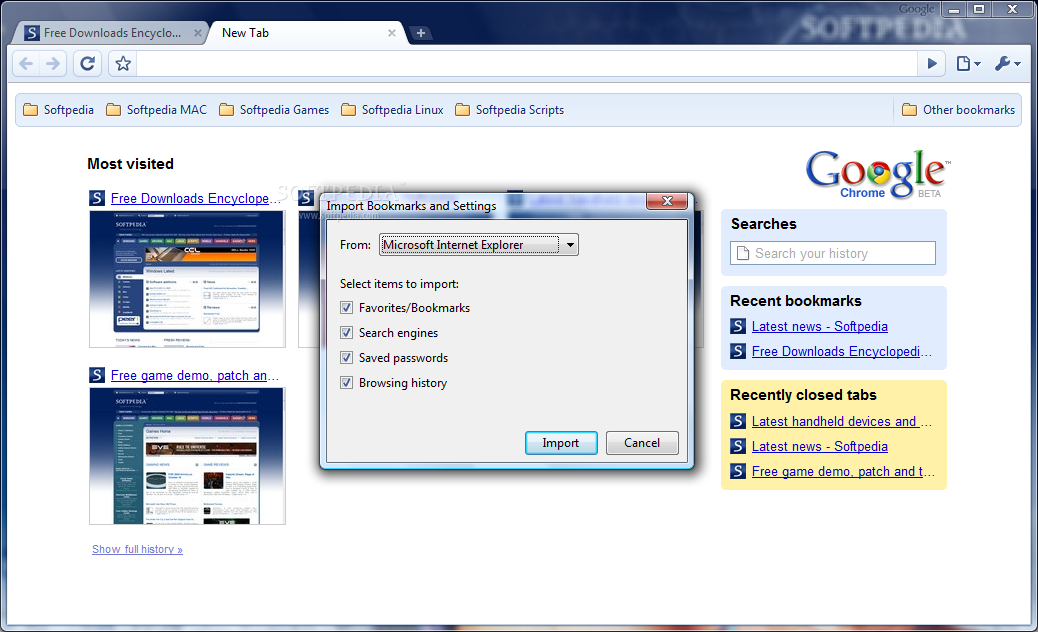
Installing Chrome is nothing complicated as the automatic downloader and installer does the entire job for you and there is no need to go through the classic "Next" buttons. Everything is done automatically and at the end of the process you will be able to import bookmarks, passwords and other settings from Internet Explorer or Mozilla Firefox. With this over you will be able to "chrome" your way on the web.
Interface
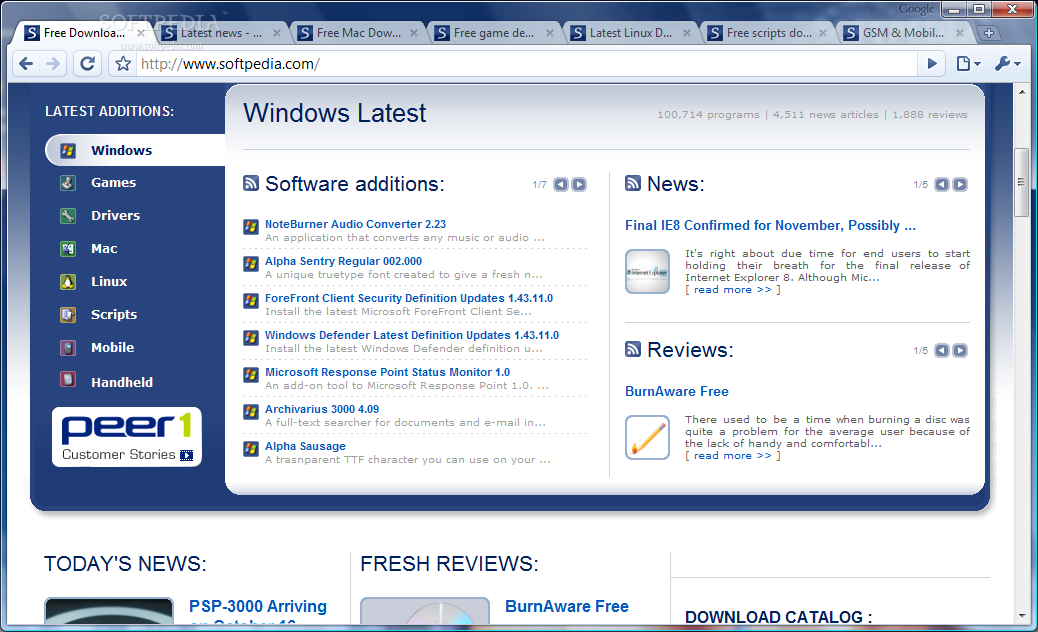
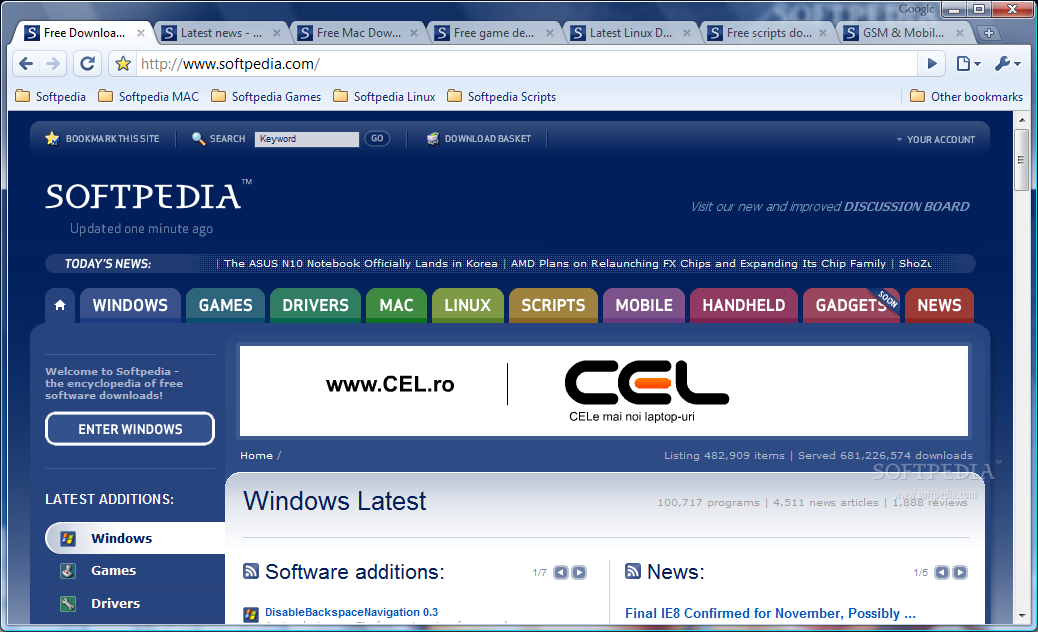
Chrome comes all wrapped up in a minimalistic interface designed outside the box and not cluttered with loads of features and options. The lack of a menu and title bar in maximized mode enhances user attention on the opened webpage and provides a better web experience. You have no bells and whistles to tinker with and all focus is shifted from the web-shell to the actual information displayed.
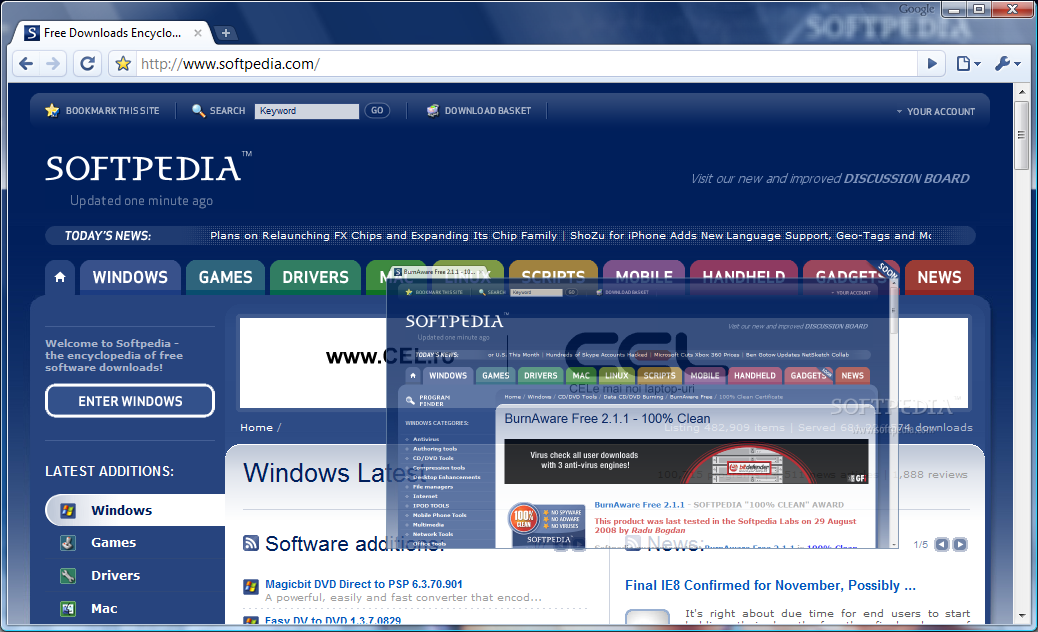
The interface is of a disturbing simplicity, but the basic features are there, and they managed to implement some unique options. The ubiquitous drag and drop function has been exploited more than in other browsers and with Chrome you can open an existing tab in a new window just by grabbing it and dragging it outside the tab bar. URLs can be easily saved in any file manager with a drop.
If you want to open the "Find" dialog all you have to do is type in the classic shortcut (Ctrl+F) and it will slide down allowing you to enter your search query. The great thing is that the results will be highlighted as you type so you don't have to finish the query in order to find what you need.
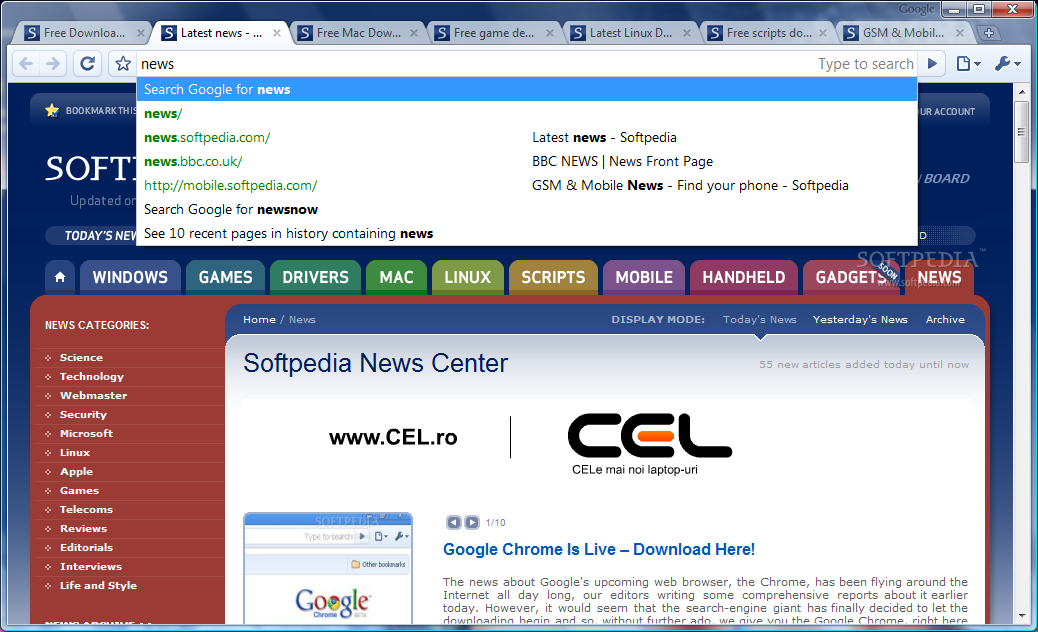
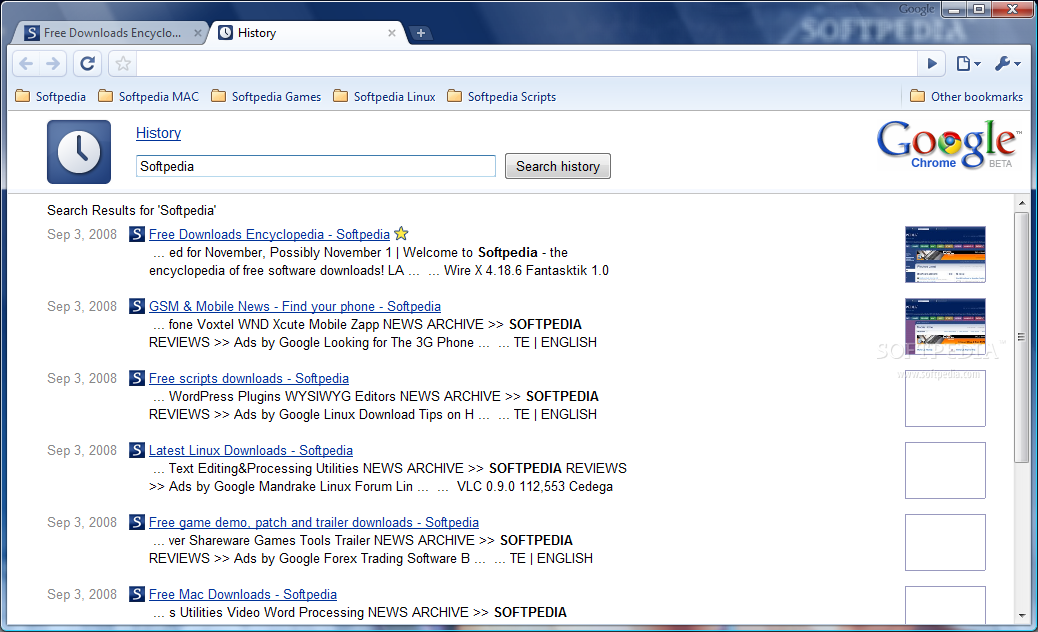
As unimportant as it may seem, the address bar integrated in Google Chrome has some particularities of its own. It is nothing you've ever seen so far because the developers extracted the best features from the most used browsers on the market and adapted them for their own. With Chrome's Omnibar (address bar) you will benefit from a drop of Firefox's Awesome Bar mixed with IE's domain highlighting feature. Basically, it features auto-completion and search capabilities in one truly useful bar.
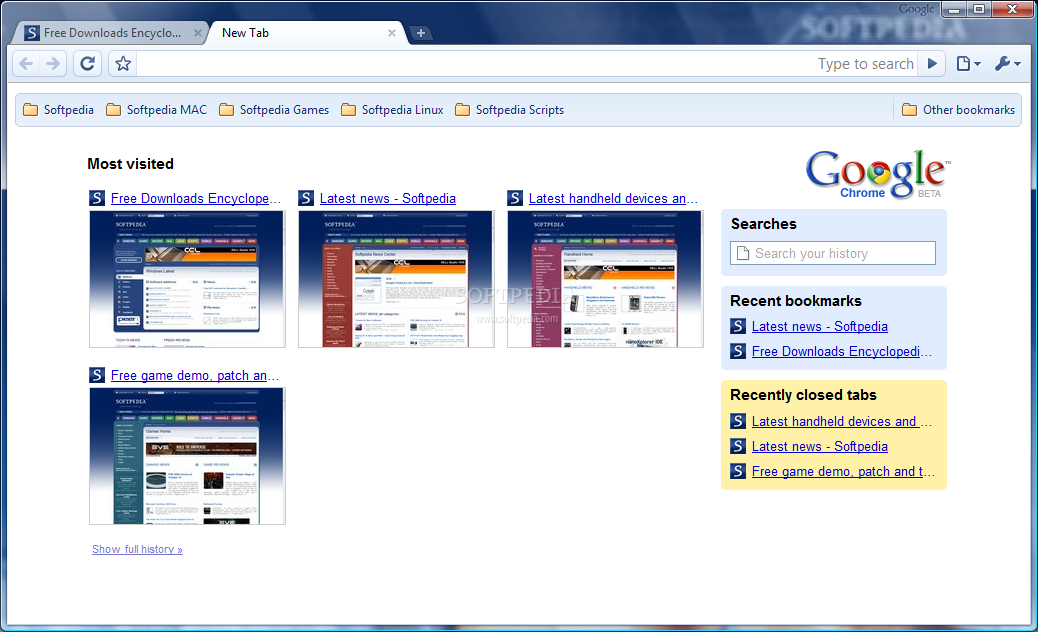
Opera has not been forgotten and opening new tabs seems inspired from the Norwegian browser's Speed Dial feature. The difference consists in the fact that Chrome will display small live thumbs only of the most visited pages stripping the user of any control over the feature and making the process more preference-dependant.
And to extend its functionality even more you can use it as a search bar as well by simply typing in the query. The choice for the search engine to be used is not limited in any way as it gives you the possibility to set as default whatever page you want.
Customization
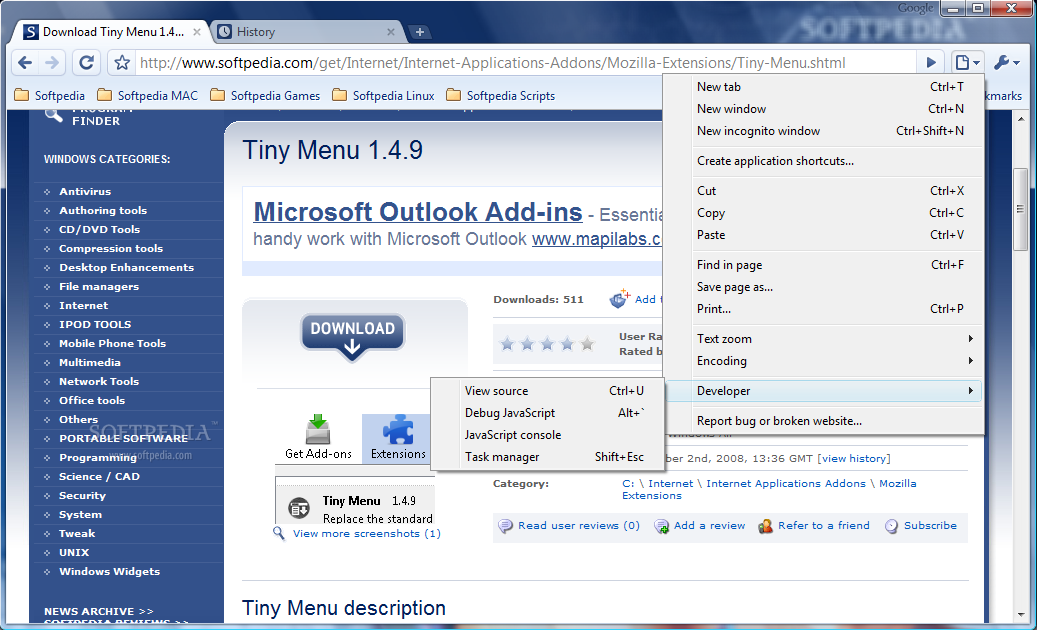
There isn't much to say in this chapter as Google Chrome has been designed to be as light as possible and very few of the usual options are available. Current Page Control button in the far right of the upper part of the window shelters regular options such as opening a new tab or a new window, cut/copy/paste functions as well printing the page, changing zoom page and choosing a different encoding, but there are some elements you are not going to find in many other web browsers on the market.
The "Incognito Window" option is one of them. Designed to allow you to disable browsing history tracking, the Incognito mode is similar in action and result to Safari's Private Browsing, but more flexible as it allows you control over individual tabs rather than the entire application. When a web page is opened in this stealth mode, downloaded files, history as well as cookies will no longer be recorded by the browser, without affecting surfing experience in any way. However, this does not mean that visited locations will not be able to record your activity.
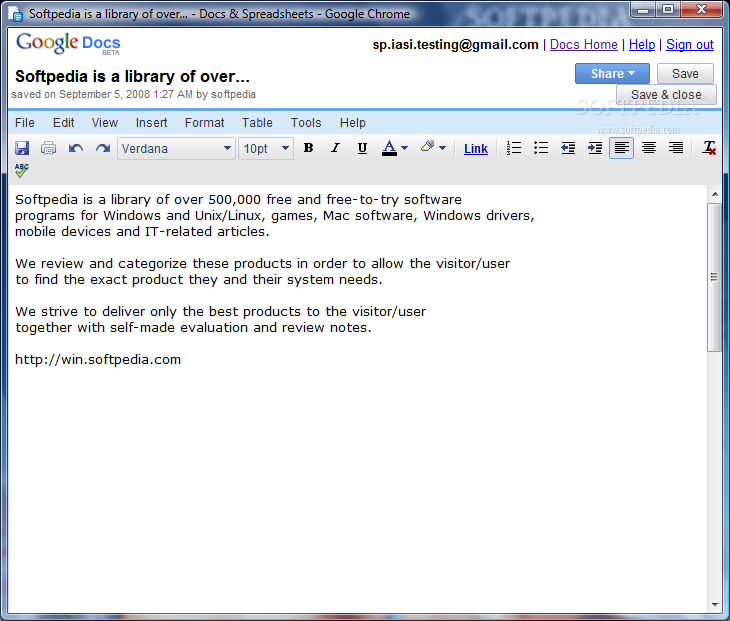
"Application shortcuts" is an extraordinary addition as it allows you to open web applications without starting your browser, just as if they were installed on your desktop. The shortcuts can automatically load the web apps and all you have to do is press a button and decide where you want the shortcut created: desktop, quick launch area, start menu or all of them. However, you should know that not all services work, but you don't have to worry about the services provided by Google.
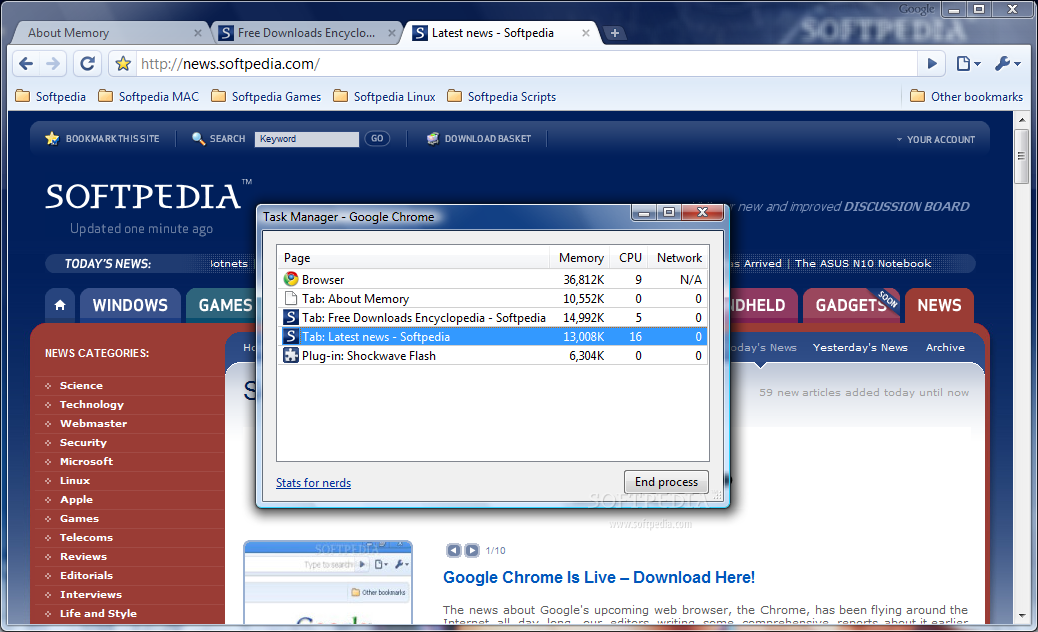
Google Chrome features a developer's section from where you can view the source of the current page, use Debug JavaScript function, JavaScript console and a Task Manager. The latter is not the applet in Windows but one that displays the statistics (RAM and CPU usage) for each of the tabs loaded in Chrome in real-time.
The multi-process design of the application will cause the listing of multiple Chrome processes in Windows Task Manager as each tab is treated individually. This little gimmick will prevent the crashing of the entire application because of a single tab, making the web experience smoother. It is similar to the improvement made in the recent release of IE8 (tab isolation).
Even with this improvement, be prepared to give up a huge slice of your RAM and a good chunk of the CPU. This downside may be enough reason for some to wait a while longer ‘till the final version of the application is out and, hopefully, the resource usage problem is fixed.
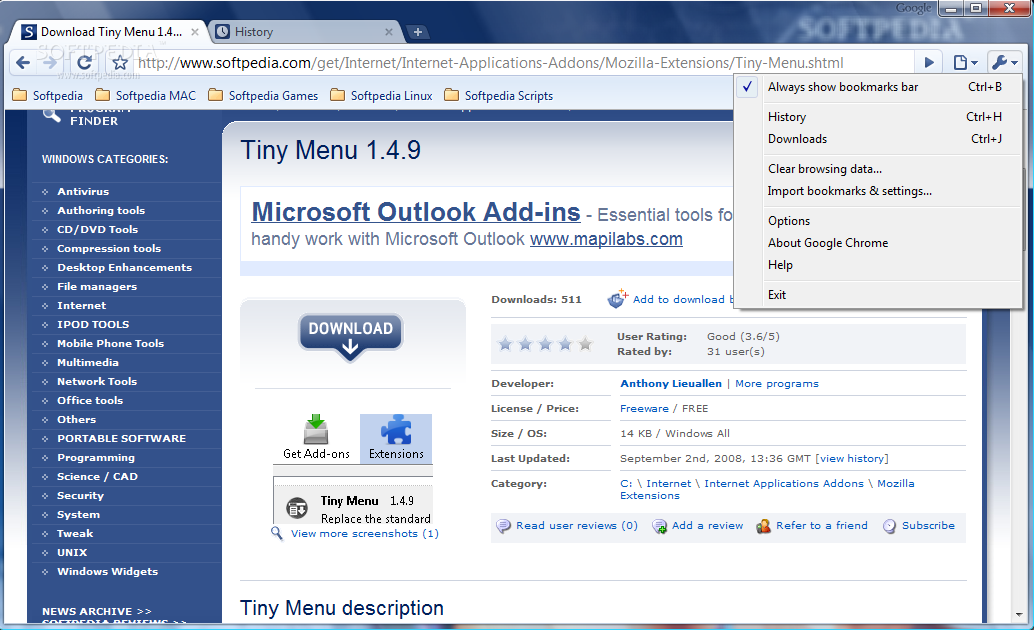
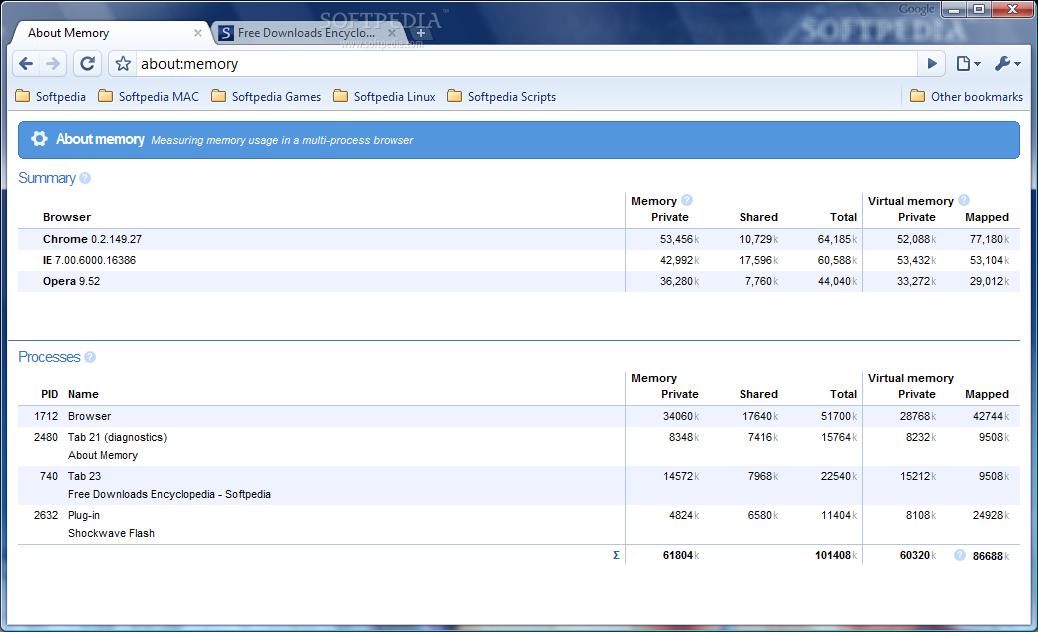
Looking on the bright side, though, Chrome offers you the chance to compare resource usage of multiple web browsers by going to the "Stats for nerds" section of the Task Manager or by typing "about:memory" in the address bar. It can track the resource usage of IE, Firefox, Opera or Safari, all at once, and display the statistics clearly, broken into private memory, shared memory, total memory used as well as virtual memory (private and mapped) required. The same stats are available for each and every tab of Chrome.
For the geekiest of us the developers of Chrome made available a few treats for viewing different stats. Play with Google's browser by typing in "about:stats", "about:network", "about:histograms", "about:plugins", "about:cache" or "about:dns". I'm sure you'll have fun reading the info. And if you want to totally crash go ahead and type ":%" (that's the column sign followed by percentage).
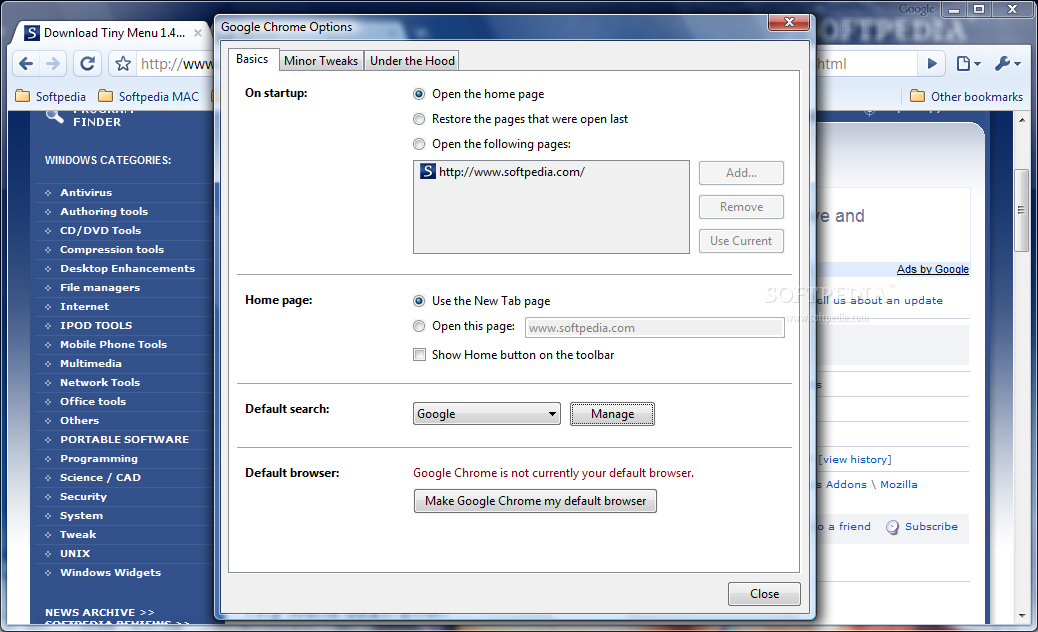
Configuring the browser (Options menu) is nothing complicated but the basic functions are there. You can set it to startup opening the homepage, restore the last opened pages or open user-specific pages. It is in the Options menu where you get to specify the default search engine and add whichever website suits your searches best, or decide to make Google Chrome the default browser.
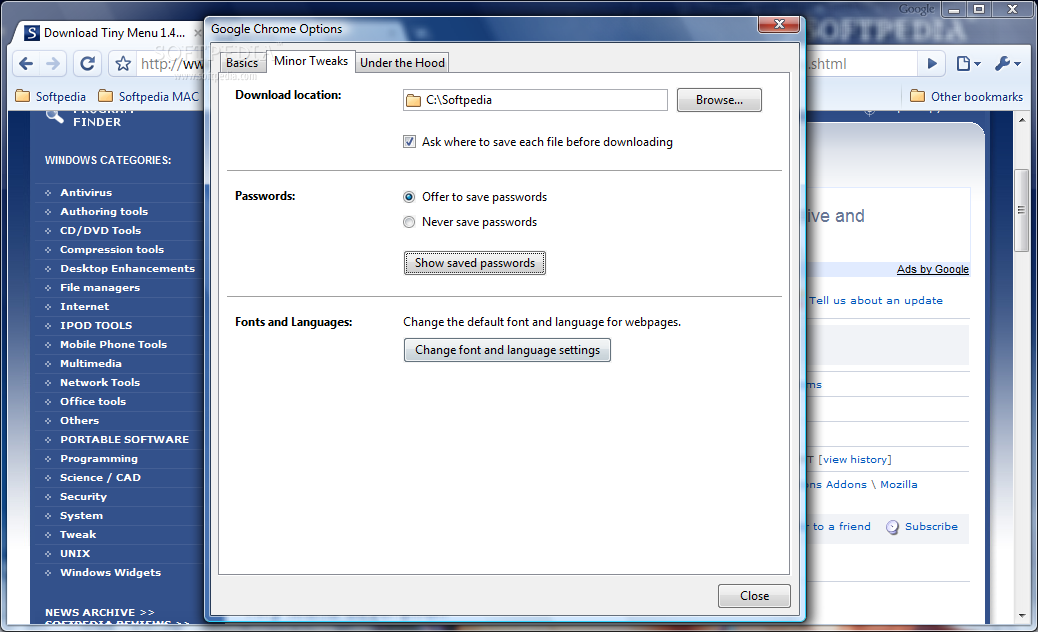
The "Minor Tweaks" section allows you to set the default download location or enable password saving. The application offers you full control over the stored passwords as it permits removing any of the items from the list with the greatest ease.
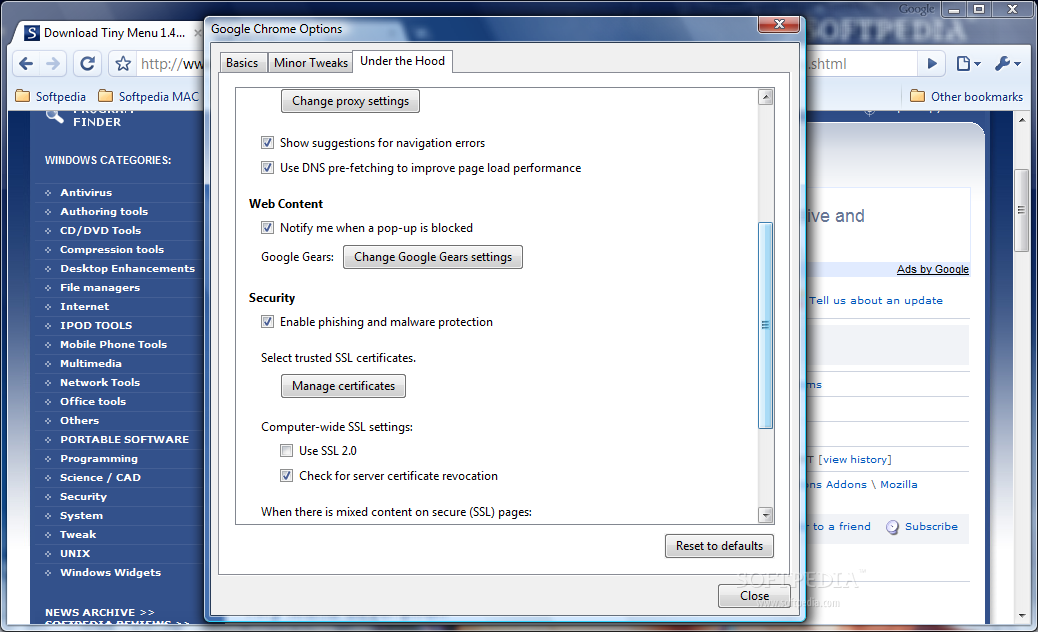
A look "Under the Hood" reveals the usual options in a web browser: proxy settings change, certificate management and cookie control. One impressive option is the anti-phishing and anti-malware one right under the "Security" section. And more impressive was the fact that the option works and does a pretty good job. During our testing only 2 out of 14 different phishes we tested slipped Chrome's detection.
Despite its beta stage, Google's browser comes prepared for regular download tasks integrating a download manager able to pause the job, show the download link as well as the date when a specific file was downloaded. As expected, you can view the progress and when finished, open the file directly from Chrome, thus avoiding wasting time looking for it in the file manager.
To make the transition from another web browser easier, Google's latest development boasts bookmark and settings import from IE and Mozilla Firefox (Opera and Safari are left out on this one, probably on account of market share). But contrary to my expectations there is no export function yet so I would really advise you not to rely 100% on Chrome, just to be on the safe side.
Testing Chrome was indeed a great experience. Its speed is the first thing I noticed about it. Putting this to a test revealed that it is the speedster in web browser world as it scored best in our trials loading a CSS page in an average of 115 milliseconds, more than 50% faster than Opera. But this piece of news does not come all good because each of the opened tabs will gulp up about 10MB of RAM and nibble on the CPU as well.
The user experience is fantastic due to the slickest and easiest to use interface ever for a web browser. Unfortunately, this comes in the detriment of the options included and flexibility is limited to the basic functions. A huge minus is the lack of a tab manager able to show you all opened links at once and choose one to navigate to easily. If your resources support a heavy load of tabs you will notice how these shrink to fit the bar with each new addition slicing a chunk of the tab name. In the end you will lose count of the tabs and control over tab navigation. Also, a better bookmark manager or sidebar would really improve the experience and add value to the application.
The multi-process idea for avoiding browser crashes when rendering a bug and instead causing just for that single tab to crash is brilliant but requires much more system resources than a user is prepared to offer.
A very important aspect is Chrome's engine, which has at core Apple's WebKit, making it prone to vulnerabilities, as already reported on the first day of its life.
The Good
Google Chrome is definitely a breath of fresh air in terms of design and looks. It comes with a clear imprint of out-of-the-box thinking and opens the way to improvement in other browsers as well, elevating users' expectations.
Allowing users to treat web apps as regular software installed on the computer and launching them in separate windows without the need of a web browser is one of the best innovations in Chrome.
Safari's Private Browsing has an improved correspondent in Chrome allowing you to use stealth-per-tab instead of setting the entire application to invisible mode.
The Bad
One of the greatest downsides of the web browser is that it does not come fully equipped for heavy duty users. There is a striking lack of options starting with the elementary tab management and ending with bookmark management, two things absolutely essential in a web browser.
Users have no possibility of exporting settings and bookmarks to a different browser which is a serious drop in flexibility.
The Truth
The truth is that Google Chrome is like a Frankenstein taken to the web browser beauty salon. It is all stitched up from pieces of Safari, IE, Firefox and Opera and all of them look and function great in the atypical interface they are all wrapped in.
However, all these, though great contributors to a fantastic user experience, have quite a negative impact on Chrome's personality. The one feature truly screaming "Google" is the shortcut creation for web applications while the Omnibar is a mixture of two different browsers.
It is great if you are not a heavy user and your standards do not extend to more than a pretty-looking interface and basic functions. But, I have to admit that I kind of liked it and I truly hope it turns into a web browser for all users, experienced and beginners alike.

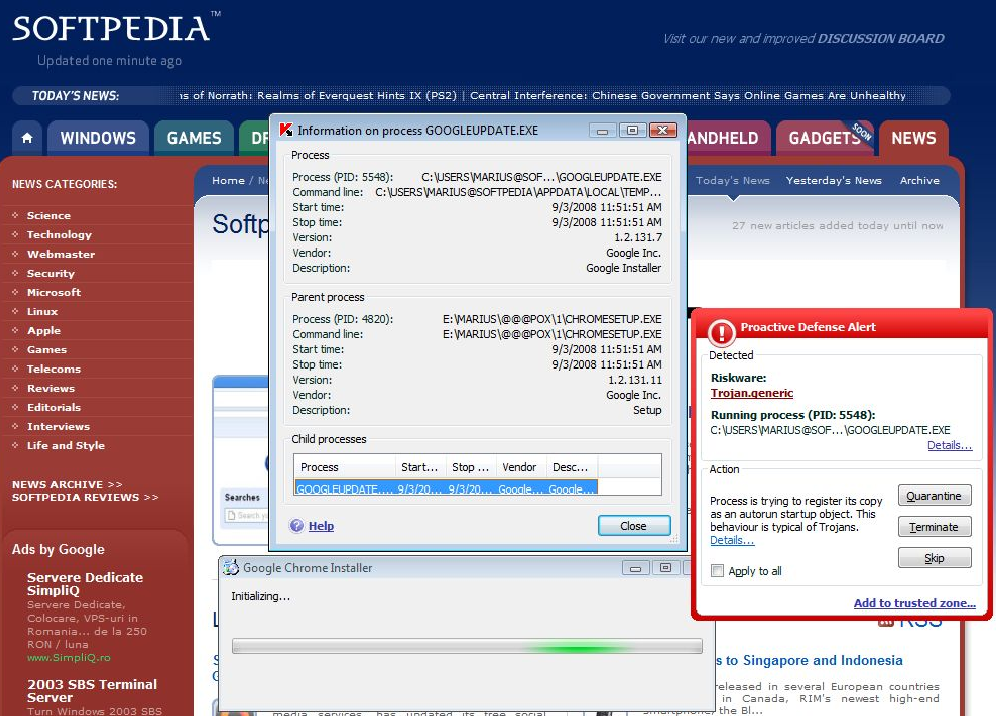
NOTE: It seems that in some cases Google Chrome may not get along too well with Kaspersky's Proactive Defense as the latter detected the updater as taking trojan-like actions on our test computer. However, you can clearly see from the picture below that the trojan-activity detected is just an attempt to place itself in startup. This is just a heads up for those of you whose antivirus programs may flag Chrome as possible malware.
Take a look at the picture we've taken on one of our computers and judge for yourselves.