14 DAY TRIAL //
 How reliable are media discs? If you asked me I would say that kept in proper conditions they can be very reliable. I still have five or six years old discs working like a charm. But I kept them away from the sun, they have their own case and there are very few scratches on them. Of course, quality of the disc is essential and can increase media's lifespan considerably.
But it happens sometimes that certain discs suffer some sort of accident and the data becomes unreadable to your computer. This may be due to improper storage, dust and scratches. In this case there is little to be done in order to recover the data from that disc as the damage is physical. But there is some hope in the world of software. There are applications able to read and recover your files from damaged media discs, but there is hope, nevertheless.
However, when using a CD/DVD-RW as a regular hard disk by means of Nero InCD or alike softwares, chances are that deleted data can be recovered if appropriate software is employed.
Nero Rescue Agent is one solution and since you bought the entire suite it would be a shame not to use it or at least put it to a test. Especially now when it comes with a brand new shiny interface, perfect for Vista environment. It is able to recover data formatted with UDF file system, the one used by InCD. So, in order to use Nero Rescue Agent you will have to work with CD/DVD-RW media and utilize it as a regular hard disk, copying files on it and deleting them one by one.
There isn't any trouble using it as everything is out into the open and there are no hidden options and functions to search for. Simply insert the disc and scan the corresponding drive for data to be rescued.
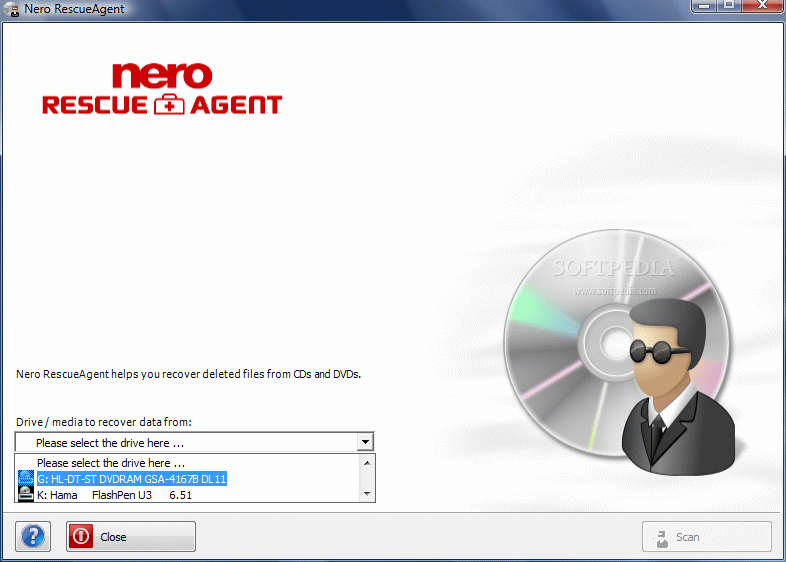
The wizard-like structure of the application will not permit you to do anything wrong, so you can proceed with confidence. First you have to select the drive containing the media you want to rescue. An elegant drop down menu will make this easy for you. However, you may have some trouble with older external drives and with Hama U3 pen drives. During our testing our external LG driver was not available on a constant basis from Nero Rescue Agent and Hama U3 pen drive was always in the list.
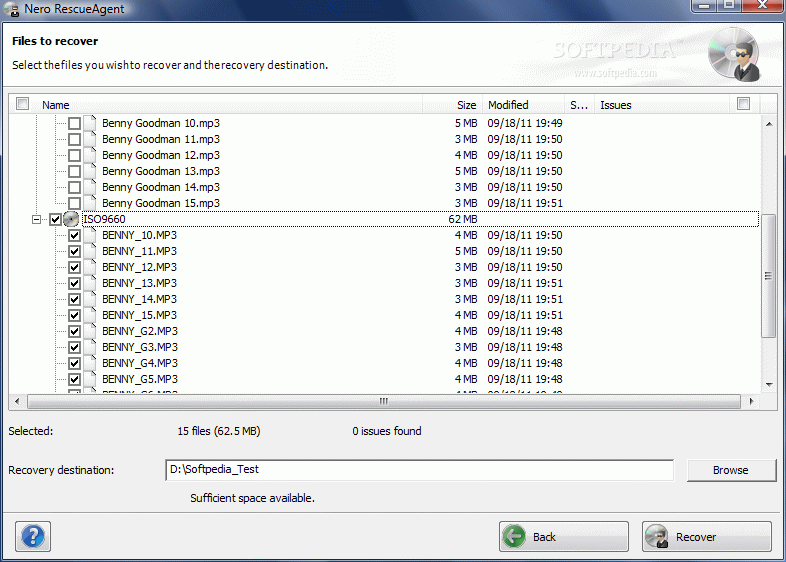
Once you selected the drive and the media is properly inserted, proceed to scanning. It may take a while for the program to complete this process, so be patient. In our case this did not take too long, but there were little files to be recovered. As soon as the scan is complete all the files available on the disc are displayed in file trees, together with additional information like size of the file, modification date, status and issues. You can select individual files for rescuing or all of them with the same ease (check the corresponding box).
In the lower part of the screen you get to set the path for storing the recovered files. This can be any location on your computer. However, if your system is not UDF compatible you will have to install InCD Reader in order to see the recovered files. The trouble is that Nero 8 Ultra does not come with this addition and you will have to download the latest from Nero website. And another trouble is that the latest version they are offering is not compatible with Nero 8 Ultra.
As Nero Rescue Agent is debuting in the latest software suite of the German developer users with non-UDF compatible systems have no other choice but wait for a while until InCD Reader is compatible with Nero 8 Ultra.
InCD Reader 5 was tailored to allow discs created with InCD to be read on computers that do not have Nero InCD installed. Currently it is supported by Windows ME, 2000, XP, 2003 and 32-bit Vista.
The Good
Nero Rescue Agent is extremely easy to use and can be used to recover deleted files from UDF formatted re-writeable media.
There is no configuration to be made and any user can use it. The user can recover as many files as s/he wants and whichever s/he wants.
The Bad
The application is not available in other versions of Nero suite and users with non-UDF compatible systems will not be able to read the recovered files, although Nero Rescue Agent may have identified them.
The Truth
It is a great companion for Nero InCD and for a first edition it moves and feels great. There is no configuration required and scanning time is directly dependent of the amount of data on the disc. However, there is the compatibility issue as the tool is available only in Nero 8 Ultra edition.
Proceed to Nero BackItUp, Nero BurningROM, Nero CoverDesigner, Nero Express, Nero Home, Nero PhotoSnap, Nero PhotoSnap Viewer, Nero Recode, Nero ShowTime, Nero Vision, Nero WaveEditor, Nero StartSmart, Nero Scout, Nero InfoTool, Nero DiscSpeed, Nero DriveSpeed, Nero BurnRights, Nero ControlCenter, Nero SoundTrax
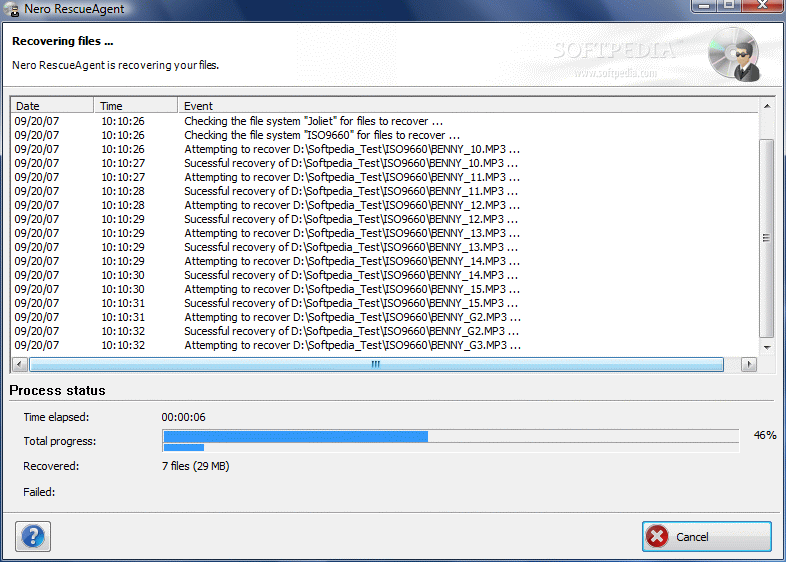
Here are some snapshots of the application in action: