14 DAY TRIAL //
 When I was younger I had a passion for color, pictures, wanted to make my own designs and was thinking of making a career out of this too. As time passed by, school and work came along; I was too busy to learn more about secrets of graphics world. But, as you know, it's never too late to make a dream come true. If you lost your train to the graphics world, PhotoFiltre is your occasion to get there. It is very simple to use for starters and, as your acquaintance with graphics grows larger, you'll still be surprised of what PhotoFiltre can do. This application is not for professional use, but if you are a professional this is a handy tool to have at home for personal use.
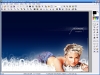
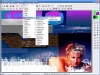
PhotoFiltre is a regular image retouching and editing freeware. Like most of the image editing programs I have seen, it has a very easy to use interface. At first, you'll think it looks just like MS Paint, but wait till you really get inside it. The application has a very nice set of features. The first thing you'll notice is the toolbar with the most frequently used tools, with easy to recognize icons. After taking a better look, you'll see a second toolbar with more advanced tools (brightness, contrast, saturation, gamma correction, dust reduction, etc.). You will have no problem using these buttons because the application has a mouse over popup message box that shows you what the tool does.
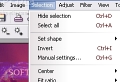
The fun part begins after you open an image. PhotoFiltre supports nearly all types of image files. The basic editing tools like flip, rotate, skew, offset and others, not to talk about cut, copy and paste, from the Edit and Image menus, will no longer seem attractive after you find the filters and effects like soften, sharpen, noise, relief, color, artistic, visual effect, deform, stylize, frame, flatten, edges, texture or photo mask. And if those over 100 filters are not enough, you can create your own customized ones. Check out the Selection menu as well. Any selected part of the image can be moved anywhere you want or resized; its shape and color can be changed or you can insert a pattern. To make it even simpler for you, the developer of this program added a list of hotkeys for almost all the possible operations; you can find it in the help file. Although you don't have another good reason to look in the help file, you can use it this time to edit your images faster.
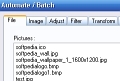
PhotoFiltre also features file format conversion, batch editing operations, selection of editing paths, multiple undos, multiple images open at the same time and integration of text into an image, blending and assembling of images. For the file format conversion and batch editing operations I was recommending till now IrfanView, a fast and simple freeware image viewer and editor, but counting that PhotoFiltre can do same thing and more, why not use Photofiltre?
The exported formats are the most common ones: JPG, BMP, GIF, TGA, PNG and TIF.
Another great thing about PhotoFiltre is that it is available with 11 language packs, including English, French, Dutch, Portuguese, Spanish, German, Italian, Russian, Swedish, Spanish, Catalan and Czech, plus tutorials in 5 languages: English, French, Spanish, Italian and Czech.
If PhotoFiltre is not enough for you, then you have another option: PhotoFiltre Studio, a more advanced shareware version of PhotoFiltre, available for a little more than $30. It adds wider functionality and compatibility with Photoshop plugins. It also comes with layer management, animated GIF and others, features that are not included in PhotoFiltre.
The Good Great amount of features, easy to use and it is freeware.
The Bad I haven't seen anything wrong with it. If you find some bugs please don't hesitate to tell us about it.
The Truth I think PhotoFiltre is the best free image editor available. I highly recommend it.