Search Perform an advanced search query SOFTPEDIA
 
SOFTPEDIA
Updated one minute ago
HomeSubmit a program for being reviewedAdvertise on our websiteGet help on surfing our websitesSend us your feedbackGet information about our XML/RSS backend and how to use itBrowse the news archiveVisit our discussion forumVizitati forumul in limba romana


Review Finder NormalFreeware onlyShareware only

Talk and Share
Category: SOFTPEDIA REVIEWS :: Windows

Remote computer access in an IM client?
By: Ionut Ilascu, Editor, Software Reviews

Qnext by Qnext Corp Add Your Rating   See Editor's Ratings
Version reviewed: 3.0

Qnext is far more than just another P2P Instant Messaging application.

Some features:

Music Streaming
Photo Sharing
File Sharing
Universal Messenger
File Transferring
Video Conferencing
Audio Conferencing
Chat & Tagboard
IRC

DOWNLOAD PROGRAM    REQUEST A REVIEW

Communication, that is the word on everybody's lips these days. From mobile phones to instant messengers, we need to have them all. And yet there still are some barriers imposed by the different mobile networks we are using or the incompatibility of the instant messaging clients.

But no more with that. Windows Messenger and Yahoo! Messenger have joined forces and shared their users. Well, a more obscure IM client has emerged on the market for quite a while now and is ready to combine different IM clients so that you will never get lonely anymore.

Qnext is a very cute application with an almost 37MB installer that supports messaging between the most used IM networks. The application is absolutely free of charge and also provides its own network of users you can communicate with. All there is needed is to create a free account.

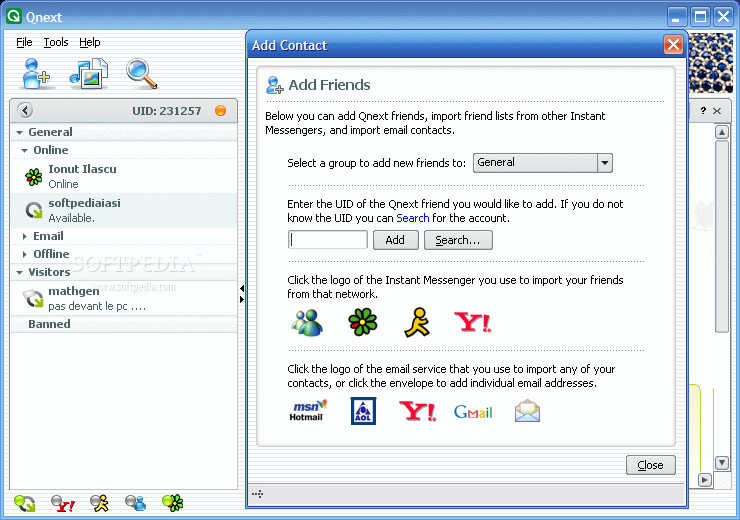
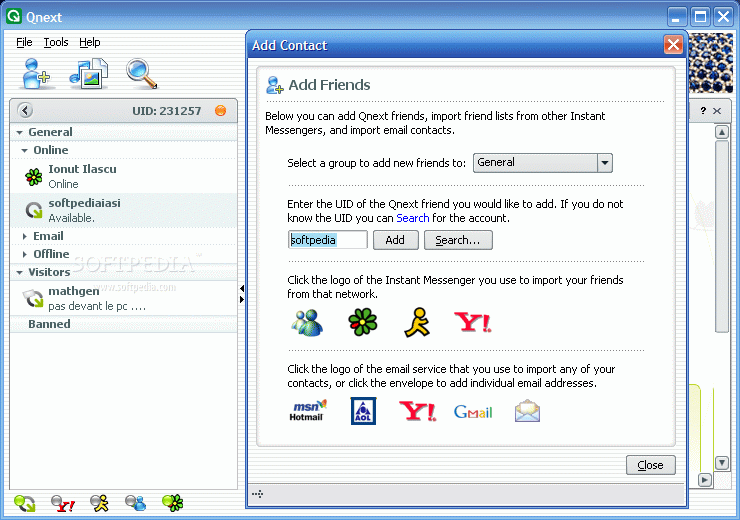
Qnext supports chatting between native Qnext users, Yahoo! Messenger, AIM, MSN and ICQ users. In order to be able to talk to the users of all these IM clients you will have to have an account in that network as well. The great feature about Qnext is that you need not add all your friends manually. The software automatically imports the list of buddies from the provided accounts.

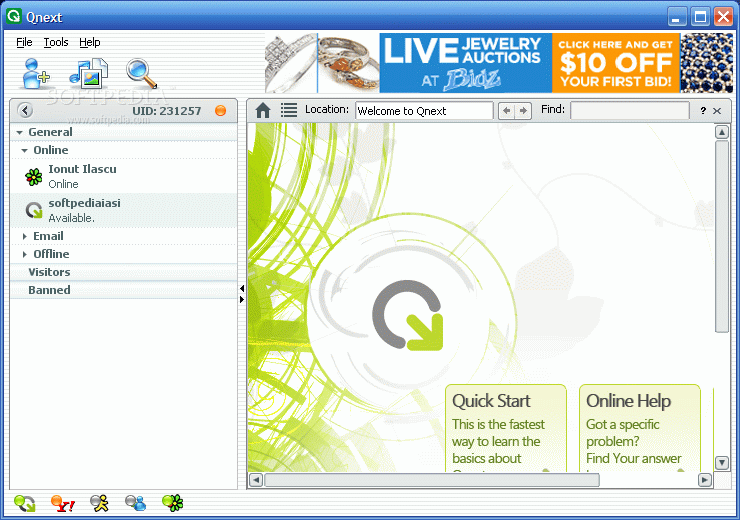
The interface is clear cut and extremely easy to handle. On the right, there are the groups of contacts. For each contact in the list there will be displayed the IM client it was imported from. Additionally, emails can also be retrieved from the most important players on the market. Thus Hotmail, AOL mail, Yahoo! Mail and GMail are supported by Qnext. Manual adding of the email is also supported.

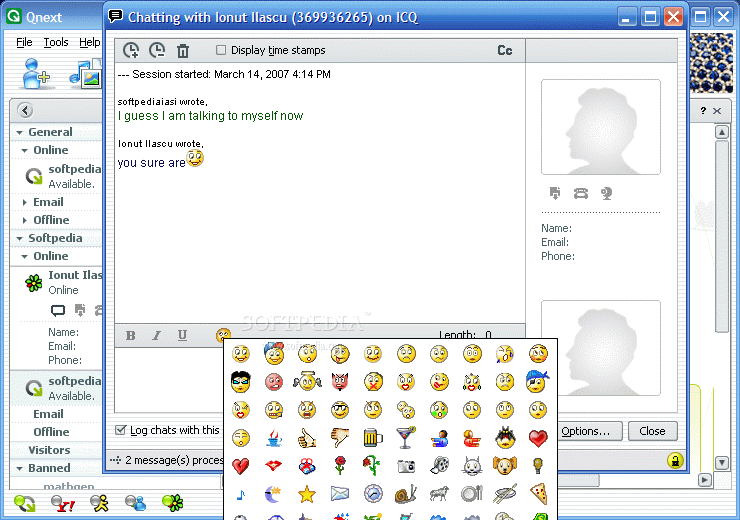
Our test included checking on how Qnext works with ICQ accounts. As an ICQ client we used QIP. To tell you the truth, the MAC-ish looks of the window appealed to me. Emoticons are not forgotten by the developer and although there aren't too many choices (like in Pandion), you can convey your messages quite cleverly. The looks of the little devils are great. A very funny thing happened when sending the winking little bastard into QIP: in Qnext it winked with the right eye and QIP displayed it winking with the left. The compatibility issues in this matter still have to be solved; that would be the only problem while chatting.

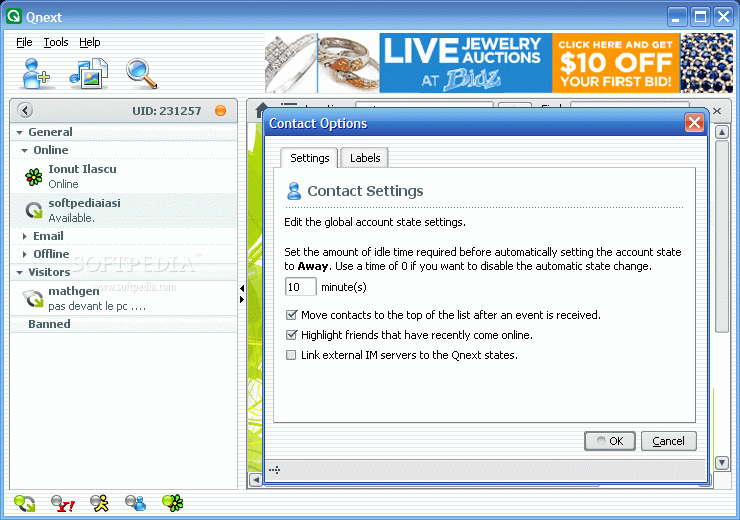
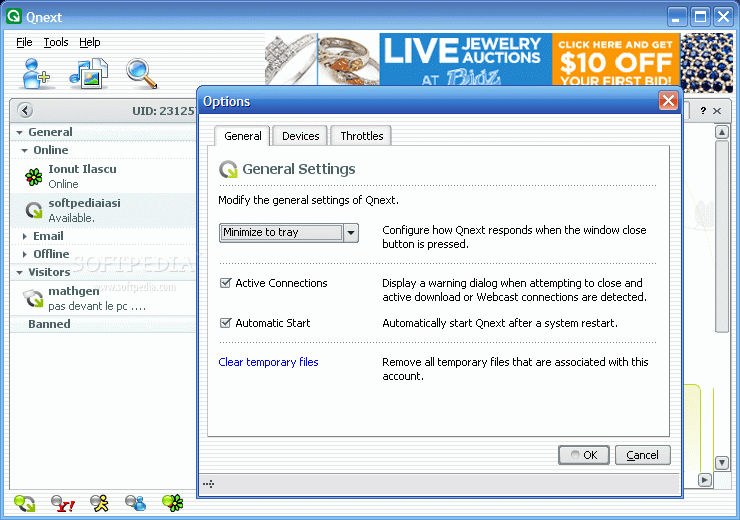
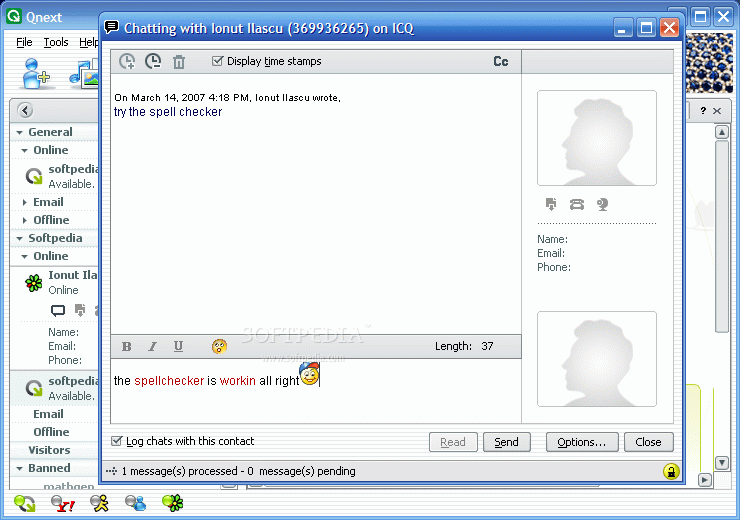
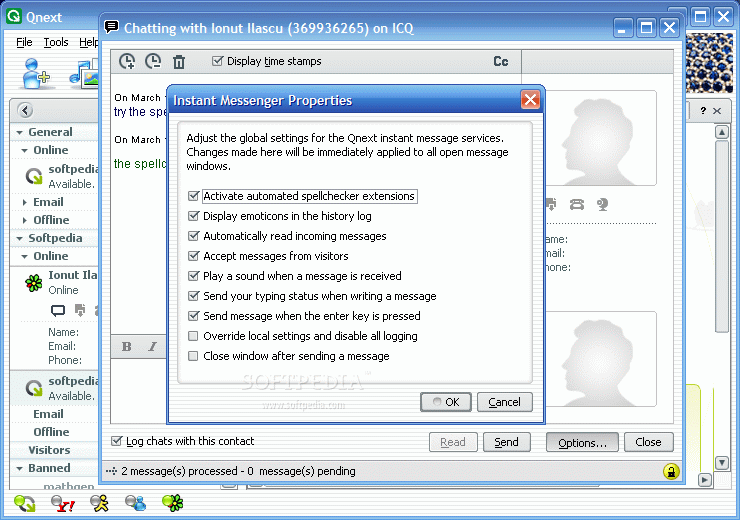
The global settings for the chat window are pretty numerous and include a spell checker (not seen too often in IM clients), close window after sending message (it also works by pressing the Esc key), playing a sound when a message is received, display emoticons in the history log, accept messages from visitors etc.

For a better managing of the messages the chat window is equipped with "Display time stamps feature"; enabling it will show you the exact time and date of the message. The only drawback in this window
is the display of the user ID. It is not distinct enough and gets the user confused.

The most used options when it comes to instant messaging are of course the file transfer and video conference. These are available in Qnext, but their use is limited by the IM client at the other end of the "line". With QIP only chatting worked.

Webcast support is incorporated in the software. These can be for sharing music, photos or files. Creating webcasts is extremely easy as the Qnext wizard helps you finish the job in no time. It is merely a matter of drag and drop.

So up to now Qnext is capable of connecting to your friends in MSN, Yahoo, ICQ, AIM and Qnext networks, allows the user to create music, photo and file webcasts, retrieves the email addresses from the major mail operators, creates groups of friends, sends files, supports both audio and video conferences. One would think that this is enough in an instant messaging client.

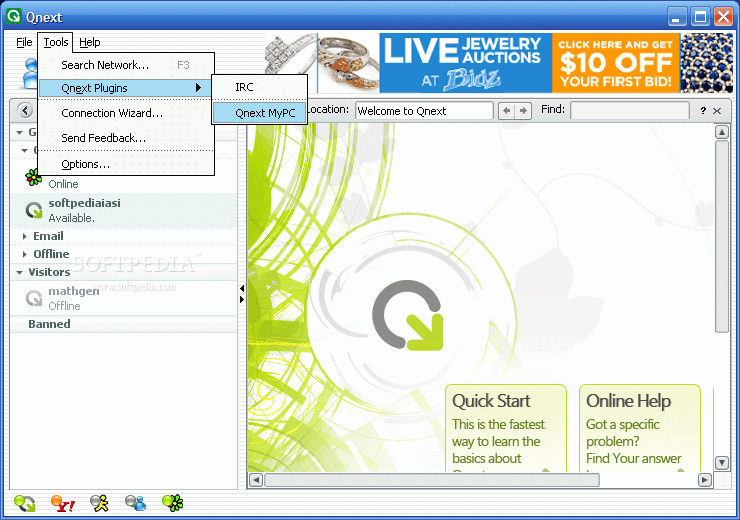
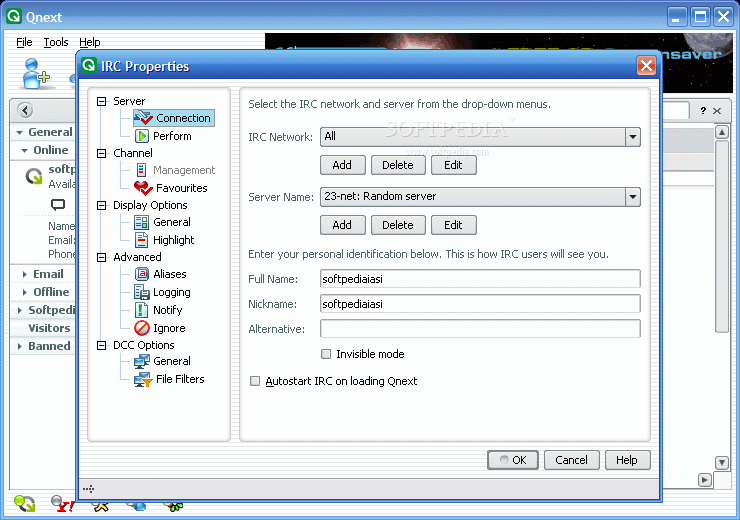
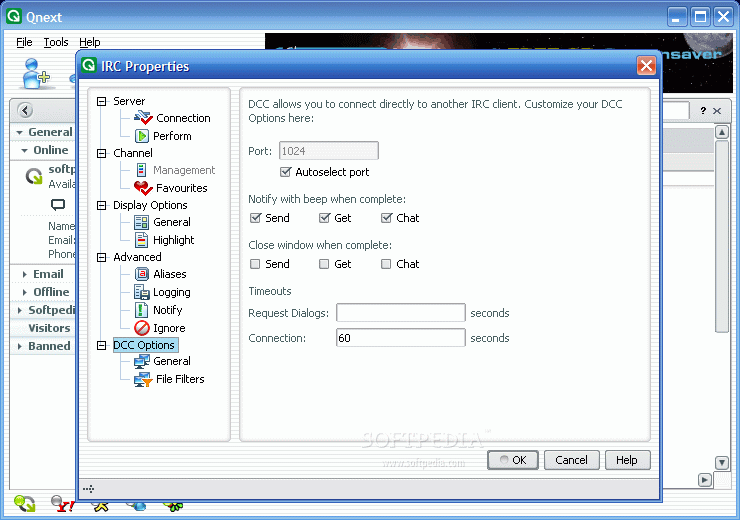
And yet there is more to be said about Qnext. IRC is one element that is also present in Qnext. It can be configured under Tools menu, in the Qnext plugins. The IRC networks are well known by the users as they allow you to maintain close contact with the other peers. People generally use IRC for chatting with other people and meeting them. Another purposeful feature of IRC is the ability of creating private rooms protected from prying eyes (conference meetings).

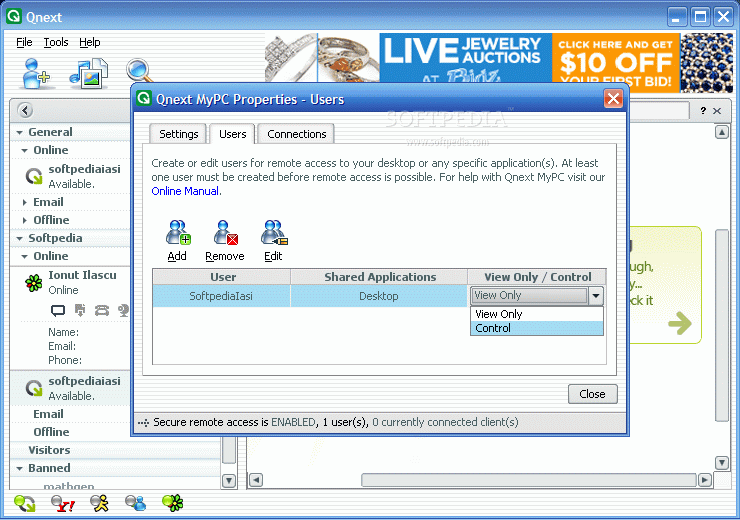
But the most baffling feature sported by Qnext is Qnext MyPC. This option allows the user remote access and application sharing. It basically lets you – or any other user you specify – access your computer or certain applications from any web browser, provided that your computer is running.

There are two types of access for this feature. You can either grant full access (Full Desktop option) or Application specific and in this case you get to set the programs that can be accessed from the other end. Accessing is one thing and permissions are another. The remote user can be allowed only to view what is going on on the computer. Granting Control permission you practically give the remote user the possibility of handling your computer from the distance (either full control or specific applications).

For comprehensive information on using these options you can check the online Help menu provided by the developer.

The Good

It incorporates the basic chat needs of a user and provides a whole lot of other options. Qnext MyPC, Webcast service and IRC are all included in this Java built product.

There is no restriction on file sharing.

The Bad

The chat window has minor flaws, but considering all the other features and the functionality this barely needs mentioning.

However, adding a file scanning option would be a big plus for the program.

GTalk is not among the supported IM clients, despite the fact that it uses the Jabber protocol.

The Truth

Amazing features included in an excellent interface. Despite the large installer size it is definitely worth downloading. Additionally, you can share files, photos and music with the email contacts imported in the IM list even if they do not have Qnext.

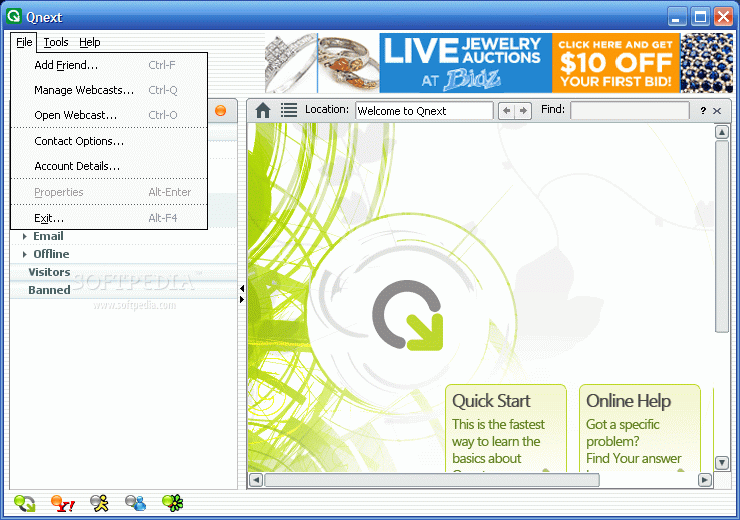
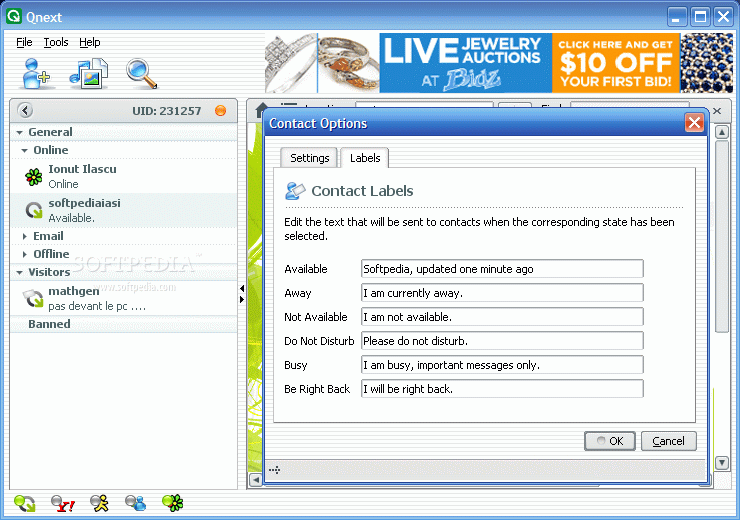
Here are some snapshots of the application in action:
Review image
Review image
Review image
Review image
Review image
Review image
Review image
Review image
Review image
Review image
Review image
Review image
Review image
Review image
Review image

MORE RELATED ARTICLES: MSN Messenger With A Snazzy name There is no emoticon for what I'm feeling right now Lonely No More Talking Freely Way Ahead... Date Your Match Chatting Is Easy


Editor's ratings:
User Interface:   Features:   Ease of Use:   Price/Value:   OVERALL:


14th March 2007, 16:58 GMT | Copyright (c) 2007 Softpedia | Contact:

Read by 3,950 user(s) | Add comment | Link to this news
Subscribe to news | Print article | Send to friend
TODAY'S HEADLINES: EASEUS Partition Manager Server Review  GameJackal Pro Review  Records Master Review  StoryMill Review  Crypt4Free Review  EnvyNG Review  Speed Launch Review  Defraggler Review  Nikon Capture NX Review  StorURL Review  Click 2 Crop Review  Math Educator Review  
Today's News | Yesterday's News | View News Archive
Search:

Qnext 3.0.6 - OPINIONS AND REVIEWS Pages: 1

Qnext 3.0.4
Reviewer: M a t t L e e

Email me | PM me
Read all my reviews (127)

Date: 2008-05-30, 15:52 GMT
Version: Qnext 3.0.4
Overall rating: (Good)

GUI:    Features:    Ease of use:    Value:    
i find it better than msn, yahoo, and aim messengers. i also like it better than miranda but digsby is the best instant messenger offering everything others have and more. pidgin is a distant 2nd to digsby.
Qnext 3.0.4
Reviewer: Ed

Date: 2008-05-04, 14:00 GMT
Version: Qnext 3.0.4
Overall rating: (Poor)

GUI:    Features:    Ease of use:    Value:    
Sorry guys, useless software.
My crappy msn messenger is much better in video and file transfer.
I have made several test, the same day, with same contacts,
the video conference was EXTREMELY poor quality, very slow with Qnext
MSN is not the best, but it\'s much better than Qnext!
TRy it if you want, it\'s just a waste of time, far away from their advertising...Just search how many peoples are using it...
Qnext 3.0.4
Reviewer: freaksed

Date: 2008-04-29, 03:01 GMT
Version: Qnext 3.0.4
Overall rating: (Excellent)

GUI:    Features:    Ease of use:    Value:    
Possibly it wasn\'t included at the time of writing, but GTalk is now supported. I\'d like if it was possible to add people from the other services WITHOUT accounts on them, but I can imagine why that would be a problem. The video conferencing works good as does the file transfer, all those nifty little additional features are icing on the cake. The banners... if it\'s a real problem for you I don\'t know what to say. Other than they can be hidden. The banners show up above the full window mode which you use you view the zones, I don\'t fault them for the banners myself because I read another review from its beta that mentioned they were going to charge for services, personally I prefer the rare banner. Theres a button next to add contacts that hides this part of the application.
Qnext 3.0.4
Reviewer: TAK

Date: 2008-04-17, 02:23 GMT
Version: Qnext 3.0.4
Overall rating: (Good)

GUI:    Features:    Ease of use:    Value:    
{quote}A very funny thing happened when sending the winking little bastard into QIP: in Qnext it winked with the right eye and QIP displayed it winking with the left. The compatibility issues in this matter still have to be solved; that would be the only problem while chatting.{quote}

Actually this depends on the used emoticon set in both clients for ICQ protocol. It seems different sets are used - if QIP changes the emoticon set to the classic one, the winking bastard will be the same.
We may consider the lack of emoticon sets in Qnext as a con for Qnext client.
Qnext 3.0
Reviewer: M a t t L e e

Email me | PM me
Read all my reviews (127)

Date: 2007-09-12, 03:17 GMT
Version: Qnext 3.0
Overall rating: (Good)

GUI:    Features:    Ease of use:    Value:    
why is this still listed as clean? it has banners playing like others who they call adware. is it cause they gave it a 5 star rating and dont wanna look foolish for giving an adware product 5 stars?
Qnext 3.0
Reviewer: M a t t L e e

Email me | PM me
Read all my reviews (127)

Date: 2007-09-05, 10:55 GMT
Version: Qnext 3.0
Overall rating: (Good)

GUI:    Features:    Ease of use:    Value:    
i loved qnext but i noticed now they have advertisements like aol instant messenger, msn messenger and yahoo messenger. hows come those IMs r listed as adware but this isnt?

it has a moving banner not text banner like the others. if those others r counted as adware then this should b as well. its a shame too cause i loved qnext but now it has to have banners too?
Qnext 1.5.0
Reviewer: Jon 3:16

Email me | PM me
Read all my reviews (1)

Date: 2004-11-05, 13:29 GMT
Version: Qnext 1.5.0
Overall rating: (Excellent)

GUI:    Features:    Ease of use:    Value:    
What a great litlle app. It fuses Kazaa, Msn Messenger, and all other p2p programs into one. Great job, especiallyt on the Qnext My PC.

go to top Pages: 1


SHARE YOUR OPINION ABOUT Qnext 3.0.6

Since you are not logged on, your comments will have to be approved before being displayed.
Click here to login, or register.
Your Name:
Your Email: (will not be published anywhere)
Type in the result:
GUI (Graphical User Interface): Poor   Fair   Good   Very Good   Excellent  
Features: Poor   Fair   Good   Very Good   Excellent  
Ease of use: Poor   Fair   Good   Very Good   Excellent  
Price/Value: Poor   Fair   Good   Very Good   Excellent  
Overall rating: Poor   Fair   Good   Very Good   Excellent  
Your review/opinion:


DO YOU WANT TO CONTACT US?  

If you have some comments or you want to send us some information you can send us an email directly to .
You can use the form below for the same purpose.
Your full name: (at least 3 characters)
Your email address: (at least 5 characters)
Message subject: (at least 5 characters)
Message text:
(at least 10 characters)
Type in the result:


Welcome!
Hello, Guest

Login if you have a Softpedia.com account.

Otherwise, register for one.

Main categories:
  • Antivirus
  • Compression tools
  • CD/DVD Tools
  • Office tools
  • Programming
  • Authoring tools
  • File managers
  • Desktop Enhancements
  • Internet
  • Network Tools
  • IPOD TOOLS
  • Mobile Phone Tools
  • Multimedia
  • Tweak
  • System
  • Security
  • Others
  • Science / CAD
  • UNIX
  • Windows Widgets
  • PORTABLE SOFTWARE

  • Week's best:
  • Vista Sidebar 2.5 Bu...
  • FlashGet 2.11.0.1188...
  • Opera 9.52 Build 101...
  • DVDFab Platinum 5.0....
  • Vuze (formely Azureu...
  • The Bat! Professiona...
  • AVG Anti-Virus plus ...
  • Acronis True Image H...
  • Rising Antivirus Fre...
  • DirectX Redistributa...
  • Adobe Flash Player 1...
  • Nero 8 8.3.6.0
  • FileZilla 3.1.1.1
  • AVG Internet Securit...
  • Microsoft Malicious ...
  • Maxthon 2.1.3.2430 F...
  • BitComet 1.04 Beta
  • Deluge 0.9.06 (1.0....
  • Pidgin (formerly Gai...
  • ATi Multimedia Cente...
  • K-Lite Codec Pack Fu...
  • Mozilla Thunderbird ...
  • Corel DVD MovieFacto...
  • Portable Winamp 5.35
  • VirtualDub 1.8.5 Bui...
  • Winamp 5 Full 5.541 ...
  • FFDShow MPEG-4 Video...
  • Hide IP Platinum 1.2...
  • GX::Transcoder 5.0.2...
  • TopSpyAdware Remover
  • © 2001 - 2008 Softpedia. All rights reserved.
    Softpedia™ and Softpedia™ logo are registered trademarks of SoftNews NET SRL.
    Copyright Information | Privacy Policy | Terms of Use | Contact Softpedia | Update your software | Archive