14 DAY TRIAL //
 This one is going to be rather short because there is really not much to say: not that things are only clear, but they are both few AND very clear. Among so many music players which battle for GUIs and bundle up as many features as possible and sometimes ending up in bitter failure because they just transform in some irregular and hard-to-use software agglomerations, a tiny and most often forgotten category exists: the one to which simple players belong.
And as I say "simple" I really mean it: no fancy features, no skins, no color schemes and definitely as few as possible modules, extras and similar stuff. Simple MP3 Player must definitely be one of the highest representatives of such softwares as it simply (things will turn towards the ridicule as I keep saying "simple", "simply", "simplicity" and so on) has nothing else besides the play-abilities.
The Looks: Simple
I guess that "Looks" is a little exaggerated: Simple MP3 Player is so simple that even the GUI seems to have been rather imported from a Windows 98 suite. As I was telling you just above, I can't even mention skinning or coloring: native Windows grey with small grey buttons and OS default text where case is. The Win98 heritage is easily noticeable as you'll see the cursor from the volume bar...
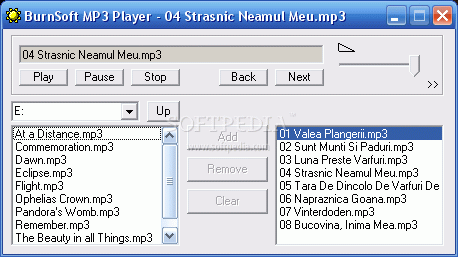
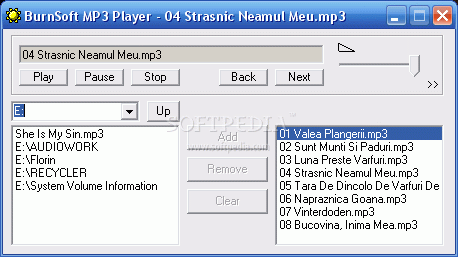
Simple MP3 Player has its main window separated in three sections: the upper part which houses the few playback-control buttons, the volume bar and the drive-browser in the shape of a dropdown menu. The remaining space is dedicated to two small windows of which one acts like a file browser and lets you navigate through the directories of your PC and the other one serves as a playlist. Adding and removing items form the playlist is made by means of classic Add/Remove/Clear buttons placed between the two.
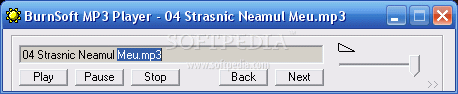
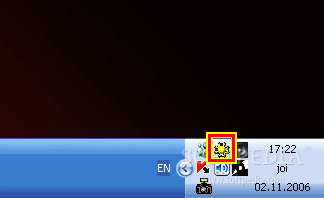
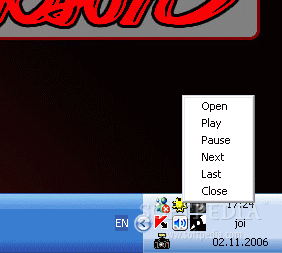
Simple MP3 Player has 2 minimal modes, one of which lets visible only the upper part of the GUI and the other minimizing to tray the whole application (this feature I warmly salute!). In the minimized mode, right-clicking the icon lets you operate playback and close the application. Believe me I'd like to write something more, but other than writing about things not present in this piece of code (which would be highly inappropriate) I really have nothing to work with!
The Works: Simple
Simple MP3 Player is so simple that it won't accept "drag and drop" as a common routine (and this should be mended in future versions). Making it play requires that you access the proper local drive: as you click the corresponding letter, the left screen shows you the contents of that drive. Selecting a folder in that drive makes you go deeper, until you are at the file-level, meaning MP3s. Select them and push Add and there you go, you have loaded files in the playlist. From now on, you either press Play or doubleclick a song and the music starts. I strongly believe that there is no need and even no point in further describing what's happening next or how to use a player.
And now, the funny thing: it's over! Yep, that's it: nothing more, as incredible as it may seem to some of you. The Simple MP3 Player does not have an EQ, does not have menus, no contextual menus for the left-click, not even a help file, nothing. It simply (again, ha-ha) is. To my big surprise, I must tell you that the sound is very good, as I tested some MP3 files at 320Kbps and since the production of the (metal) music was more than good, the lack of an EQ passed unnoticed. For the 44KB the Simple MP3 Player has, I guess more things couldn't simply (I guess I'll count the simple-words in my article) be implemented.
The Good
The good is that I have used the "simple"-words 25 times, just kidding. It was really nice to see one rather modest player producing good sound and being at the same thing easy to use, small and simple (26 times, ha-ha-ha!).
The Bad
The only recommendation I'll make would concern the drag and drop issue: implementing it could mean very much...
The Truth
Truth is that Simple MP3 Player is one hell of an application running on very low resources, being very easy to use and perfect for small systems run by people who just like to listen to music.
Check the screenshots below while giving Simple MP3 Player a spin: