Search Perform an advanced search query SOFTPEDIA
 
SOFTPEDIA
Updated one minute ago
HomeSubmit a program for being reviewedAdvertise on our websiteGet help on surfing our websitesSend us your feedbackGet information about our XML/RSS backend and how to use itBrowse the news archiveVisit our discussion forumVizitati forumul in limba romana


Review Finder NormalFreeware onlyShareware only

Space Travel One Step Away From You
Category: SOFTPEDIA REVIEWS :: Windows

Use Stellarium And Fly Through The Galaxy Now!
By: Codrut Nistor, Editor, Software Reviews

Stellarium by Fabien Chéreau Add Your Rating   See Editor's Ratings
Version reviewed: 0.8

Stellarium is a free open source planetarium for your computer. It shows a realistic sky in 3D, just like what you see with the naked eye, binoculars or a telescope.
It is being used in planetarium projectors. Just set your coordinates and go.

Some features:

Over 120000 stars from the Hipparcos Catalogue with name and infos for the brightest ones.
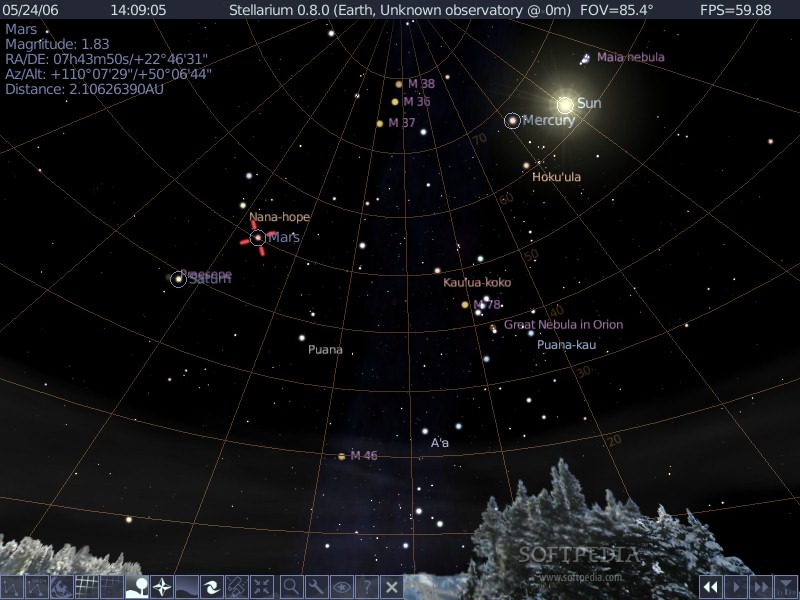
Planets and major satellites in real time (position computation now accurate enough for eclipse or transit simulation).
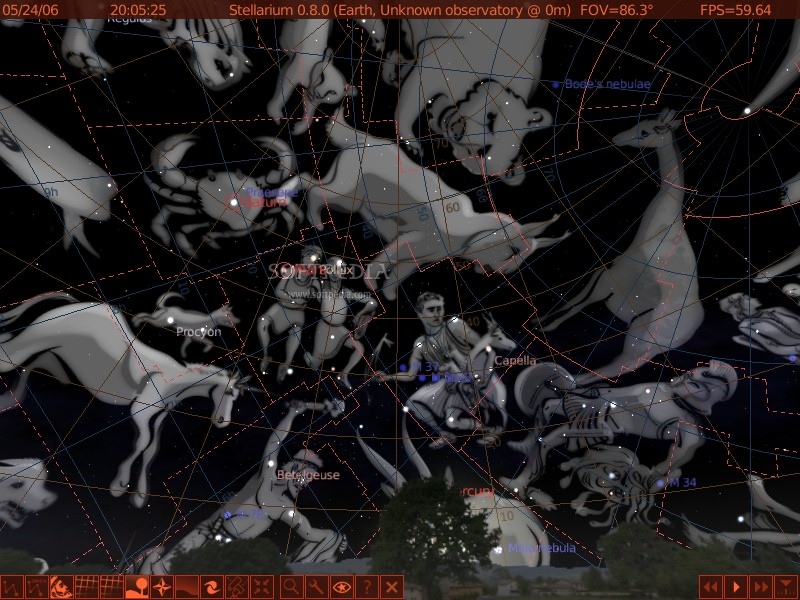
Drawing of the 88 constellations with their names.
Mythological figures of the 88 constellations.
Textured displaying of more than 70 nebulas (Orion, M31 etc..).
Photo-realistic Milky Way.
Star twinkling.
Shooting Stars.
Skinable landscape (ground, fog, mapping of fisheye pictures).
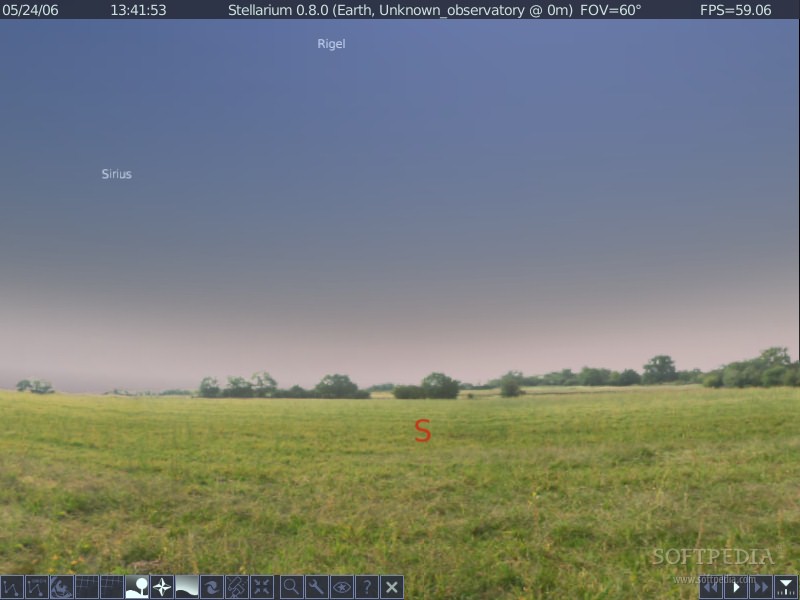
Ultra fast realistic atmosphere rendering (Sunsets, sunrises etc...).
Automatic eye adaptation to sky luminance using physiologic model.
Grids in Equatorial and Azimuthal coordinates.
Equator and ecliptic coordinates lines.
Smooth real time intuitive navigation.
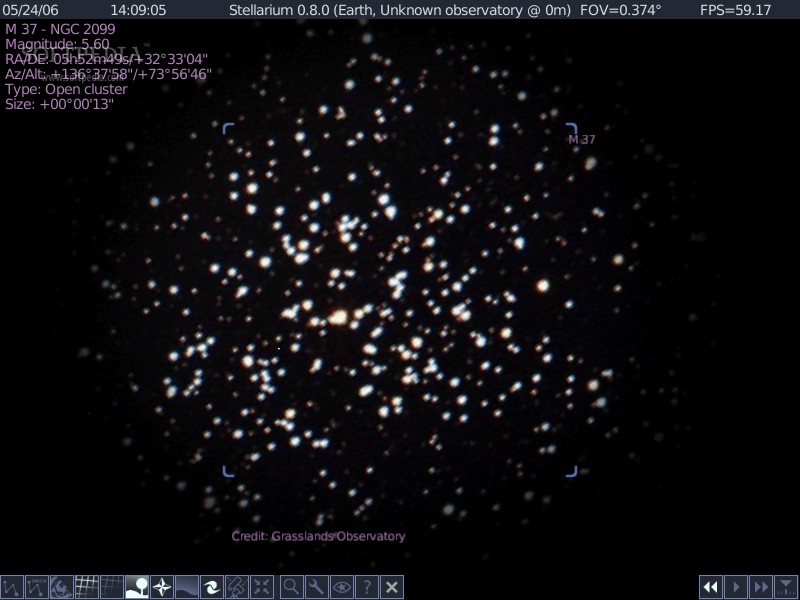
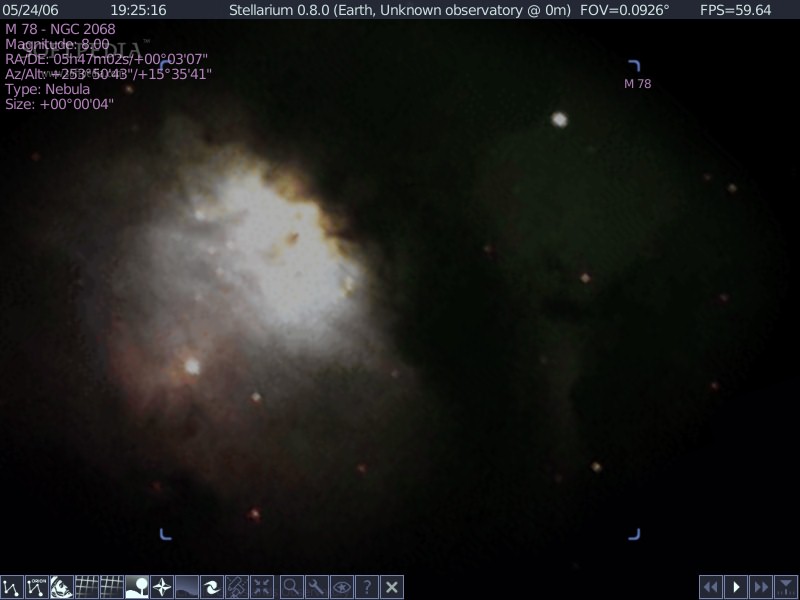
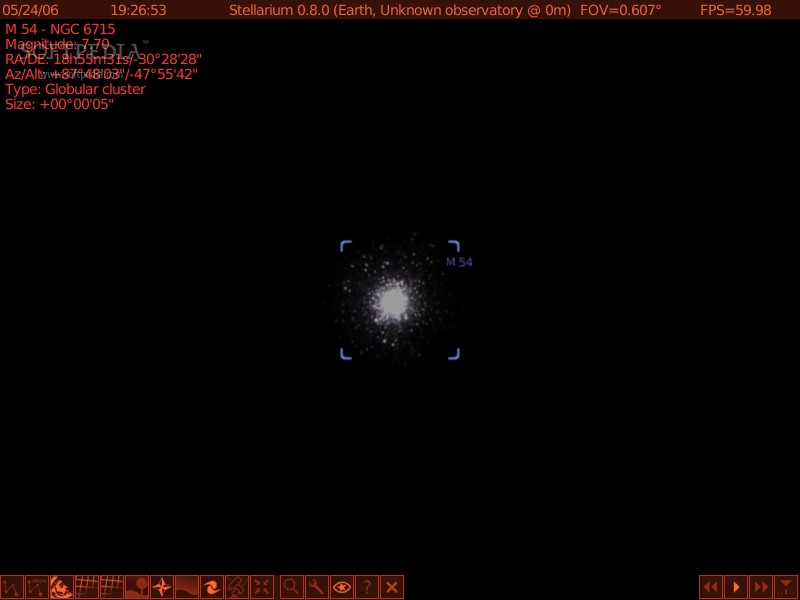
Powerfull zoom to see planet and nebula like in a telescope.
Equatorial and altazimutal mount mode.
Standard perspective and wide angle (fisheye) projections modes (e.g for planetarium dome).
Time control (real time and accelered time modes).
Graphical menu for simple utilisation.
Clikable stars, planets and nebulas with informations.
Windowed and fullscreen modes.
Full dome (180°) projection mode for planetariums.
Text user interface for planetariums.

DOWNLOAD PROGRAM    REQUEST A REVIEW

I think most of us dream of having the time and money required to travel all around the world, since we have only one life (at least that's the general opinion, so let's take this for granted) and there are so many wonderful places to visit and enjoy. Google Earth and NASA World Wind are two great products, but they allow you to look towards our beautiful planet and its places, see simulations of past natural disasters or check the traffic on the main streets before going out in your car. It is great to do all these things at home, on your computer, without any additional costs, but some of us want more. What can you ask more than stay at home and visit the entire planet?

The answer comes with Stellarium: look up into the sky and see over 120.000 stars, the planets and their satellites and more, all for free! This program is an open source planetarium available for Linux, Mac and Windows, allowing you to see a realistic sky in 3D, like watching it with the naked eye, using binoculars or a telescope. It can also be used in planetarium projectors, but that's out of our range now, we'll check out what can be done with the Windows version on our PC.

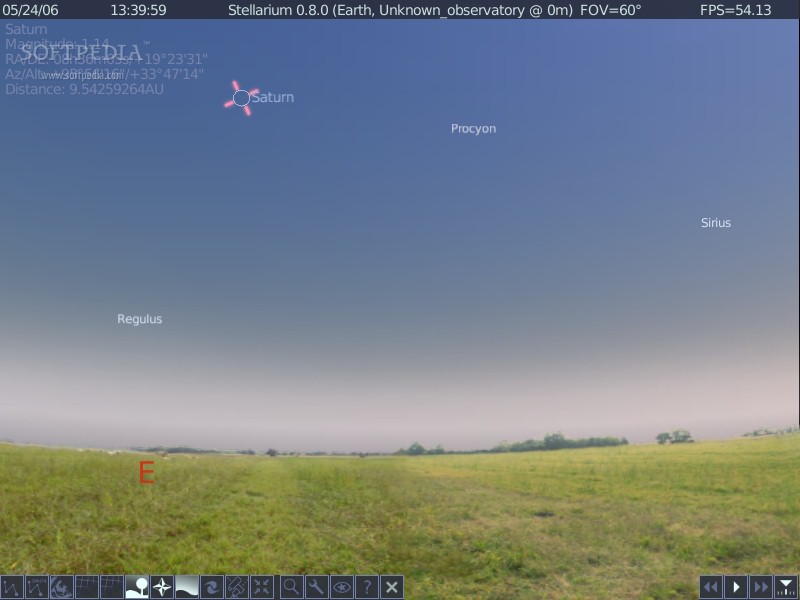
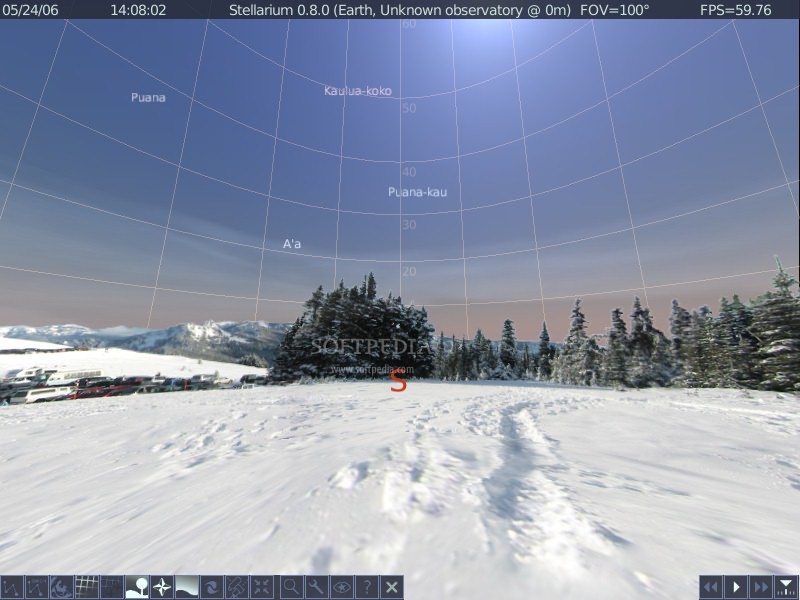
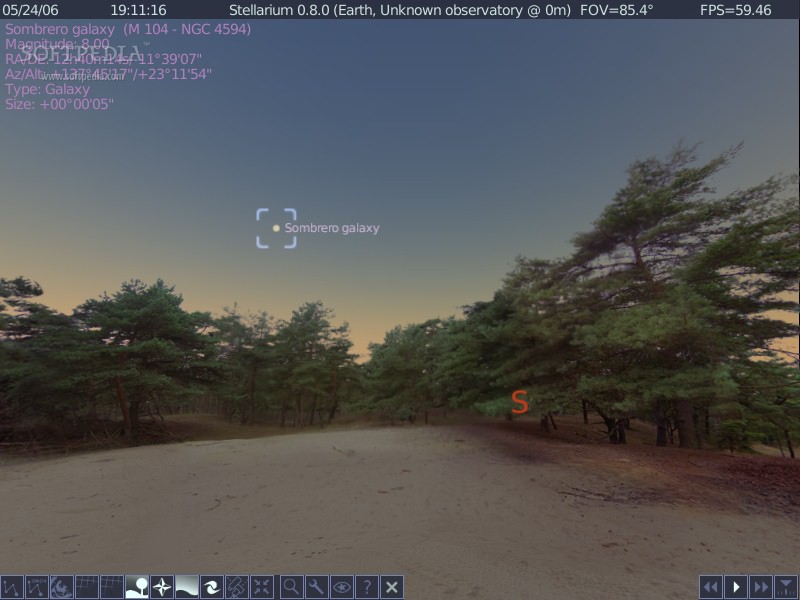
Where should I start? First, I must say that this is an extremely well detailed and documented application, maybe just another reminder that most good things in life come for free. When fired up for the first time, Stellarium goes full screen and displays a clean interface and very easy to use. Depending on the time of the day when you start the program, you will see the sun shining or a sky full of stars. At the top of the screen you will see an info bar with the following info: the date, the time, Stellarium's version number, the location of the observer, the field of view (FOV) and the current frame rate (FPS). At the bottom of the screen can be found the main toolbar (left) and the time toolbar (right). The rest of your screen is filled by a 3D representation of the sky and the ground.

The first time it starts, Stellarium adjusts its time and date to the system clock. Using the time toolbar you can travel in time, making it go forward or backwards at various speeds. With Stellarium you can travel also in space, zooming in and out into the sky. To travel in space and time you can use the keyboard shortcuts or the mouse, it's your choice, the program allows you to pick your favorite.

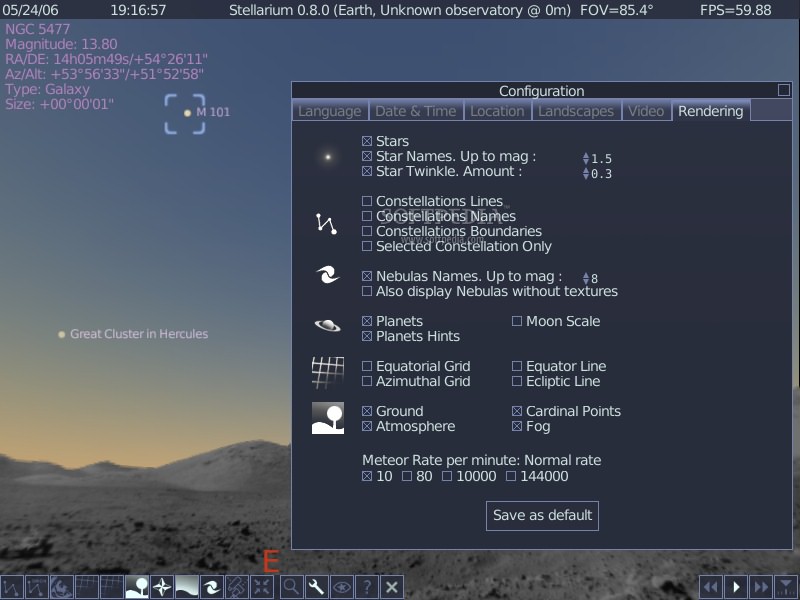
Stellarium can do a lot more than showing the stars in the sky. It can draw constellation line and boundry, planet hints, atmospheric fogging around the dark Moon and more. The toolbar provides the control center when you need to turn on or off the visual effects. No need to remind you that every function has its own keyboard shortcut.

An useful feature is the object search function. You just
have to type in the name of the object to find and then click the "go" button or press return. Your eyes will be headed towards the desired object in no time! If you are not sure about the name of the object you are looking for, you can enjoy the auto complete feature available, who displays all the available objects based on the letters you typed so far.

The Help window can be used as a quick reference to most of the keyboard shortcuts available in Stellarium. Next to the mouse and keyboard shortcuts there's a third way of controlling the application, the text menu. It can be reached using the M key and navigated using the cursor keys. Since not all the keys are documented in the Help window, you will have to check the user guide available on the website, it's updated recently and very detailed.

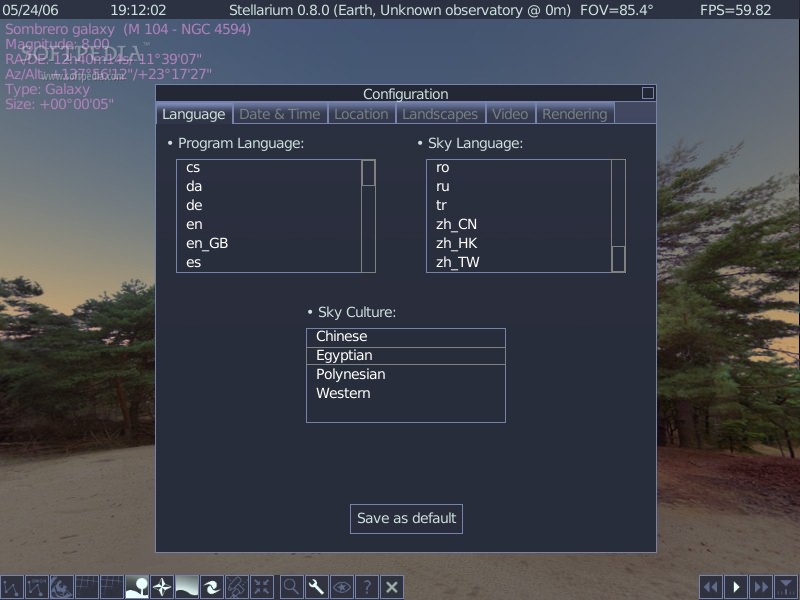
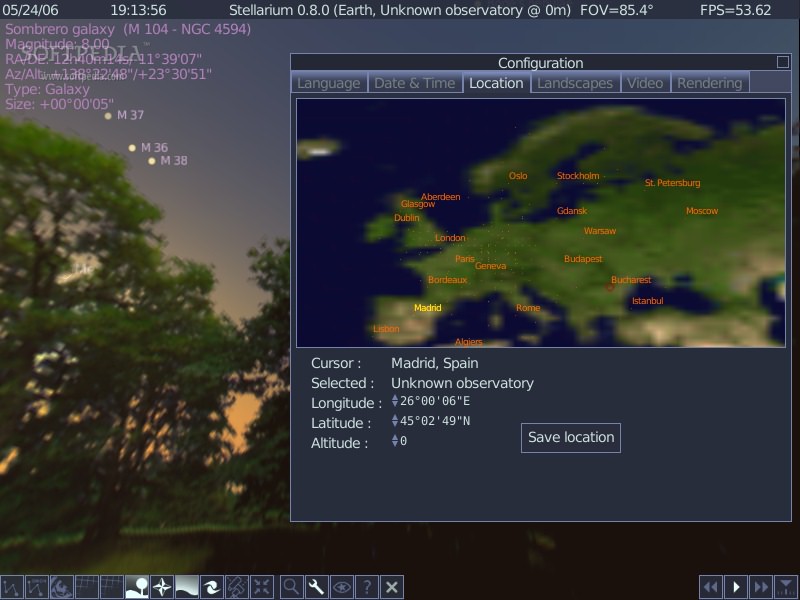
The program options can be changed in three ways: using the configuration window, the text menu or editing the configuration file. Let's check out the most important ones. You can set your location on the planet, since the location of the stars in the sky is dependent on your location on Earth, as well as the time and date. There are four projection types available as well as five landscape graphics. You can choose from several available languages and four sky cultures. Note that constellation art is available only for the Western sky culture at this moment.

If all the above is not enough to make you download this program right away, then you must find out that Stellarium also supports scripting, creating your own custom landscapes or adding and modifying extended objects.

This was a great program to review and I am sure it's gonna be a great program to discover and use. It didn't reach version 1.0 yet but it's better than a lot of 5.xx applications around and it doesn't have any weak points, so I strongly recommend it.


The Good

Stellarium has a very good interface, tons of features and it's highly customizable. Add to these an extremely well done user guide covering all its aspects and also introducing the user into astronomy.
Above all, it's free!

The Bad

The only bad things that I found about this program are that I was only able to run it in full screen mode and that if you set the projection type to spheric mirror on your PC you may find yourself lost, because this mode is for special projectors.

The Truth

I used a previous version for a while and it didn't impress me too much at first sight. Maybe I wasn't too focused on it, but now I found out what I've been missing. Don't make the same mistake, try it today and give it at least 15 minutes, it won't disappoint you!

Here are some snapshots of the application in action:
Review image
Review image
Review image
Review image
Review image
Review image
Review image
Review image
Review image
Review image
Review image
Review image


Editor's ratings:
User Interface:   Features:   Ease of Use:   Price/Value:   OVERALL:


24th May 2006, 14:02 GMT | Copyright (c) 2006 Softpedia | Contact:

Read by 3,486 user(s) | Add comment | Link to this news
Subscribe to news | Print article | Send to friend
TODAY'S HEADLINES: Camfrog Video Chat Review  Almanah Diary Review  Portable Quicksys RegDefrag Review  Sunbelt Personal Firewall Review  XML Copy Editor Review  GNOME Mplayer Review  GeoAze Review  Checkout Review  Simply Calenders Review  KJClipper Review  JCODER Review  Optimism Review  
Today's News | Yesterday's News | View News Archive
Search:

Stellarium 0.9.1 - OPINIONS AND REVIEWS Pages: 1

Stellarium 0.8.2
Reviewer: NCC230495

Email me | PM me
Read all my reviews (16)

Date: 2007-02-05, 19:02 GMT
Version: Stellarium 0.8.2
Overall rating: (Excellent)

GUI:    Features:    Ease of use:    Value:    
This is a planetarium for home and home user and education.
Excellent and ideal for learning the constellation of the stars, stars in the skys and signs of the zodiac.
Easy and intuitive and multilingual.
The best: freeware and priceless. Shareware cannot better.
Just opensource

go to top Pages: 1


SHARE YOUR OPINION ABOUT Stellarium 0.9.1

Since you are not logged on, your comments will have to be approved before being displayed.
Click here to login, or register.
Your Name:
Your Email: (will not be published anywhere)
Type in the result:
GUI (Graphical User Interface): Poor   Fair   Good   Very Good   Excellent  
Features: Poor   Fair   Good   Very Good   Excellent  
Ease of use: Poor   Fair   Good   Very Good   Excellent  
Price/Value: Poor   Fair   Good   Very Good   Excellent  
Overall rating: Poor   Fair   Good   Very Good   Excellent  
Your review/opinion:


DO YOU WANT TO CONTACT US?  

If you have some comments or you want to send us some information you can send us an email directly to .
You can use the form below for the same purpose.
Your full name: (at least 3 characters)
Your email address: (at least 5 characters)
Message subject: (at least 5 characters)
Message text:
(at least 10 characters)
Type in the result:


Welcome!
Hello, Guest

Login if you have a Softpedia.com account.

Otherwise, register for one.

Main categories:
  • Antivirus
  • Compression tools
  • CD/DVD Tools
  • Office tools
  • Programming
  • Authoring tools
  • File managers
  • Desktop Enhancements
  • Internet
  • Network Tools
  • IPOD TOOLS
  • Mobile Phone Tools
  • Multimedia
  • Tweak
  • System
  • Security
  • Others
  • Science / CAD
  • UNIX
  • Windows Widgets
  • PORTABLE SOFTWARE

  • Week's best:
  • Adobe Media Player 1...
  • Registry Mechanic 8....
  • BitSpirit 3.3.2.263
  • AnyDVD 6.4.5.6
  • Firefox 3.0.1 / 2.0....
  • AutoCAD 2009
  • Norton AntiVirus 200...
  • Norton Internet Secu...
  • The Bat! Professiona...
  • WinRAR 3.80 Beta 3 /...
  • GMail Drive shell ex...
  • DAEMON Tools Lite 4....
  • UBCD4WIN 3.2.0
  • Adobe Reader 9.0.0 /...
  • Total Commander Ulti...
  • System Mechanic 8.0....
  • Adobe Acrobat Profes...
  • iPhone PC Suite 1.0....
  • Portable Firefox 3.0...
  • MPlayer for Windows ...
  • Vista Codec Package ...
  • Windows Live Messeng...
  • WinBubble 1.73
  • Kaspersky Anti-Virus...
  • Malware Removal Tool...
  • Royale Noir Theme fo...
  • IBM Lotus Symphony 1...
  • Adobe Dreamweaver 10...
  • Adobe Fireworks 10.0...
  • BitDefender Total Se...
  • © 2001 - 2008 Softpedia. All rights reserved.
    Softpedia™ and Softpedia™ logo are registered trademarks of SoftNews NET SRL.
    Copyright Information | Privacy Policy | Terms of Use | Contact Softpedia | Update your software | Archive