14 DAY TRIAL //
 If you need to create detailed documentation on how to achieve something in an application, StepShot
can lend a hand and make the screenshots for you as well as allow some basic editing of the pictures and exporting everything to Microsoft Word format.
Most of the times creating user guides for programs involves working with multiple programs as you have to capture screenshots edit them, add descriptions and hints and then wrap everything up into an easy to access document. StepShot has been designed with this specific purpose in mind and encompasses all the necessary tools so that you can create guides and documentation in one single program.
Set at $49.99, the price of the software is not exactly chump change, but the developer lets you decide on the abilities of the app and if they match the price tag for a period of 30 days. During the trial period the functionality of the software is untouched, so you will benefit from a full experience.
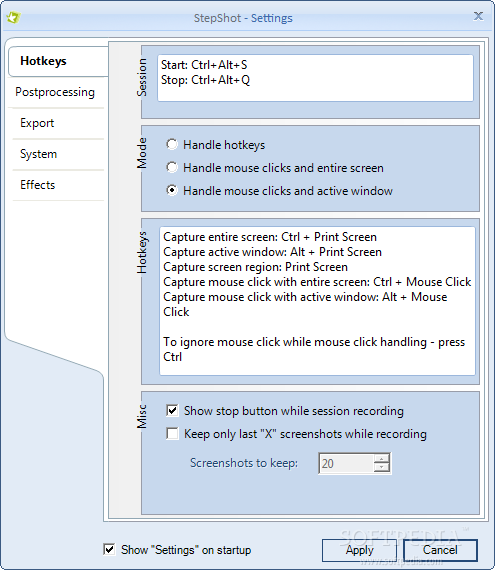
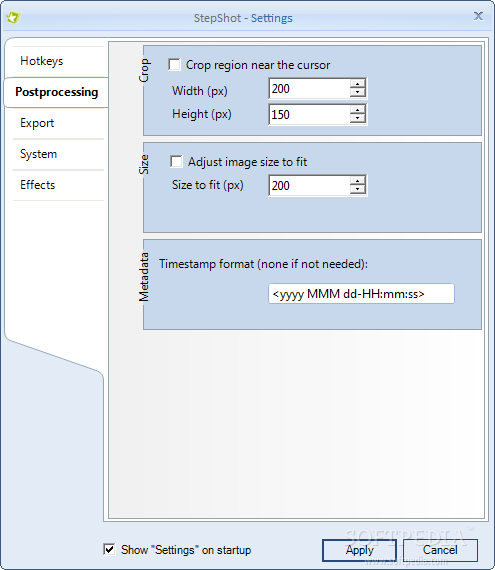
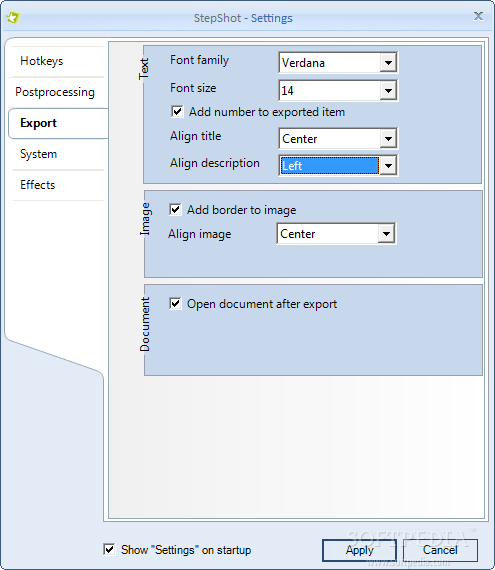
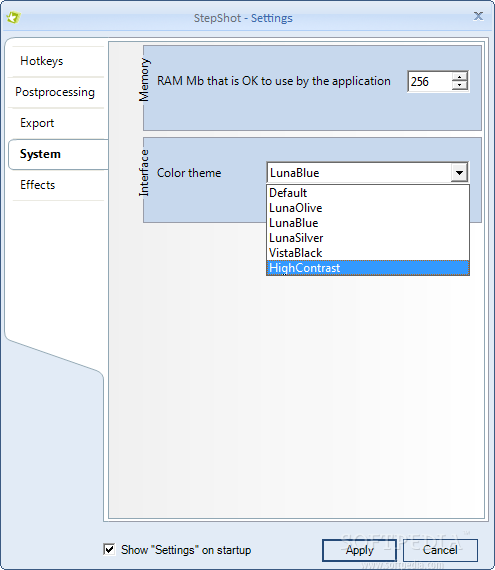
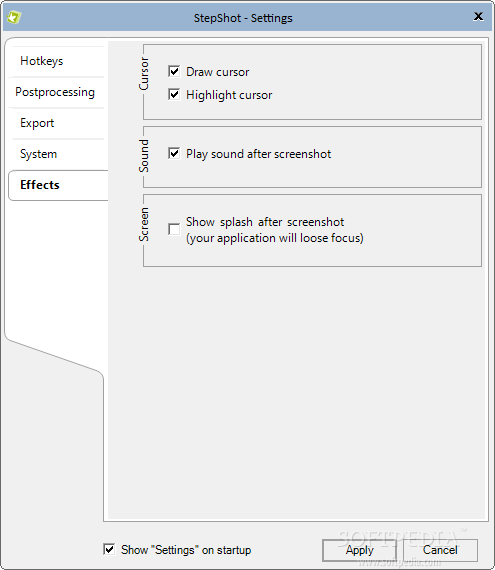
When launching the program you are presented with the configuration options available (their display at startup can be disabled). The set covers hotkeys, post-processing possibilities, export settings, effects and RAM management.
There is little flexibility in the case of hotkeys as the developer set them up and left no possibility of change to the user. Luckily, only one of the three working modes in the application relies on hotkey handling of the actions. The other two automatically capture either the entire screen or just the active window upon clicking.
Post-processing options allow you to define the crop region near the cursor and adjust the image size. Also, you get to set the timestamp format which encompasses information like the year, month, day, hour, minute and second of the image capture.
As StepShot’s exporting is limited to sending all the data to a Microsoft Word document, the options refer to choosing the font type and size, alignment of the text (description and title). Alignment of the images in the document can also be adjusted and these can be surrounded by a border.
The effects available in the application are a small bunch and refer to drawing and highlighting the cursor, audio alert when the screen has been captured or display of a splash. Considering the number on the price tag we expected a lot more in this section.
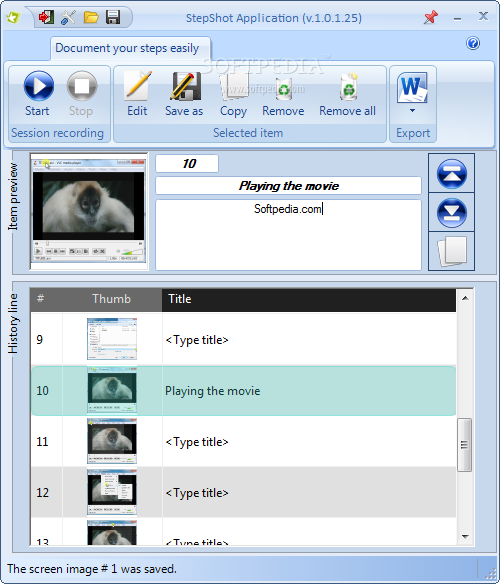
Main application window of the program is not too complicated, but you won’t tap into all its features until you’ve taken some screenshots. It is an extremely simple procedure regardless of the working mode you choose. Our favorite is to capture the active window on mouse clicks.
You will be able to navigate through menus and submenus and capture them all easily, just by clicking on the desired item. Every image is stored and can be customized by adding a title and a description to it.
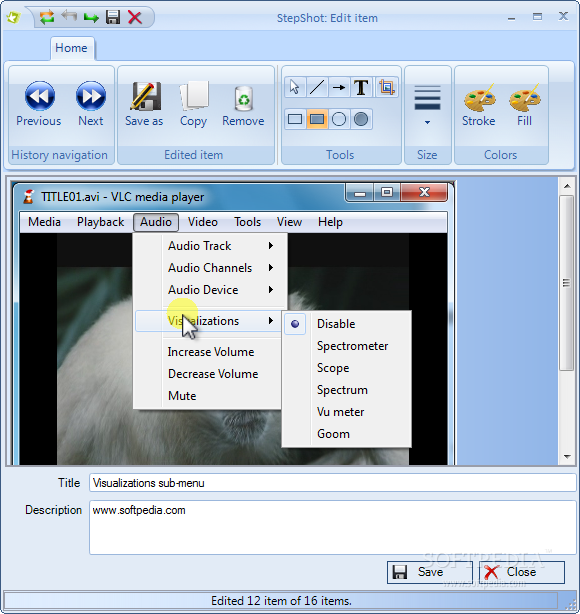
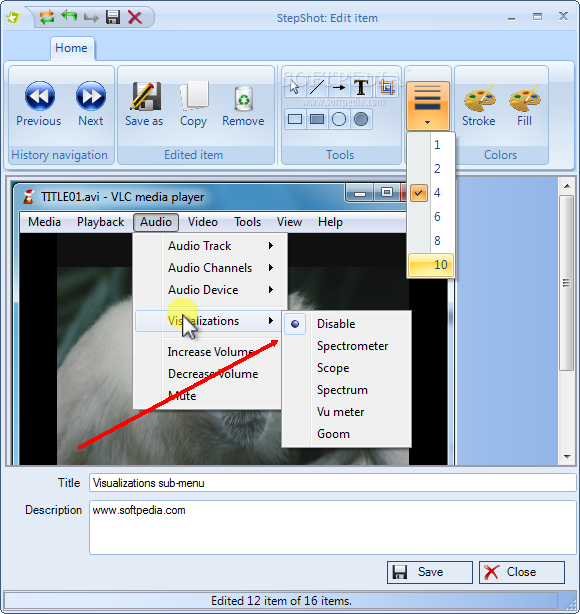
The built-in editor is not a hefty photo editing tool and contains the basic functions you need to create an image-based tutorial or guide. It lets you crop a specific part of the picture as well as add text, arrows or mark areas with rectangles or circles filled with user-defined transparent color.
On the downside, the light set of possibilities available in the editor comes with a glitchy text-adding tool. Once you’ve defined the text string to apply on the image, you are stuck with it for each image. The only way to add a new text is to restart the program.
You can move to a different picture straight from the editor, which also allows you to reload the item in order to start the modifications from scratch.
Wrapping the guide up is another simple job in StepShot. Every screen capture and their title and description is turned into a Microsoft Word Document which can be uploaded to a FTP server, sent s an email or stored locally.
Considering the short amount of time you spend preparing it, the result is quite awesome. In our case everything was formatted and aligned exactly the way we wanted. However, it would be great if StepShot sported a larger number of document formats for exporting the results. PDF would also have made for a great output format.
You can save individual pictures from a batch as JPEG or PNG. The built-in editor lets you go from one picture to another without having to close it. Annotation features are minimal and you do not have the possibility to stamp a different text string on the items in the batch. The only supported format for the end result is Microsoft Word. A nice improvement would be an extended list of document types that support both text and images. This version is still an early one that can be further improved to show its true potential. You can take it for a spin, with no other limitation than the 30-days trial. Note: Until December 31st you can get the application 60% off through Softpedia.
The Good
The Bad
The Truth