14 DAY TRIAL //
 Malware and anti malware softwares will always be part of our computers. It is the eternal battle between Good and Evil, the Ying and Yang clashing in an attempt to overcome each other. Up to now, most of us have managed to successfully protect our stations and keep malware away.
The number of tools designed to protect our machines has known a rapid growth in the last years. On the other side of the line the viruses, spyware, adware, keyloggers and other such malicious elements have also multiplied.
True Sword comes to the rescue in case you haven't already found your protection tool for your PC. The price $39.90 may seem a little high, especially considering that earlier versions of the software have been listed on spywarewarrior in the rogue/suspect category. And, if you really want to trust an expert, take a look on Symantec and see the ?damage? the software can do to your system.
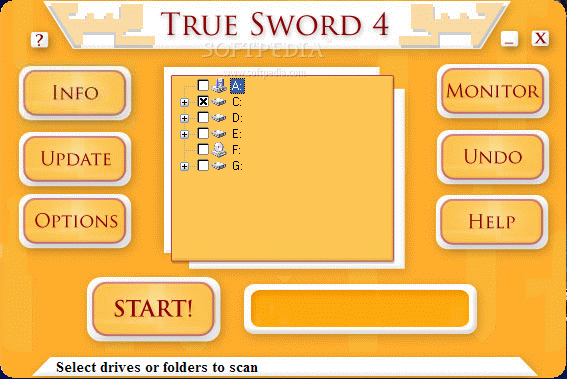
True Sword's interface is as easy to handle as can be. The buttons are huge and you cannot miss any of them. In the left hand side, there is the Update and Options button. Updating the application with the latest definitions is made via a wizard that provides two options: either update the program from a file on your computer or directly from the Internet. The option comes in useful if you do not have Internet connection but you've managed somehow to download the latest signatures.
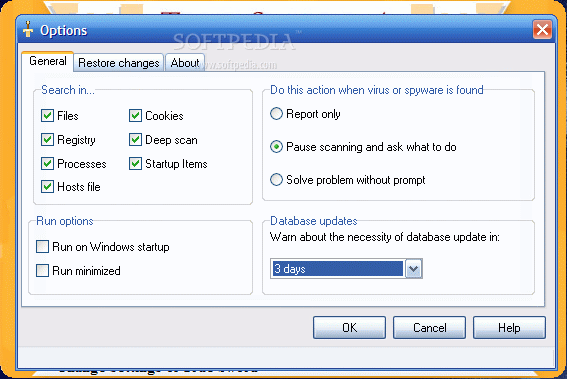
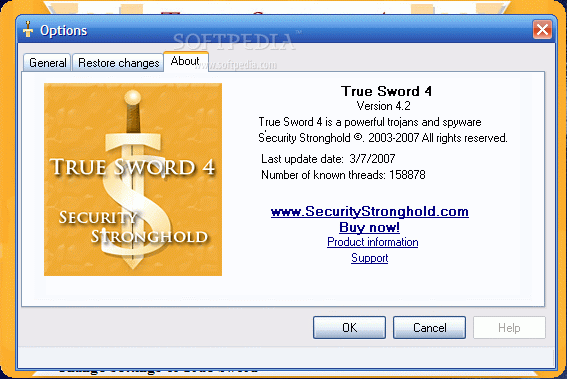
The Options menu is not as lengthy as I imagined, but the General and Restore changes tabs are fit for the cleaning job. The user can set the locations to be verified by the program and these can be the files on the computer, the registry entries, processes, hosts file, cookies and startup items. Deep Scan option will configure True Sword to search your PC for common spyware and trojan folders and paths.
The only downside of the application concerning this section is that there is no option for configuring the application to deep scan the archives and define the depth level of the scan. But, as archives are the safest way to keep malware confined on your computer, I guess the developer thought that if the malicious code is not loose and doing its bidding then there is no need to report it.
Run Option in application's settings box can enable True Sword to start minimized at Windows startup. This way you will no longer have to launch the software manually. However, being a passive protection tool, I do not see the need to start it with Windows as this action results in blocking your RAM for nothing.
The action to be taken by the software whenever during a scan it reports malicious items in different locations of your computer can also be preset by the user. The three options available include Report Only, Pause scanning and ask what to do and Solve problem without prompt.
A simple report will not rid your computer of the malware, but if you want to eliminate all the issues at once after the scan is complete, this option is optimal. My favorite is the second one. I like to be informed on the spot about the issues on my PC and offered with details to help me in my decision. It is a known fact that protection softwares sometimes report false positives (it was not the case with True Sword) and the more information I have a better decision I can take.
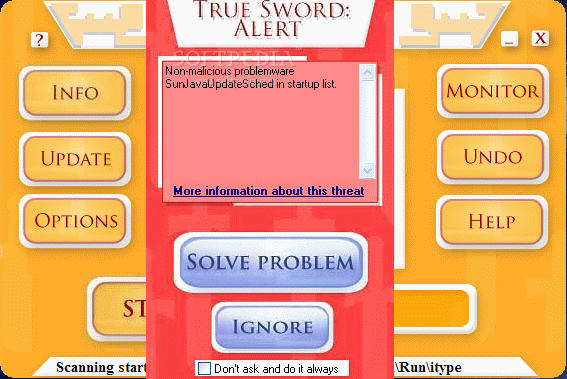
True Sword's Alert panel describes the problem detected and even offers an explanation of the warning. When checking the info, it proved to be accurate. True Sword reported even problemware issues on my computer and classified them as such, excluding the item from the malware category. The software was indeed legitimate but in some cases it could be the cause of error messages at Windows startup, at opening folders or browsing the Internet or even system instability.
However, it seems like the version analyzed still has some bugs as the software will not remember user's choice and still prompt you with the same issue at every scan if you have chosen ?Ignore? option.
Automatic updating of the application database is available in the software so that you have one less job to do before scanning your PC. The minimal frequency for checking for new definitions is 3 days.
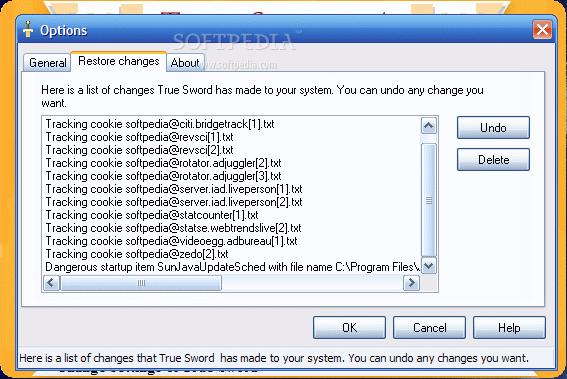
As a backup for your eliminating actions True Sword comes equipped with an undo button that can restore certain elements that have been detected as malware and thrown out of your computer. The option is particularly interesting because it provides the chance of restoring the items one by one. Usually, there would be an option to create a backup file of elements detected at the last scan. With True Sword, you can restore single elements and leave the baddies behind.
If passive protection is not what you want, then Security Stronghold gives you the heuristic alternative to this software by providing direct link to Active Shield, a real time monitor that supervises the changes that take place in sensitive areas of your computer and reports them. This product will be covered in a future review.
The Good
Extremely easy to use, True Sword manages to provide passive protection against 180 000+ types of spyware, adware, trojans and other kinds of malware.
The Bad
Scanning inside archives is not supported. Also, the price seems a little high especially if you consider combining the passive protection offered by True Sword with the active one provided by Active Shield (Monitor).
The RAM taken reached 70MB on my computer and CPU usage raised to 50%.
Additionally, it seems that True Sword has a problem remembering user's choices for future scans.
The Truth
The truth is that the application has found the righteous path and manages to warn you when there is a suspicious file on your computer.
Spywarewarrior listed earlier versions as rogue/suspect anti-spyware and Symantec checked them out also. It looks that only under 4.0 versions benefited from this treatment. I myself checked the symptoms from Symantec and most of them were gone (the exceptions were regular entries in the registry that most legitimate programs need to make).
Here are some snapshots of the application in action: