Search Perform an advanced search query SOFTPEDIA
 
SOFTPEDIA
Updated one minute ago
HomeSubmit a program for being reviewedAdvertise on our websiteGet help on surfing our websitesSend us your feedbackGet information about our XML/RSS backend and how to use itBrowse the news archiveVisit our discussion forumVizitati forumul in limba romana


Review Finder NormalFreeware onlyShareware only

TweakNow Powerpack Packs Quite the Punch
Category: SOFTPEDIA REVIEWS :: Windows

Professional Versus Standard
By: Alex Muradin, Editor, Software Reviews

TweakNow PowerPack by TweakNow Add Your Rating   See Editor's Ratings
Version reviewed: 1.0.8

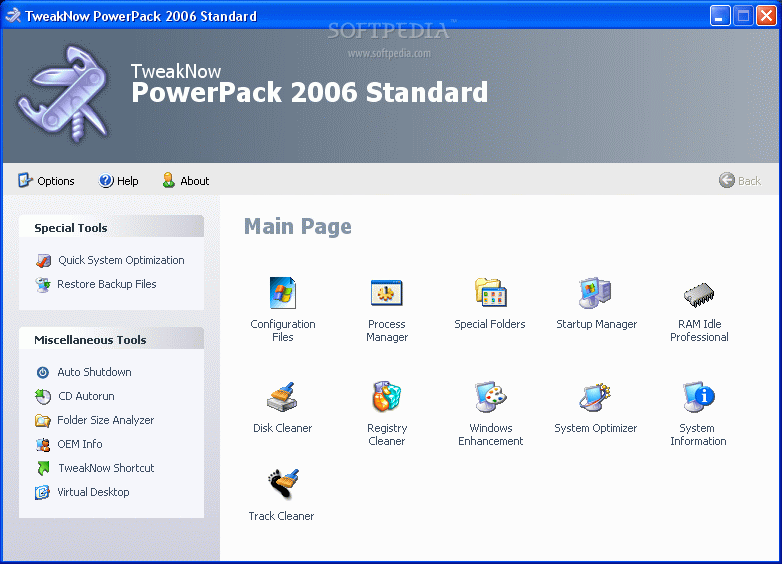
TweakNow PowerPack is a fully-integrated suite of utilities that let you fine-tune every aspect of your computer's operating system and Web browser.

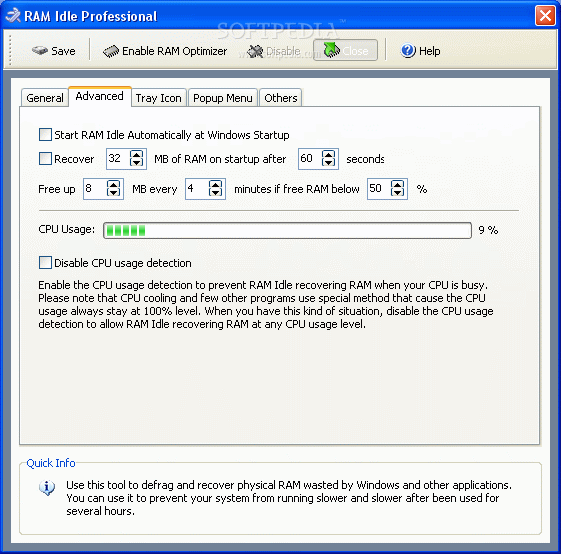
The RAM Idle program manages the free memory that is available to run Windows programs.

It prevents performance from degrading as you swap files and programs in and out of memory. The AutoShutdown program lets you suspend, hibernate, or shut down your computer after a specified period of time.

In addition to saving resources, this program keeps your system more secure by making it unavailable to unauthorized people.

The CD AutoRun is an extension of Windows' CD and DVD autorun features, giving you additional options for starting programs or listening to music.


Some features:

-Manage your system the way you want to

-Ability to configure your files

-The AutoShutdown program lets you suspend, hibernate, or shut down your computer after a specified period of time

-Manage startup files

-Enhance the speed of your PC through continuous RAM

-Clean your PC by getting rid of temporary files and registry

-Get rid of the online tracks you leave while surfing the net

-And more inside!

DOWNLOAD PROGRAM    REQUEST A REVIEW


The showdown begins

Which TweakNow is better, Standard or Professional? Both products offer the ability to manage your PC in ways that improve your system’s speed and overall effectiveness. It has specific utilities that let you fine-tune lots of computer features. This is a good application for PC tweaking, I guess that’s why they decided to give it such a functional name.

What TweakNow offers

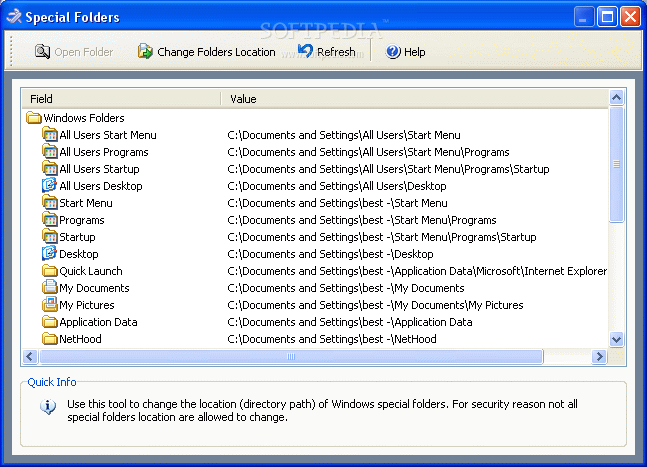
Both Standard and Pro. Versions offer similar functions. I am pretty impressed with the overall ability to adjust many of my PC’s presets. It’s pretty annoying to go into my system’s files and search for all the specific settings. TweakNow helps by bypassing most of these steps and goes right into fixing your system.

For the more advanced users, TweakNow offers you the ability to ‘Configure your Files’. This tool is used to edit your Windows configuration files, but be careful, messing with this tool can seriously affect your system if you don’t know what you’re doing.

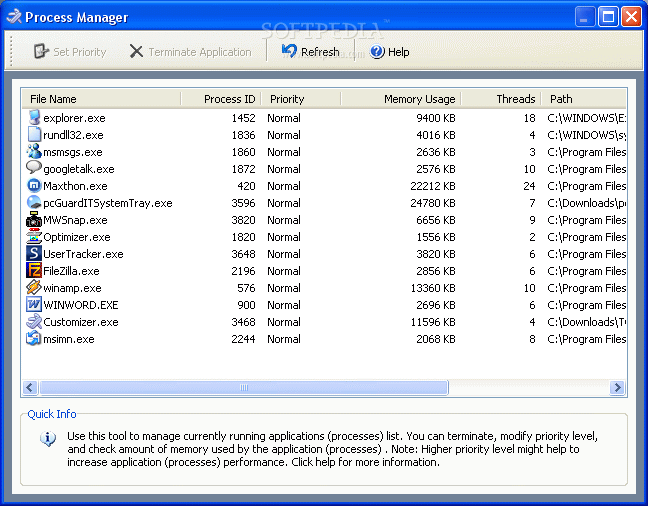
I liked the ‘Process Manager’ as another tool for managing my current applications. It gives me the ability to check, modify and terminate running applications. But I found that this feature lacked the abilities of what the Windows Task Manager (Ctr. Alt. Del.) gives you.

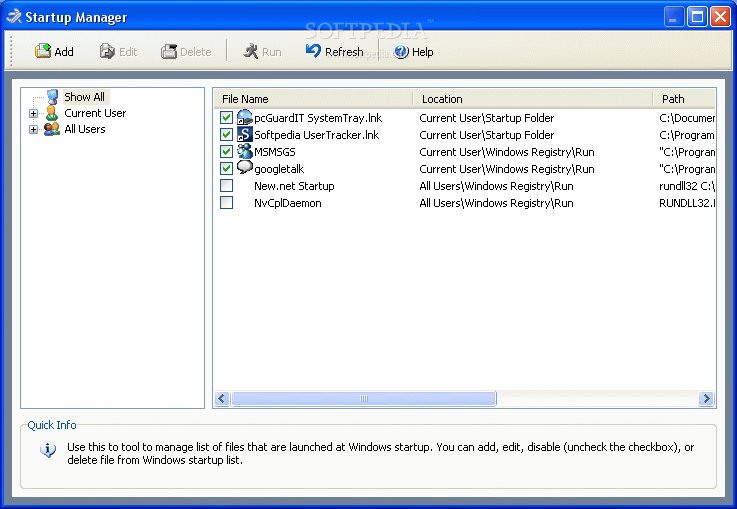
A useful tool that most users will find is the 'Startup Manager’. I find it annoying when I continually have to close the automatic programs from opening up on startup so this tool will let you manage it better. Yet, any user could run ‘MSCONFIG’ and get the same results.

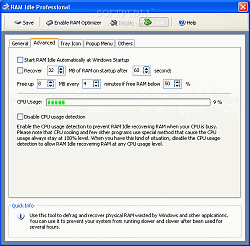
The RAM idle process lets you experience continuous and fast program speeds by the constant monitoring and freeing up of space wasted by other applications. But there’s something every reader of this review should know: The RAM Optimizer tool is not needed in 64 bit edition of Windows. So that this module will not be showed when you run the program on Windows XP Professional x64.

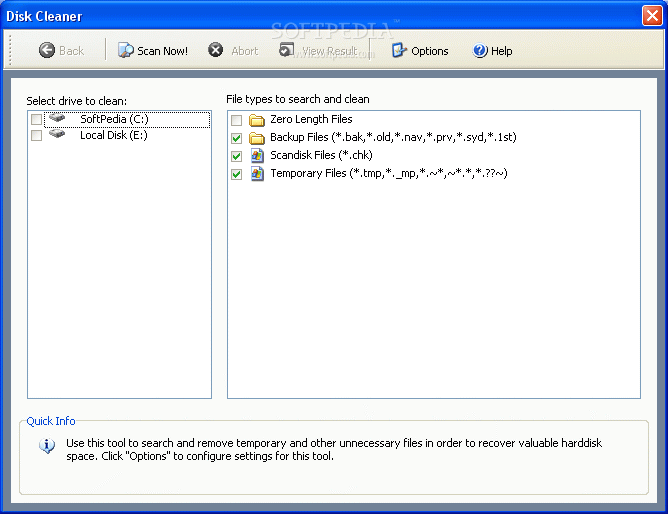
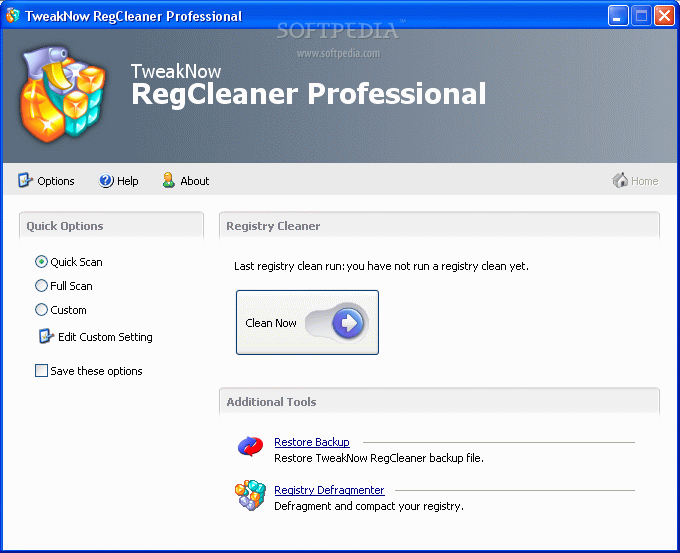
You get ‘Disk Cleaner’ which removes the temporary files from your PC which uselessly take up space. You also get ‘Registry Cleaner’, which is actually one of the best features of TweakNow. After a long period, the constant installing and uninstalling of applications, your Windows registry will contain a large number of obsolete entries. This will significantly increase the registry size and thus will slowdown your computer, because Windows will need more time to load, search and read data from registry. ‘Disk Cleaner’ gets the job
done.

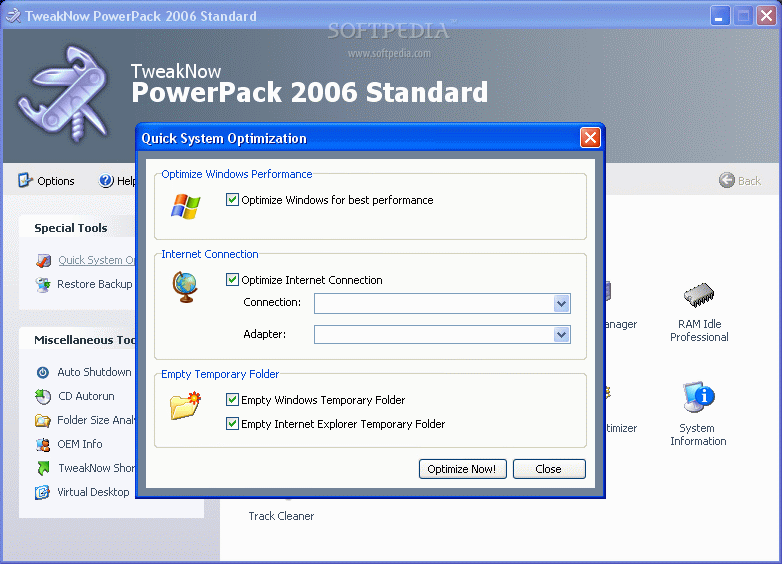
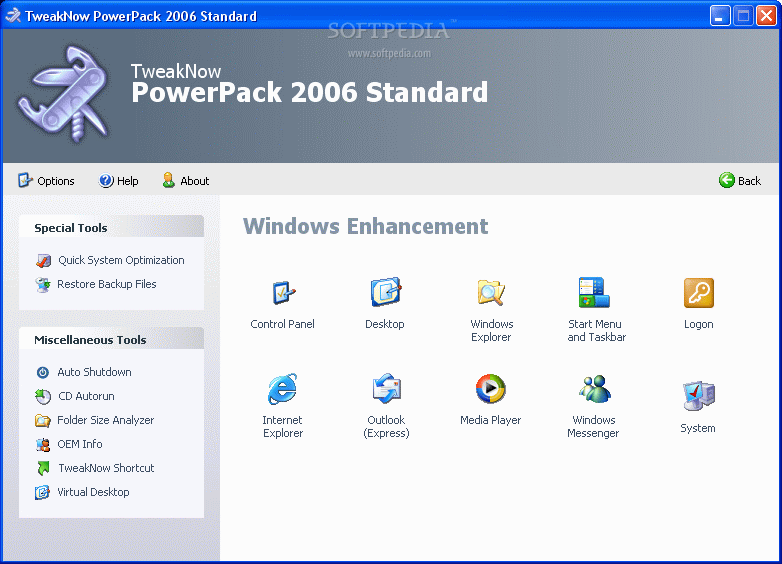
The Windows ‘Enhancement’ feature is also quite nice. This tool lets you play around and tweak nearly any imaginable preference. A coupe of examples would be disabling the ability to clear IE’s history, or removing disabling some menu options, etc. Some optimizations can also be done by ‘System Optimizer.’


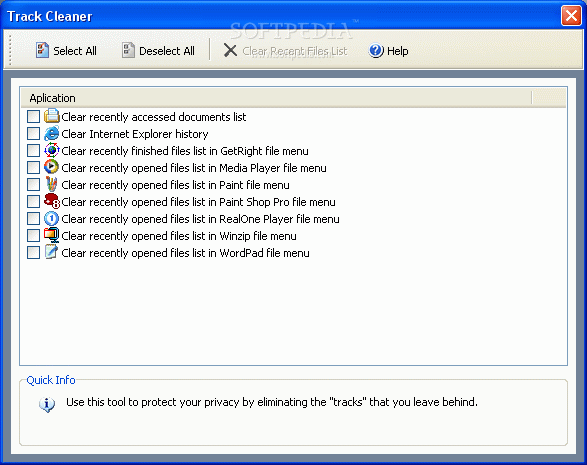
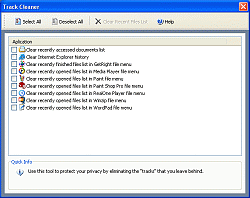
The last helpful item in TweakNow would have to be the ‘Track Cleaner’. With so much spyware and tracking cookies, your system is susceptible to many things on the net. The Track Cleaner lets you sweep up whatever information you’ve left behind without having to worry about the constant threat of tracking bugs.

The Big Difference Between the Two

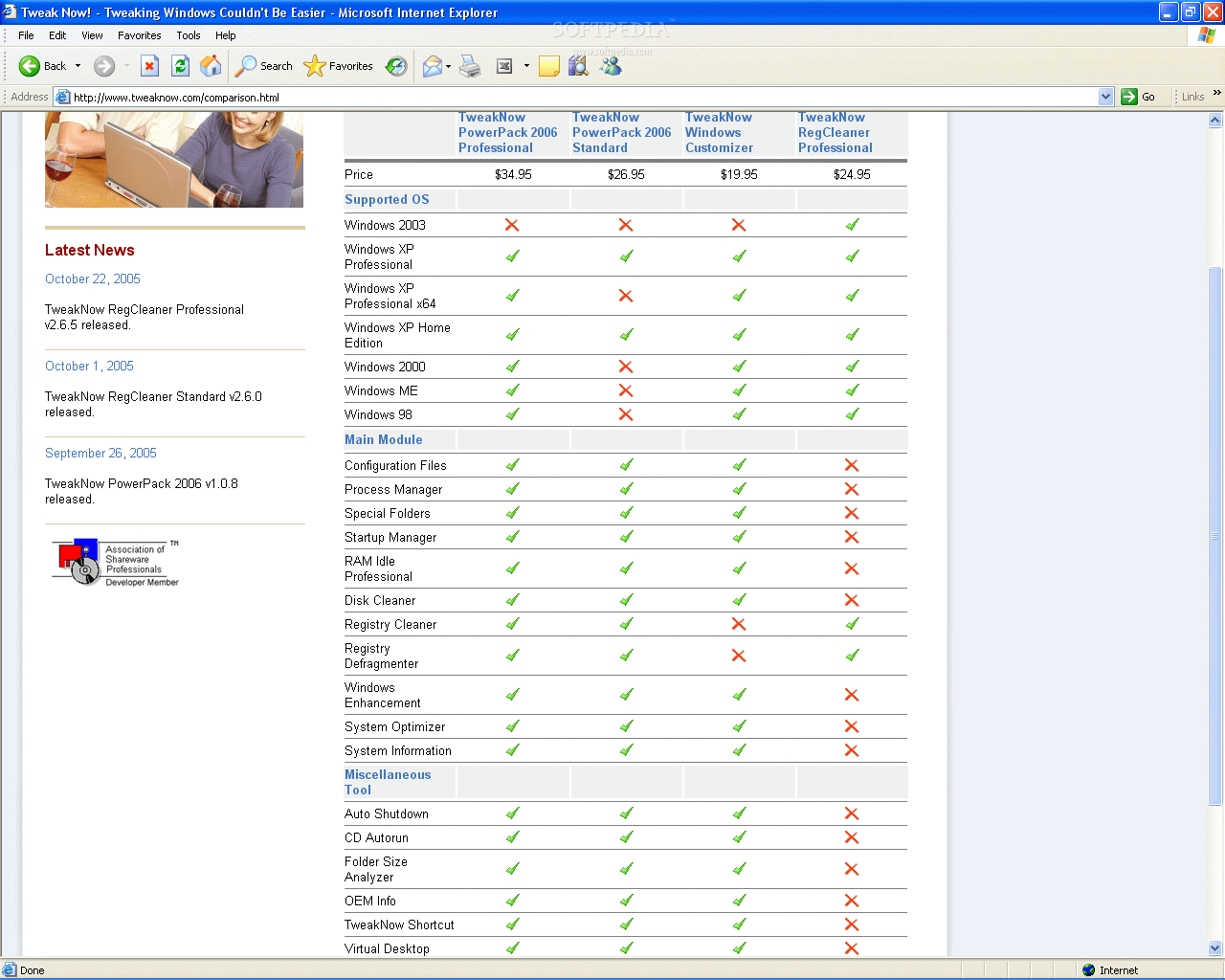
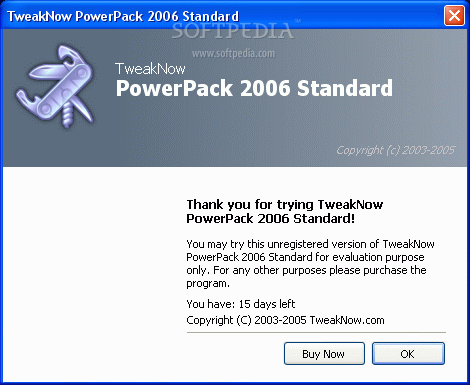
It's sad to say that there isn't any difference in the program's functionality. Both TweakNow PowerPack 2006 Standard 1.0.8 and TweakNow PowerPack 2006 Professional 1.0.8 have the same applications. The main difference is that TweakNow PowerPack 2006 Professional offers its tools for Windows XP Professional x64, Windows 2000, Windows ME and Windows 98.

The Good

TweakNow has a lot of functionality for your PC. An easy way to access, manage and change system presets to your own liking. It’s simple to use with a good interface. A good overall product.

The Bad

I have to admit that most of these applications are already on your computer. Like seeing what tasks are running, you only have to go to your task manager. If you don’t like what’s on your startup, run MSCONFIG and change these things for yourself. If your computer speed seems too slow, go ahead and empty out whatever’s in your recycle bin and temporary Internet folders. Or go ahead and right-click on ’My Computer’, then properties and go into the ‘Advanced’ tab to change Performance settings.

The Truth

Although you can do most of what TweakNow offers, don’t let that stop you from trying out this product. For veteran users who know how to micro manage their systems, you might get stupefied when thinking of purchasing this product. For those users who are still learning, this is an easy way to do all the things veteran users do the hard way. It’s the ultimate shortcut for any user to enhance their system and keep it running effectively.

Check out some screenshots below:
Review image
Review image
Review image
Review image
Review image
Review image
Review image
Review image
Review image
Review image
Review image
Review image
Review image


Editor's ratings:
User Interface:   Features:   Ease of Use:   Price/Value:   OVERALL:


7th November 2005, 11:41 GMT | Copyright (c) 2005 Softpedia | Contact:

Read by 5,436 user(s) | Add comment | Link to this news
Subscribe to news | Print article | Send to friend
TODAY'S HEADLINES: GameJackal Pro Review  Records Master Review  StoryMill Review  Crypt4Free Review  EnvyNG Review  Speed Launch Review  Defraggler Review  Nikon Capture NX Review  StorURL Review  Click 2 Crop Review  Math Educator Review  SuperDocker Review  
Today's News | Yesterday's News | View News Archive
Search:

TweakNow PowerPack Professional 2.1.0 - OPINIONS AND REVIEWS Pages: 1

TweakNow PowerPack 2006 Professional 1.1.7
Reviewer: klarre

Email me | PM me
Read all my reviews (43)

Date: 2006-07-14, 06:29 GMT
Version: TweakNow PowerPack 2006 Professional 1.1.7
Overall rating: (Fair)

GUI:    Features:    Ease of use:    Value:    
The RegCleaner is available separately and it is the only thing good in this suite.
Other stuff is available in windows or some other cheaper tool like Ace Utilities or TuneUp Utilities.

go to top Pages: 1


SHARE YOUR OPINION ABOUT TweakNow PowerPack Professional 2.1.0

Since you are not logged on, your comments will have to be approved before being displayed.
Click here to login, or register.
Your Name:
Your Email: (will not be published anywhere)
Type in the result:
GUI (Graphical User Interface): Poor   Fair   Good   Very Good   Excellent  
Features: Poor   Fair   Good   Very Good   Excellent  
Ease of use: Poor   Fair   Good   Very Good   Excellent  
Price/Value: Poor   Fair   Good   Very Good   Excellent  
Overall rating: Poor   Fair   Good   Very Good   Excellent  
Your review/opinion:


DO YOU WANT TO CONTACT US?  

If you have some comments or you want to send us some information you can send us an email directly to .
You can use the form below for the same purpose.
Your full name: (at least 3 characters)
Your email address: (at least 5 characters)
Message subject: (at least 5 characters)
Message text:
(at least 10 characters)
Type in the result:


Welcome!
Hello, Guest

Login if you have a Softpedia.com account.

Otherwise, register for one.

Main categories:
  • Antivirus
  • Compression tools
  • CD/DVD Tools
  • Office tools
  • Programming
  • Authoring tools
  • File managers
  • Desktop Enhancements
  • Internet
  • Network Tools
  • IPOD TOOLS
  • Mobile Phone Tools
  • Multimedia
  • Tweak
  • System
  • Security
  • Others
  • Science / CAD
  • UNIX
  • Windows Widgets
  • PORTABLE SOFTWARE

  • Week's best:
  • Vista Sidebar 2.5 Bu...
  • FlashGet 2.11.0.1188...
  • Opera 9.52 Build 101...
  • DVDFab Platinum 5.0....
  • Vuze (formely Azureu...
  • The Bat! Professiona...
  • AVG Anti-Virus plus ...
  • Acronis True Image H...
  • Rising Antivirus Fre...
  • DirectX Redistributa...
  • Adobe Flash Player 1...
  • Nero 8 8.3.6.0
  • FileZilla 3.1.1.1
  • AVG Internet Securit...
  • Microsoft Malicious ...
  • Maxthon 2.1.3.2430 F...
  • BitComet 1.04 Beta
  • Deluge 0.9.06 (1.0....
  • Pidgin (formerly Gai...
  • ATi Multimedia Cente...
  • K-Lite Codec Pack Fu...
  • Mozilla Thunderbird ...
  • Corel DVD MovieFacto...
  • Portable Winamp 5.35
  • VirtualDub 1.8.5 Bui...
  • Winamp 5 Full 5.541 ...
  • FFDShow MPEG-4 Video...
  • Hide IP Platinum 1.2...
  • GX::Transcoder 5.0.2...
  • TopSpyAdware Remover
  • © 2001 - 2008 Softpedia. All rights reserved.
    Softpedia™ and Softpedia™ logo are registered trademarks of SoftNews NET SRL.
    Copyright Information | Privacy Policy | Terms of Use | Contact Softpedia | Update your software | Archive