Search Perform an advanced search query SOFTPEDIA
 
SOFTPEDIA
Updated one minute ago
HomeSubmit a program for being reviewedAdvertise on our websiteGet help on surfing our websitesSend us your feedbackGet information about our XML/RSS backend and how to use itBrowse the news archiveVisit our discussion forumVizitati forumul in limba romana


Review Finder NormalFreeware onlyShareware only

Set Your Manager Free
Category: SOFTPEDIA REVIEWS :: Windows

freeCommander to the rescue!
By: Ionut Ilascu, Editor, Software Reviews

freeCommander by Marek Jasinski Add Your Rating   See Editor's Ratings
Version reviewed: 2006.06

freeCommander is an easy-to-use alternative to the standard Windows file manager.

Some features:

Dual-panel technology
Built in file viewer to view files in hex, binary, text or image format
Built in archive handling: ZIP (read, write), CAB (read, write), RAR (read)
Easy access to system folders, control panel, desktop and start menu
Create and verify MD5 checksums
Calculation of folder size
Folder comparison / synchronization
DOS command line

DOWNLOAD PROGRAM    REQUEST A REVIEW

This time I will not bother at all to make an introduction for the software. I did it so many times for this type of applications that I do not know what I can possibly add.
Yet another file manager to ease your file managing needs. Why would I want to make a review for this type of software? Well, first of all it is free. Another reason is that the resemblance to Total Commander is uncanny (in a good way).

freeCommander is a program developed by Marek Jasinski. The software is freeware, so using it won't cost you a dime and you will get in trouble only if you distribute it for profit. The installation file is 1,6 MB large, so you can basically carry it around on every file storing device.

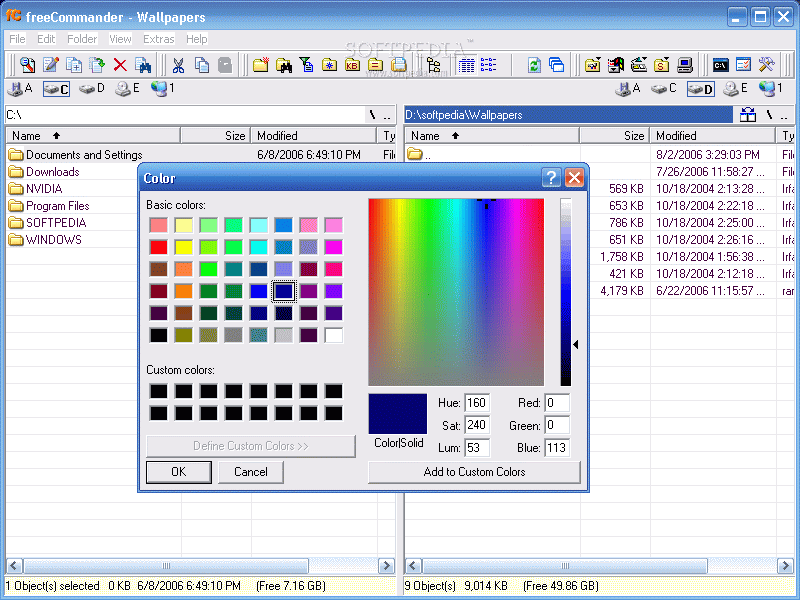
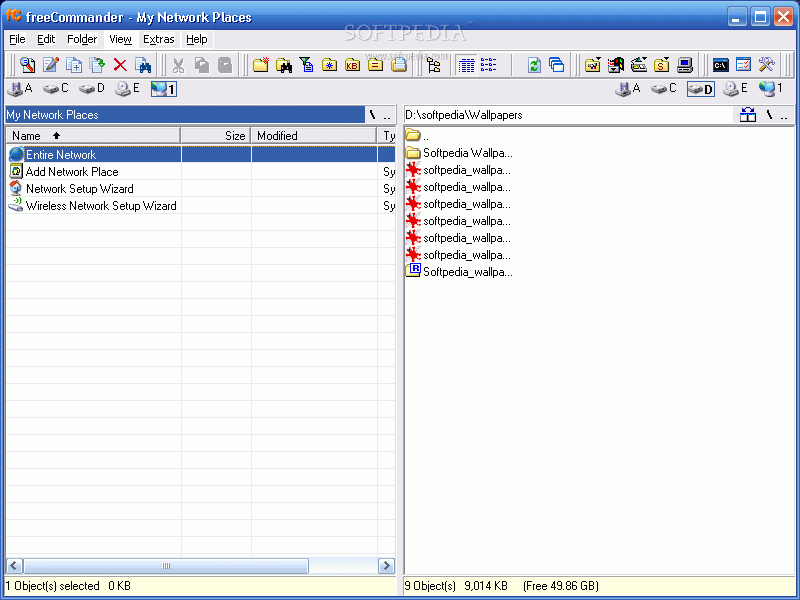
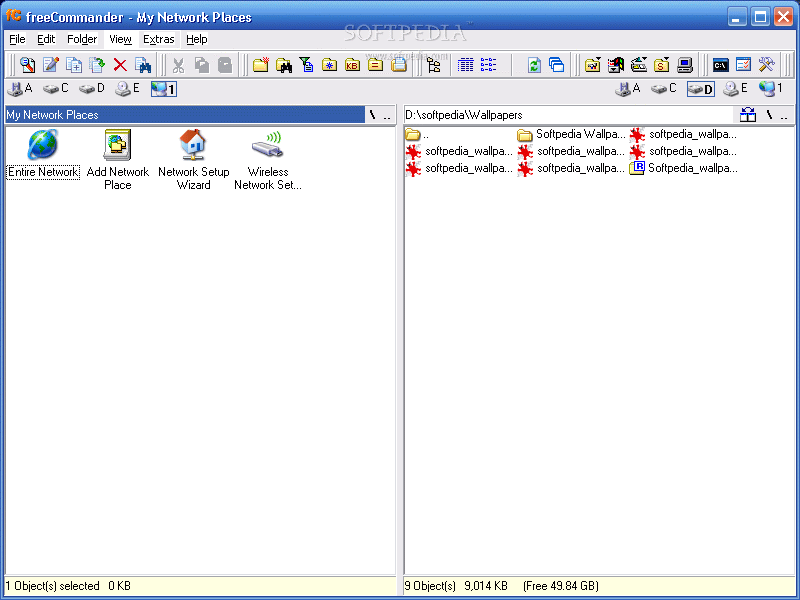
The application window will seem very familiar to those of you who are using Total Commander. But there are some differences. The interface seems very fragile and it takes a while to get used to it. It is user-friendly though and the files are displayed in two panels.

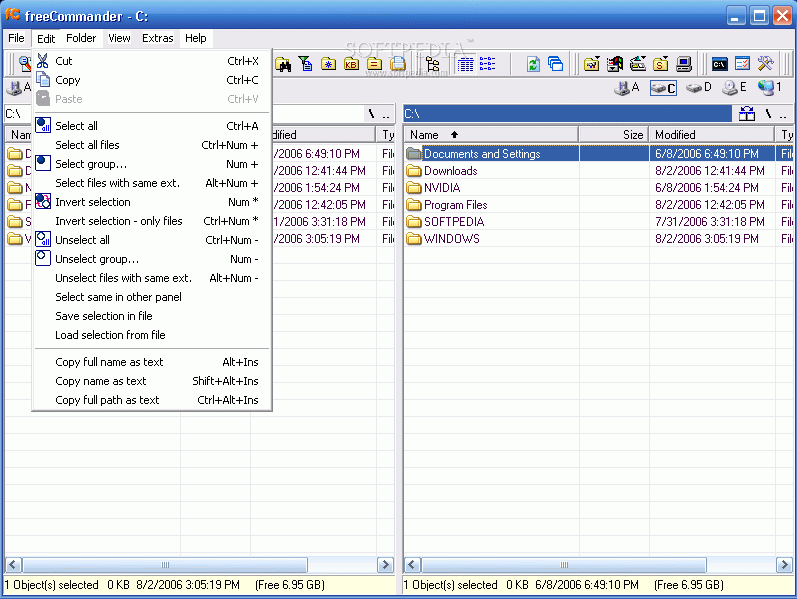
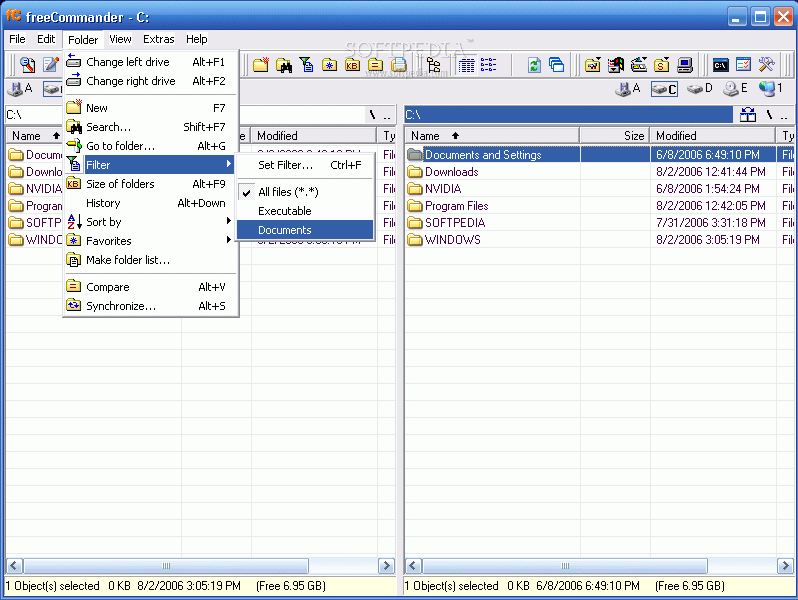
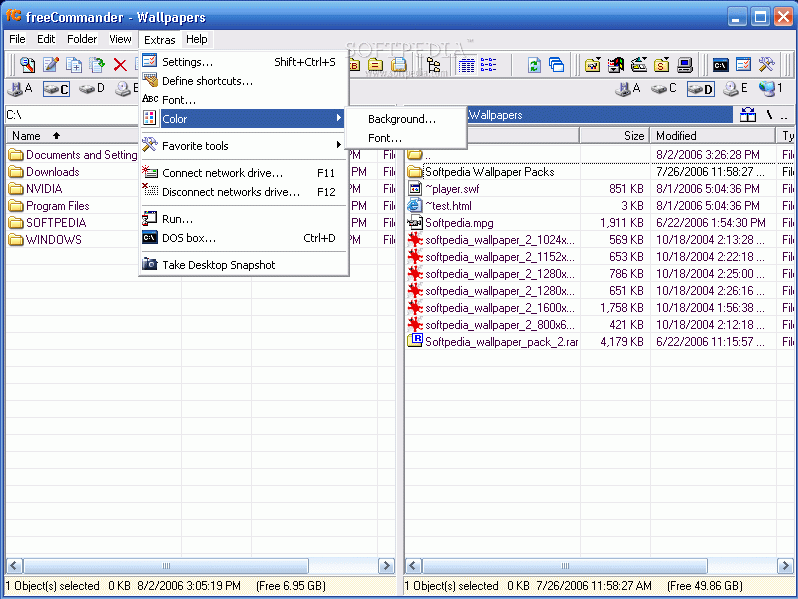
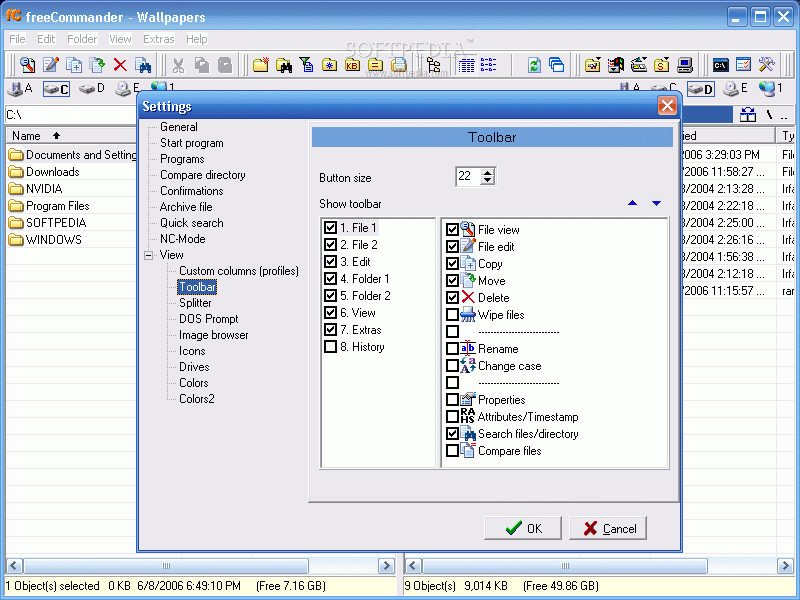
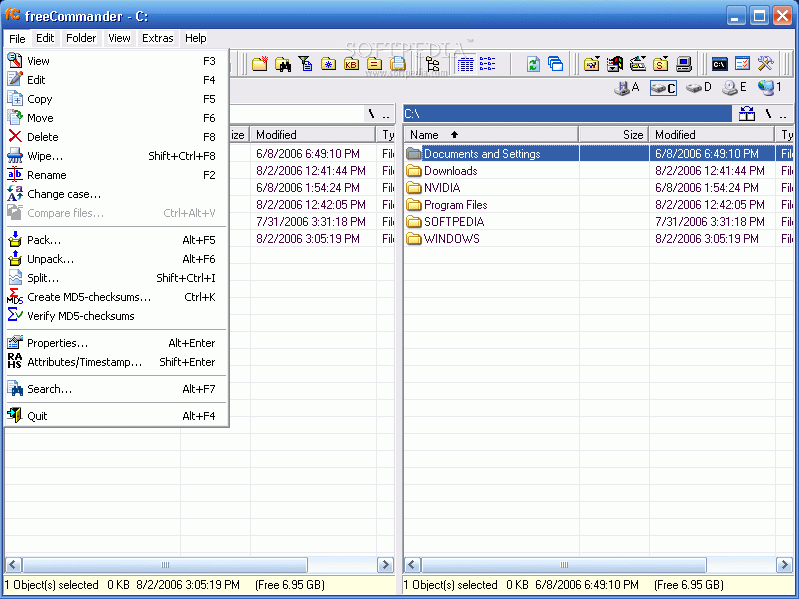
The menu bar is composed of the usual File, Edit, View and Help menus. In addition to these, there is a Folder menu and an Extras menu. All of the menus are rich in options designed to make the file management easier and faster. Almost all the features in the menu bar are displayed as shortcut icons in the toolbar.

As I said before, the software is a two windowed application. The user can make any modification in either of the two panels. The multiple panel file managers are very useful in copying one file in a folder to a different folder.

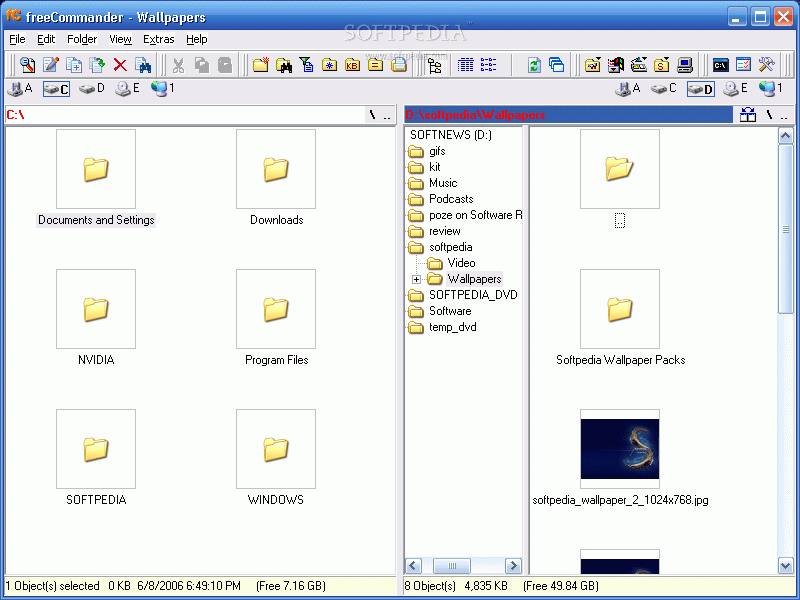
It seems to me that this software is meant to be a combination of Total Commander with the classic Windows Explorer. I say this because I have noticed that if you are not satisfied with the two panels, you can always add a file tree for each of the windows and this practically transforms it into a baby Windows Explorer.

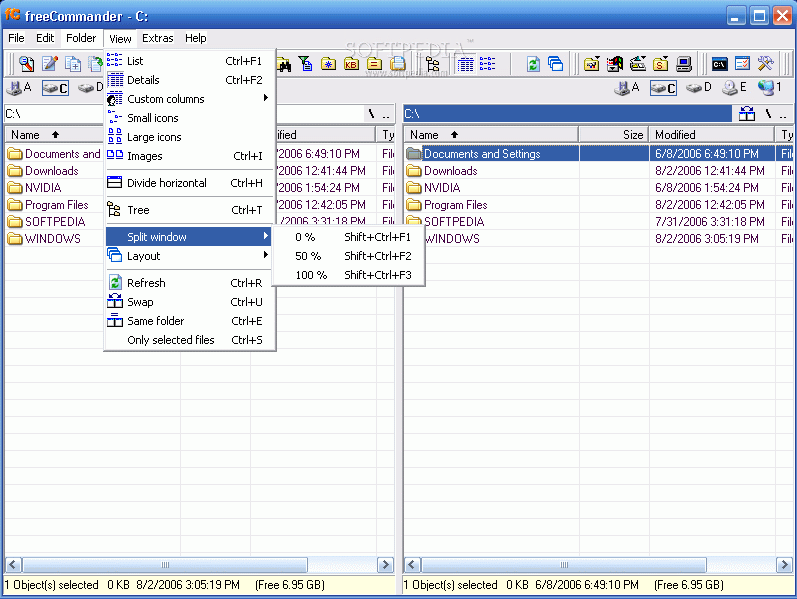
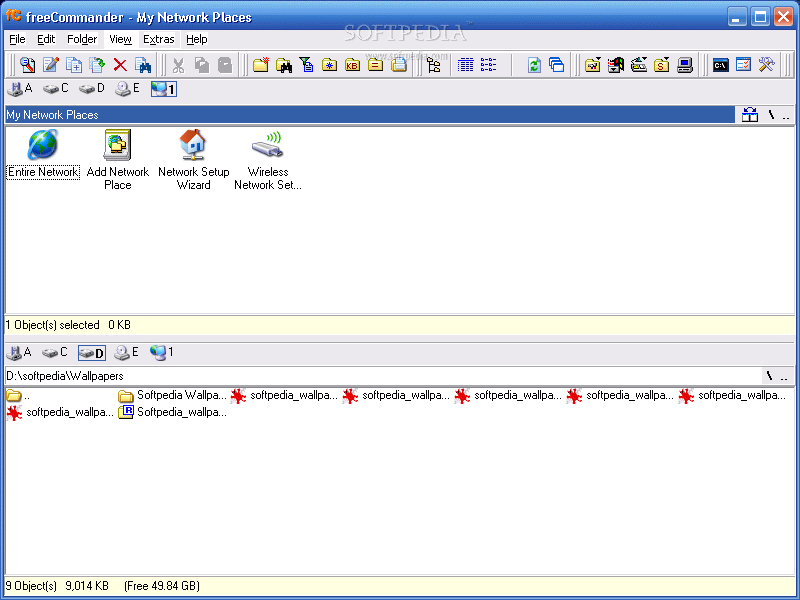
If you are not content with the vertical windows you can go to the View menu and choose "Divide Horizontally" or press Ctrl+H and the panels will be displayed horizontally.

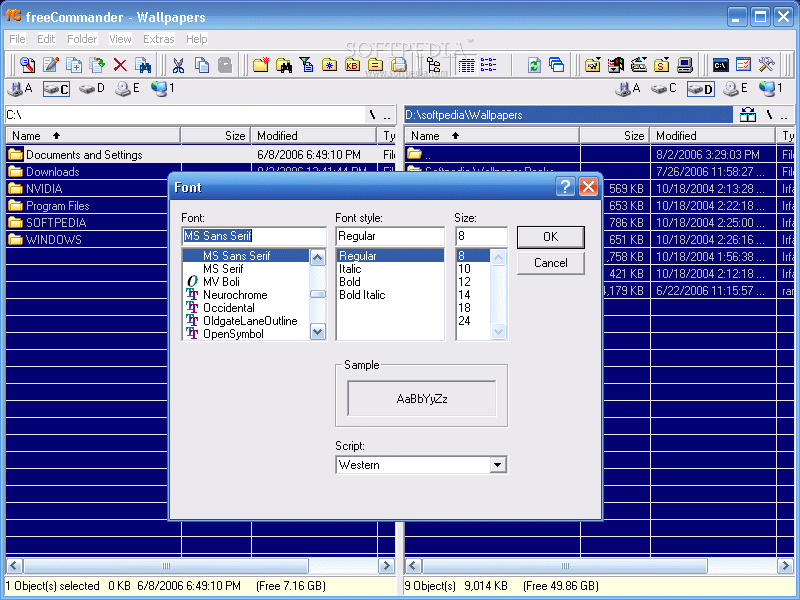
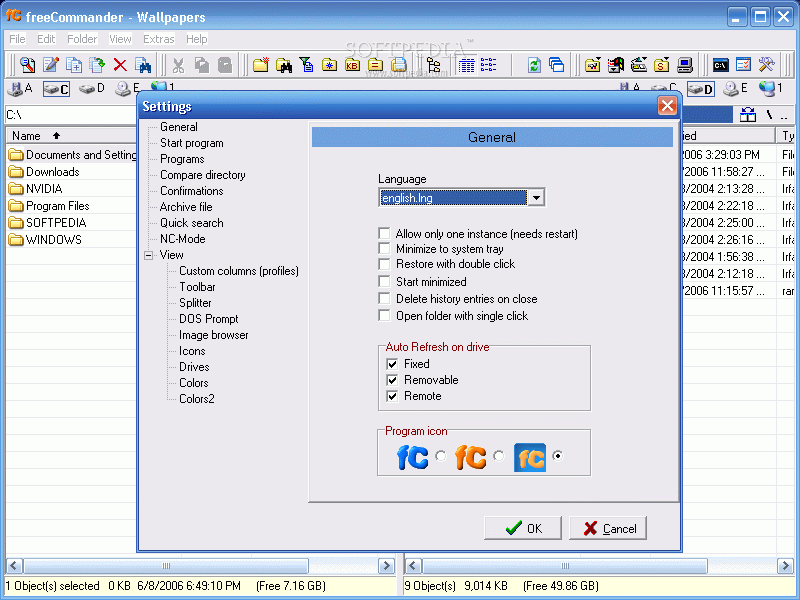
The fully configurable application window allows the user to customize the aspect of the software. The drives can be displayed as combo box (as in Windows Explorer) or as bar (like in Total Commander). From this version, Network Neighborhood is available as drive.

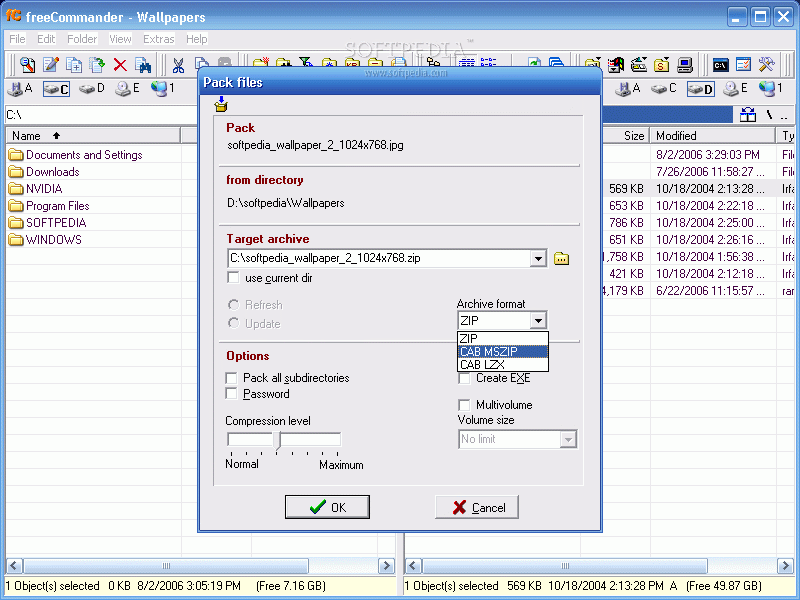
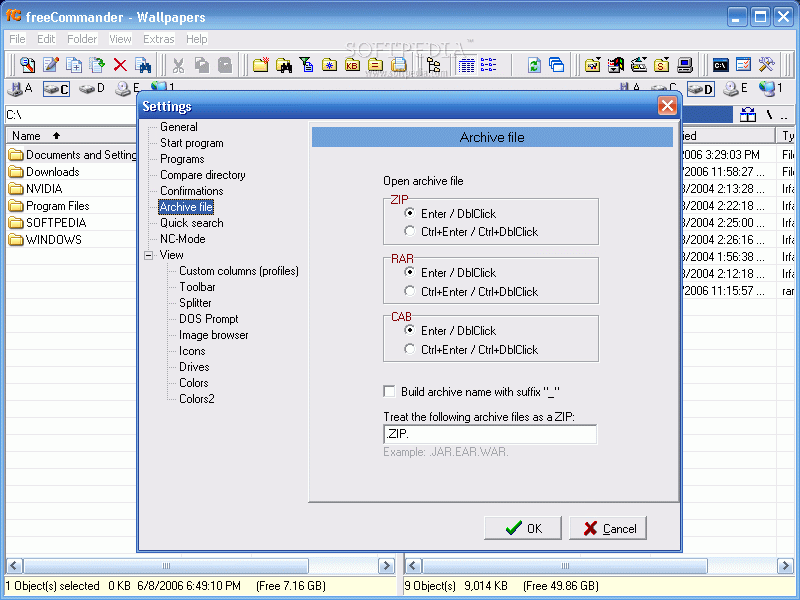
The user can also unpack .jar, .war, .ear files (new features). The archiving tool handles .zip (read and write), .cab (read and write), .rar (read). The software comes with a built-in file viewer to view files in hex, text or image format (F3).

For bigger files (and if archiving is not enough) the application has a file splitter. The file splitter window allows the user to split a large archive either by defining the number of output files or by setting a certain size per split. You can also create an .exe file.

In the lower part of the window there is displayed the information about the folders in view and the drive (free space). The names of the drives unfortunately cannot be displayed in the drive bar.

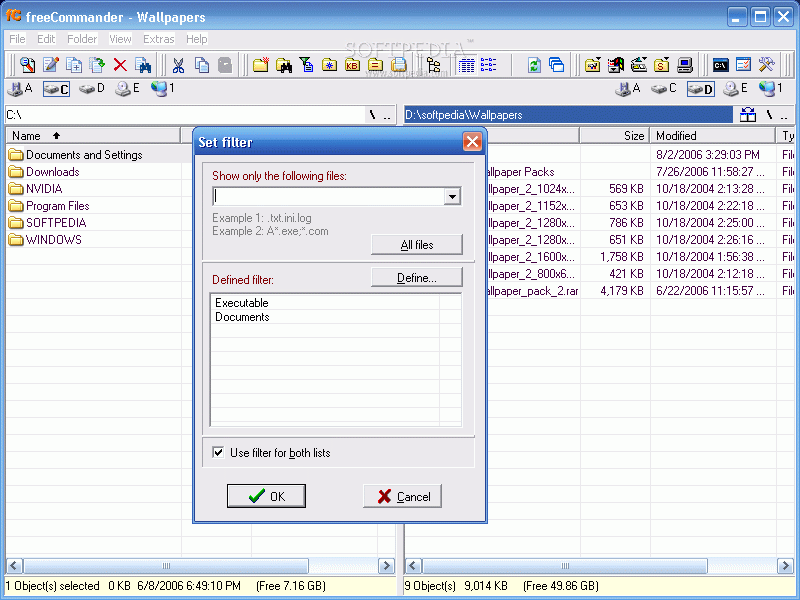
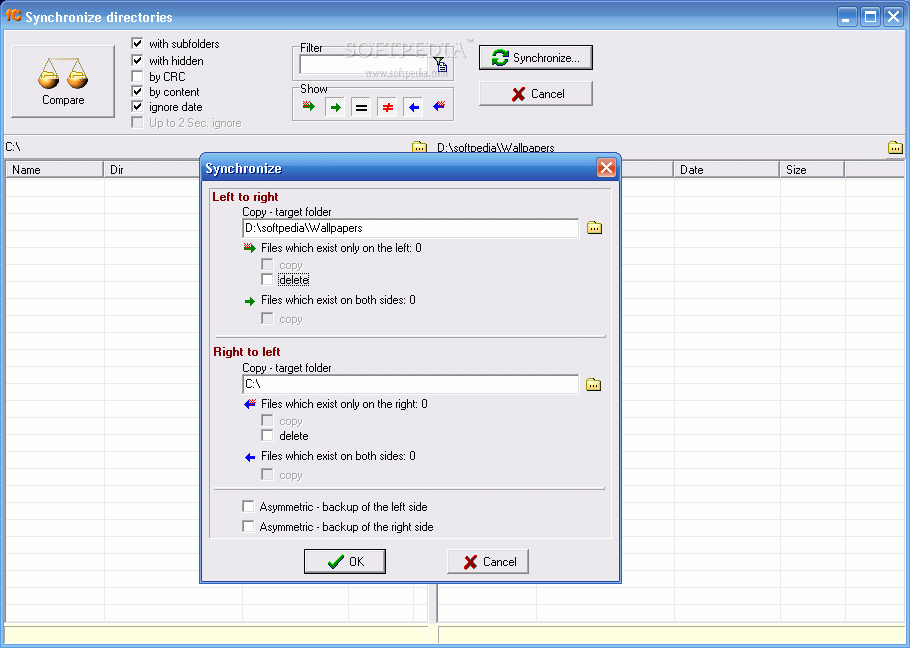
The software is also equipped with a directory comparing and synchronizing tool and the user can make directory lists and save them as .txt files. The file filter will help the user find quickly the files s/he is looking for by typing in the extension.

Under the menu bar the user will notice a bunch of buttons. These are shortcuts for the most used operations in a file manager. Thus you will find the copy, paste and cut shortcuts (the keyboards work the same as in Total Commander.)

Most of the shortcuts have keyboard equivalents (see Help menu) but some of them can be accessed only from the toolbar (Control Panel, Start Menu, Desktop, System Directories and Computer). FreeCommander also provides quick access to the DOS interface.

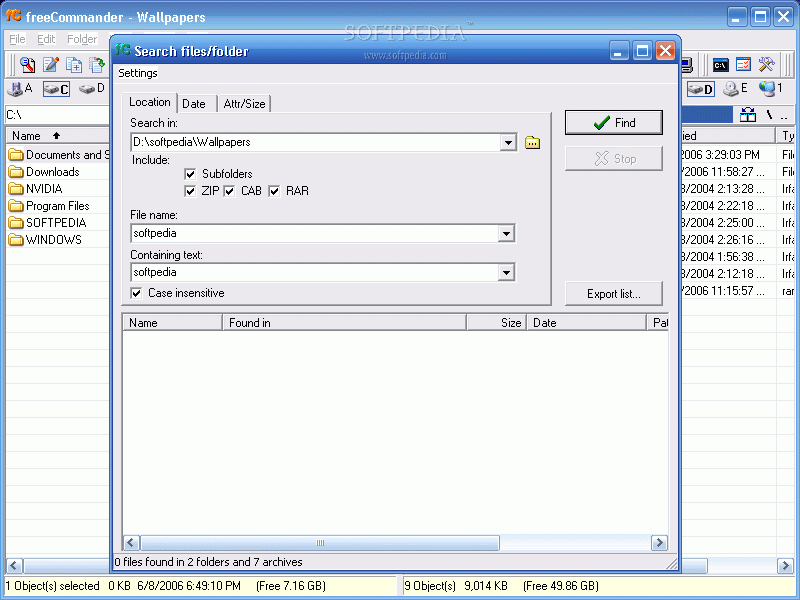
The Search option is quite well structured, as it permits an in-depth, archive search. The user can search a file or folder by location, date or attributes (directory, size – set a minimum and maximum, hidden, or read-only).


The Good

The software is free to use and distribute and has a familiar interface, no matter if you use Total Commander or Windows Explorer. It has lots of options and shortcuts that many file managers forget to include. The keyboard shortcuts list is very useful to the users that want to move very fast.
The packing and unpacking tools are just great as they spare the user of buying and installing external archivers.
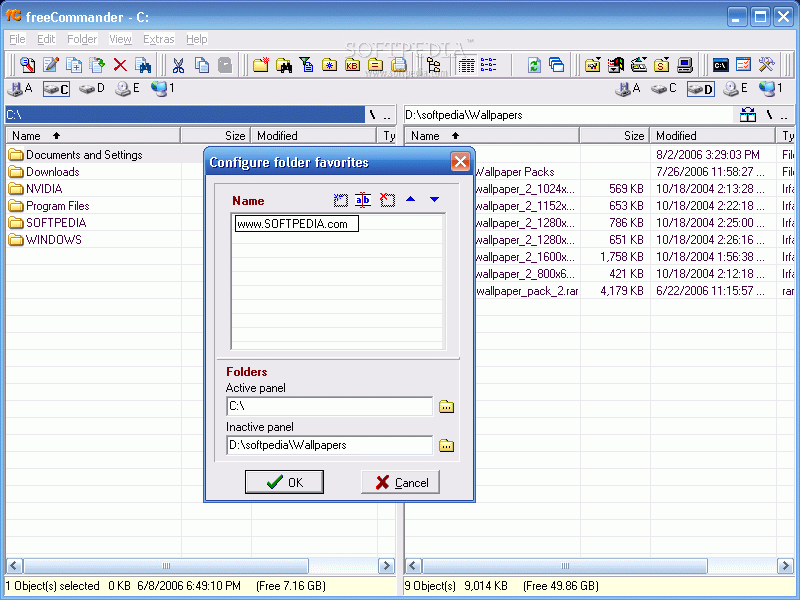
The swap panel, root and go back buttons are very useful as you can "surf" the files on the computer more swiftly.
The Split window option allows the user to perfectly half split the windows or eliminate one of the panels. The columns are customizable.


The Bad

Although the interface is great and user-friendly, in the beginning it seemed to me as very fragile and as if it would shatter to pieces upon pressing a button.
The drive bar is not that great as the drive buttons are gathered in a corner and not into eye sight.
The grid lines, although not very disturbing in the default view (black font, white background), are really upsetting when you customize the window colors.


The Truth

The software is a great combination between Windows Explorer and Total Commander. It has lots of options that give it great functionality. Installing freeCommander will not result in a bad decision (at least I had no crashes).
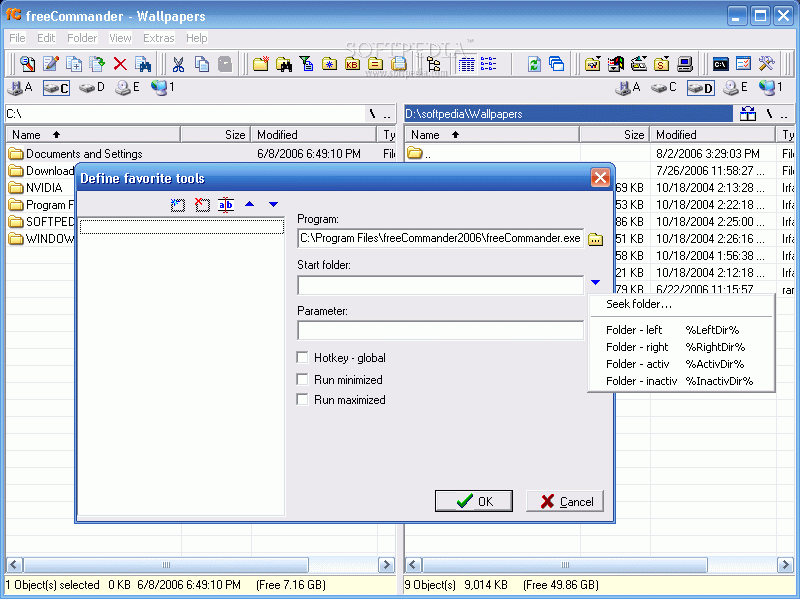
With some more effort, this software gets close to the popularity of Total Commander (no offense, I am too a TC fan). It lacks certain features (like the possibility of adding other software shortcuts in the toolbar,) but with a peek here and there, it can be straightened up and become the next best file manager.

Here are some snapshots of the application in action:
Review image
Review image
Review image
Review image
Review image
Review image
Review image
Review image
Review image
Review image
Review image
Review image
Review image
Review image
Review image
Review image
Review image
Review image
Review image
Review image


Editor's ratings:
User Interface:   Features:   Ease of Use:   Price/Value:   OVERALL:


2nd August 2006, 15:25 GMT | Copyright (c) 2006 Softpedia | Contact:

Read by 9,500 user(s) | Add comment | Link to this news
Subscribe to news | Print article | Send to friend
TODAY'S HEADLINES: MemoriesOnTV Review  Magic Transfer Review  tag2find Review  Teach2000 Review  Rapid Reminder Pro Review  Ping Tester - Professional Review  Photo Batch Watermark Review  AIV Reminder Review  Voluminous Review  Glubble Family Edition Review  MobaPhoto Review  Process Viewer Review  
Today's News | Yesterday's News | View News Archive
Search:

FreeCommander 2007.10a - OPINIONS AND REVIEWS Pages: 1

FreeCommander 2007.10a
Reviewer: Greytata

Email me | PM me
Read all my reviews (15)

Date: 2008-02-29, 04:51 GMT
Version: FreeCommander 2007.10a
Overall rating: (Excellent)

GUI:    Features:    Ease of use:    Value:    
As a donator, I have version 2008-60317 not public beta installed, with the new GUI. Well, if I have to balance ease of use, low system resources when minimized to the system tray,great features,tabbed file browsing, good customization,speed and value - even donating - Freecommander is the Explorer to have. Very intuitive, favorite folders, favorite tools, links for external apps,syncronizing, move, compare, a lot of features - the really needed ones - which makes this a great application. I also had Accelman ( which I used prior to install Freecommander ) - Accelman is a great Explorer BTW - with more features than FC, but at the end of the day, I do not needed them all and the GUI of it can become very cluttered. And the fact is that I found myself using FC 100% of the time. Great software.
freeCommander 2006.06b
Reviewer: glerinand

Email me | PM me
Read all my reviews (2)

Date: 2006-10-06, 01:13 GMT
Version: freeCommander 2006.06b
Overall rating: (Excellent)

GUI:    Features:    Ease of use:    Value:    
Estuve buscando un substituto de para Total Commander, el cual no puedo pagar. El mas parecido es Free Commander, recien lo descargue y casi ni lo he usado, pero me siento tan comodo. Lo único que extraño es que no tiene pestañas, espero que mas adelante le agreguen esta opción.

go to top Pages: 1


SHARE YOUR OPINION ABOUT FreeCommander 2007.10a

Since you are not logged on, your comments will have to be approved before being displayed.
Click here to login, or register.
Your Name:
Your Email: (will not be published anywhere)
Type in the result:
GUI (Graphical User Interface): Poor   Fair   Good   Very Good   Excellent  
Features: Poor   Fair   Good   Very Good   Excellent  
Ease of use: Poor   Fair   Good   Very Good   Excellent  
Price/Value: Poor   Fair   Good   Very Good   Excellent  
Overall rating: Poor   Fair   Good   Very Good   Excellent  
Your review/opinion:


DO YOU WANT TO CONTACT US?  

If you have some comments or you want to send us some information you can send us an email directly to .
You can use the form below for the same purpose.
Your full name: (at least 3 characters)
Your email address: (at least 5 characters)
Message subject: (at least 5 characters)
Message text:
(at least 10 characters)
Type in the result:


Welcome!
Hello, Guest

Login if you have a Softpedia.com account.

Otherwise, register for one.

Main categories:
  • Antivirus
  • Compression tools
  • CD/DVD Tools
  • Office tools
  • Programming
  • Authoring tools
  • File managers
  • Desktop Enhancements
  • Internet
  • Network Tools
  • IPOD TOOLS
  • Mobile Phone Tools
  • Multimedia
  • Tweak
  • System
  • Security
  • Others
  • Science / CAD
  • UNIX
  • Windows Widgets
  • PORTABLE SOFTWARE

  • Week's best:
  • SP3 UxTheme Patcher ...
  • PECompact 2.82
  • Sony Vegas Movie Stu...
  • 3DMark Vantage 1.0
  • Total Commander 7.03
  • VistaMizer 2.5.1.0
  • AVG Free Edition 8.0...
  • Windows XP Service P...
  • Ashampoo Burning Stu...
  • XviD Media Codec 1.1...
  • Blu-ray Disc Ripper ...
  • Blu-ray Region Code ...
  • Adobe Photoshop Ligh...
  • PowerDVD 8.0.1531
  • EF Commander 6.54
  • Microsoft Windows In...
  • Nero 8 Lite 8.3.2.1
  • WebSite-Watcher 4.41...
  • EVEREST Ultimate Edi...
  • Nokia PC Suite 6.86....
  • VMware Workstation 6...
  • AnyDVD HD 6.4.2.0
  • Messenger Plus! Live...
  • The Bat! Voyager 4.0...
  • Windows Vista Servic...
  • Nero 8 8.3.2.1
  • Vipre 3.1.1997 Beta
  • Internet Explorer 8 ...
  • Norton 360 2.0.0.242
  • SmartFTP 3.0.1015.5
  • © 2001 - 2008 Softpedia. All rights reserved.
    Softpedia™ and Softpedia™ logo are registered trademarks of SoftNews NET SRL.
    Copyright Information | Privacy Policy | Terms of Use | Contact Softpedia | Update your software | Archive