
Identify and remove malware and unsafe processes from your infected computers with just a few clicks using this freeware application. #Detect Malware #Malware Detection #Process Explorer #Antimalware #Detection #Detector

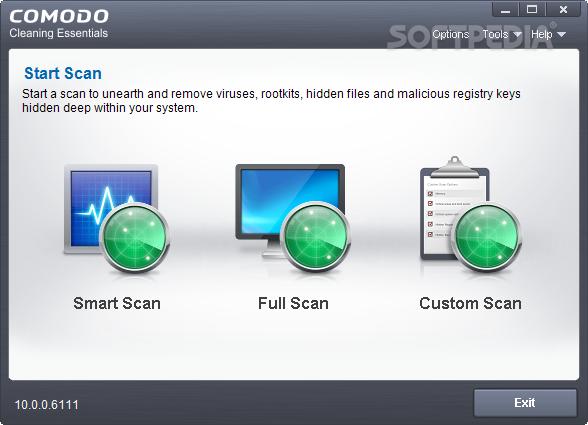
COMODO Cleaning Essentials is a portable application that contains security tools for removing malicious agents from your computer system. It addresses users of all skill levels.
Since installation is not required, you can simply drop the program files on any location of the hard drive and run the executable file. Moreover, you can store COMODO Cleaning Essentials on a USB flash drive or similar storage unit, and run it on any computer.
The most important aspect is that no leftover items can be found in the Windows Registry or on the hard drive after removing the program. Also, you can keep COMODO Cleaning Essentials in your pocket whenever you're on the move.
Upon deployment, you are greeted by a modern window with a simple layout. COMODO Cleaning Essentials supports three scanning modes - Smart, Full or Custom. Smart Scan goes through only the critical areas of the system, including the MBR sector (Master Boot Record) and autorun entries.
In Custom Scan mode, you can select a drive, add files and/or folders, as well as include the memory, critical areas and boot sector, hidden Registry objects and services, together with hidden files and folders.
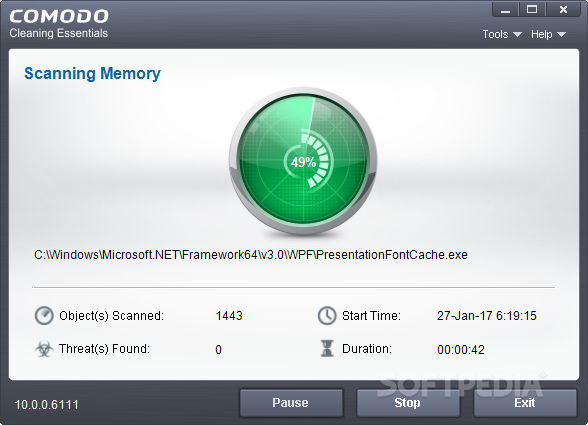
During the scanning task, you can view the currently scanned item's file path, total scanned objects and found threats, together with the start time and duration. Once it finishes, you may view details on each error and make COMODO Cleaning Essentials either repair or ignore it. A system reboot is required to finish the scanning procedure.
Another important feature of the program is represented by Kill Switch. This is a separate tool, which comes with its own executable file, that lets users monitor active processes and stop any potentially unsafe programs.
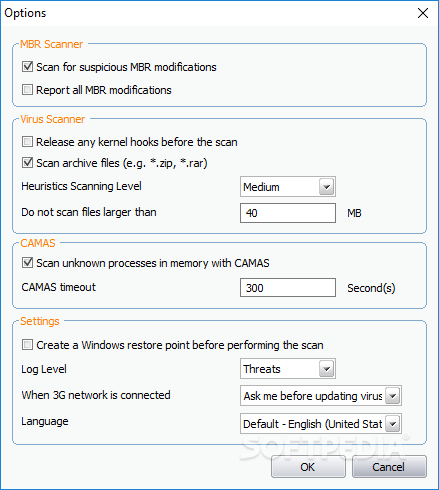
COMODO Cleaning Essentials uses a pretty high quantity of CPU and system memory, takes a reasonable amount of time to complete a task (depending on your hard drive's size) and has a good response time. It supports multiple GUI languages and can be set to log all activity to file.
No error dialogs have been shown in our tests and the application did not hang or crash. To conclude, COMODO Cleaning Essentials offers quick solutions when it comes to malware removal, and it should please most users who prefer a straightforward security tool.
What's new in COMODO Cleaning Essentials 10.0.0.6111:
- Command line parameter to randomize CCE window names
- Command line parameter to suppress reboot during scan
- Option to log threat and unknown files in KillSwitch
- Option to hide Microsoft signed files in KillSwitch
COMODO Cleaning Essentials 10.0.0.6111
add to watchlist add to download basket send us an update REPORT- runs on:
-
Windows 8 32/64 bit
Windows 7 32/64 bit
Windows Vista 32/64 bit
Windows XP 32/64 bit - file size:
- 25.7 MB
- filename:
- cce_x32.zip
- main category:
- Antivirus
- developer:
- visit homepage
Context Menu Manager

IrfanView

4k Video Downloader

Bitdefender Antivirus Free

Microsoft Teams

7-Zip

ShareX

Zoom Client

Windows Sandbox Launcher

calibre

- Zoom Client
- Windows Sandbox Launcher
- calibre
- Context Menu Manager
- IrfanView
- 4k Video Downloader
- Bitdefender Antivirus Free
- Microsoft Teams
- 7-Zip
- ShareX