
Small-sized, portable and straightforward application that identifies and removes fake and dangerous antivirus products from the computer. #Remove Antivirus #Antivirus remover #Fake remover #Remover #Remove #Fake


Remove Fake Antivirus is a free, small-sized and portable app that's worth keeping around on the computer in case it gets infected with intelligent viruses posing as antivirus applications. It does not require configuration since it takes care of the entire process with minimal user assistance.
In other words, previous experience with antivirus software is not required to be able to remove stubborn infections from the computer. Although it may be obvious, it's worth mentioning that Remove Fake Antivirus cannot prevent malware from infiltrating the PC, so a full-fledged anti-malware/antivirus program with a real-time guard is mandatory to ensure the security of any machine.
Since there is no setup pack involved, the executable file can be saved to any part of the hard disk and immediately launched. There is also the possibility to save the tool to a USB flash disk or other removable storage unit, in order to run it on any PC with minimum effort and no previous installers.
Worth mentioning is that, apart from the registry entries corresponding to the fake av products, the app does not make any other modifications to the Windows registry (like most installers).
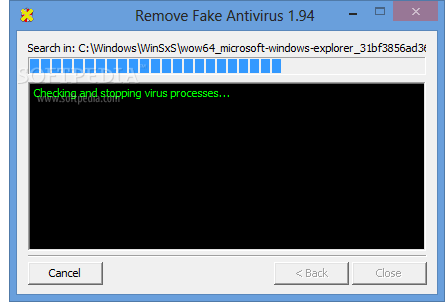
The GUI is represented by a single, classical window that contains only two buttons, dedicating to scanning the PC and exiting the tool. Users may also visit the developer's website to examine a list with all fake av tools identified by Remove Fake Antivirus, as well as to find out how the program works, along with a manual guide on how to remove the viruses.
The scanning procedure is automatic and does not imply configuration. The app knows exactly where to look for the fake av utilities and automatically removes their files, folders and registry keys without asking for permission.
On task completion it is possible to examine log details with the full path for each deleted file. Remove Fake Antivirus recommends users to scan the computer with the latest updated antivirus application and reboot the PC to finalize the entire virus removal procedure.
Scan jobs are performed very fast while Remove Fake Antivirus remains light on system resources. It has a pretty impressive database concerning fake av products. Although it has not updated to a major version for a very long time (only minor builds with new database additions), Remove Fake Antivirus is still reliable.
What's new in Remove Fake Antivirus 1.99:
- Add ability to remove Windows Prime Shield.
Remove Fake Antivirus 1.99
add to watchlist add to download basket send us an update REPORT- runs on:
- Windows All
- file size:
- 234 KB
- filename:
- Remove Fake Antivirus.exe
- main category:
- Antivirus
- developer:
- visit homepage
Zoom Client

4k Video Downloader

Windows Sandbox Launcher

Bitdefender Antivirus Free

IrfanView

7-Zip

ShareX

calibre

Context Menu Manager

Microsoft Teams

- calibre
- Context Menu Manager
- Microsoft Teams
- Zoom Client
- 4k Video Downloader
- Windows Sandbox Launcher
- Bitdefender Antivirus Free
- IrfanView
- 7-Zip
- ShareX